Allows you to set the weight of a selection to a specific mass/weight in Fusion 360
- Download/clone this repository to your Documents or other folder
- Go to the
UtilitiesTab in Fusion 360 - Click
Add-Ins > Scripts and Add-Ins... - Click the Green
+next toMy Scripts - Navigate to the folder where you saved FusionSetMass from Step #1
- Click the Folder of FusionSetMass, and then click open
- Go to the
UtilitiesTab in Fusion 360 - Click
Add-Ins > Scripts and Add-Ins... - Double Click SetPartMass
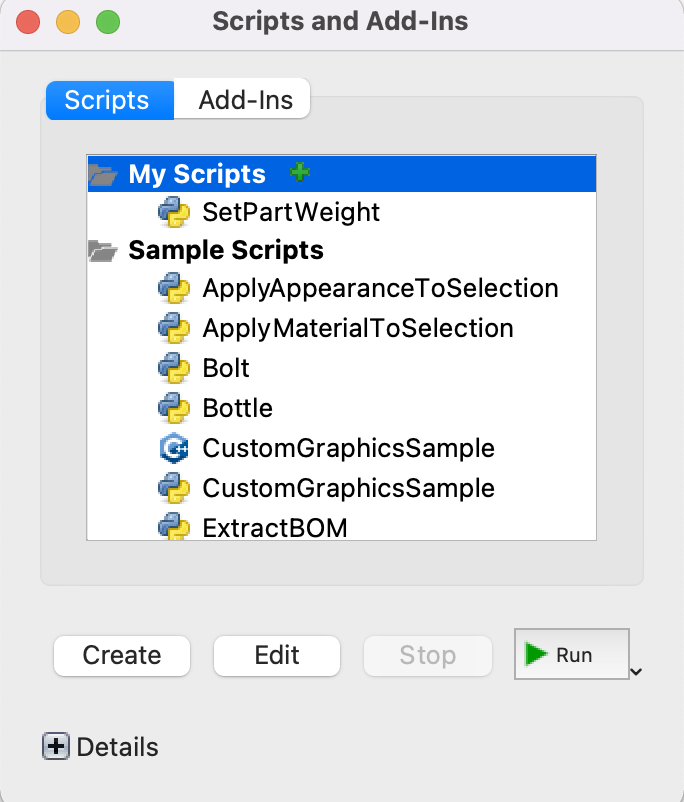
- You will have a window open like this
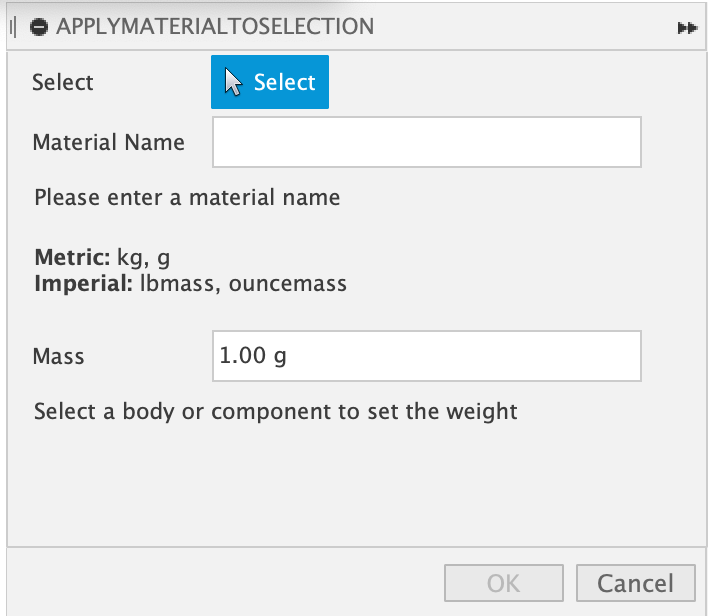
- Select the body(s) and/or component(s) that you would like to set the overall mass of
- Create a new material name that will hold the weight information
- Set the mass you would like the part to be (Imperial units MUST be in units of lbmass, ouncemass, or tonmass)
- Click
OK, the material will be switched to steel, but will hold the correct mass information. To change the appearance, use the appearance utility.