Share code online With Oscript Editor. #10
Conversation


Added a sharing code button online,
Users can share the code from oscript editor to directly show it's working to anyone. The code sharing is powered with free api http://myjson.com which will took the whole agent object and create a router url for it.

|
This is a nice feature! Could you additionally copy the URL to clipboard and briefly display a message like "Copied link to clipboard". Currently, there is no visual feedback after one clicks the share button and it's not quite evident that the URL changed. Otherwise, great work! |
Sure great thought, I will do it as soon as possible and add a new commit. Thank you. |
Added `navigator.clipboard.writeText` which either requires a secure protocol (Like https or localhost) To work otherwise it will show an error (Alert users if copied). Using this method is easy to manage than using document.execCommand('copy') which require to create a new hidden HTML element and then destroy it.
|
Done @tonyofbyteball please take a look and let me know if something to change. I used simple alert instead of any new component to showing a notification to the user. |
Fixed When creating duplicate aa's label even if text is same,
Now if a label is shared then a new -id filed with append in label when sharing it again with different text may result in `label -id -id` and so on.
|
Fixed the uncommon behavior of adding duplicate labels for the same text. |
added serial number for same label name
|
Added serial number incrementation in this commit which means if code label is already there and someone opens a shared link with same label name then it will be like this...
and no wired id will be showing to make it unique. |

Solved error that was preventing from adding new label name.

Solved possible issues those are reviewed by Anton (Obyte Founder) and which helps to improve the code now and in the future.
|
Fixed the code problems and removed index.js for electron. But the use of current function |
Removed electron stuff from package.json

2 participants


Added a sharing code button to make sharing online easy for users.
Users can share the code from Oscript editor to directly show it's working to anyone. The code-sharing is powered with free API http://myjson.com which will take the whole agent object and create a router URL for it which can be copied and given to anybody. This will open the website with prewritten AA in it.
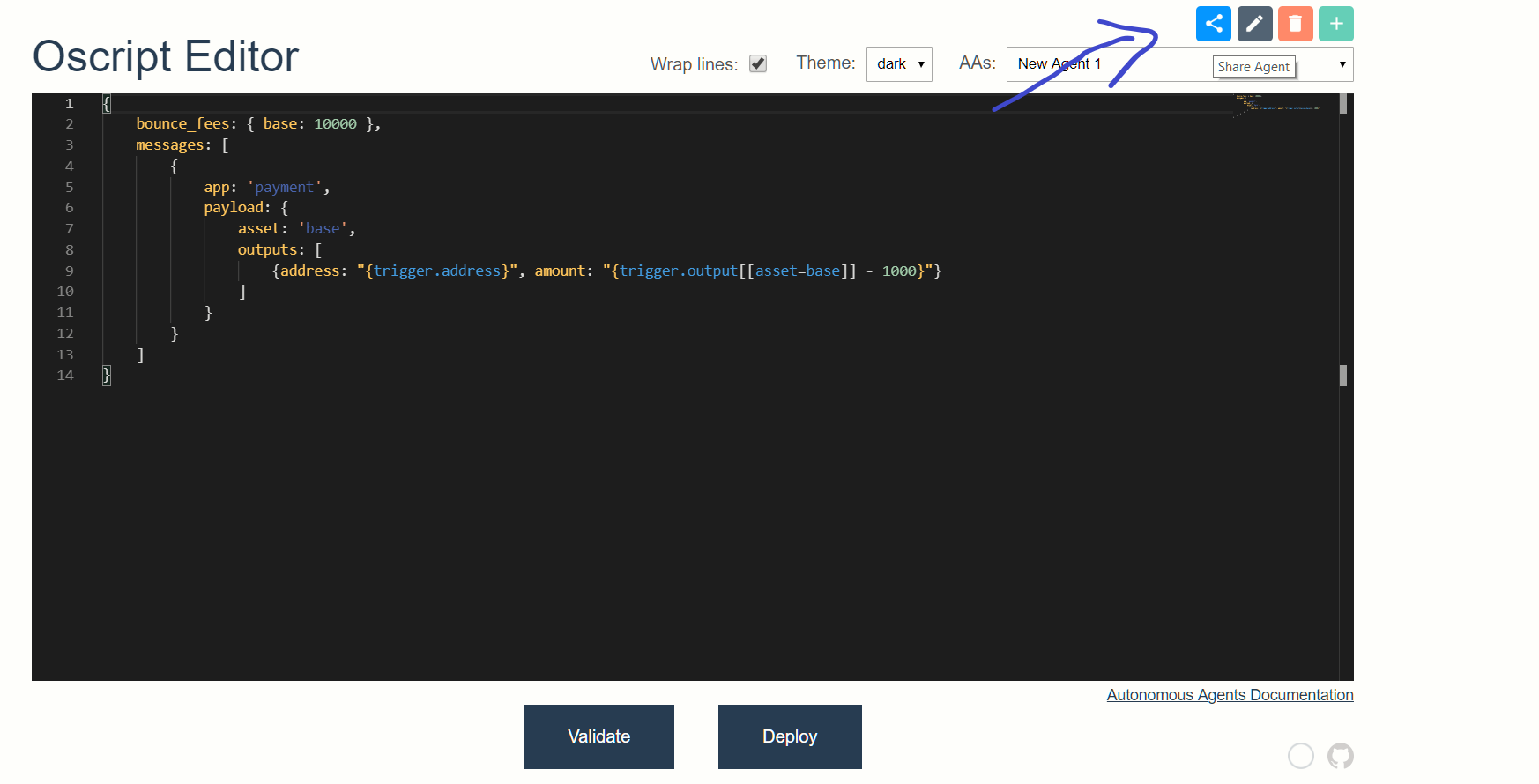
Because of History mode in Vue, I am using one of the recommended Firebase hosting to tackle the router problem...
The demo is here to test out:- https://oscript-editor.firebaseapp.com/
I would like to request that I am not that good with writing the code with best practices, so please adjust it accordingly if you want to or if you think that there is a need for it.
Thank you.