Project for Object Oriented Programming - Guess Who Game
Steps to run locally with eclipse.
1 - First make sure to have all libraries for the project installed in Eclipse. To start go to:
Open Eclipse > Help > Eclipse Market place
2 - In the find search boxsearch for "window builder"
make sure to install WindowBuilder 1.9.5 (DO NOT INSTALL WindowBuilder 1.9.6.pre or any beta version)
3 - once installed, create a new java project "GuessWho".
Once the project is created, open your bash terminal or GitBash for Windows users and navigate to your workspace
cd "eclipse-default-path-for-workspace/GuessWho/src
once there remove all files
rm -r *
4 - now clone from GitHub (if you have a ssh key auth set up already):
git clone git@github.com:carlosofscience/OOPGuessWhoProject.git .
or (for simple https auth)
git clone https://github.com/carlosofscience/OOPGuessWhoProject.git .
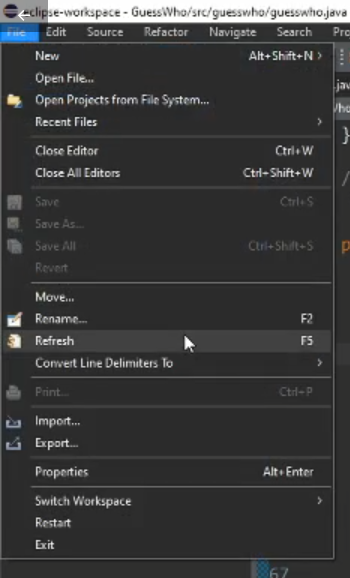
Note: Everytime the code is updated either with by cloning or pulling, Go to the Project explorer > GuessWhoo > refresh (F5) to ensure changes display on Eclipse IDE accordingly.