Home
Steps to run the current integration test case:
- Check out the gcbm_preprocessing "cleanup" branch
- find the integration directory, all required configuration files are here
- customize integration\pathRegistry.json set the "Working_Dir" variable to point at a directory of your choosing. With these scripts this should be a totally empty directory.
- examine the commands in integration\runAll.bat you can run this batch file directly or run each of the commands in sequence. Please be aware of what these commands do:
- preprocessorsetup copies external spatial data from M to the working dir you specified in step 3. (This will take several minutes)
- regionclipper clips the spatial input to the specified subregions
- regiongridder grids the subregion's spatial data
- rollback creates the inventory and rollback disturbances. Creates the rollback tiler config
- historic runs the historic slashburn process, creates the historic tiler config
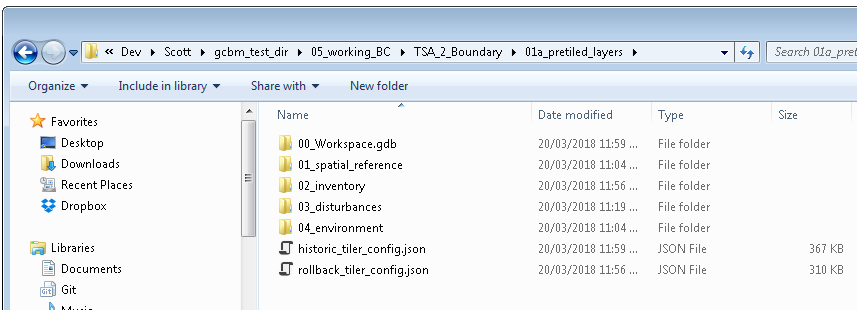
- at the end of the process you should have a pre-tiled layers directory that looks like this:
Development Status
- Region Clipper: working for BC Test case
- Region Gridder: working for BC Test case
- Rollback: working for BC Test case
- Historic Processor: working for BC Test case
- Future processor: in progress
- Run tiler: in progress
Looking ahead:
- Re-package code used to run Recliner2GCBM
- Re-package code used to generate GCBM input