-
-
Notifications
You must be signed in to change notification settings - Fork 2.9k
Print pdf artifacts #3313
Copy link
Copy link
Closed
Labels
upstreamThese issues require fixing in the Chromium Embedded Framework(CEF) or Chromium.These issues require fixing in the Chromium Embedded Framework(CEF) or Chromium.

Description
Metadata
Metadata
Assignees
Labels
upstreamThese issues require fixing in the Chromium Embedded Framework(CEF) or Chromium.These issues require fixing in the Chromium Embedded Framework(CEF) or Chromium.
Type
Fields
Give feedbackNo fields configured for issues without a type.
What version of the product are you using?
86.0.241
What architecture x86 or x64?
x86
On what operating system?
Win10
Are you using WinForms, WPF, or OffScreen?
WPF
What steps will reproduce the problem?
1.Download and run CefSharp MinimalExample from
[https://github.com/cefsharp/CefSharp.MinimalExample]
In web browser from minimal example use the path to sample pdf and open preview
PdfToOpen.pdf
3.Click on the printer icon and try to "Save as Pdf" or print
4.The printed document contains artifacts like in this file
PrintedPdf.pdf
Looks like some pdf tags are not supported by the CefSharp print feature. I did the same workflow from google chrome and everything seems to be fine.
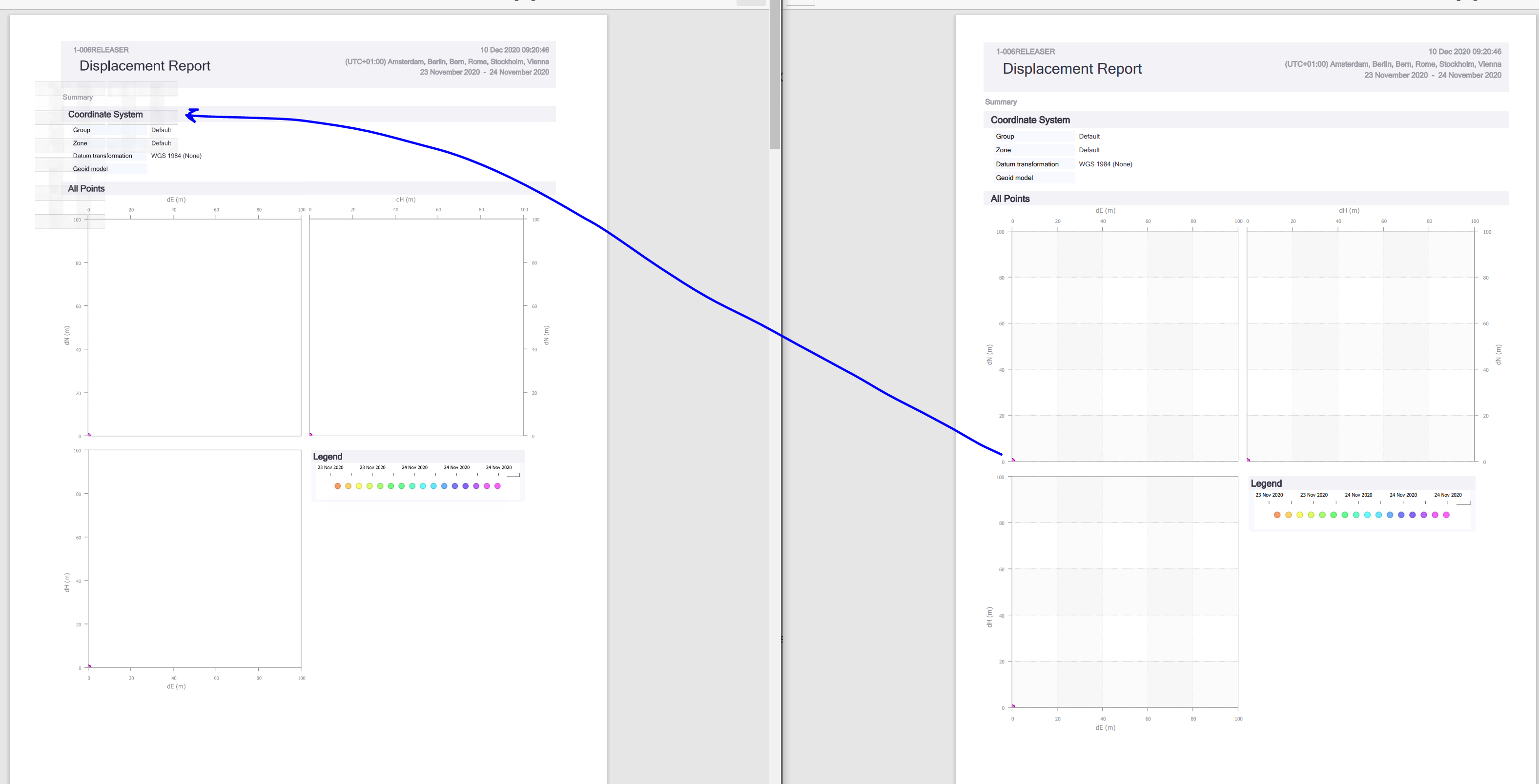
The problem is with chart background color:
I did this test in version 83 of CefSharp and the issue is the same.