Jwala Resource Configuration and Deployment
The resource configuration features provided through Jwala are intended to create a single source of model server configurations; allowing each file to be common or unique within its respective JVMs, web servers or applications.
This section provides the detail needed to create and manage the resource configuration templates; describing what the templates are, how they are created and published, the attributes available for substitution as well additional details helpful to anyone creating or managing a Jwala topology.
The sections below detail various components and workflows to create, configure and manage resources using Jwala.
This resource configuration single source model is achieved through the use of templates, which are dynamically processed and generated then deployed to managed server instances.
A resource template may be any custom file required by a group. The template will be defined once, tokenized using Jwala provided data (further detailed below), then generated using the destination attributes before scp’ing to managed servers.
The resource template is composed of two distinct file types.
<resourcType>.tpl
<resourceType>.json
.tpl is the tokenized file. This file is processed through the Jwala template engine, where tokens are replaced by actual values. One tokens are resolved, the file will be deployed to the remote location provided proved in the associated .json file. Refer to Jwala Template Tokenization for detail. (**Note: **Only text files are supported, binary format is not yet supported)
.json is the metadata for the given resourceType. The attributes in this file describe the resourceType and how it will be used. These attributes include:
- **deployFileName **- The name of the destination file to be deployed.
- deployPath – The absolute deployment path of the tokenized template.
- templateName - The name or the template file associated with this .json
-
contentType - Used to specify text, XML, or binary. (http://www.iana.org/assignments/media-types/media-types.xhtml)
- text/plain
- Informs Jwala to use the template generation engine
- text/xml
- Informs Jwala to use the template generation engine
- application/binary
- Informs Jwala to ignore the template generation engine and not store in the database
- text/plain
- Both template (tpl) and metadata (json) files may be tokenized.
A sample resource type and metadata for an application is illustrated below:
hct.xml.tpl
<Context docBase="${remote.deploy.webapp.dir }/${webApp.name}">
….
</Context>
<ac:structured-macro ac:macro-id="f38fc3f0-d28d-483f-9596-4b607504ab93" ac:name="code" ac:schema-version="1"><ac:parameter ac:name="language">xml</ac:parameter> ac:plain-text-body…. ]]></ac:plain-text-body></ac:structured-macro>
The metadata for an application context XML that would be deployed to a specific JVM:
hct.xml.json
The metadata for the same application context XML but as a group level template.
hct.xml.group.json
{
 	"deployFileName":"hct.xml",
	"deployPath":"${jwalaProperties['remote.deploy.catalina.instances.dir']}/${jvm.jvmName}/conf/stp/localhost/",
	"templateName":"hct.xml.tpl",
	"contentType":"xml"
}The Jwala template engine uses the Groovy template framework StreamingTemplateEngine for file creation. The StreamingTemplateEngine is provided internal Jwala properties, Jwala’s internal entity data structure and the entities associated within a given selected scope.
Groovy StreamingTemplateEngine syntax and semantics should be consulted when writing templates for specific details. Please refer to the following links for further detail.
- http://docs.groovy-lang.org/docs/next/html/documentation/template-engines.html#_streamingtemplateengine
- http://docs.groovy-lang.org/latest/html/api/groovy/text/StreamingTemplateEngine.html
Jwala entities are available in global and selected scopes. All groups and Jwala properties are always globally available to all templates regardless of the selected scope. When scope is provided additional data is available to the resource template files (including metadata). The list of scopes and associated data details are below.
- jvms – jvms scope refers to all JVMs belonging to a group. All JVMs, and their attributes, belonging to the selected parent group are available. The prefix “jvms” is used, ie ${jvms.jvm[0].name} is used to access the JVMs scoped data tree.
- jvm – jvm scope refers to a specific JVM belonging to a group. Target must also be provided. All attributes pertinent to this jvm is provided. The prefix “jvm” is used, ie ${jvm.name}.
- webServers – webServers scope refers to all web servers belonging to a group. All web servers, and their attributes, belonging to the selected parent group are available. The prefix “webServers”, ie (${webServers.webServer[0].name}) is used to access the jvms scoped data tree.
- webserver – webserver scope refers to a specific web server belonging to a group. Target must also be provided. All attributes pertinent to this web server. The prefix “webserver” is used, ie ${webServer.name}
- webApps – webApps scope refers to all web application belonging to a specific group. All applications and their attributes, bellowing to the selected parent group, are available. The prefix “webApps” is used, ie ${webApps.webApp[0].name}
- webapp – webapp scope refers to a specficin application belonging to a group. Target must also be provided. All attributes pertinent to this application. The prefix “webApp” is used, ie ${webApp.name}
- vars - this scope refers to the Jwala global properties. Usage example: ${vars['stp.java.home']}.
Jwala properties are the properties defined internal to the Jwala application, in the vars.properites file. This provides the resourceType access to Jwala internal data that might be needed by the templates or metadata. A few helpful properties for Jwala templates:
- remote.deploy.catalina.home – The remote location of the Tomcat root installation, typically referenced by the system property $CATALINA_HOME.
- remote.deploy.catalina.instances.dir – The remote location of the Tomcat JVM instances directory, for example /stp/apps/instances. JVM remote deployment uses this property to deploy JVM instances defined in Jwala.
- remote.deploy.catalina.httpd.conf.dir – The remote location of the Apache Web Server httpd.conf configuration file.
- remote.deploy.webapp.dir – The remote location of the directory containing web applications.
- remote.config.context.secure.dir – The secure remote location of the application’s context xml file
A sample list of available properties is available in the diagram below.
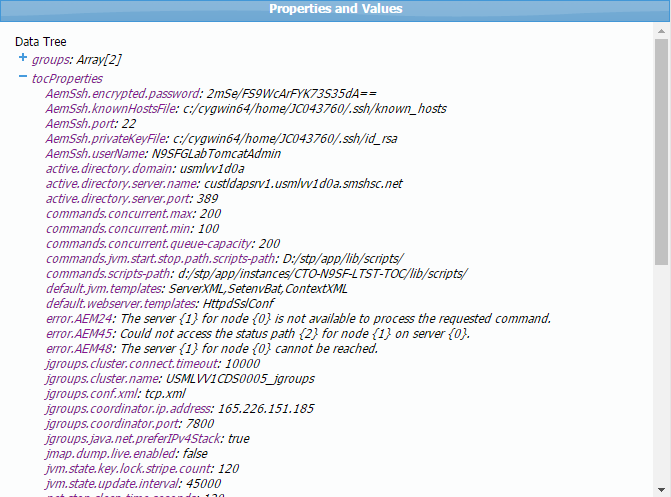
Jwala provides a user interface to
- View global and scoped properties.
- View the templates.
- Apply and view template property substitution to before pushing to remote servers.
- Push the template (with resolved template properties) to remote server instances.
- Generate the remote JVM instance.
- Generate all templates at group, web server and JVM instance scopes.
The screen shot below highlights the key functionality of Jwala template editor.
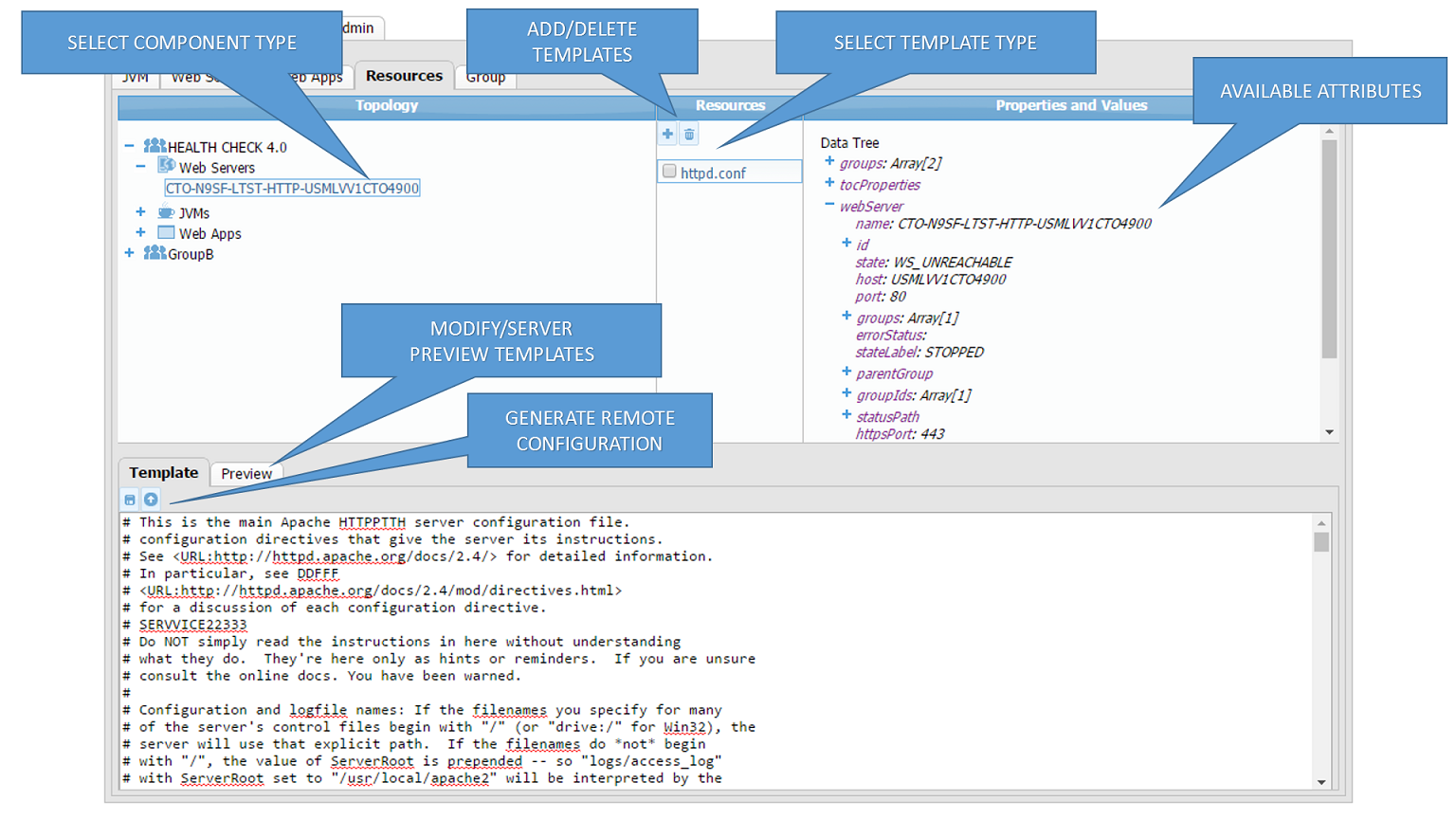
Below is a sample of the UI while editing an Apache HTTPD web server configuration.

The following items are available in the left hand pane:
- All web servers in a group - All configuration files associated to web servers will be displayed in the middle pane.
- Individual web server – Configuration files overridden for this particular web server will be displayed in the middle pane.
- All JVMs in a group – All configuration files associated to JVMs will be displayed in the middle pane.
- Individual JVM – Configuration files overridden for this particular JVM.
- An application deployed to a JVM – Configuration files overridden for this instance of the application under the selected JVM.
- Group level applications – All configuration files associated to this application.
Jwala provides a rich set of RESTful APIs to manage configuration, deployment and operational aspects of a given topology. The RESTful APIs are documented using Swagger, a powerful open source interactive API documentation tool. More details about Swagger may be found here, http://swagger.io/
When creating a resource, the user needs to construct the following URL https://[host]:[port]/jwala/v1.0/resources/data;[Matrix Param] and attach the resource file and its JSON meta-data to a POST request. The JSON meta-data describes the resource file but does not contain any information on where the resource is going to be assigned to (that is specified in the REST URL). The matrix param will contain information on where to create the said resource. It will contain information on the group, JVM, web server or web application.
1. Creating a resource to a specific JVM.
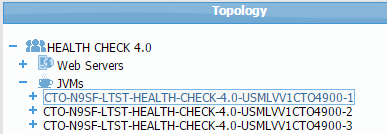
    https://localhost:8001/jwala/v1.0/resources/data;
    jvm=CTO-N9SF-LTST-HEALTH-CHECK-4.0-USMLVV1CTO4900-1
2. Creating a resource to JVMs.
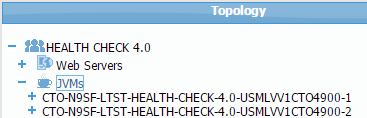
https://localhost:8001/jwala/v1.0/resources/data;group=HEALTH%20CHECK%204.0;jvm=*
3. Creating a resource to a web server
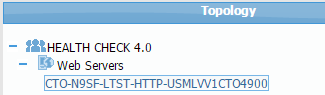
https://localhost:8001/jwala/v1.0/resources/data;webServer=CTO-N9SF-LTST-HTTP-USMLVV1CTO4900
4. Creating a resource to web servers
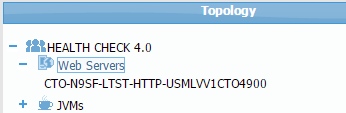
https://localhost:8001/jwala/v1.0/resources/data;group=HEALTH%20CHECK%204.0;webServer=*
5. Creating a resource to a web applications under a specific JVM and group.
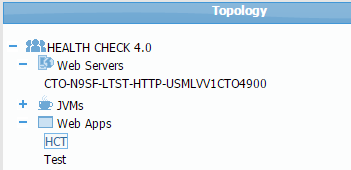
    https://localhost:8001/jwala/v1.0/resources/data;group=HEALTH%20CHECK%204.0;jvm=JVM-HEALTH-CHECK-4.0-USMLVV1CTO4900-1;
    webApp=HCT
6. Creating a resource to a web application
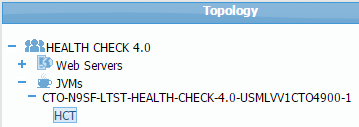
https://localhost:8001/jwala/v1.0/resources/data;group=HEALTH%20CHECK%204.0;webApp=*
Jwala deploys remote JVM instances and web server configurations in collaboration with Chef automation.
JVM instance and web configuration deployment requires Chef Jwala agent cookbooks to have been deployed to the remote managed severs, delivering the core Apache HTTPD, Oracle JDK and Apache Tomcat binaries. A running SSH server with permissions for the Jwala user is also required.
Two Chef suites of software are provided, Jwala Server and Jwala Agent.
Future implementations will remove Jwala agent dependencies and will manage all remote 3rd party dependencies internally.
The Jwala Server suite of software is a super set of the Jwala agent suite of software and includes
- Apache Tomcat
- Apache HTTPD Web Server
- OpenSSH Server
- Oracle JDK
- Jwala
The Jwala Agent Chef suites of software include
- Apache Tomcat
- Apache HTTPD Web Server
- OpenSSH Server
- Oracle JDK
The internal Jwala workflow to deploy a remote JVM configuration will
- TODO: Verify remote Tomcat binaries exist
- Locally create the remote archive
- Create the JVM local instance archive (archive is a jar to use jdk when extracting) using the JVM template (ie, D:\stp\apache-tomcat-7.0.55\instance-template) in Jwala's work dir
- Verify a remote JVM with this name does not exist or is stopped. If exists and is started provide an error message to the client.
- If a previous remote JVM exists and is stopped, uninstall that JVM service and back up the JVM instance directory in the format .
- SCP the archive to the remote JVM instance directory (specified by the remote.deploy.catalina.instances.dir property)
- Extract the remote archive
- Override and add JVM instance files provide via the resource templates previously uploaded to Jwala, substituting values at JVM group and local JVM levels (provide more documentation to this from the design meeting notes)
- Install the JVM as a service
- Start the JVM
- Delete the archive (when should we really do this? what if the JVM is being staged and will not start for days/weeks)
The remote web server configuration workflow is described below.
- TODO: Verify remote Apache Web Server binaries exist
- Using the Jwala template engine generate the httpd.conf, as well as other web server templates, locally, in a temp directory, for the remote web server. (**Note: **one file at a time for the following steps)
- Verify a remote web server with this name does not exist or is stopped.
- If a previous remote web server exists, uninstall/delete that web server instance, back up the configuration file using the format .<timestamp>
- SCP the file to the remote web server configuration directory (specified by the remote.deploy.catalina.httpd.conf.dir property)
- Install the service
- Start the web server
Remote JVMs can run as LocalSystem or under a domain user. This JVM Rest API takes a optional userName and encryptedPassword parameter in the JSON.
- If these variables are NOT passed in the JSON, the JVM service will run as LocalSystem
- The userName variable should hold the <domain><username> combination
- The encryptedPassword variable on the Rest API should hold the cleartext password to the above account (despite the name of the variable being encryptedPassword!!). Jwala will encrypt this variable with it's internal encryption algorithm and store the information into the Jwala H2 database.