A one-click Poncho agent you can deploy on Railway.

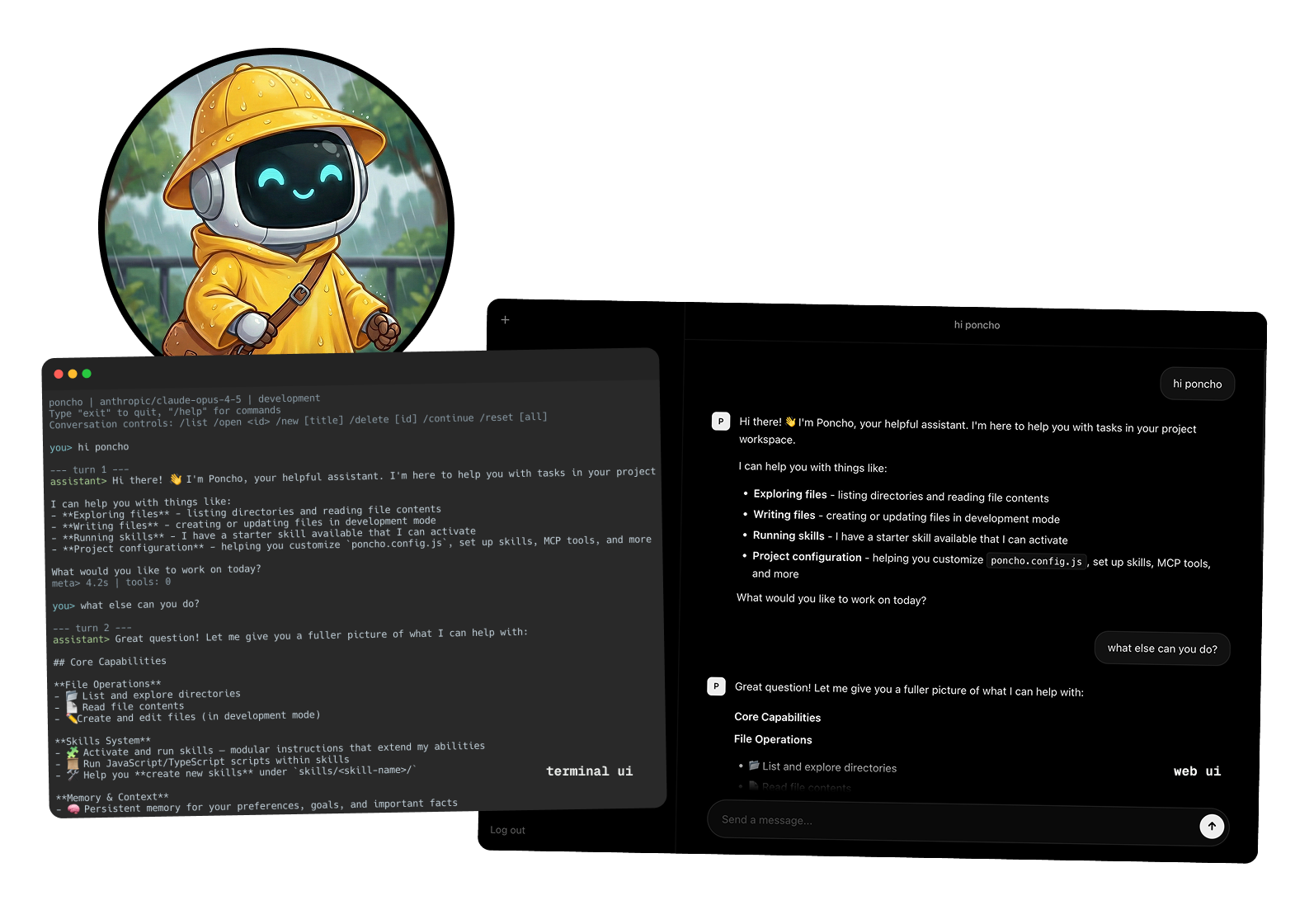
Click deploy and you get a working AI agent: built-in chat UI, Telegram-ready, browser automation, sandboxed code execution, scheduled jobs, persistent memory in Postgres. Customize the AGENT.md and skills to make it your own.
Poncho is a multi-tenant harness for building AI agents you can share. You define behavior in a single AGENT.md file, add skills and tools, develop locally by chatting with the agent, and deploy it as a web app your team accesses through a chat UI, Slack, Telegram, email, or REST API.
For your team, the agent is a web app. They don't need to know how it works.
For you, the agent is a git repo. Behavior, skills, tests, and configuration are all version-controlled. You iterate locally with poncho dev, review changes in PRs, and deploy anywhere that runs Node.
This template provisions two services on Railway:
poncho-starter— the agent service. Node 22, Chromium installed for browser tools, in-process scheduler for crons.Postgres— managed Postgres for conversations, memory, and agent state.
Pre-configured features:
- Web UI + REST API — chat with the agent in your browser, or via SSE-streaming HTTP.
- Browser automation — headless Chromium with snapshot/ref interaction, live viewport.
- Sandboxed code execution —
run_codetool with Python and JavaScript via V8 isolates. - Reminders — agent gets
set_reminder,list_reminders,cancel_remindertools. - Crons — define scheduled tasks in
AGENT.mdfrontmatter; they run automatically (no external triggers). - Telegram messaging — wire up a bot and the agent responds. Optional.
- Persistent memory — semantic recall across conversations, backed by Postgres.
- Bearer auth —
/apiroutes are protected byPONCHO_AUTH_TOKEN. - Production-safe tool defaults — write/delete tools are disabled in production by default; opt back in per environment in
poncho.config.js.
The starter ships with three example skills (and two example crons in AGENT.md) so you can see the patterns in action. Keep, customize, or replace:
dream— nightly memory consolidation. Reviews the day's conversations and writes anything worth remembering to long-term memory. Wired up to a 3am cron (Etc/UTC).daily-questioncron — asks you a thoughtful, present-focused question once a day to learn about your life and store it in memory. Defined inAGENT.md, fires via Telegram if configured.engaging-writer— a writing style guide for longform content. Covers narrative techniques, register-shifting, and a long list of AI writing tropes to avoid. Activates when you ask the agent to draft an essay, newsletter, or anything else that needs to read well.weather— fetches current weather and forecast for any city via Open-Meteo (no API key needed). A useful tool and a clean example of how a script-backed skill is structured.
- Click Deploy on Railway above.
- Railway will prompt for:
ANTHROPIC_API_KEY— your Anthropic API key (get one)PONCHO_AUTH_TOKEN— auto-generated; clients send it as a Bearer tokenTELEGRAM_BOT_TOKENandTELEGRAM_WEBHOOK_SECRET— optional, for Telegram
- Railway provisions Postgres and connects it via
DATABASE_URLautomatically. - Once deployed, copy your service URL (e.g.
https://your-agent.up.railway.app).
curl "https://api.telegram.org/bot$TELEGRAM_BOT_TOKEN/setWebhook" \
  --data-urlencode "url=https://<your-railway-url>/api/messaging/telegram" \
  --data-urlencode "secret_token=$TELEGRAM_WEBHOOK_SECRET"
Then add your Telegram user ID to allowedUserIds in poncho.config.js (find your ID by messaging @userinfobot).
Railway's "App Sleeping" pauses the container when there's no traffic — and while paused, the in-process cron scheduler doesn't run. To keep crons firing reliably:
- Service Settings → Serverless → toggle App Sleeping off, or
- Have an external pinger hit your service every few minutes (UptimeRobot, healthchecks.io, GitHub Actions cron, etc.)
gh repo clone cesr/poncho-starter my-agent
cd my-agent
cp .env.example .env   # fill in ANTHROPIC_API_KEY (DATABASE_URL is optional locally)
pnpm install
pnpm dev
The dev server runs on http://localhost:3000 with the built-in web UI for chatting with the agent locally. By default it stores conversations in SQLite under ~/.poncho/store — no Postgres required for local dev.
The starter pins Node 24 via .nvmrc (use nvm use or fnm use). Node 25 also works but requires a C++ toolchain to compile native deps from source since prebuilds don't exist for it yet.
- Persona / system prompt: edit
AGENT.md - Add a skill: create
skills/<name>/SKILL.md— the agent activates it when relevant - Add a cron job: add an entry under
cron:inAGENT.mdfrontmatter - Tools and feature flags: edit
poncho.config.js
For the full feature reference, see the Poncho documentation.
When new versions of Poncho ship, update the runtime deps and regenerate the Dockerfile from the latest scaffold:
npm install @poncho-ai/cli@latest @poncho-ai/browser@latest
npx poncho build railway --forceMIT