


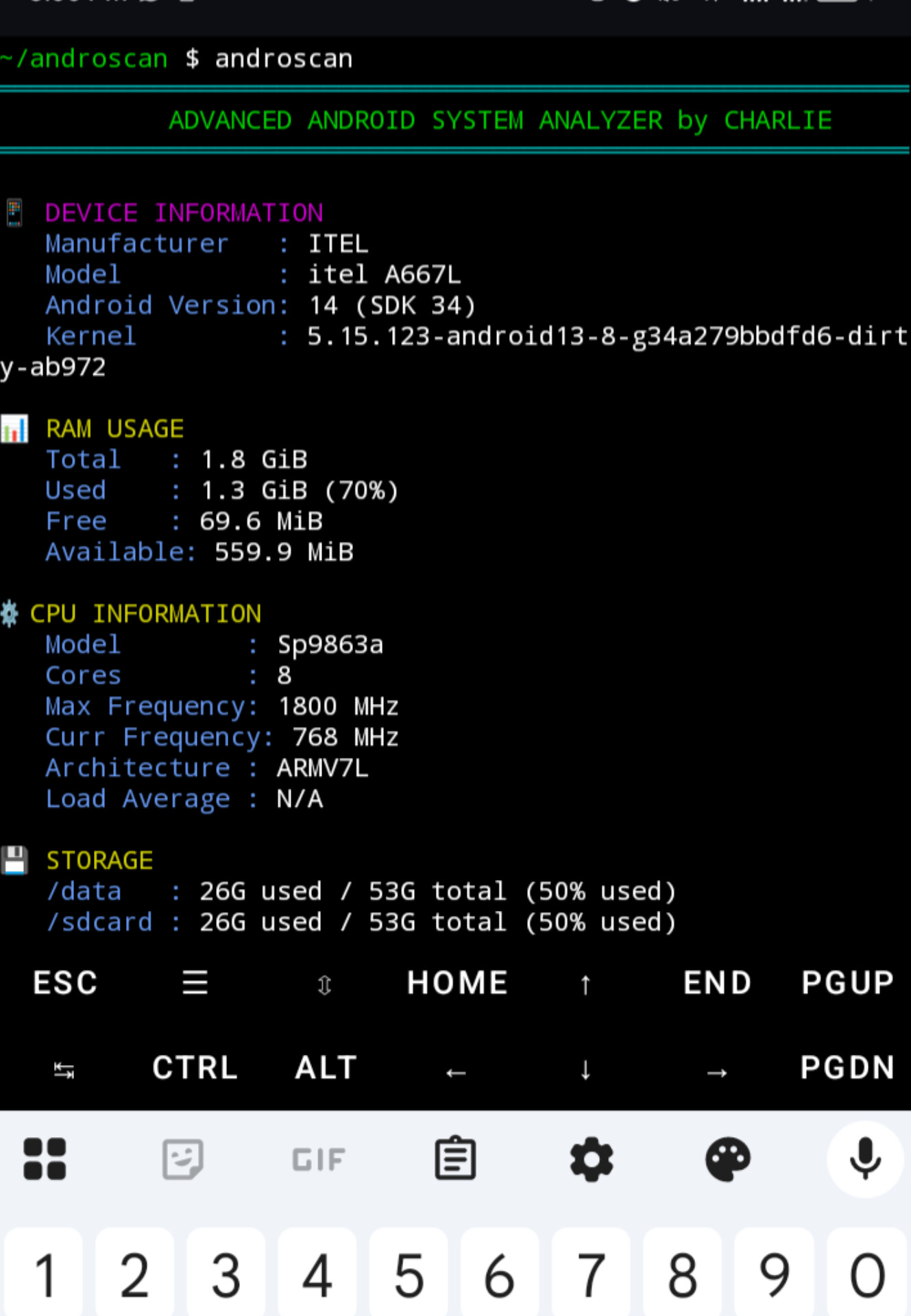
Androscan is a powerful, all‑in‑one system information tool for Android devices, running entirely inside Termux – no root required. It displays RAM, CPU, storage, system health, battery stats, installed apps, background processes, network details, sensors, and much hii ni kama my first project on my journey of learning termux tool making with my favourite language PYTHON with the helper of Bash cripting
| Category | Details |
|---|---|
| Device | Manufacturer, model, Android version, SDK level, kernel version |
| RAM | Total, used, free, available, usage percentage (from /proc/meminfo) |
| CPU | Model, core count, max/current frequency, architecture, load average |
| Storage | Internal /data and external /sdcard usage (used / total) |
| System Health | Uptime, CPU temperature (°C/°F), thermal throttling status |
| Battery | Level %, temperature, voltage, health, technology, charging status |
| Network | Wi‑Fi SSID, IP address (wlan0), data RX/TX since boot |
| Installed Apps | Number of user apps, system apps, top 5 user package names |
| Background Processes | Top 8 processes by CPU% and MEM% (from top) |
| Sensors | List of available hardware sensors (accelerometer, gyroscope, etc.) |
All data is read directly from Android’s kernel interfaces (
/proc,/sys,getprop) – no fake or mock values.
Installation from Scratch (First Time in Termux) kama hujawahi kabsa install termux kwenye simu yako
Follow these steps exactly to get Androscan running on your device.
- Recommended: Download Termux from F‑Droid for the most up-to-date version.
pkg update && pkg upgrade -ypkg install git python -ytermux-setup-storageTap Allow on the Android popup to enable storage analysis.
git clone https://github.com/charlietech255/androscancd androscanbash install.shandroscanIf you already have Git and Python installed:
git clone https://github.com/charlietech255/androscan && cd androscan && bash install.sh && androscanpkg install termux-apiGo to Android Settings → Apps → Termux → Permissions and ensure Sensors is enabled.
cd ~/androscan
git pull
bash install.sh═══════════════════════════════════════════════════════════
ANDROSCAN: SYSTEM ANALYZER
═══════════════════════════════════════════════════════════
DEVICE INFORMATION
Manufacturer : OnePlus
Model : ONEPLUS A6013
Android Version: 11 (SDK 30)
Kernel : 4.9.227-perf+
RAM USAGE
Total : 7.2 GiB
Used : 4.1 GiB (57%)
Free : 3.1 GiB
Available: 5.0 GiB
CPU INFORMATION
Model : sdm845
Cores : 8
Max Frequency: 2803 MHz
Curr Frequency: 1766 MHz
Architecture : ARM64 (AArch64)
Load Average : 1.52 (1m), 1.28 (5m), 1.05 (15m)
STORAGE
/data : 52G used / 108G total (48% used)
/sdcard : 18G used / 112G total (16% used)
SYSTEM HEALTH
Uptime : 2d 14h 23m
CPU Temp : 45.2°C (113.4°F)
Thermal Throttle: No
BATTERY HEALTH
Level : 78%
Temperature: 36.5°C (97.7°F)
Status : Discharging
NETWORK
Wi-Fi SSID : MyHomeNetwork
IP Address : 192.168.1.105
Data RX/TX : 124.5 MiB / 45.2 MiB (since boot)
INSTALLED APPS
User apps : 127
System apps : 214
BACKGROUND PROCESSES (top CPU/RAM)
12.5% CPU | 8.2% MEM → com.android.chrome
8.1% CPU | 4.5% MEM → com.whatsapp
SENSORS DETECTED
- accelerometer
- gyroscope
- proximity
═══════════════════════════════════════════════════════════
Tip: Install Termux:API (pkg install termux-api) for more sensor data.
command not found: androscan: Ensure the installer ran without errors. You might need to restart Termux.- Permission Denied: Run
chmod +x $PREFIX/bin/androscan. - Inaccurate Storage: Ensure you ran
termux-setup-storage. - SSID "Unknown": Modern Android versions require Location permissions to be granted to Termux to see the SSID.
To remove Androscan from your system:
rm $PREFIX/bin/androscan
rm -rf ~/androscan- Fork the repo.
- Create your feature branch.
- Commit changes.
- Push to the branch.
- Open a Pull Request.
Project Link: https://github.com/charlietech255/androscan
Developed by CharlieTech. If you find this tool useful, please give it a ⭐ on GitHub!