Expected Behavior
On high dpi screens, a passed canvas as BackgroundColor scales correctly and is as sharp as the graphs.
Current Behavior
On high dpi screens, a passed canvas as BackgroundColor doesn't scale correctly thus being displayed too largen on devicePixelRatio screens > 1.
Possible Solution
I tried a lot of thing like scaling the transfer canvas with ctx.scale(0.5, 0.5), but nothing seemed to work.
Not passing the pixelDeviceRatio is not an option, as the image gets blurry.
Steps to Reproduce
Bug visible on this codepen: https://codepen.io/Vin-ni/pen/zYdMRqy
And here's also a simple version with just one pattern: https://codepen.io/Vin-ni/pen/LYjXqyP
Look especially at line 11, where the pixel device ratio is set to the drawing canvas. When set to 1 programatically, the pattern has the same scale on every device, but logically gets more blurry the higher the dpr.
Context
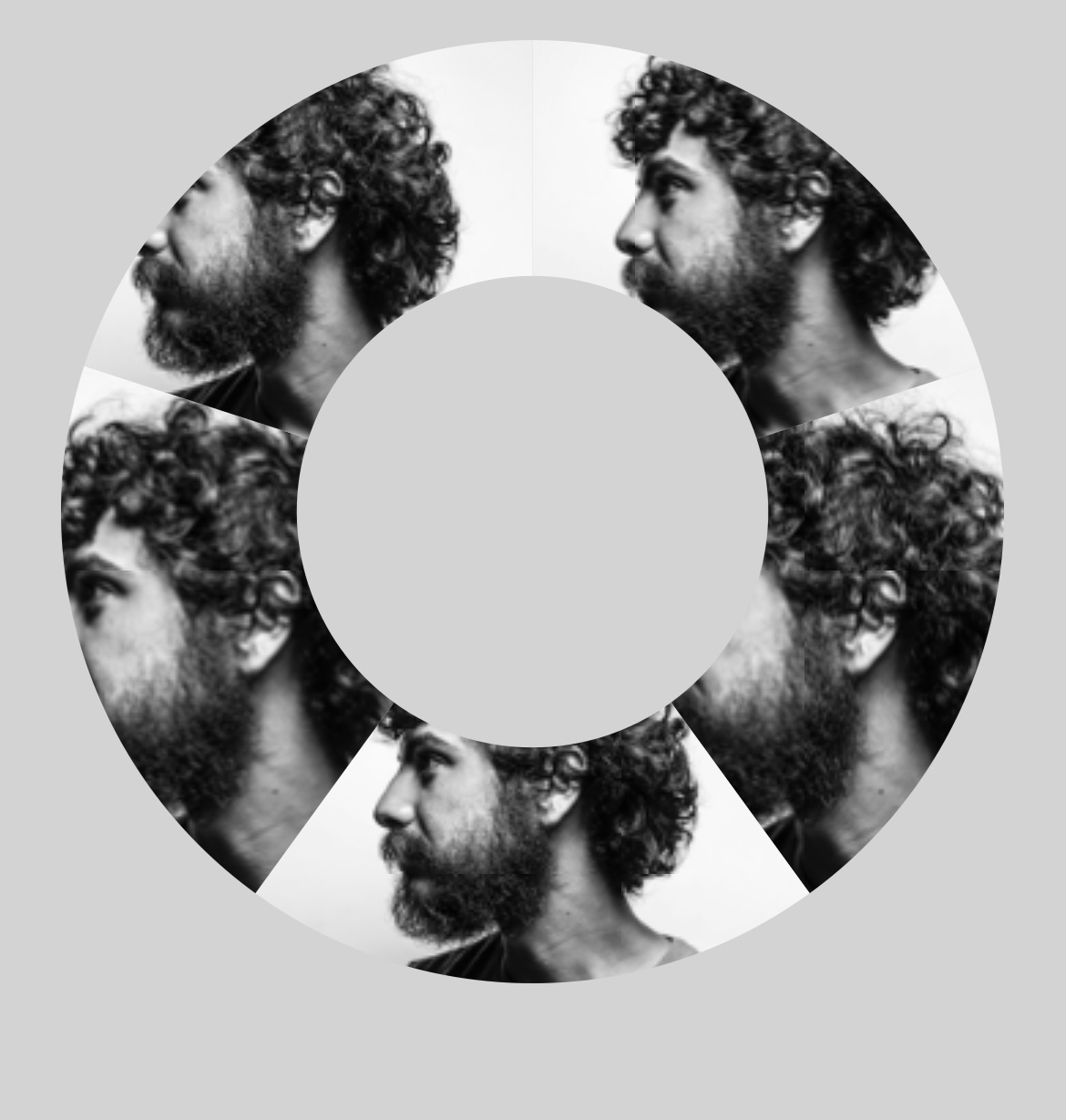
The preparePattern code seems a bit complicated, but what it is doing is placing an image at the correct position of the donut part, by creating and offsetting a pattern, so the full image is just embracing the visible part of the donut. That code works well, but the scaling of the backgroundColor is not translated to the dpi.
I tried to turn off the "responsive: true" in the options, and this actually fixed the issue, if I hardcode the canvas html element to be too large and scale it down with css, but this messes up the hover states unfortunately. So not really an option. I believe there must be an issue with the resize function, that doesn't translate the hdpi screen scaling to the passed canvas.
Simple Examples:
Screendeviceratio = 1
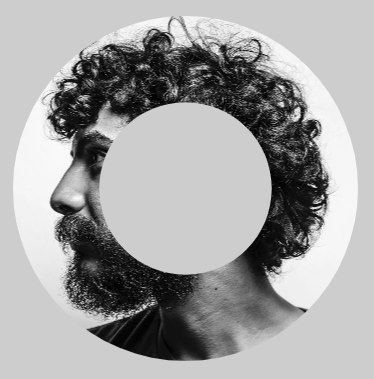
Screendeviceratio = 2
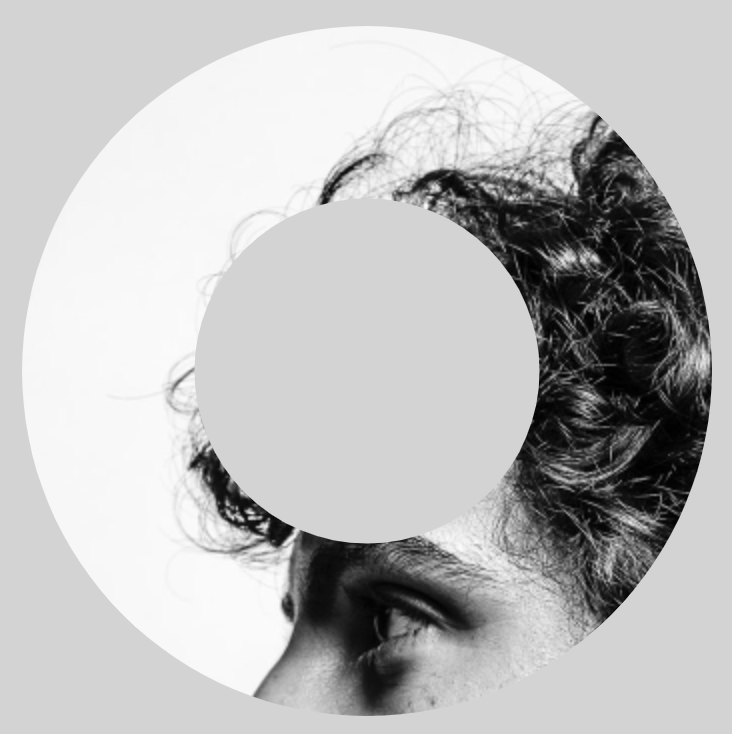
Complex Examples:
Screendeviceratio = 1
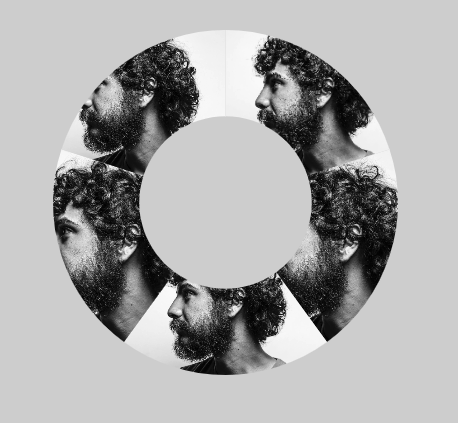
Screendeviceratio = 2
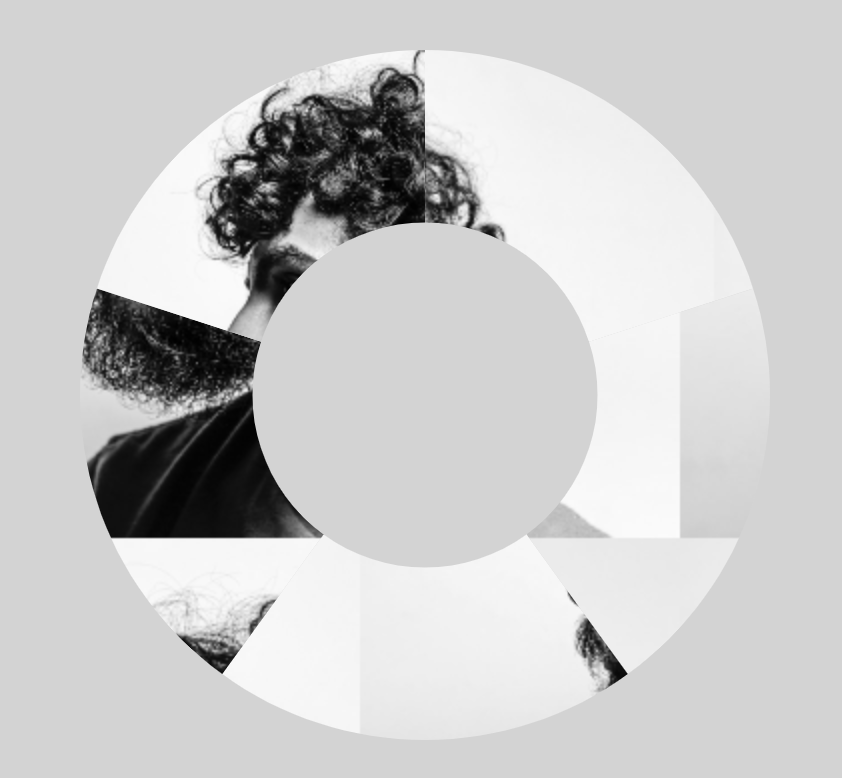
Screendeviceratio = 3 + not multiplying by sdr factor => works but blurry
Environment
The bug happens with the latest version on any browser desktop and mobile.

Expected Behavior
On high dpi screens, a passed canvas as
BackgroundColorscales correctly and is as sharp as the graphs.Current Behavior
On high dpi screens, a passed canvas as
BackgroundColordoesn't scale correctly thus being displayed too largen on devicePixelRatio screens > 1.Possible Solution
I tried a lot of thing like scaling the transfer canvas with ctx.scale(0.5, 0.5), but nothing seemed to work.
Not passing the pixelDeviceRatio is not an option, as the image gets blurry.
Steps to Reproduce
Bug visible on this codepen: https://codepen.io/Vin-ni/pen/zYdMRqy
And here's also a simple version with just one pattern: https://codepen.io/Vin-ni/pen/LYjXqyP
Look especially at line 11, where the pixel device ratio is set to the drawing canvas. When set to 1 programatically, the pattern has the same scale on every device, but logically gets more blurry the higher the dpr.
Context
The
preparePatterncode seems a bit complicated, but what it is doing is placing an image at the correct position of the donut part, by creating and offsetting a pattern, so the full image is just embracing the visible part of the donut. That code works well, but the scaling of the backgroundColor is not translated to the dpi.I tried to turn off the "responsive: true" in the options, and this actually fixed the issue, if I hardcode the canvas html element to be too large and scale it down with css, but this messes up the hover states unfortunately. So not really an option. I believe there must be an issue with the resize function, that doesn't translate the hdpi screen scaling to the passed canvas.
Simple Examples:

Screendeviceratio = 1
Screendeviceratio = 2

Complex Examples:

Screendeviceratio = 1
Screendeviceratio = 2

Screendeviceratio = 3 + not multiplying by sdr factor => works but blurry

Environment
The bug happens with the latest version on any browser desktop and mobile.