The Game of Checkers
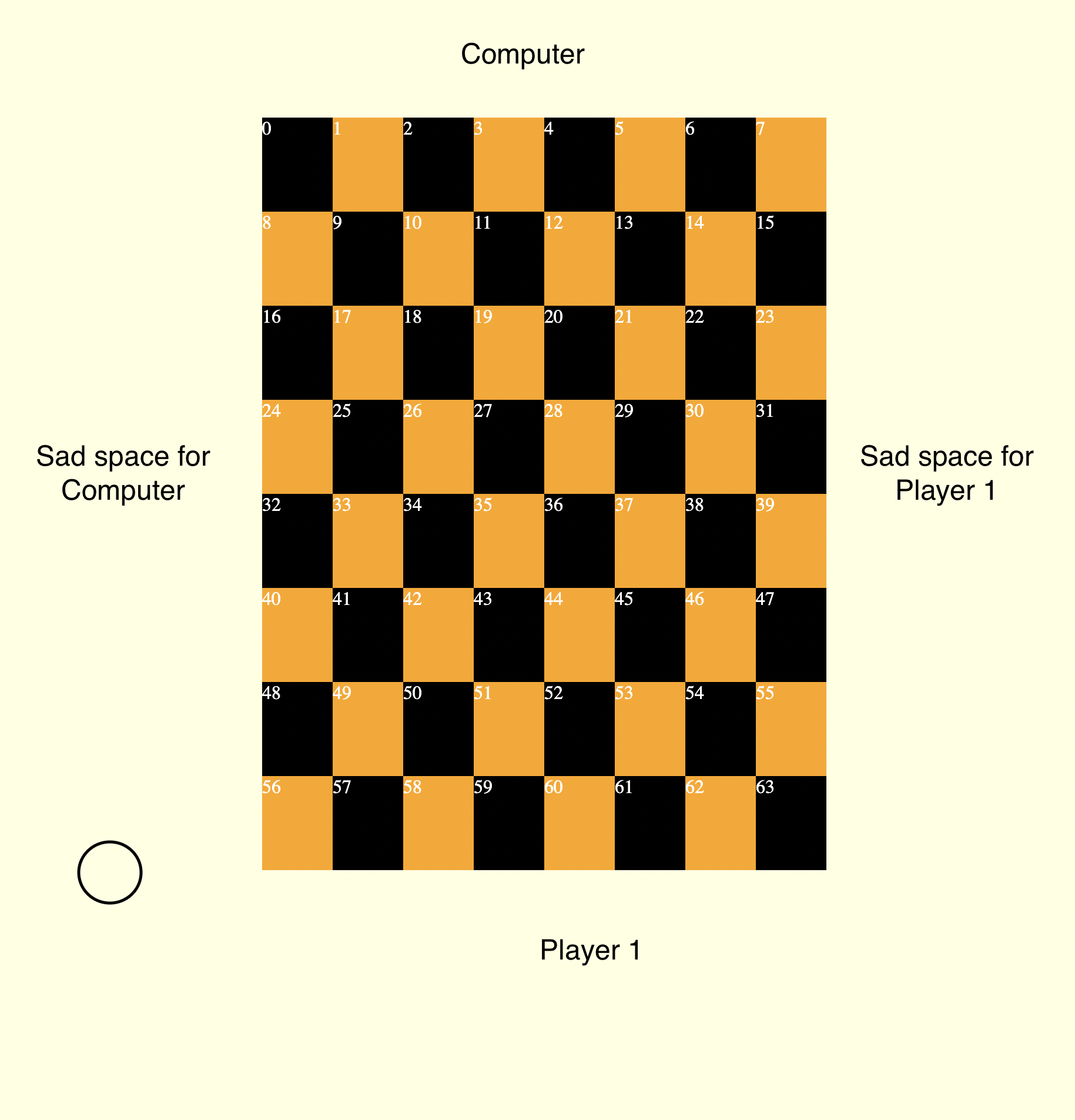
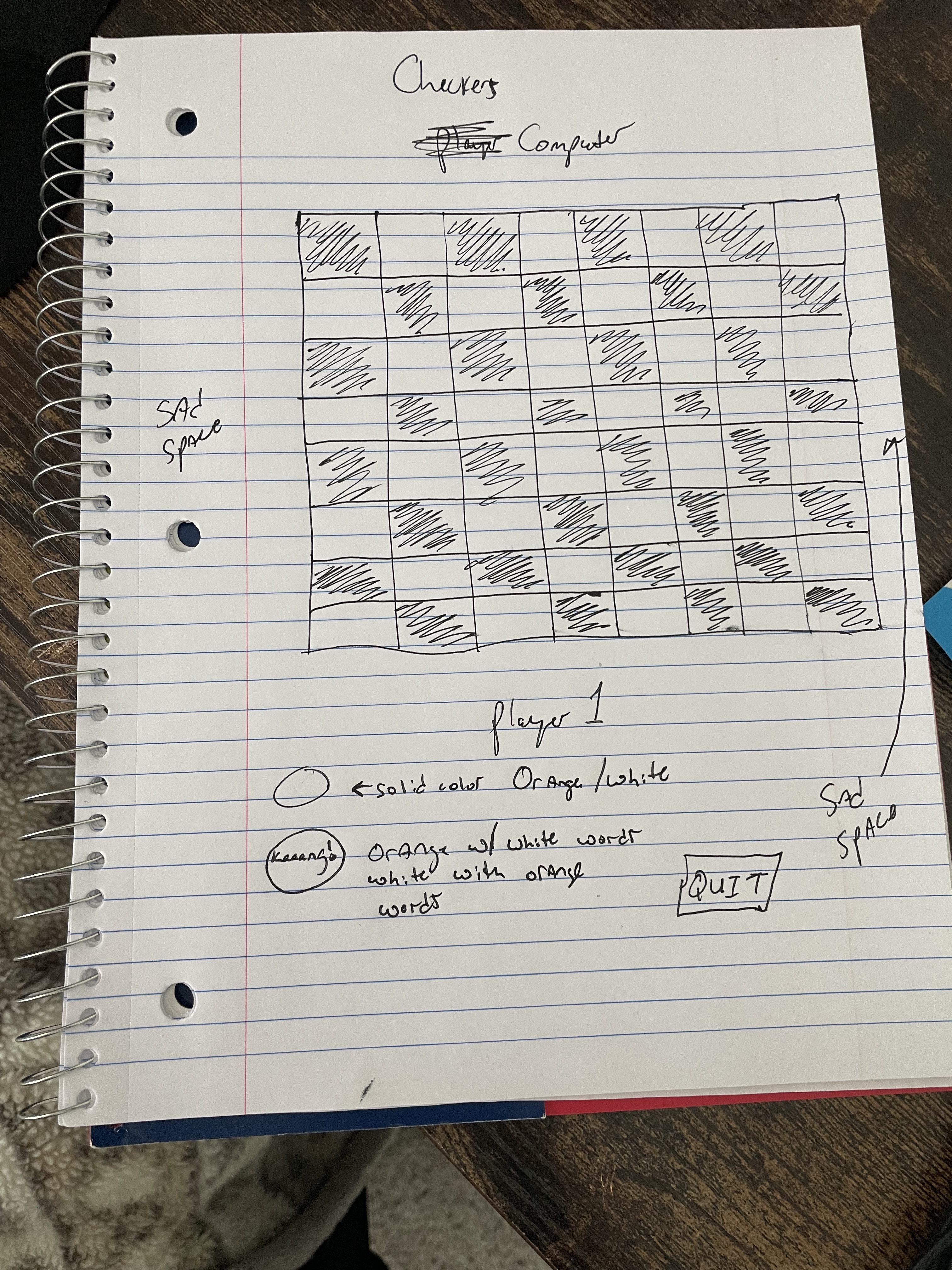
As a user
-
Display an empty checkers board when the page is initially displayed.
-
Below the empty checkers board will be a button "Play Game."
-
Once the game loads, there will be 1 player and 1 computer player.
-
The board will be made up of 64 total squares with a black and orange checker board.
-
The board will have 8 rows and 8 columns.
-
The game will be played using the black squares.
-
The color choices a player can be are Orange or White.
-
If player chooses Orange, computer will be White; if player chooses White, computer will Orange.
-
The only movements allowed are diagonal.
-
The only checkers allowed to move are checkers that have an empty space for the checker to move in.
-
At the start of the game, the player/computer can only move forward to their opponents side.
-
Once player/computer has reached the opponents side, the checker will upgrade to a "King."
-
The objective of the game will be to take as many of the opponents checkers as possible.
-
To take an opponents player, one must jump the checker piece and be able to land in a vacant square.
-
Once a player has lost a checker, that players checker will be placed on the side of the board in the "Sad Place."
-
If the computer jumps player 1's checker, player 1s checker will go to the "Sad Place" on the computer's side.
-
Each "Sad Place" will be listed as "Player 1's Sad Place" or "Computer's Sad Place.'
-
If the player or computer should reach the opposing side of the board. That new checker will become a "King."
-
The look of the "King" checker will change and say "Kaaang," to differentiate from the traditional checker piece.
-
If the player or computer has the checker turn into a "King", the "King" will have the ability to move across the board forwards and backwards.
-
The Game will be won when either the player or computer has taken all of the opposing checker pieces.
-
When a player or the computer has 1 checker piece remaining, a 10 minute timer will begin.
-
The first 5 minutes will not display a timer. The timer will be present for the reamining 5 minutes of the game, to prevent the game from never ending.
-
If there is no winner when time expires, the player with the most checkers remaining will win the game.
-
If each player has the same number of checkers when time expires, result will be a tie.
-
The winner of the game will be displayed in the middle of the checkerboard as "Player 1/Computer Won!"
-
A congtaulations Horn will sound for the Winner.
-
A Play Again button will appear at the bottom of the board when the game is over.
-
While the game is being played music will be played in the background on loop.
-
Define required constants:
-
Define required variables used to track the state of the game: 2.1) Use a board array to represent the squares. 2.2) Use a turn variable to remember whose turn it is. 2.3) Use a winner variable to represent three different possibilities - player that won, a tie, or game in play.
-
Store elements on the page that will be accessed in code more than once in variables to make code more concise, readable and performant:
-
Upon loading the app should: 4.1) Initialize the state variables: 4.1.1) Initialize whose turn it is to 1 (player 'X'). Player 'O' will be represented by -1. 4.1.2) Initialize winner to null to represent that there is no winner or tie yet. Winner will hold the player value (1 or -1) if there's a winner. Winner will hold a 'T' if there's a tie. 4.2) Render those state variables to the page: 4.2.1) Render the board: 4.2.1.1) Loop over each of the elements that represent the squares on the page, and for each iteration: 4.2.1.1.2) Use the index of the iteration to access the mapped value from the board array. 4.3.1.1.3) Set the background color of the current element by using the value as a key on the colors lookup object (constant). 4.2.2) Render a message: 4.2.2.1) If winner has a value other than null (game still in progress), render whose turn it is - use the color name for the player, converting it to upper case. 4.2.2.2) If winner is equal to 'T' (tie), render a tie message. 4.2.2.3) Otherwise, render a congratulatory message to which player has won - use the color name for the player, converting it to uppercase. 4.3) Wait for the user to click a square
-
Handle a player clicking a square: 5.1) Obtain the index of the square that was clicked by either: 5.1.1) "Extracting" the index from an id assigned to the element in the HTML, or 5.1.2) Looping through the cached square elements using a for loop and breaking out when the current square element equals the event object's target. 5.2) If the board has a value at the index, immediately return because that square is already taken. 5.3) If winner is not null, immediately return because the game is over. 5.4) Update the board array at the index with the value of turn. 5.5) Flip turns by multiplying turn by -1 (flips a 1 to -1, and vice-versa). 5.6) Set the winner variable if there's a winner: 5.6.1) Loop through the each of the winning combination arrays defined. 5.6.2) Total up the three board positions using the three indexes in the current combo. 5.6.3) Convert the total to an absolute value (convert any negative total to positive). 5.7) If there's no winner, check if there's a tie: 5.7.1) Set winner to 'T' if there are no more nulls in the board array.# checkers