
2.19.0 (2026-07-08)
2.19.0 is the release where QuickAdd's settings get the attention your vault deserves. The Choices list has been redesigned end to end - one calm rhythm, icons that tell you what each choice is, and actions that appear when you reach for them. Under the hood, AI model selections are now provider-scoped, so adding or reordering providers can never silently reroute your commands.
✨ The choices list, redesigned
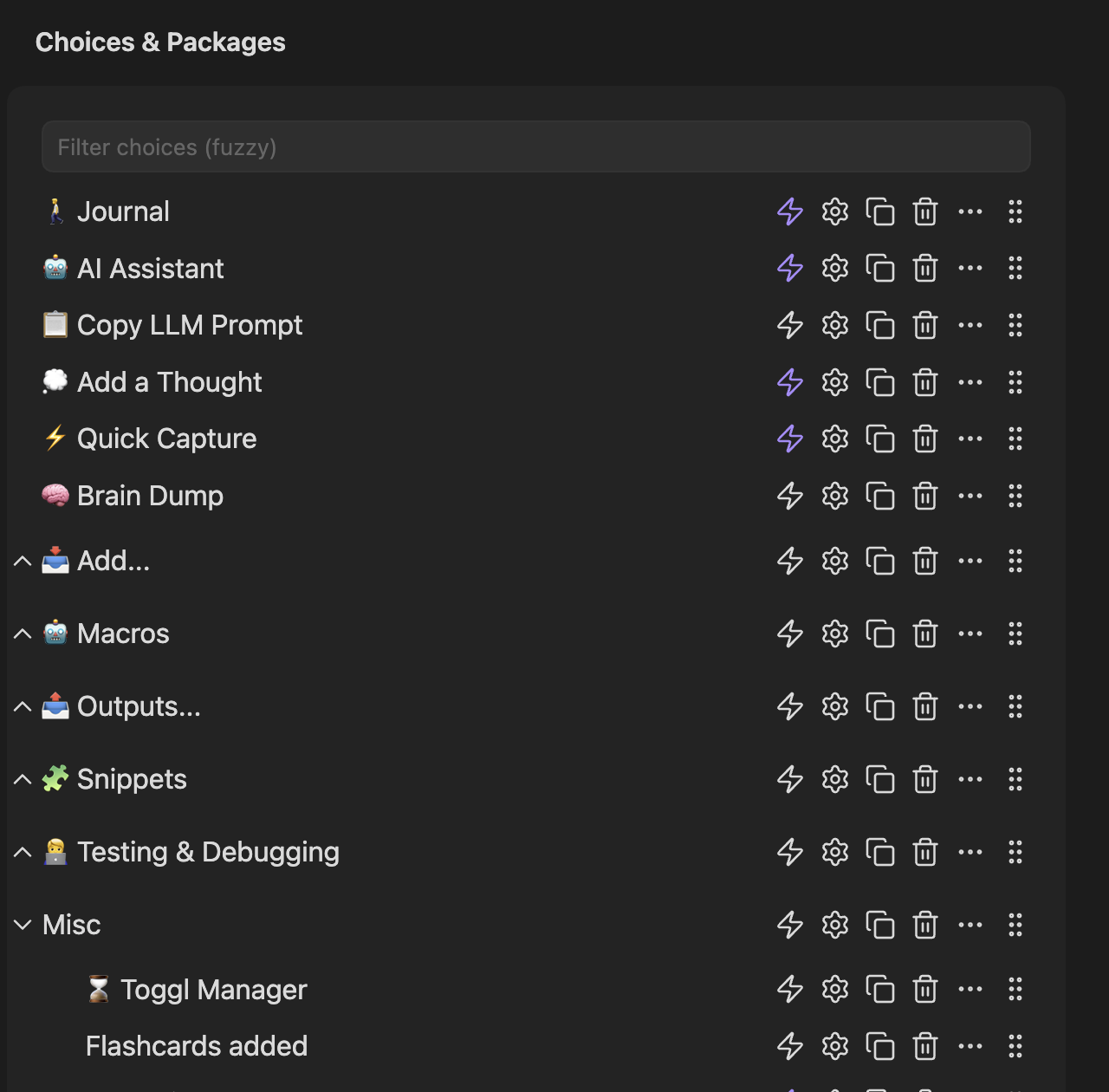
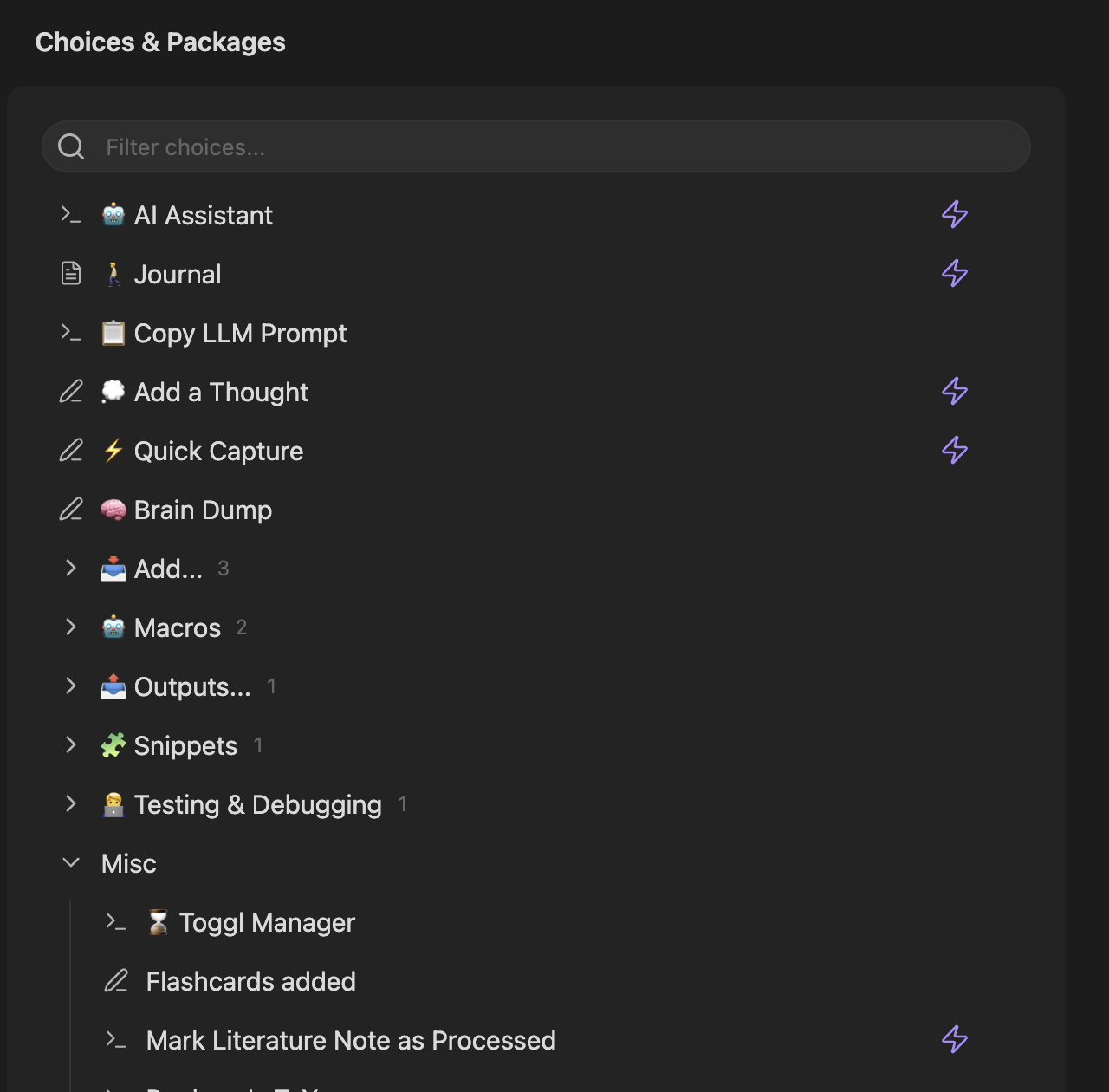
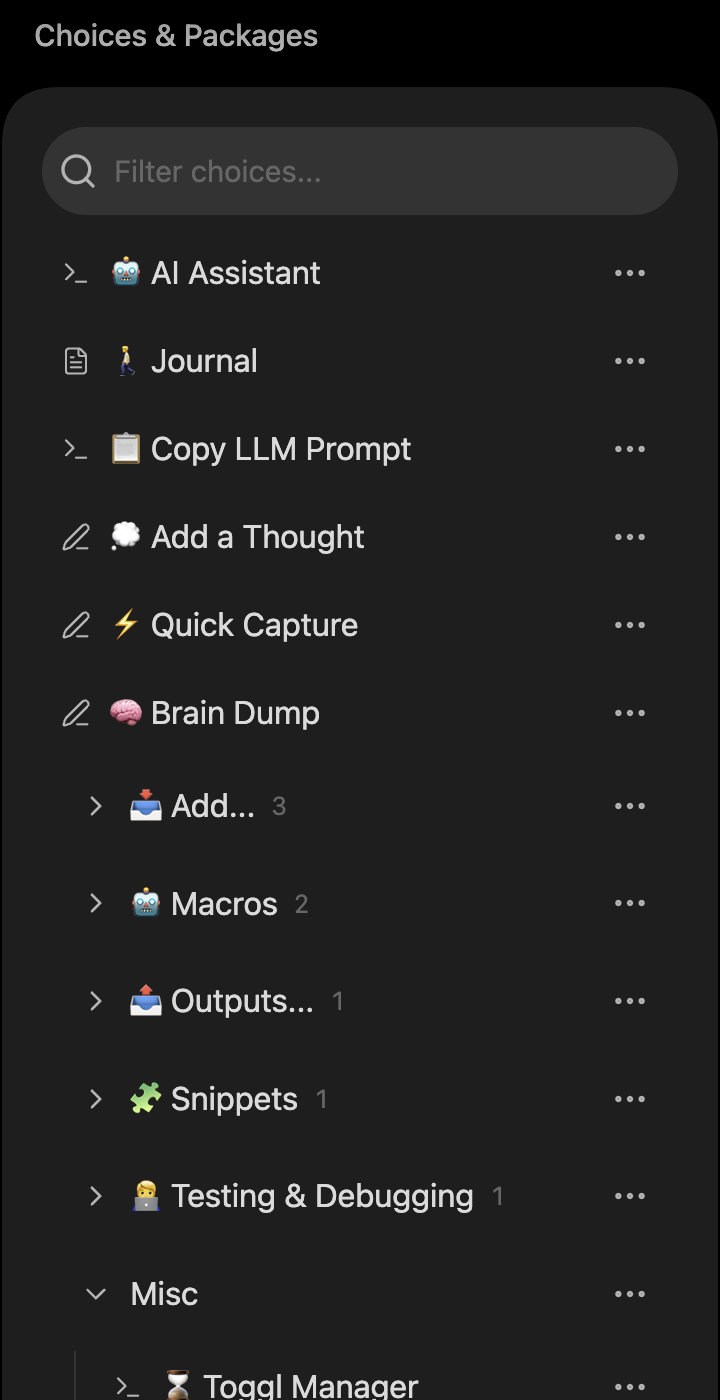
The list you see every time you open QuickAdd's settings scans like a single system now. Every row - choice or folder - sits on the same rhythm, each choice leads with its type icon (the same one the Run picker shows, including your per-choice icon overrides), and names align at every depth. Collapsed folders show a quiet count of what's inside.
Before:
After:
🖱️ Actions when you reach for them
The six per-row action icons no longer compete with your choice names. They reveal on hover (or keyboard focus) with comfortable click targets - and the one piece of state, the command-palette bolt, stays visible, anchored at the right edge so you can scan down the list and see exactly which choices are in your palette.
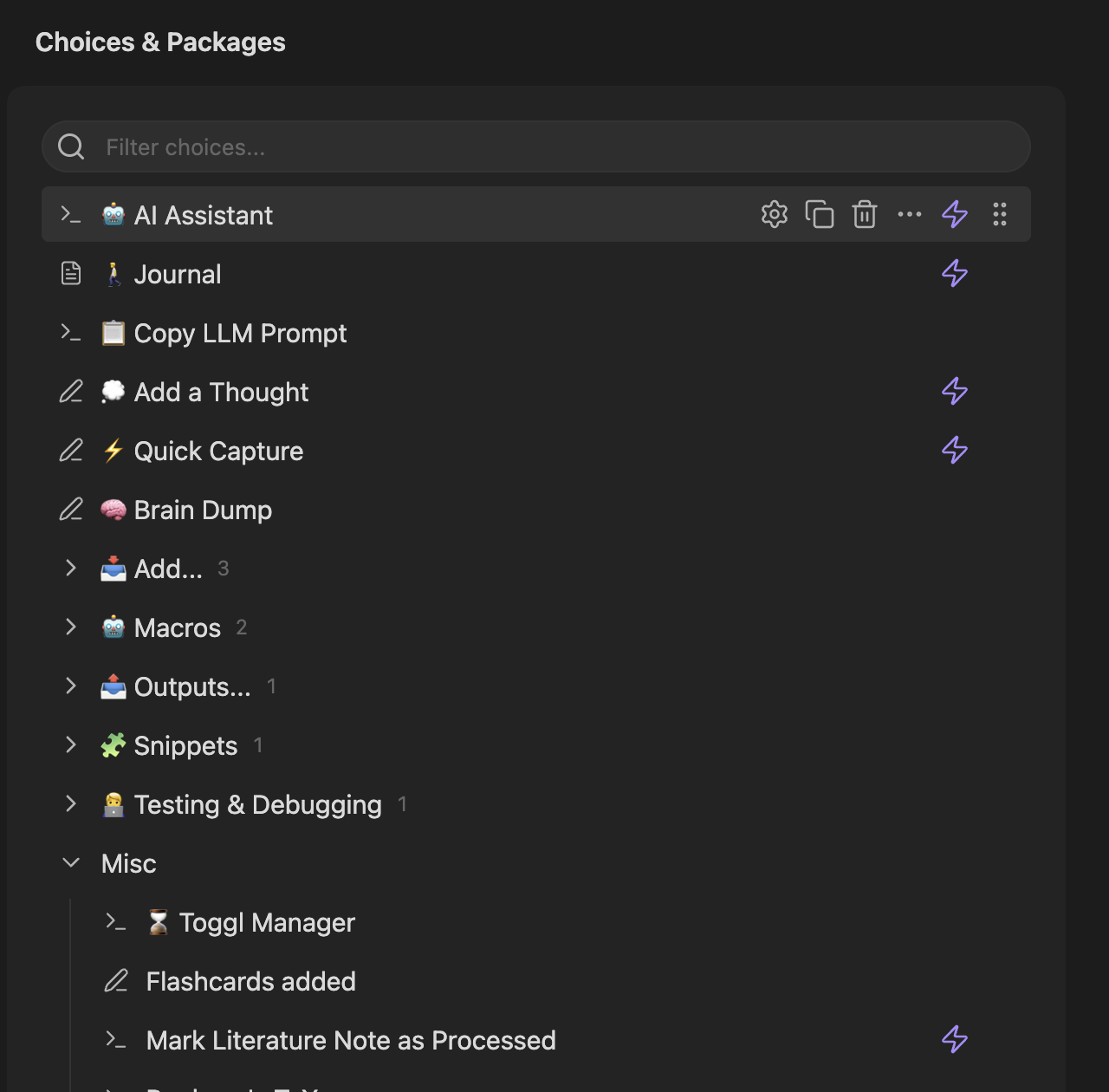
A few new conveniences while you're there: double-click a choice to configure it, click anywhere on a folder row to open or close it, and filter with the native search field (Escape clears it).
🗂️ Structure you can see
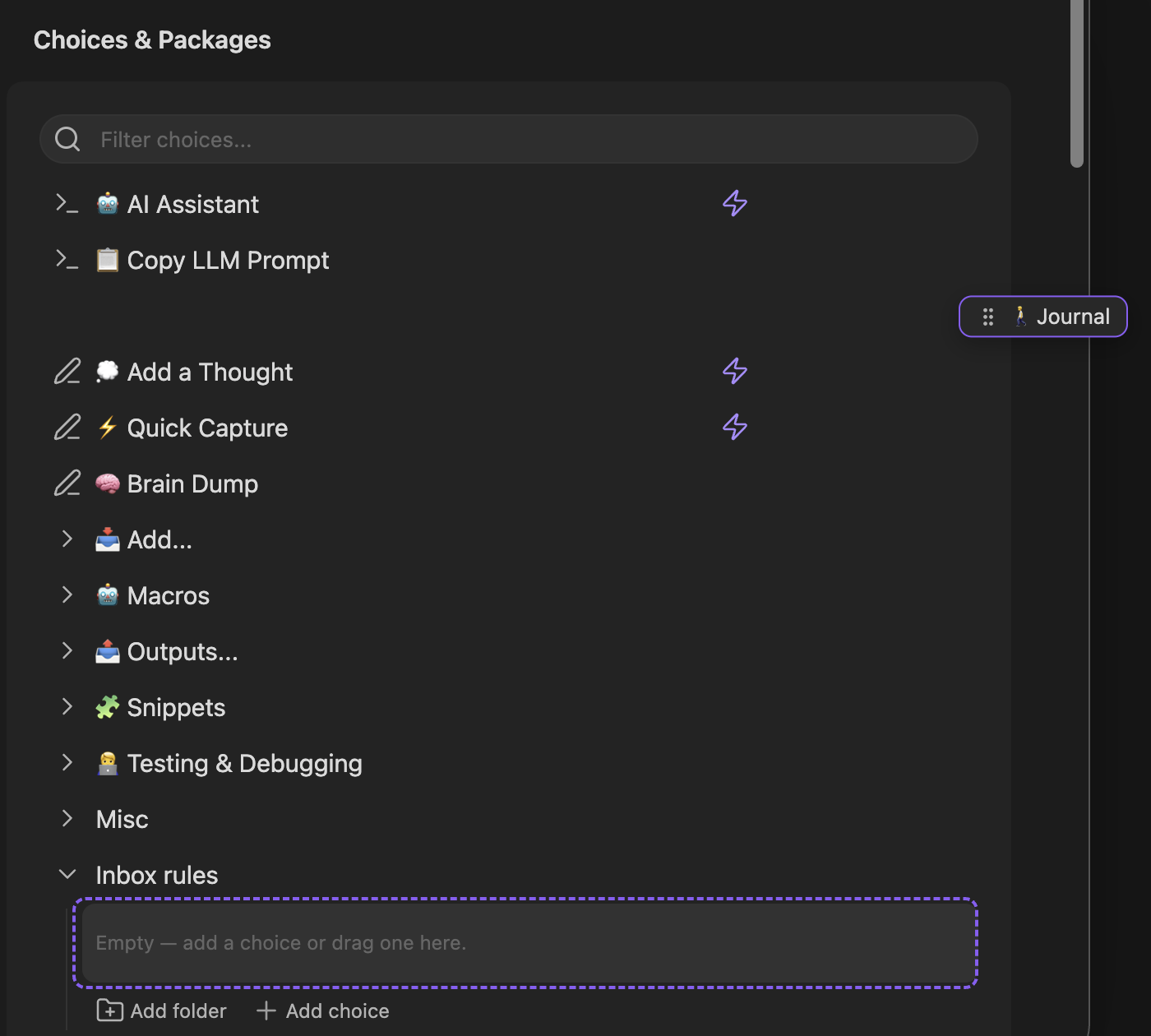
Folders now speak Obsidian's collapse grammar - chevrons point right when closed, down when open - and open folders draw an indent guide so nested choices read as inside. Dragging got the same care: a compact pill follows your cursor, and empty folders light up as an unmissable drop target.
📱 At home on mobile
The same list on your phone keeps every affordance reachable: tidy rows with the full actions menu always visible, and thumb-friendly buttons where your hands actually are.
🤖 AI models that stay put
With live model import (2.18.0), two providers can easily expose the same model id - OpenAI and an OpenAI-compatible proxy both listing gpt-4o, say. Model references used to resolve to the first provider that matched, so reordering or adding providers could silently reroute existing AI commands to a different endpoint and API key.
No more: every provider now has a stable id, and your AI commands remember which provider's model they use. Existing setups migrate automatically; hand-edited configurations are backfilled defensively (#1495).
🩹 Also fixed
- A Template choice with hand-edited or partially imported data (missing folder or file-name config) could open a blank edit modal. The builder now heals every missing field before the form mounts.