Thesis Documentation: Hardware Module for Machine Listening
Abstract — Machine listening provides a set of data with which music can be synthesized, modified, or sonified. Real time audio feature extraction opens up new worlds for interactive music, improvisation, and generative composition. This project is especially focused on the intersection of machine listening with interactive performance using DIY embedded systems, integrating machine listening with analog synthesizers.
Additional Background
Please refer to my Embedded Audio tutorials to setup your Raspberry Pi for development, including connecting headless and setting up internet sharing. https://github.com/chrislatina/EmbeddedAudio.
These tutorials run on CCRMA's Satellite build. I've built out the PCM5012a version of the terminal tedium https://github.com/mxmxmx/terminal_tedium. I've setup this environment on a clean Raspian build on the Raspberry Pi Model B+ unit. It is important to update to linux 4.x to allow for i2s mmap configuration for routing audio.
sudo rpi-update
Run the update command after making sure you have enough memory available on your flash drive. If you are worried about using up all of your memory while updating, clean up with locale purge and deb orphan before running the update. More info can be found here: http://www.intraipsum.se/blog/2012/07/14/raspberry-pi-clean-purge/
To check your linux version, run
uname -a
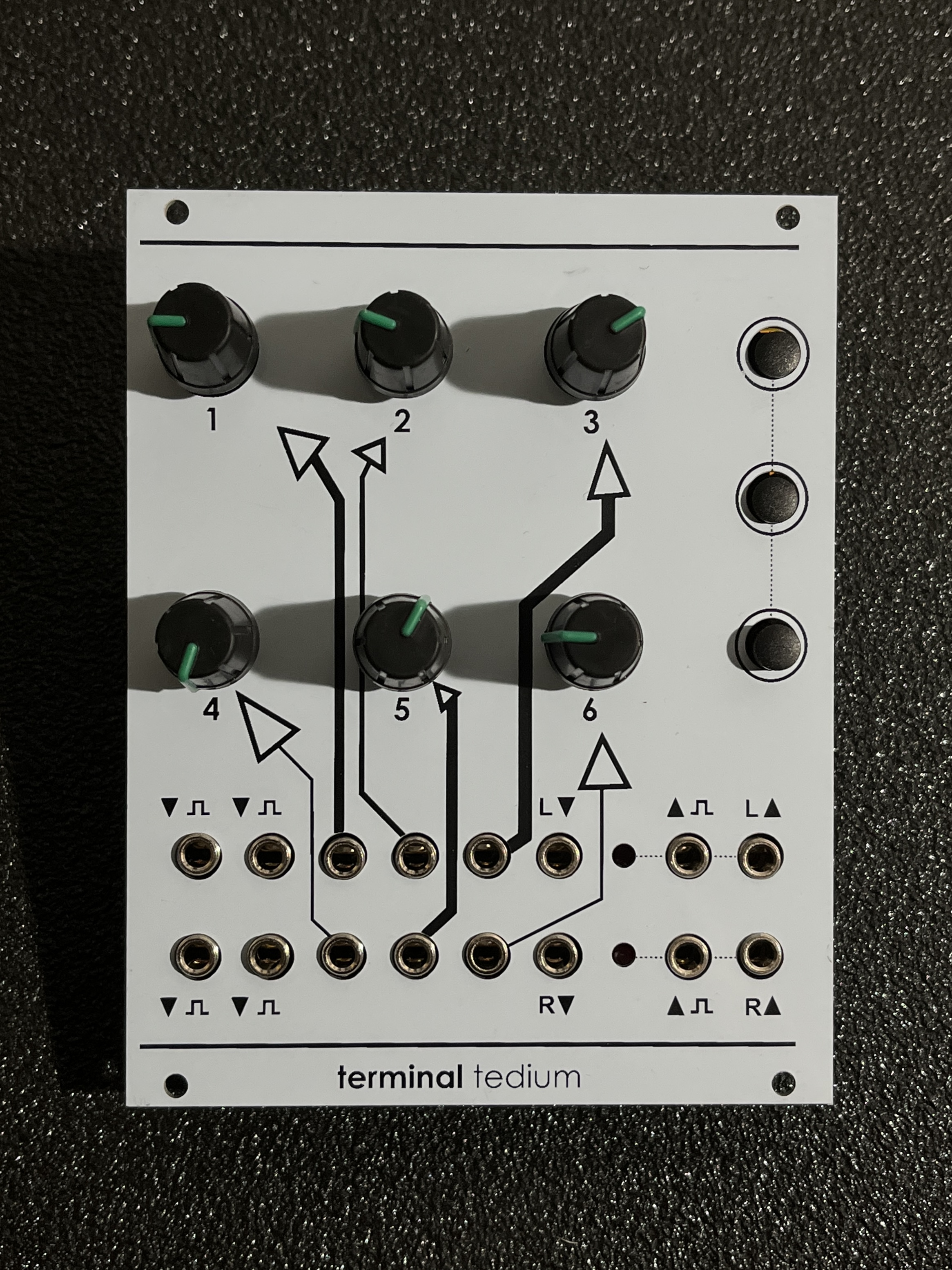
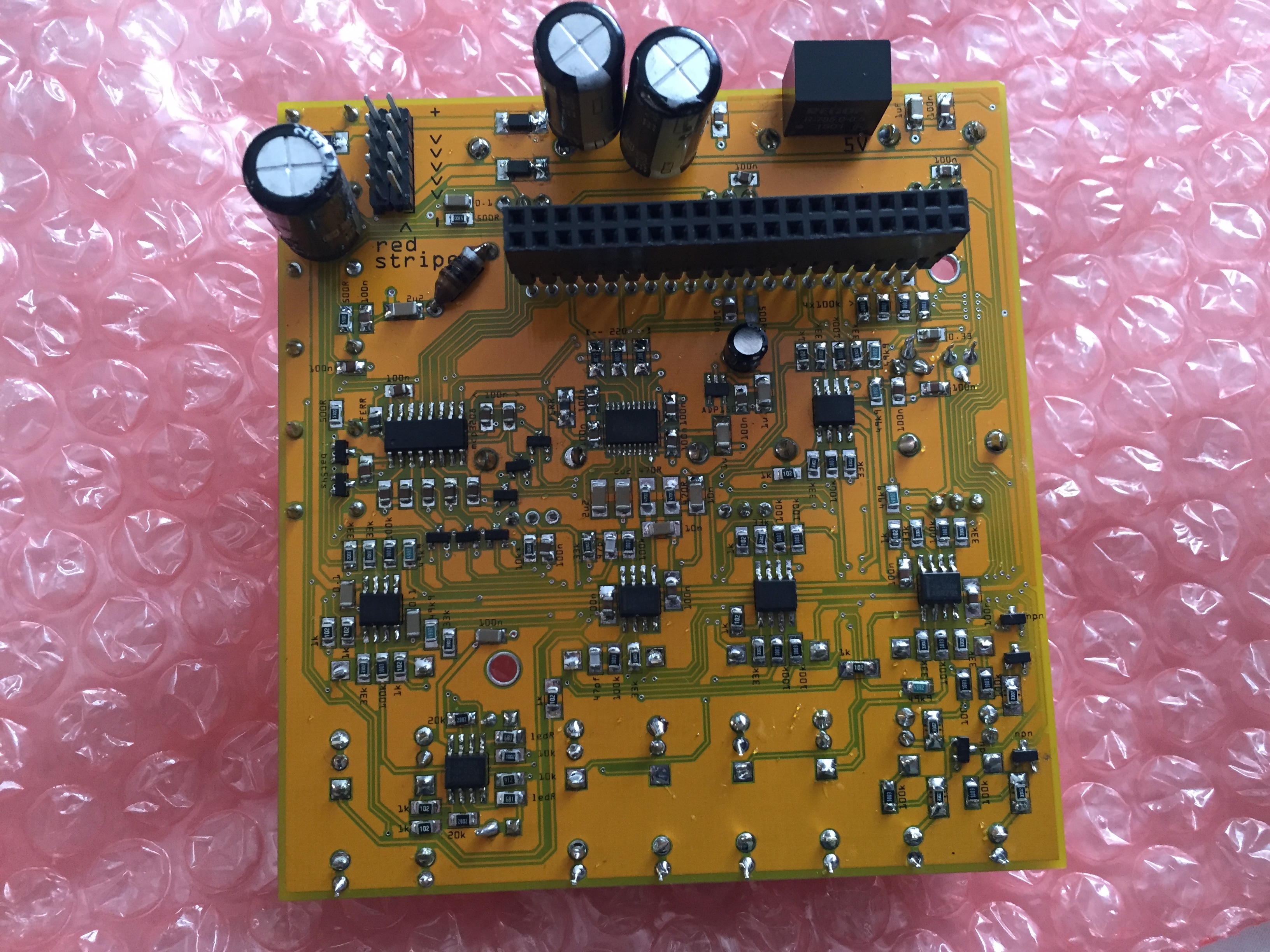
raspberry pi 2 / pi 3 / zero (W) / pi a+ / b+ eurorack stereo codec (wm8731) breakout board *
- 4x digital inputs (> 100k input impedance; threshold > 3V)
- 2x digital outputs (~ 6V )
- 6x CV inputs (100k input impedance; 12 bit, +/- 5V range)
- 2x audio outputs (10VPP, 16bit / 48kHz)
- 2x audio inputs (50k input impedance, 16bit / 48kHz)
Port Audio
After cloning this repository, download and install port audio. There is a tutorial for compiling on Linux here: http://portaudio.com/docs/v19-doxydocs/compile_linux.html
Once connected to the internet, the easiest way is to use wget pointing to the latest source of port audio.
wget http://www.portaudio.com/archives/pa_stable_v19_20140130.tgz
Unpack the tgz
tar zxvf fileNameHere.tgz
When compiling port audio, do so without Jack. The machine listening firmware is intentioanlly compiled without the flag for Jack. This simplifies reading from and writing to the respective audio cards.
./configure —without-jack
Libsound
Download the libsound-dev libraries. You'll need to be connected to the internet (forward by running headless) to use
sudo apt-get install libasound-dev
ALSA
I suggest using ALSA. The makefile includes all of the following options
-lrt -lasound -ljack -lpthread
Use scp to copy a local wav file to your pi.
scp file.wav pi@192.168.2.2:~/file.wav
On the pi, test playback using aplay. Depending upon your audio card setup (explained below) this may play back from the pi's default audio out.
aplay Cello.wav
You may need to replace the libportaudio.a file (there are both versions compiled already for raspi and OSX) with the linux version inside /Module/ML_Module/include/portaudio
cp /PORTAUDIO/DIR/lib/.libs/libportaudio.a /MachineListening/ML_Module/include/portaudio
Wiring Pi
Next you'll need to download and compile the wiringPi library for for reading and writing to and from GPIO pins. This is very straight forward and simply requires running the build script. The library dependencies in the makefile for compiling this library on Raspberry Pi already reference the wiringPi library.
http://wiringpi.com/download-and-install/
Now you can cd into the /MachineListening/ML_Module directory and run
make
First you'll need to install your hifiberry pcm5012a on pi. Below I've posted to web-references if you need more information.
https://www.hifiberry.com/guides/hifiberry-software-configuration/
https://slug.blog.aeminium.org/2015/05/09/raspberry-pi-2-model-b-pcm5102a-i2s/
First you'll need to remove specific drivers from your device's blacklist. The filename is not necessarily consistent. On my device I edited the following file:
sudo nano /etc/modprobe.d/alsa-base-blacklist.conf
Comment out all of the following devices
#blacklist i2c-bcm2708
#blacklist snd-soc-pcm512a
#blacklist snd-soc-wm8804
#blacklist snd-soc-bcm2708
#blacklist snd-soc-bcm2708-i2s
#blacklist bcm2708-dmaengine
#blacklist snd-soc-pcm5102a
#blacklist snd-soc-rpi-pcm5102a
Edit /etc/modules
sudo nano /etc/modules
comment out the device #snd-bcm2835
Add the following devices
snd_soc_bcm2708
snd_soc_bcm2708_i2s
bcm2708_dmaengine
snd_soc_pcm5102a
snd_soc_rpi_pcm5102a
Next, you must configure your USB-C audio card for audio capture. Scroll down and set snd-usb-audio to index 1.
sudo nano /etc/modprobe.d/alsa-base.conf
options snd-usb-audio index=1
Now update the current audio card. Add the following lines to asound.conf
sudo nano /etc/asound.conf
pcm.!default  {
  type hw card 0
}
ctl.!default {
  type hw card 0
}
pcm.hifiberry {
type hw card 0
}
Edit the config script
sudo nano /boot/config.txt
Set the following. Everything else is commented out. Make sure you're pi is updated to linux 4.x so that i2s and mmap works for audio card routing in port audio.
#uncomment to overclock the arm. 700 MHz is the default.
arm_freq=900
core_freq=250
sdram_freq=450
over_voltage=2
# memory split:
gpu_mem=16
# enable i2c:
dtparam=i2c_arm=on
# enable spi:
dtparam=spi=on
# enable i2s:
dtparam=i2s=on
# i2s / DAC driver:
dtoverlay=i2s-mmap
dtoverlay=hifiberry-dac
#dtoverlay=rpi-proto
You can reboot your soundcard directly,
sudo /etc/init.d/alsa-utils restart
But to properly reconfigure, reboot the entire device
sudo reboot
Upon logging back in, check your soundcard configuration,
cat /proc/asound/cards /proc/asound/modules or aplay -l
If correct, the pcm5012a should be assigned to card 0 and the USB-C device assigned to card 1.
**** List of PLAYBACK Hardware Devices ****
card 0: sndrpihifiberry [snd_rpi_hifiberry_dac], device 0: HifiBerry DAC HiFi pcm5102a-hifi-0 []
  Subdevices: 0/1
  Subdevice #0: subdevice #0
card 1: Device [C-Media USB Audio Device], device 0: USB Audio [USB Audio]
  Subdevices: 1/1
  Subdevice #0: subdevice #0
FIX nmap OVERLAP
dtoverlay=i2s-mmap
Additional Optimization
I highy recommend reading this wiki on low latency audio http://wiki.linuxaudio.org/wiki/raspberrypi. Overclocking (http://elinux.org/RPiconfig#Overclocking) is probably not necessary but you can experiment with this if you receive dropouts.
Edit the boot script to run your program by default. You'll need to make sure to run the startup.py script to assign the GPIO pins.sudo nano ~/.bash_profile
The second call runs the Machine Listening firmware. The commented out commands optionally run terminal tedium's test patches using pd.
sudo python ~/terminal_tedium/software/pullup.py
sudo ~/MachineListening/ML_Module/mycc
#sudo ~/pd/bin/pd -nogui -noadc -rt ~/terminal_tedium/software/D_io_test_pcm5102a.$
#sudo ~/pd/bin/pd -rt -nogui -verbose ~/terminal_tedium/software/adc_test.pd
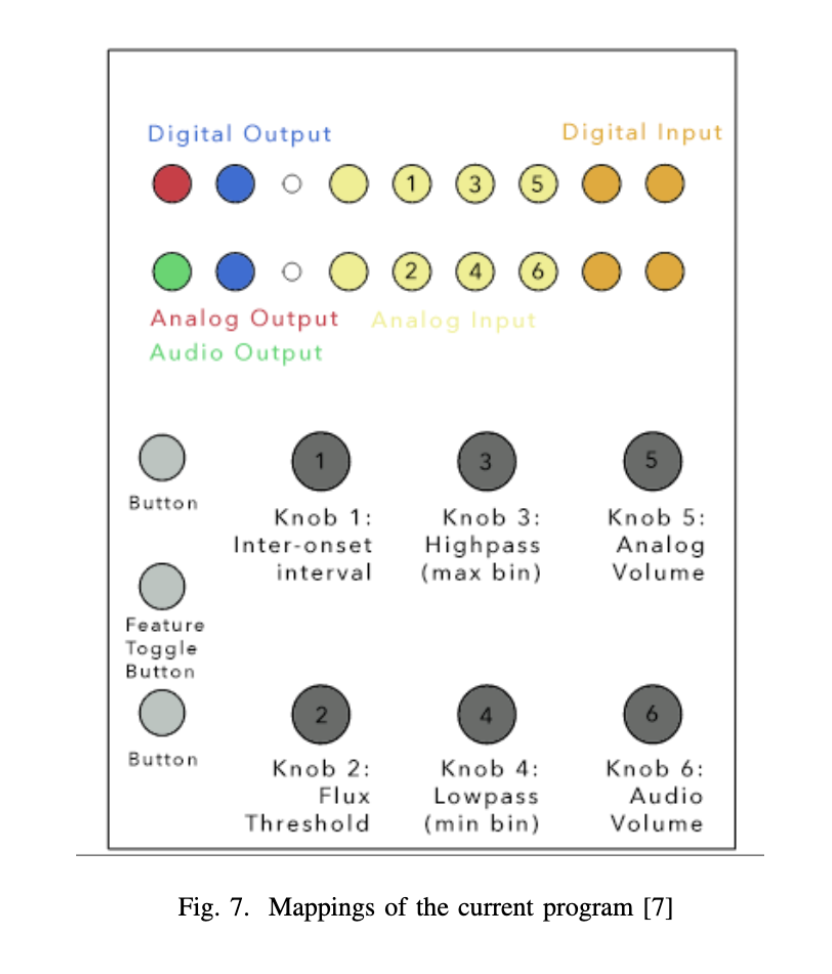
- Potentiometer Knob 1 controls the inter-onset interval ranging between 4 and 400 milliseconds.
- Potentiometer Knob 2 controls the onset threshold (spectral flux level) ranging between 0 and 8.0
- Potentiometer Knob 3 controls the maximum FFT bin to analyze (a high pass filter for feature detection).
- Potentiometer Knob 4 controls the minimum FFT bin to analyze (a low pass filter for feature detection).
- Potentiometer Knob 5 controls the volume of the feature audio sonification output.
- Potentiometer Knob 6 controls the volume of the dry audio throughput.
GPIO Communication
FeatureCommunication::FeatureCommunication(){
    iFeatureSwitch = 0;
    // ARM specific
    #ifdef __arm__
        wiringPiSetupGpio();
        wiringPiSPISetup(ADC_SPI_CHANNEL, ADC_SPI_SPEED);

        // GPIO Digital Output
        pinMode(16, OUTPUT); //Spectral Feature output
        softPwmCreate(16,0,256);

        pinMode(26, OUTPUT); //Onset Trigger output
        softPwmCreate(26,0,256);

        // Switches
        pinMode(23, INPUT); //Switch 1
        pinMode(24, INPUT); //Switch 2
        pinMode(25, INPUT); //Switch 3
    #endif
}

FeatureCommunication::~FeatureCommunication(){

}

/* From Terminal Tedium */
uint16_t adc[8] = {0, 0, 0, 0, 0, 0, 0, 0}; //  store prev.
uint8_t  map_adc[8] = {5, 2, 7, 6, 3, 0, 1, 4}; // map to panel [1 - 2 - 3; 4 - 5 - 6; 7, 8]
uint8_t SENDMSG;

uint16_t FeatureCommunication::readADC(int _channel){ // 12 bit
    #ifdef __arm__
        uint8_t spi_data[3];
        uint8_t input_mode = 1; // single ended = 1, differential = 0
        uint16_t result, tmp;

        spi_data[0] = 0x04; // start flag
        spi_data[0] |= (input_mode<<1); // shift input_mode
        spi_data[0] |= (_channel>>2) & 0x01; // add msb of channel in our first command byte

        spi_data[1] = _channel<<6;
        spi_data[2] = 0x00;

        wiringPiSPIDataRW(ADC_SPI_CHANNEL, spi_data, 3);
        result = (spi_data[1] & 0x0f)<<8 | spi_data[2];
        tmp = adc[_channel]; // prev.
        if ( (result - tmp) > DEADBAND || (tmp - result) > DEADBAND ) { tmp = result ; SENDMSG = 1; }
        adc[_channel] = tmp;
        return tmp;
    #endif
    return 0;
}
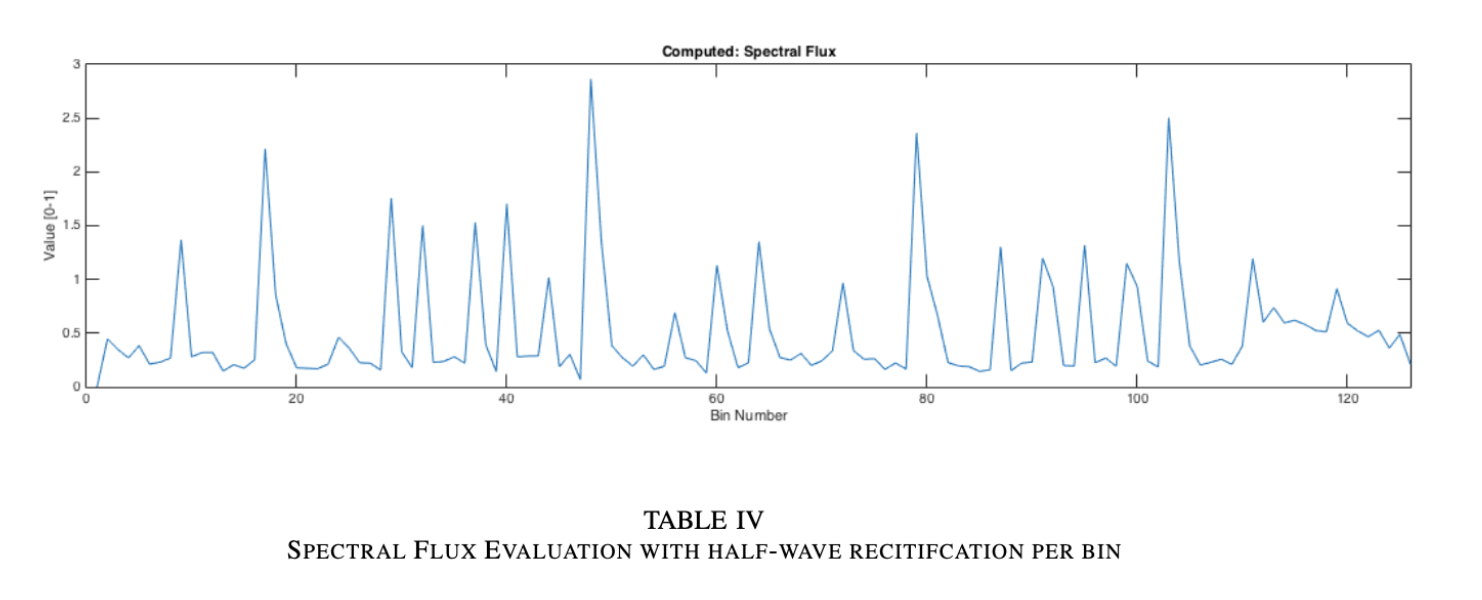
void SpectralFeatures::extractFeatures(float* spectrum)
{
    power = 0.0;
    spectrum_sum = 0.0;
    spectrum_abs_sum = 0.0;
    halfwave = 0.0;
    log_spectrum_sum = 0.0;
    float diff_sum = 0.0;

    for (int i=minBin; i<maxBin; i++) {
        // Get power difference between consecutive spectra
        diff_sum  += ((spectrum[i] - fifo[i] + fabsf(spectrum[i] - fifo[i]))/2.0)*((spectrum[i] - fifo[i] + fabsf(spectrum[i] - fifo[i]))/2.0);

        // Half wave recitify the diff.
        halfwave += ((spectrum[i] - fifo[i] + fabsf(spectrum[i] - fifo[i]))/2.0);
        //Calculate the square
        power += spectrum[i] * spectrum[i];

        //Sum of the magnitude spectrum
        spectrum_sum += spectrum[i];

        //Sum of the absolute value of the magnitude spectrum
        spectrum_abs_sum += fabsf(spectrum[i]);

        //Logarithmic sum of the magnitude spectrum
        log_spectrum_sum += log(spectrum[i]);

        //Square of the magnitude spectrum
        spectrum_sq[i] = spectrum[i] * spectrum[i];
    }

    /* Update fifo */
    setFifo(spectrum,binSize);

    if (!checkSilence(power)){
        // Calculate Spectral Flux
        calculateSpectralFlux(halfwave);

        // Calculate Spectral Roloff
        calculateSpectralRolloff(spectrum, spectrum_sum, 0.85);

        //Calculate RMS
        calculateRMS(power);

        //Calculate Spectral Crest
        calculateSpectralCrest(spectrum, spectrum_abs_sum);

        //Calculate Spectral Centroid
        calculateSpectralCentroid(spectrum, power, minBin, maxBin);

        //Calculate Spectral Flatness
        calculateSpectralFlatness(log_spectrum_sum, spectrum_sum);

    }
}

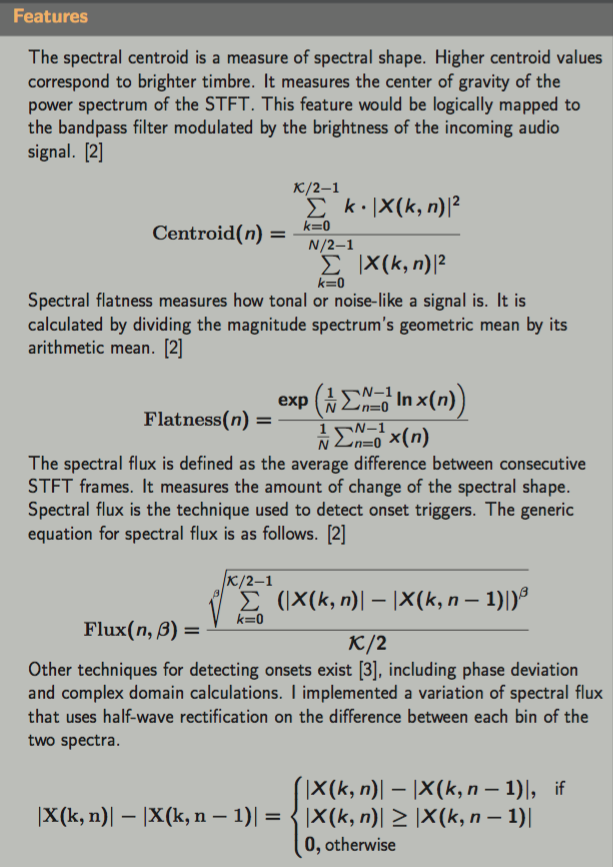
void SpectralFeatures::calculateSpectralFlux(float diff_sum){
    //Calculate Spectral Flux
    flux = diff_sum / (float)(binSize);

    // Low pass filter (optional)
    float alpha = 0.0;
    flux = (1-alpha)*flux + alpha * prevFlux;

    /* Save previous Spectral Flux */
    prevFlux = flux;
}

void SpectralFeatures::calculateSpectralCentroid(float* spectrum, float power, int minBin, int maxBin){
    centroid = 0.0;
    for (int i=minBin; i<maxBin; i++) {
        centroid += i*spectrum[i]*spectrum[i];
    }

    try {
        centroid = centroid / (power);
    } catch (std::logic_error e) {
        centroid = 0.0;
    }

    centroid = (centroid / (float) binSize);
    centroid = centroid;

    // Low pass filter
    float alpha = 0.5;
    centroid = (1-alpha)*centroid + alpha * prevCentroid;

    prevCentroid = centroid;
}

void SpectralFeatures::calculateSpectralFlatness(float log_spectrum_sum, float spectrum_sum) {
    if((spectrum_sum / (float) binSize) > minThresh){
        try {
            flatness = exp(log_spectrum_sum / (float) binSize) / (spectrum_sum / (float) binSize);
        } catch (std::logic_error e) {
            flatness = 0.0;
            return;
        }
    }
    else{
        flatness = 0.0;
    }

    // Low pass filter
    float alpha = 0.5;
    flatness = (1-alpha)*flatness + alpha * flatness;
    prevFlatness = flatness;
}