



coconutBattery provides detailed battery health information for Mac laptops and connected iOS devices that the system's built-in battery indicator doesn't surface. The application reads battery controller data to show current maximum capacity compared to the original design capacity, charge cycle count, temperature, and other metrics that reveal the actual condition of the battery rather than just its current charge level.
The capacity comparison is the core metric coconutBattery provides — how much charge the battery currently holds at full versus how much it held when new. A battery showing 87% of original capacity has lost 13% through normal aging and charge cycles. This figure makes battery health concrete rather than the vague "Normal" or "Service Recommended" labels that macOS displays. Charge cycle tracking shows how many full charge equivalents the battery has accumulated, providing context for the capacity degradation — a battery with 400 cycles at 87% is aging normally while a battery with 100 cycles at 87% may have experienced unusual degradation.
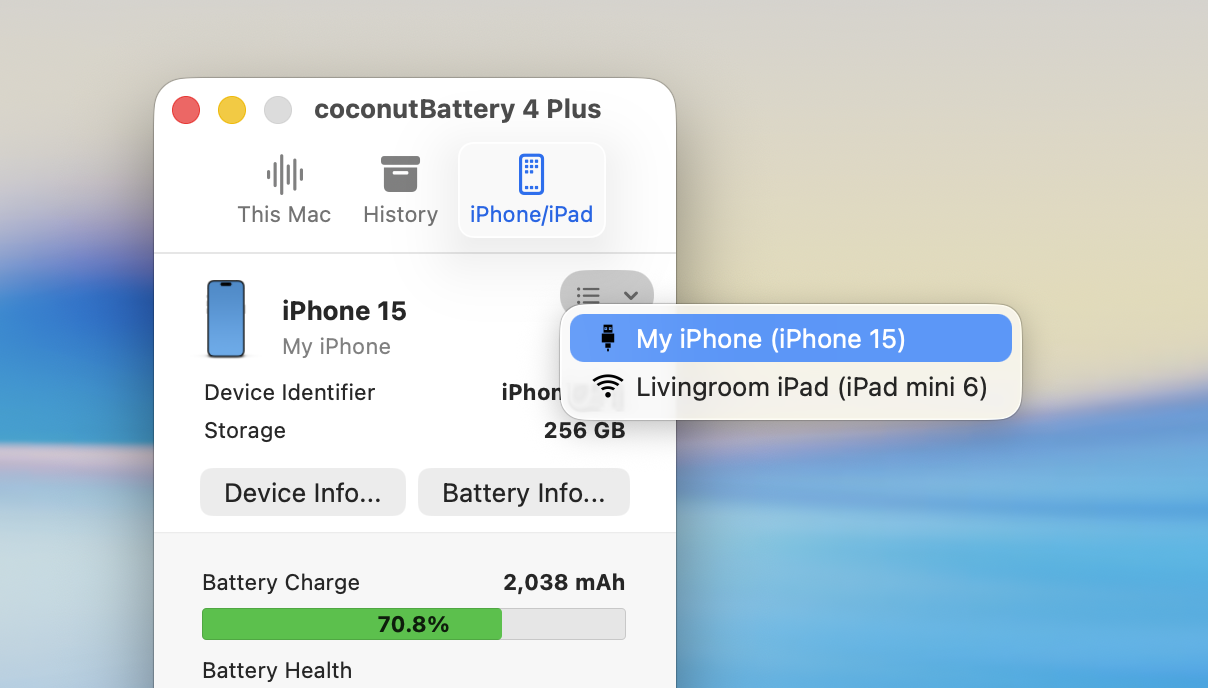
iOS device monitoring displays battery health for iPhones and iPads connected via USB. See the same capacity and cycle data for iOS batteries that coconutBattery shows for Mac batteries. This iOS coverage proves particularly valuable before purchasing a used iPhone, where battery health significantly affects real-world usability. Multiple device switching compares battery health across all connected devices from a single interface.
The menu bar integration shows current battery status at a glance without opening the full application window. Configure what information appears — current charge percentage, maximum capacity, temperature, or other metrics. These menu bar indicators provide ambient battery awareness throughout the day without interrupting workflow.
- Current vs design capacity shows exactly how much battery capacity remains compared to original specifications
- Charge cycle count tracks accumulated full charge equivalents to contextualize capacity degradation
- iOS device battery health reads iPhone and iPad battery data through USB connection instantly
- Menu bar battery indicator displays chosen metrics at a glance without opening the main window
- Battery history logging records capacity readings over time to reveal degradation trends visually
- Age estimation tool calculates approximate battery age from manufacturing data stored in the controller
- Real-time temperature display monitors battery operating temperature during use and charging sessions
- Charging state details show power draw amperage and voltage from the connected charger accurately
- Health threshold alerts notify when capacity drops below your configured minimum acceptable level
coconutBattery represents focused development creating software that excels at specific tasks. The application addresses real user needs with practical solutions refined through actual usage feedback. This targeted approach produces tools that feel purposeful rather than bloated with rarely-used features.
Updates maintain compatibility with macOS releases while introducing improvements based on user requests. The development cycle balances stability with progress, ensuring the application remains both reliable and current.