Home
#Rapid Router (codename: ocargo) Documentation Things you need to know about the app.
##From Blockly to Animation Blocks ---compile---> Sequence of Commands ---> Program ---execute---> state changes ---> animationQueue
##Drawing
###Grid coordinate system
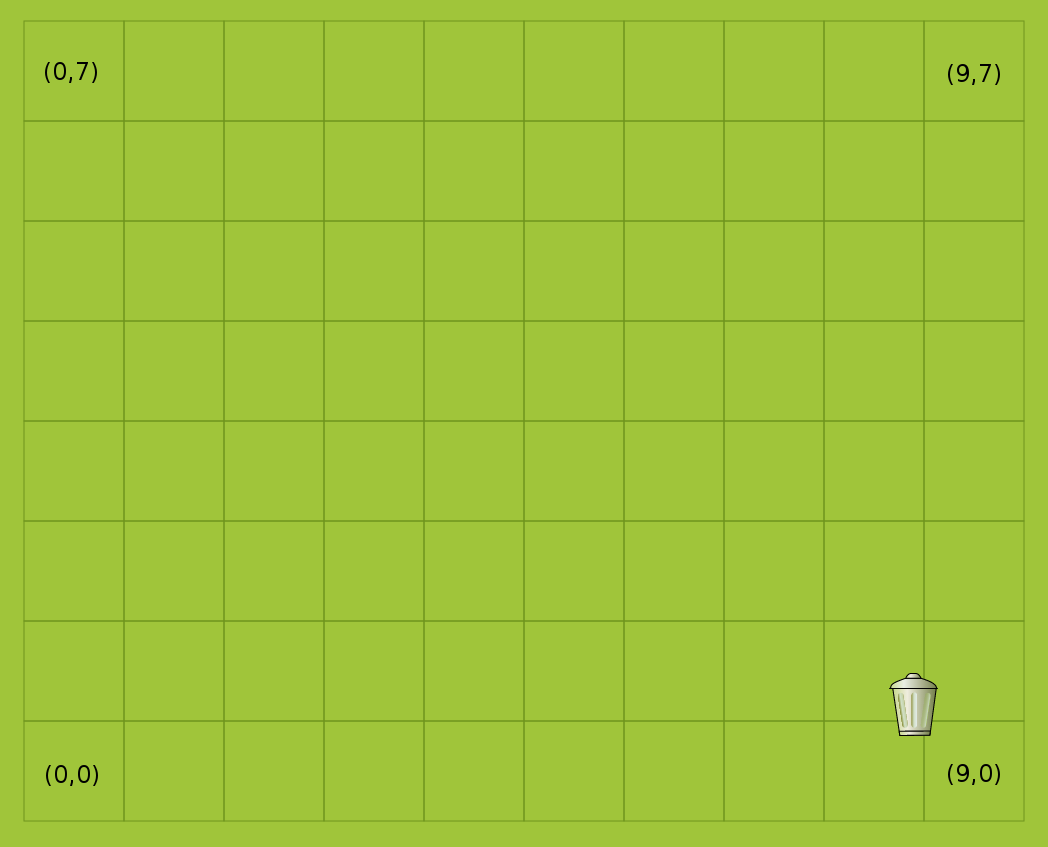
The map of the game is a 10 by 8 grid. The origin of the map is bottom left corner. Location of different map elements are specified using this coordinate system. These coordinates are hereafter called grid coordinates.
image to be inserted here
Our game is animated using RaphaelJS, a javascript library for creating and animating svgs. All the elements on the map are drawn on a Raphael canvas object. The origin of a Raphael object is the top left corner. When a map element is added to the canvas, the y-grid-coordinate is flipped upside down to match the Raphel coordinate system.
Road letter is a set of letter combination that represents the orientation of the road segment placed. Straight road segments are either placed horizontally(H) or vertically(V). Orientation of turns are determined relative to the centre point of the turn. L-shape turn is represented by UR as there are connections to the top and right node from the centre node. T-shape junction is considered to be down as the middle branch points downwards. The mapping of letters to orientation is shown in the table below.
| Road letters | Picture |
|---|---|
| H | 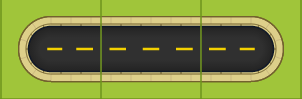 |
| V | 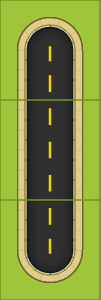 |
| UL | 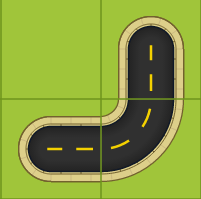 |
| UR | 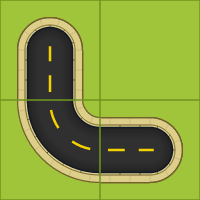 |
| DL | 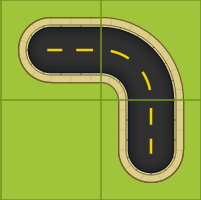 |
| DR | 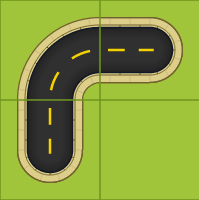 |
| up | 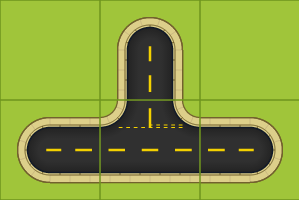 |
| down | 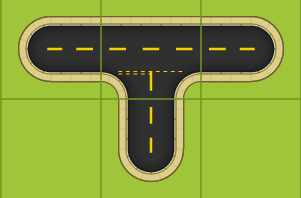 |
| left | 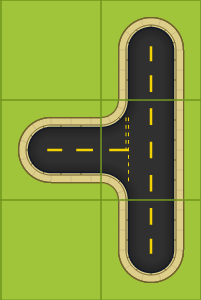 |
| right | 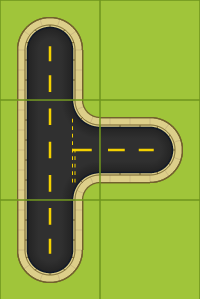 |
###Character's height and width
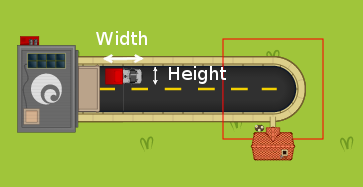 Height and width referenced in the code refers to the character when it's facing right. However, when you create a Raphael object for the character, you need to specify the size the other way round as all the characters are by default facing up.
paper.image(ocargo.Drawing.raphaelImageDir + CHARACTER_URL, 0, 0, CHAR_HEIGHT, CHAR_WIDTH);
###Determine initial position
##Animation
###Animate character's movement
####TurnLeft/TurnRight/TurnAround
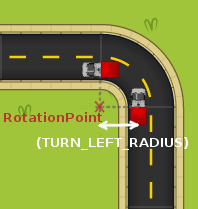 Each turning animation is equivalent to a rotation of the character svg about a point, which lies on either side of the svg and share the same y-coordinate as the centre. Note that these points are relative to the character svg canvas instead of the entire map. As the size and shape of the svg will affect the location of the points, the coodrinates can be determined by calling getRotationPointXForXXXX() and getRotationPointY() methods, these will take into account the height and width of the svg canvas of the characters. Below shows the calculation in detail.
coorinates of centre of svg = (height/2, width/2)
x = centre.x + radius
y = centre.y