Unable to customize autocomplete tooltips #815

Description

Currently, there seems to be no clear way to change the HTML used to render the tooltips used by autocompletion.
The use case is the following:
We want the tooltips to be resizeable, so that users can drag the tooltip instead of needing to scroll. This works fine using resize: both when the completion tooltip is on the right (.cm-completionInfo-right). When it is on the left, the default resize operation doesn't function properly. A solution is to set text-direction: rtl but then the actual content of the tooltip is not rendered properly.
An illustration of the impact of text-direction: rtl in its current state is the following.
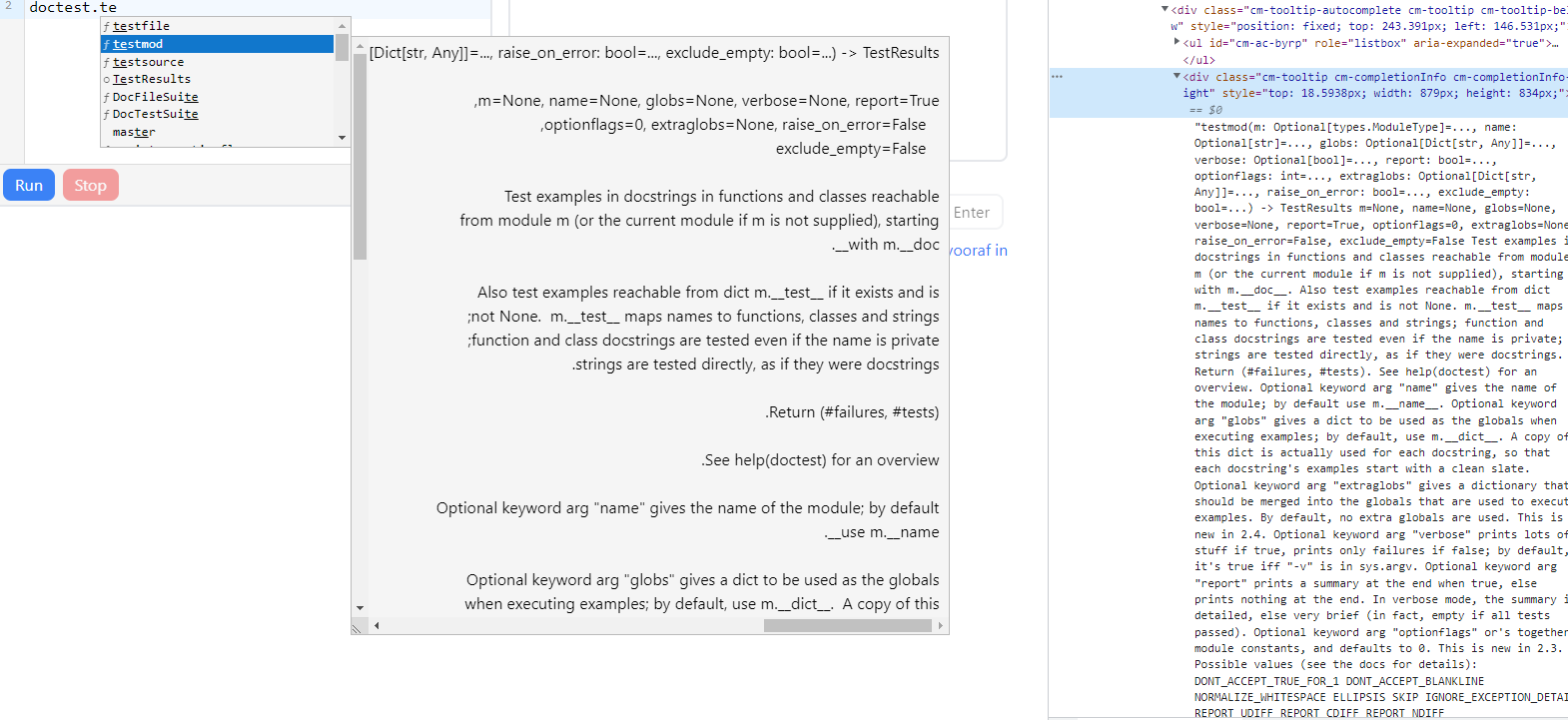
To allow this to work, the actual content of the tooltip should have text-direction: ltr while the outer resizeable container has text-direction: rtl. However, this requires tweaking the rendered HTML to add a wrapper, which doesn't seem to be possible.
My question is thus whether this is already supported somehow, whether there is a workaround or whether this is deemed useful for CodeMirror.