
4807acaab3d37afd1f0089c5c6635eb92c30ad03
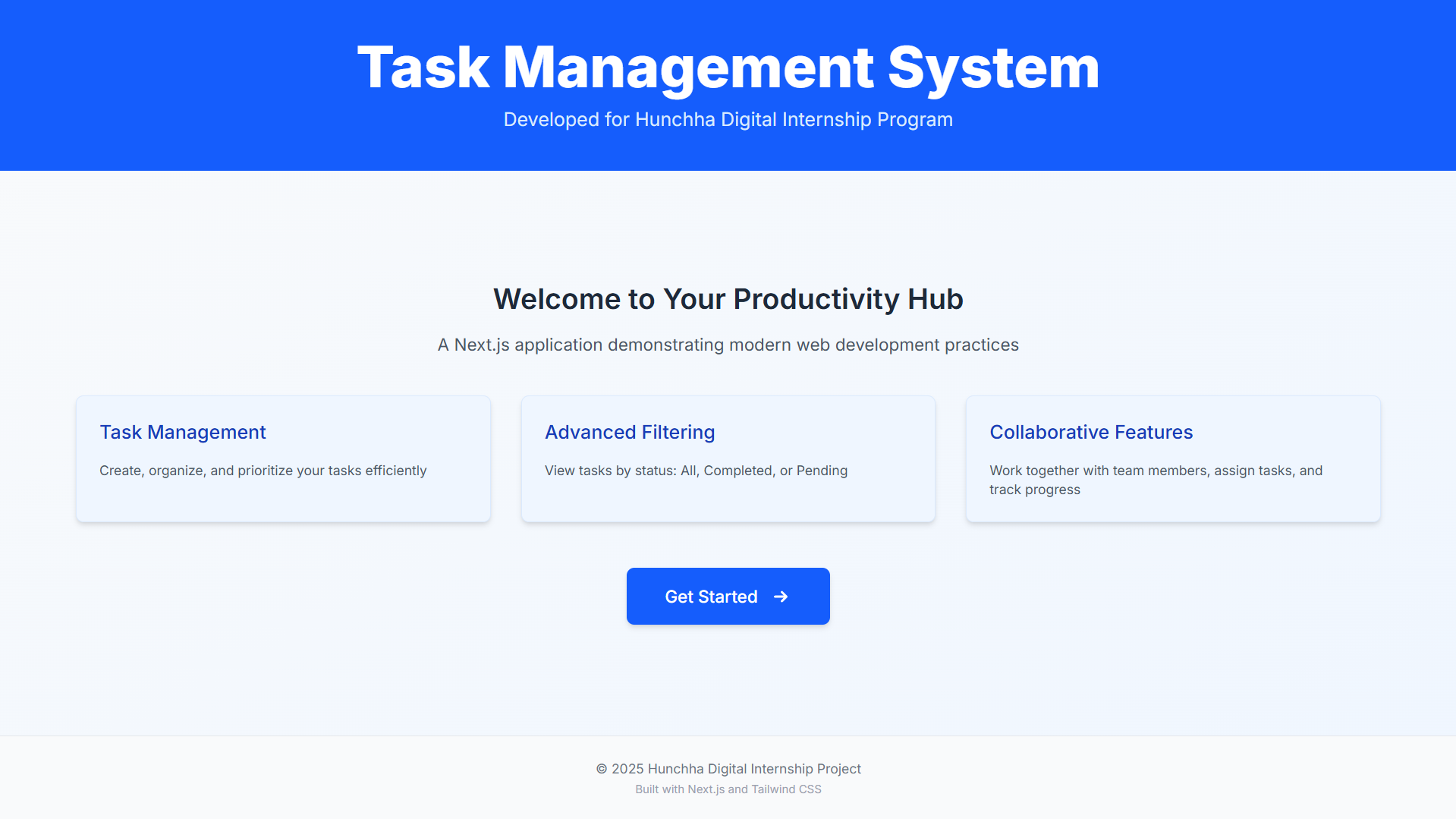
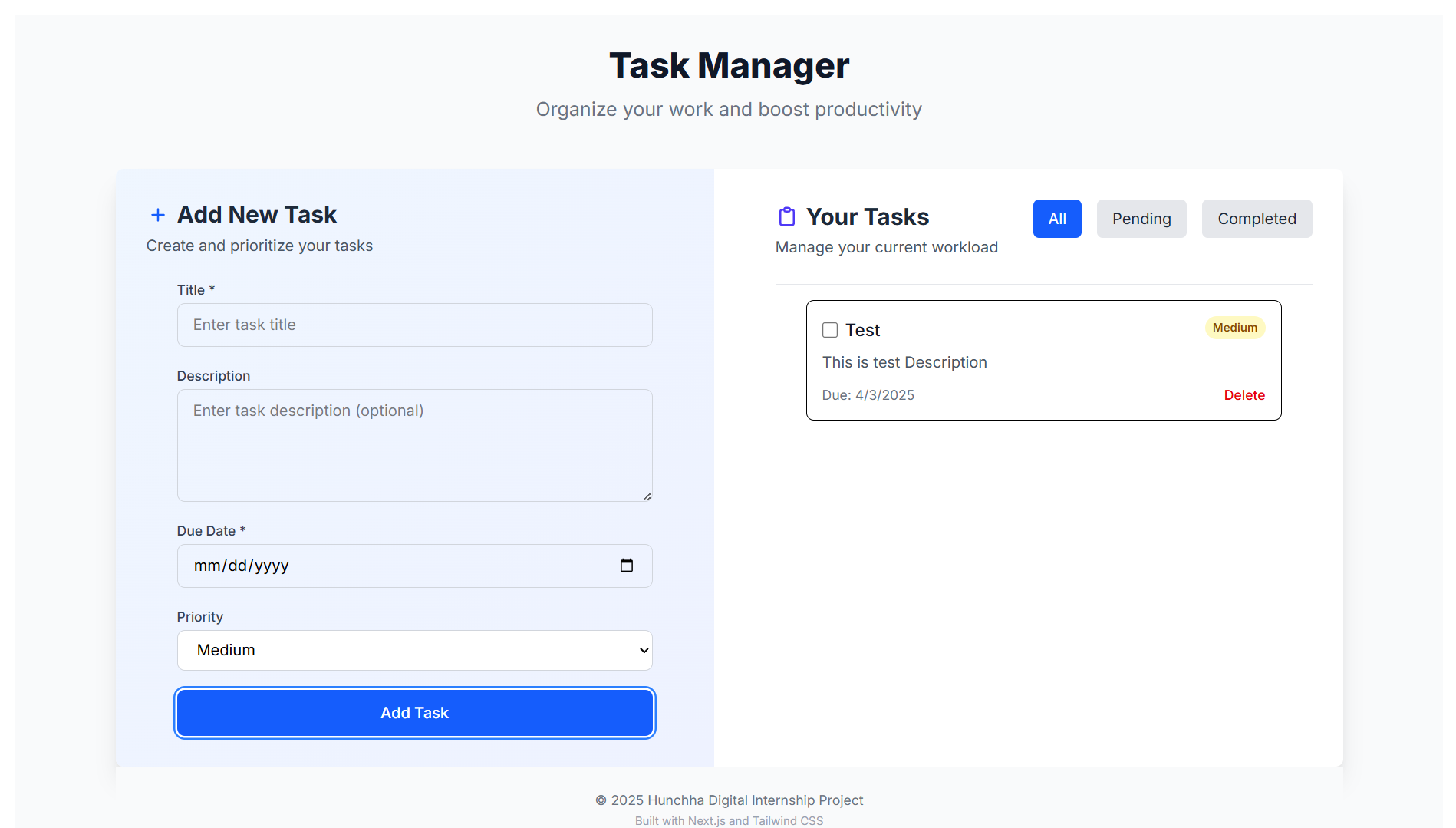
A modern, responsive task management application built with Next.js, React, and Tailwind CSS. Easily manage your daily tasks with features like filtering, status updates, persistent local storage, and a beautiful, professional UI.
- 📝 Task Management: Create, update, and delete tasks effortlessly.
- ✅ Task Status: Mark tasks as complete or incomplete.
- 🔍 Filtering: Filter tasks by status (All, Pending, Completed) and priority (High, Medium, Low).
- 🔎 Search: Instantly search tasks by title or description.
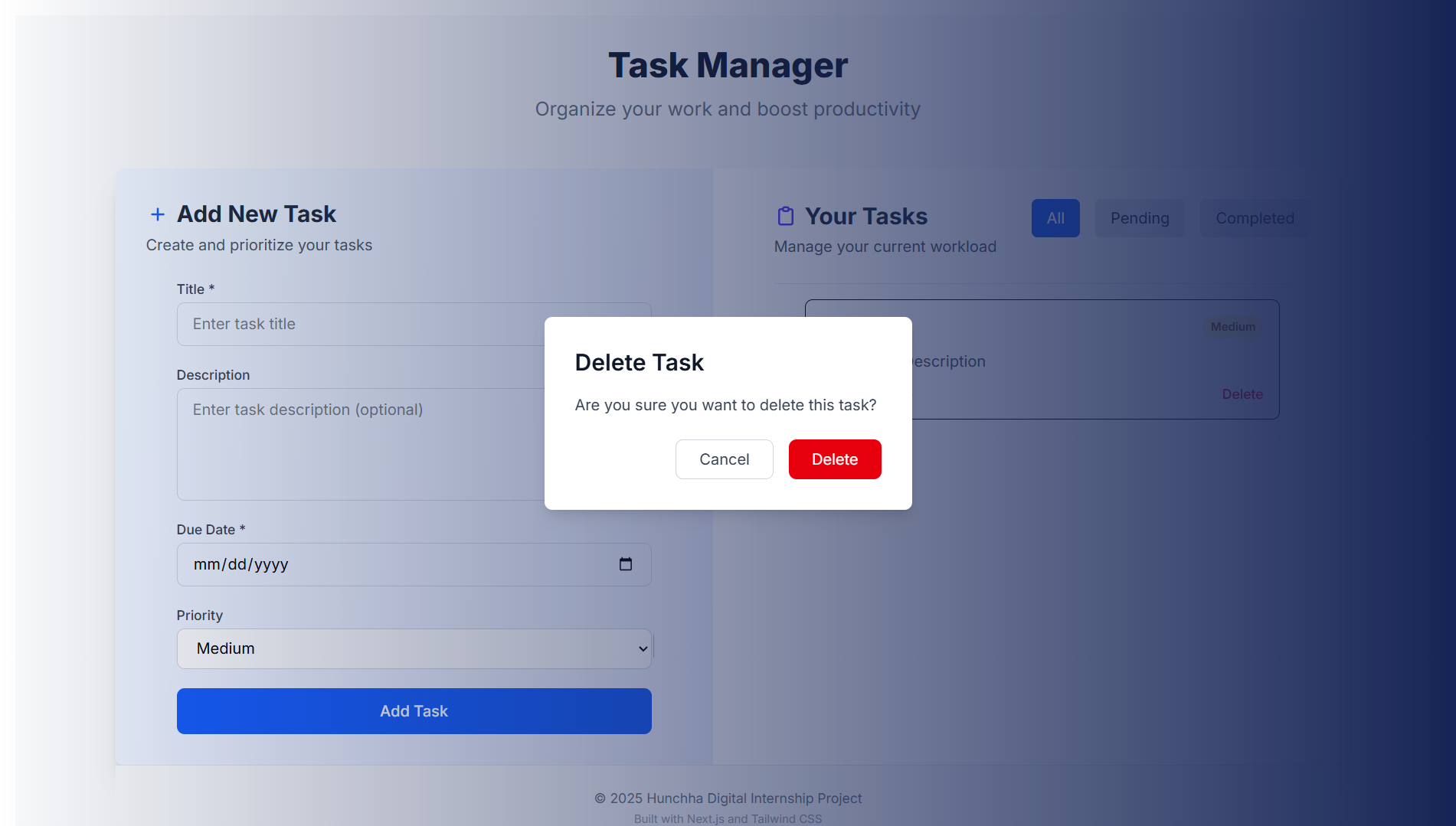
- ⚡ Global Delete Confirmation: Deleting a task triggers a modern, centered confirmation dialog overlaying the dashboard.
- 📱 Responsive Design: Works across all devices.
- 💾 Local Storage Persistence: Your tasks remain even after refreshing the page.
⚠️ Confirmation Dialogs: Critical actions require confirmation to prevent mistakes.- 🖋️ Form Validation: Ensures accurate data entry.
- 🎨 Modern UI/UX: Clean layout, beautiful cards, smooth transitions, and accessible controls.
- Next.js - React framework for modern web applications.
- React - JavaScript library for UI development.
- Tailwind CSS - Utility-first CSS framework for styling.
- ESLint - JavaScript linter for code quality.
- Node.js (v18 or later recommended)
- npm, yarn, or pnpm
- Clone the repository:
<<<<<<< HEAD git clone https://github.com/your-username/hunchha_JS.git
2. **Navigate to the project directory:**
```bash
cd hunchha_JS
=======
git clone https://github.com/codewithsauravphuyal/TaskMasterJS
- Navigate to the project directory:
cd TaskMasterJS
4807acaab3d37afd1f0089c5c6635eb92c30ad03
3. **Install dependencies:**
```bash
npm install
# or
yarn install
# or
pnpm install
npm run dev
# or
yarn dev
# or
pnpm devnpm run build
# or
yarn build
# or
pnpm buildnpm start
# or
yarn start
# or
pnpm starthunchha_JS/
├── src/
│ ├── app/
│ │ ├── client/
│ │ │ └── tasks/ # Tasks page and related components
│ │ ├── favicon.ico
│ │ ├── globals.css
│ │ ├── layout.js # Root layout
│ │ └── page.js # Home page
│ ├── component/ # Reusable UI components
│ ├── context/ # React context providers
│ └── lib/ # Utility functions and constants
├── public/ # Static assets
├── Screenshot/ # App screenshots
├── package.json # Project dependencies
└── README.md # Project documentation
The app provides intuitive filter and search controls to help you view tasks by their status or quickly find tasks:
- All: Shows every task.
- Pending: Shows only tasks that are not completed.
- Completed: Shows only tasks that are marked as completed.
- Search: Instantly filter tasks by typing in the search box.
You can switch between these filters using the buttons at the top of the task list. The active filter is highlighted for clarity.
When you press the delete button on any task, a modern confirmation dialog appears centered between the form and the task list, overlaying the dashboard. This ensures you never accidentally delete a task and provides a professional, user-friendly experience.
Contributions are welcome! To contribute:
- Fork the repository
- Create a feature branch
git checkout -b feature/YourFeature
- Commit your changes
git commit -m 'Add YourFeature' - Push to the branch
git push origin feature/YourFeature
- Open a Pull Request
Distributed under the MIT License. See LICENSE for more details.
Saurav Phuyal
📩 Email: codewithsauravphuyal@gmail.com
<<<<<<< HEAD
🔗 GitHub: sauravphuyal
🔗 GitHub: codewithsauravphuyal
🔗 LinkedIn: sauravphuyal
4807acaab3d37afd1f0089c5c6635eb92c30ad03
Happy coding! 🚀