A vim plugin for behavioral-fluency training sessions on vim drills. Runs inside vim itself — no simulator divergence, you're using real vim. Project home: vimfluency.com.
Fluency is accuracy plus speed: a behavior you perform correctly, quickly, and without deliberation — available while your attention is on the code, not on the keystroke. It's a different axis from knowing. You can know exactly what dw does and still reach for it slowly; the motion isn't fluent until it's automatic under time pressure.
That distinction comes from Precision Teaching (Lindsley / Morningside Academy), which measures learning as a rate — correct responses per minute — instead of whether you can do something once. A fluency aim is the rate above which a skill turns durable and stays available under distraction. A Vim Fluency drill mixes a small set of closely related behaviors — each generated scenario isolates and measures exactly one, so you train in a realistic but tightly controlled environment rather than rehearsing a single key in isolation. It tracks your real per-motion rate and charts it against an aim, so you can tell the motions you've genuinely made automatic from the ones you only think you have.
Plugin manager (vim-plug):
Plug 'codyalanstubbs/vim-fluency'lazy.nvim:
{ 'codyalanstubbs/vim-fluency' }Without a plugin manager, clone into a pack dir:
git clone https://github.com/codyalanstubbs/vim-fluency \
~/.vim/pack/vimfluency/start/vimfluency:Vf opens the dashboard (home — browse drills, launch from a row); :VfTrain {id} runs a timed session directly.
:Vf                                     " home view: drill table, charts, last session
:VfList                                 " flat table (path-filtered, like :Vf)
:VfLearn move_to_char_forward_backward  " DI-style lesson, ends on the shared end screen
:VfTrain move_single_char_up_down_left_right     " 60-second training
:VfTrain move_single_char_up_down_left_right 30  " 30 seconds
:VfTrain move_to_line_edges_all only=g_,^        " train only the listed motions
:VfQuit                                 " end early; session logged
:VfHistory                              " prior sessions with rate bars
:VfChart {id}                           " progress chart (a Standard Celeration Chart)
Settings commands: :VfSetAim / :VfResetAim (per-drill aim override),
:VfSetDuration / :VfResetDuration (global default duration),
:VfSetPath / :VfResetPath / :VfPaths (curated learning paths).
:help vimfluency documents all of them.
Tab skips the current item. Both :VfTrain and :VfLearn open their own
tab page and finish on the same end screen — the drill's last-session
rate and per-command breakdown, plus a one-key menu to anywhere else
(Train, Learn, Chart, I=list, V=dashboard, Q=quit). Every
read-only view links to every other with those same keys, so once you've
typed :Vf or :VfList you can loop through trainings, lessons, and
charts without retyping a command.
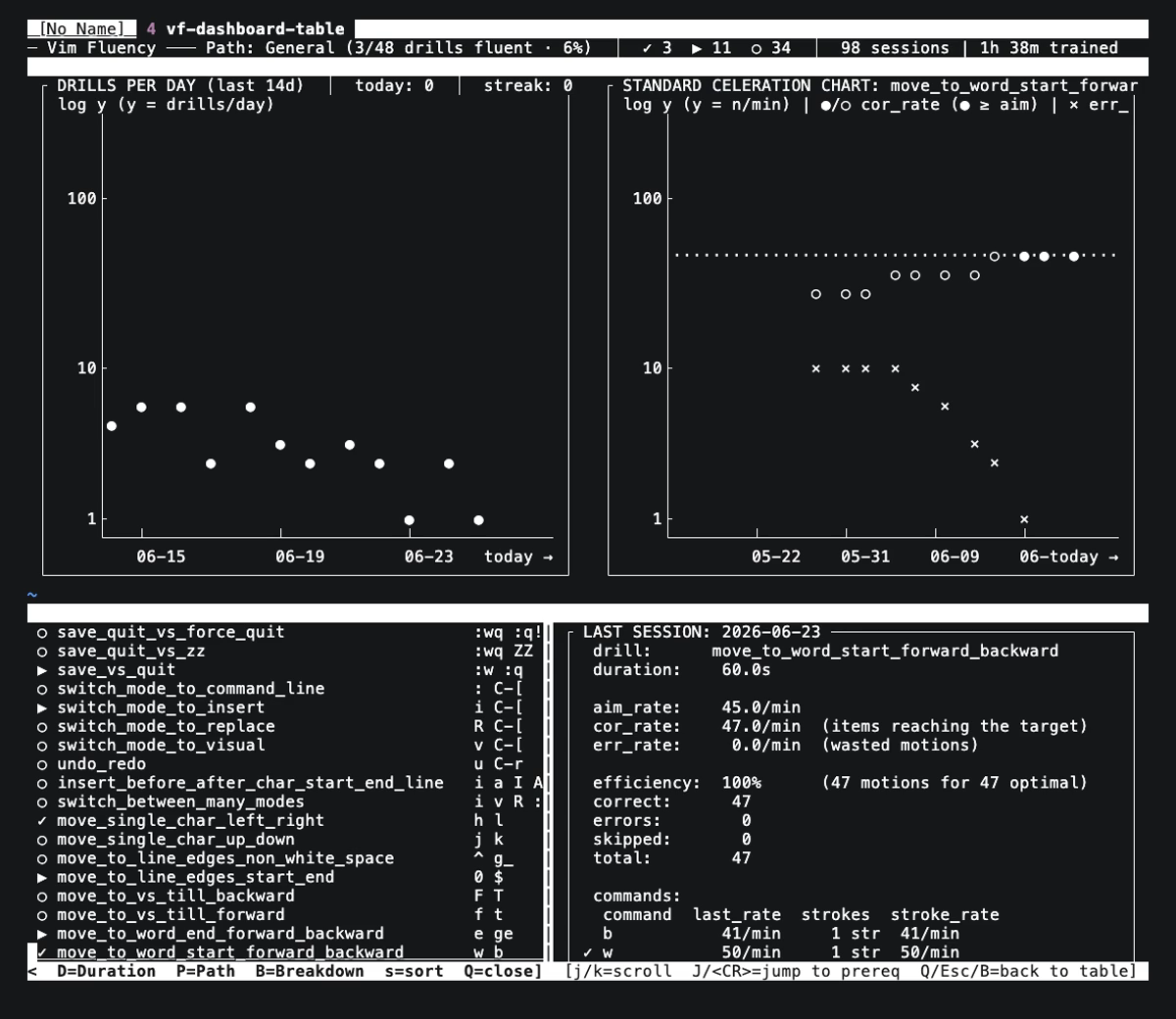
The dashboard is the main entry point. From one screen you discover drills (the full catalog, grouped by family), monitor consistent overall effort (a drills-per-day chart — fluency is built by showing up, not by cramming), watch a specific drill's fluency progress (the hovered drill's celeration chart), and read a summary of its last session (the per-command breakdown). Move between rows and the chart and breakdown panels track your cursor.
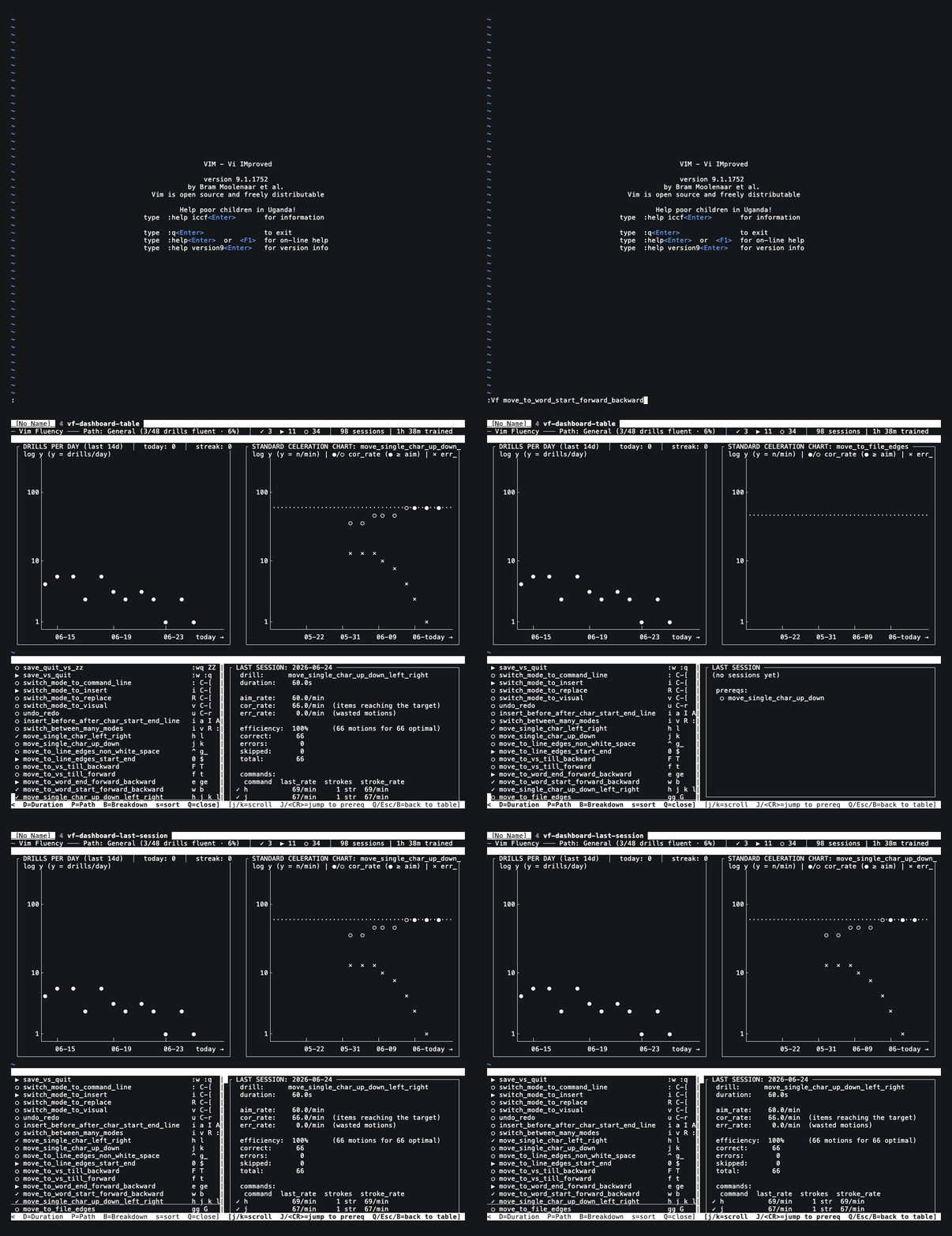
:VfList is the same discovery surface with less on screen: a flat table of
every drill with its commands, prerequisites, and current rate against aim.
Press B on a drill to expand its breakdown — its prereqs and per-command
rates — while the header tracks your progress along the active path. Reach
for it when the dashboard's charts are more than you need.
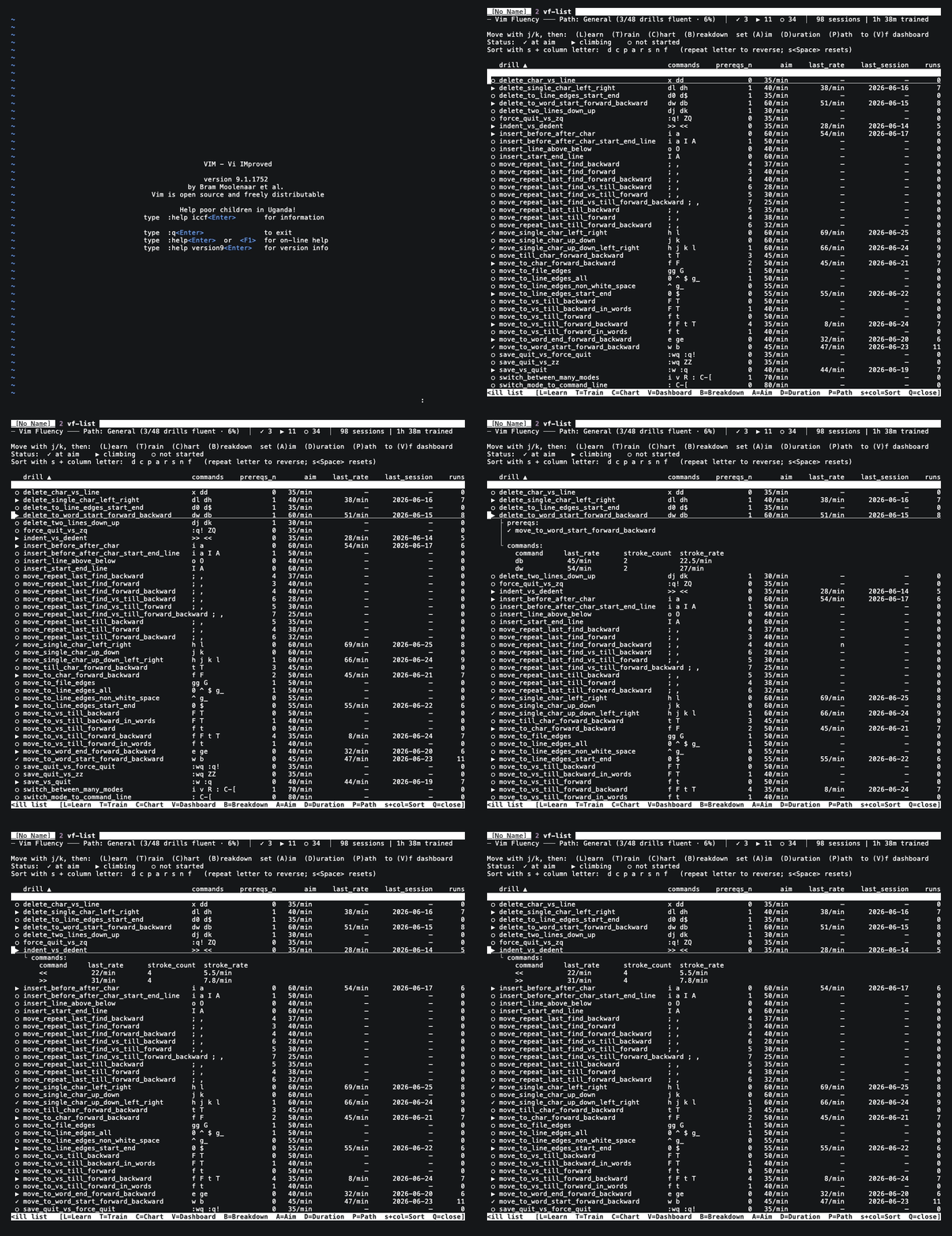
Two different jobs. :VfLearn introduces a drill: a Direct-Instruction
lesson that names each motion, has you perform it, then tests you on fresh
items until you can apply the rule unprompted. Use it to meet a new drill —
or as a warm-up before a training session.
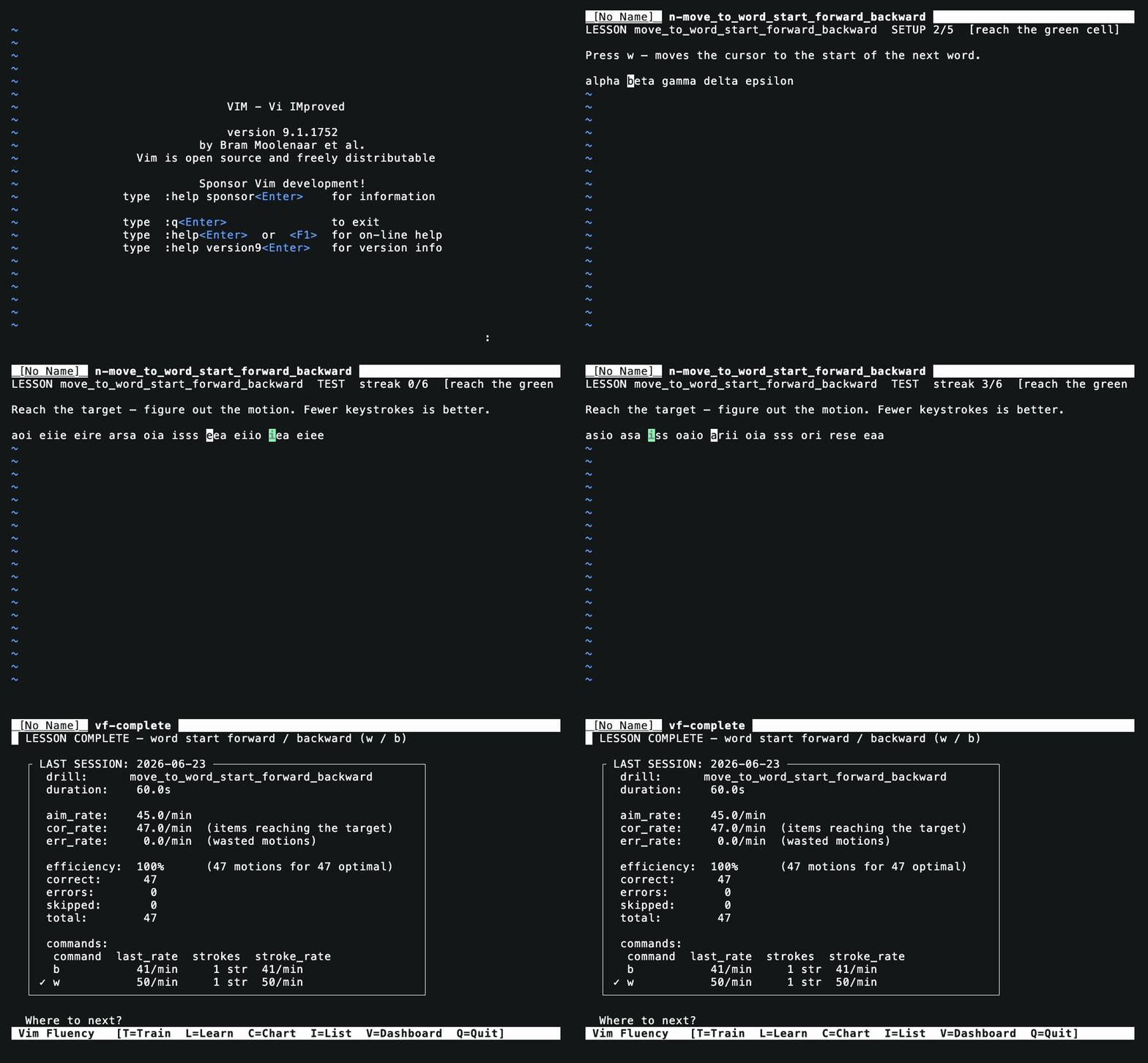
:VfTrain is where fluency is built and measured: a timed session
against the clock, scored as a rate and logged so you can watch that rate
climb over time. Learn introduces the motion; train makes it automatic.
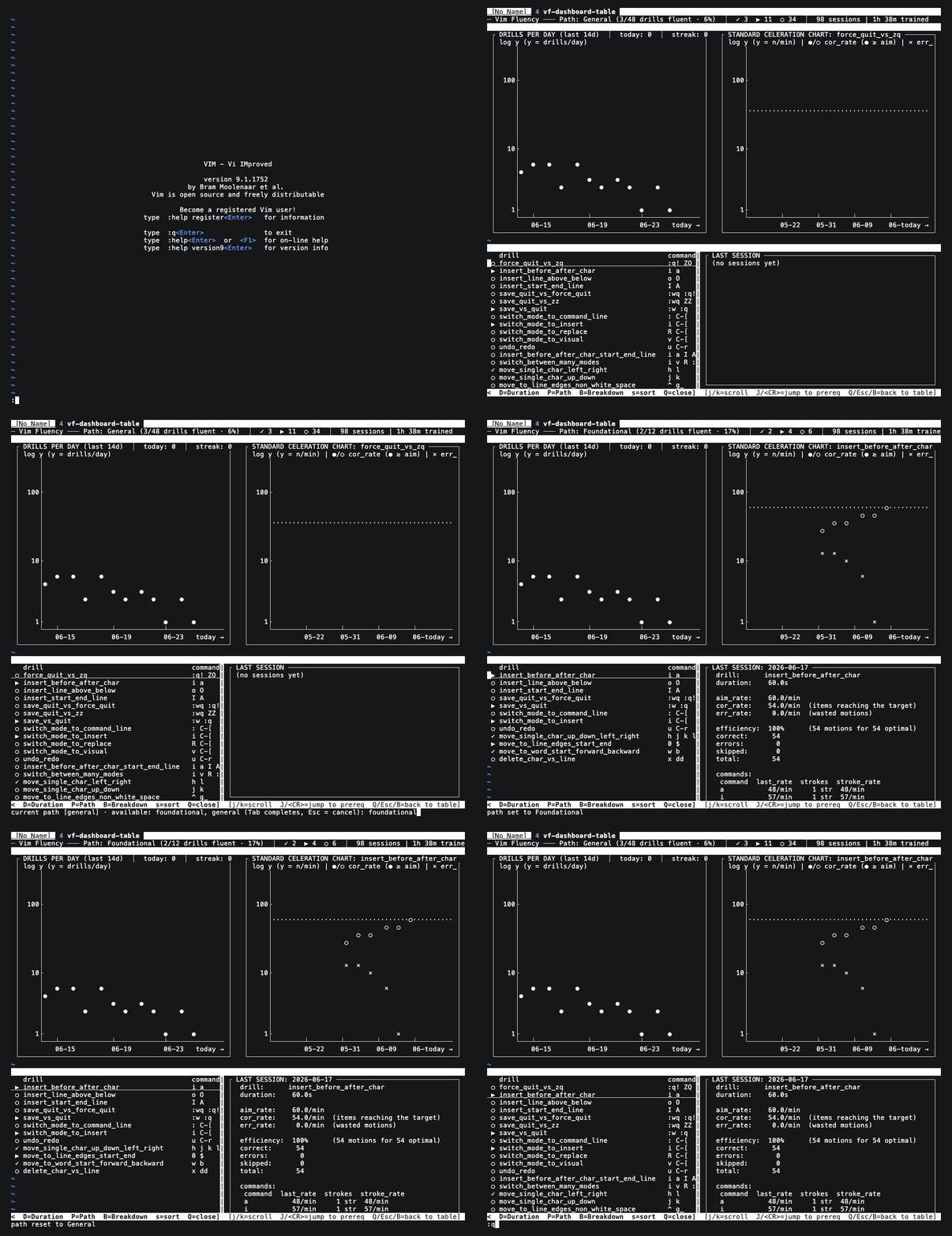
A path scopes the catalog to what matters now. Foundational is the
survive-and-edit basics every learner starts with; General is
everything. :VfSetPath switches the active path and every view re-filters
to it, with the header tracking per-path fluency progress. (Specialized
workflow paths — tuned to particular editing styles — are coming soon.)
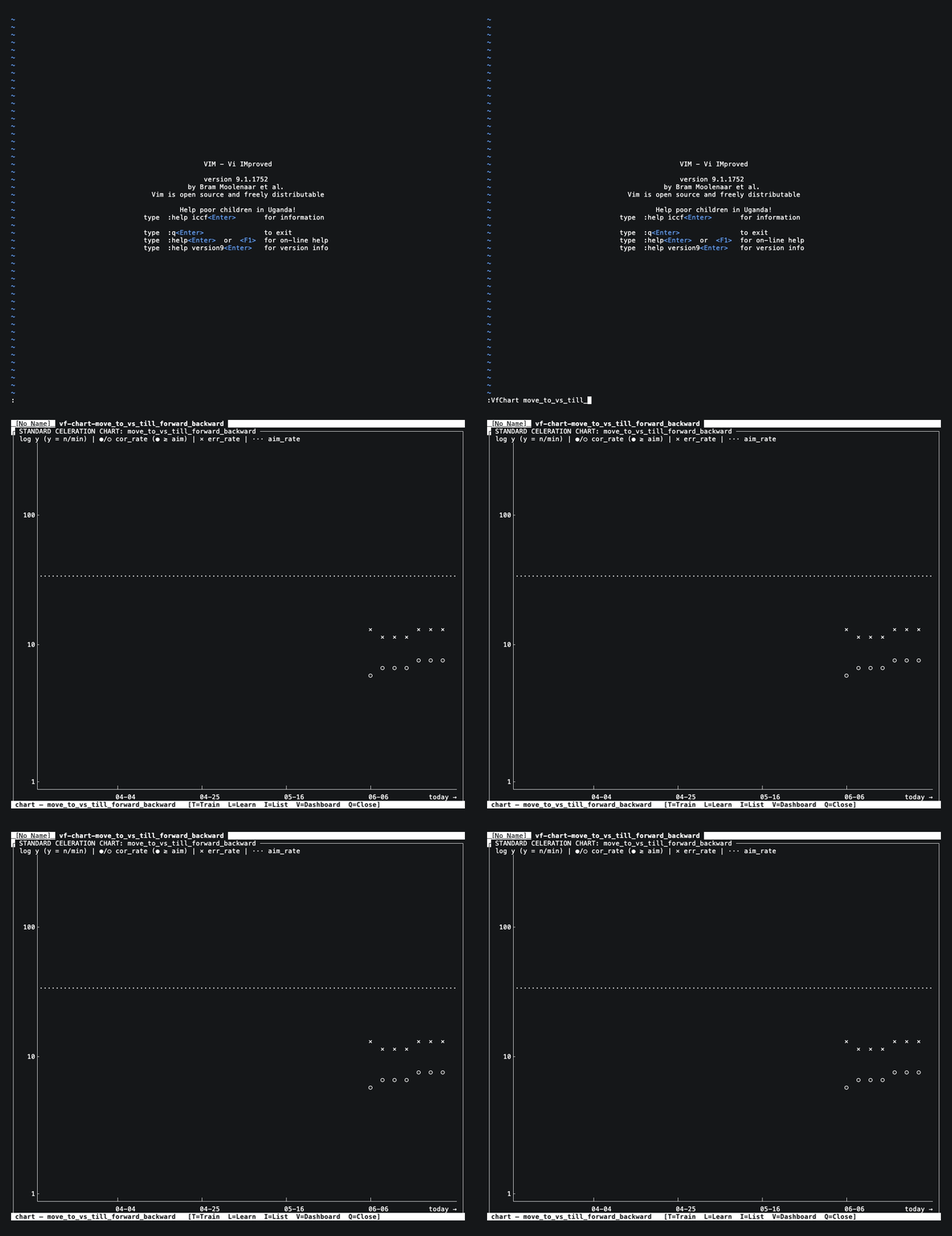
The dashboard's inline chart is squeezed by column spacing; :VfChart opens
the same Standard Celeration Chart full-screen, with room to read every
session. It's also a diagnostic. When the × error line sits above the
● correct line — as it does for the stuck drill below — the chart is
telling you you're going too fast: slow down until corrects climb back over
errors. Accuracy first, then speed.
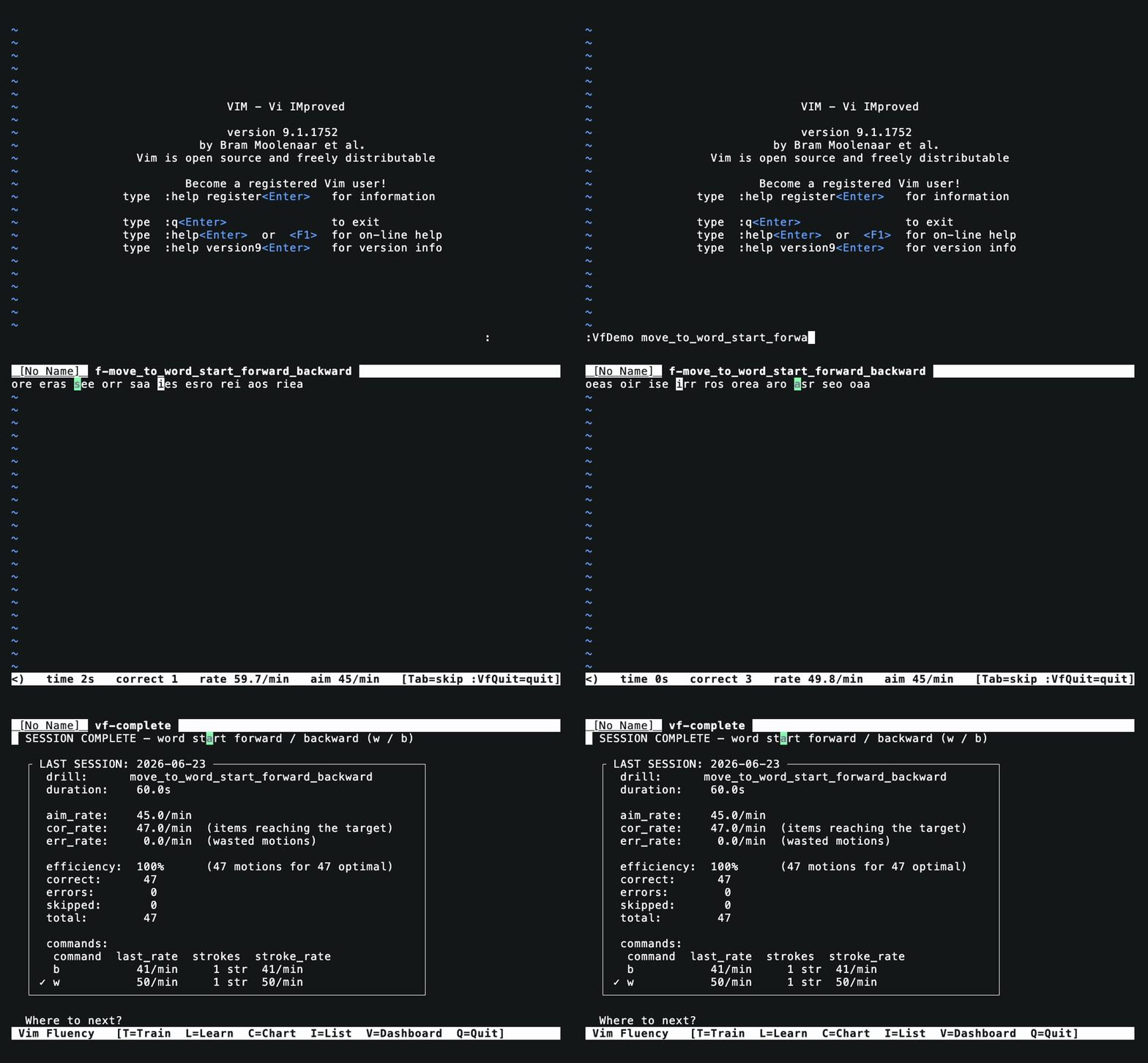
Every training and lesson finishes on the same screen: the session's rate
against aim, its efficiency (the optimal keystroke count versus what you
actually spent), and a per-command table so you can see which motion is
holding you back — the slow one is marked. A one-key menu
(T/L/C/I/V/Q) jumps you straight to whatever's next.
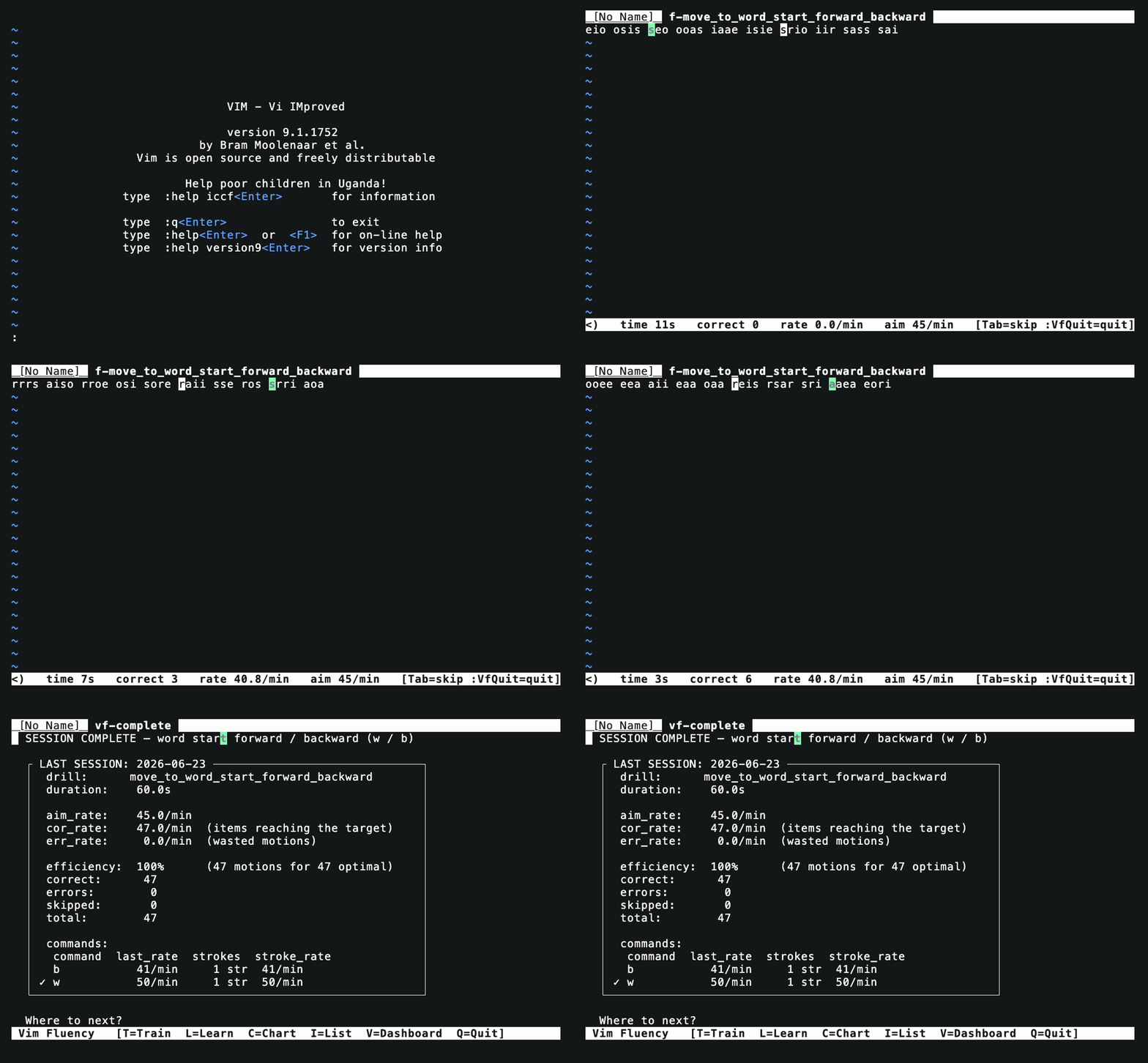
A training opens a new tab with a single buffer. The target cell is highlighted in green directly in that buffer; your cursor moves through it normally. Autocommands on CursorMoved/TextChanged watch the buffer; when (line content, cursor position) matches the target, the item is logged correct and the next item loads.
Because it's real vim, every keystroke is interpreted natively — no need to maintain a parallel command dispatcher.
Beyond cursor-only motion drills, drills declare a kind for other
behaviors: editing (operators like x, dd, dw — credit when the buffer
matches the post-edit state), mode (round-trip through insert),
mode_switch (mode changes), command (Ex/normal commands like :wq vs
ZZ, captured without executing), recall (type the answer), and
visual_motion (visual selections like vh/vj). See :help vf-kinds.
Every item is labeled with its canonical motion and an optimal motion count.
The runner tracks per-motion rates, total vs. optimal motions, and wasted
motions (the progress chart's errors line). End-of-session stats show on
the shared end screen and in the dashboard's LAST SESSION pane; :VfChart
plots corrects and errors per session against the aim.
JSONL appended to $XDG_DATA_HOME/vimfluency/sessions.jsonl (or ~/.local/share/vimfluency/sessions.jsonl). One line per session, including per-motion stats and the full item log. :VfHistory and :VfChart read from it; so can jq.
A drill targets one precisely specified behavior — what Precision Teaching calls a pinpoint (the term this project used internally before standardizing on "drill"). See :help vf-drills or copy autoload/vimfluency/drills/move_single_char_up_down_left_right.vim as a template. meta() returns the drill metadata; generate() returns one item; an optional lesson() defines the :VfLearn walkthrough. Drills ship across the survival, motion, visual, delete, and indent families — CATALOG.md is the shipped index (generated from drill metadata), and :VfList shows them live in-editor.
- No raw keystroke counting. Vim's autocmds fire post-aggregate (
5wis one event), so the motion counts measure commands, not individual key presses. Stroke counts shown in breakdowns are derived from the command string. - No input restriction. A drill declares
allowed_keysin its metadata, but the plugin doesn't remap forbidden keys. Honest measurement of what the user does. Can be added as opt-in later. - Vim 8.1+ (with
rand(), patch 8.1.2342) or Neovim required. The plugin is deliberately written in conservative legacy vimscript with no dependencies, so it runs on a stock vim install and on Neovim unmodified (test suite and interactive use verified on nvim 0.11).