

Review your agent's plan the way you review code.
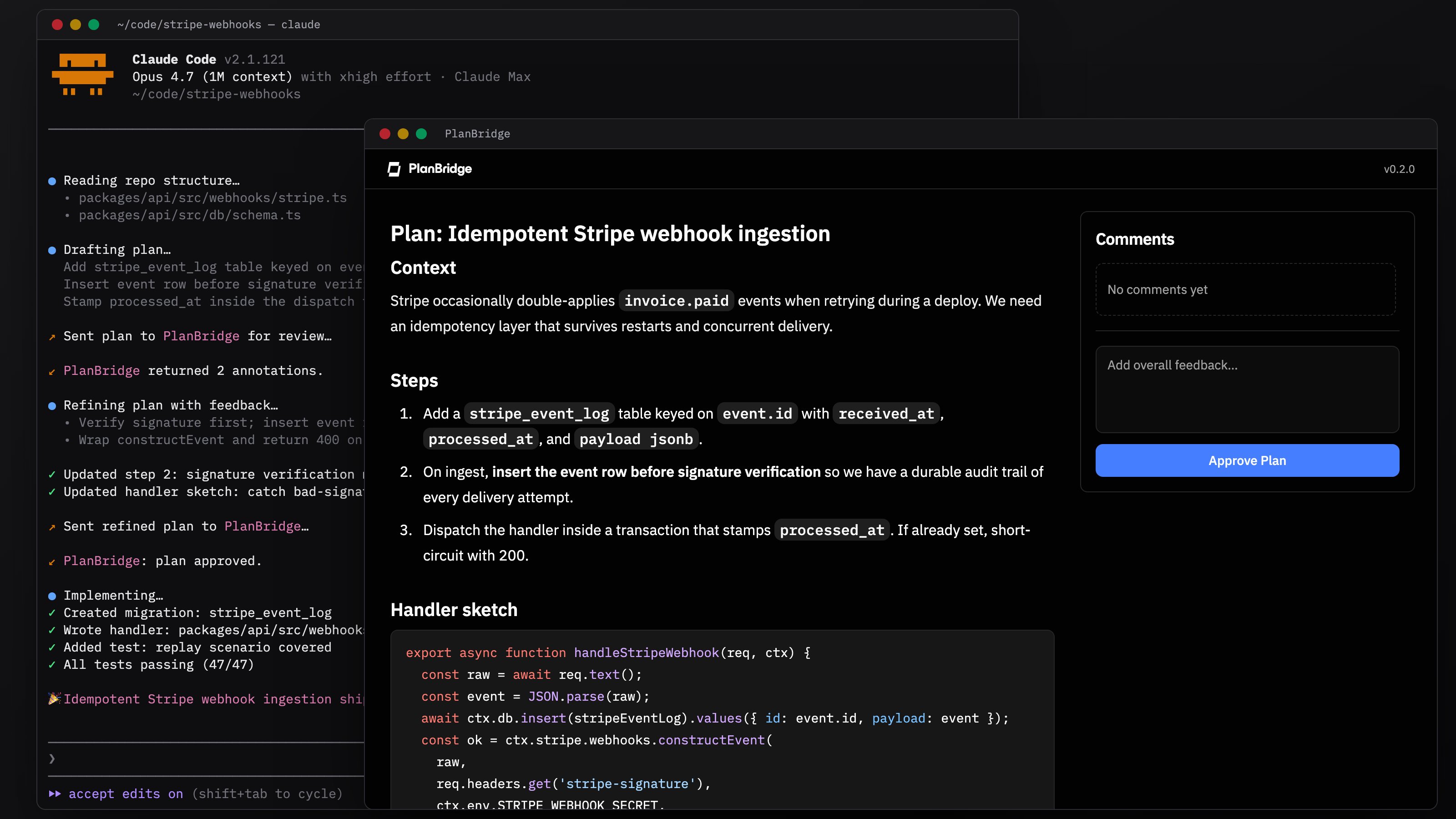
PlanBridge intercepts your AI coding agent's plan so you can mark up any line and leave precise feedback. The agent adjusts before writing the first line of code. It runs locally, hooks into Claude Code and Codex CLI, and sends your plan content nowhere.
/bin/sh -c "$(curl -fsSL https://downloads.contextbridge.ai/cli/install.sh)"The script uses Homebrew when available and falls back to a tarball into $HOME/.local/bin. After the binary lands, it runs contextbridge install to wire up any supported AI coding harness it finds.
Prefer to install yourself?
brew install contextbridge/tap/cli
contextbridge install
For tarball installs, alpha channel, and flag reference, see Install.
- Install once. The installer detects your harnesses and adds review hooks.
- Use your harness as you always do.
- When your agent produces a plan, your browser opens. Annotate, approve, or request changes. Your decision flows back to the harness.
Full walkthrough: Quickstart.
| Harness | Hook |
|---|---|
| Claude Code | PermissionRequest:ExitPlanMode |
| Codex CLI | Stop |
Using something else (Cursor, Aider, opencode, Gemini CLI, Aether)? Any agent that runs shell commands and parses JSON can pipe a plan to contextbridge plan and act on the response. See Other agents.
Your plan content stays on your machine. No remote backend, no account, no API keys. The CLI sends anonymous product analytics and crash reports unless you opt out with DO_NOT_TRACK=1 or CONTEXTBRIDGE_TELEMETRY_DISABLED=1. Details: Privacy & Telemetry.
- Quickstart
- Install
- How it works
- Usage: Claude Code
- Usage: Codex CLI
- Usage: Other agents
- Privacy & Telemetry
- Slack: Join the ContextBridge community
- Email: support@contextbridge.ai
- Issues: GitHub Issues
PRs and issues welcome. Local setup, the development loop, and the release process live in CONTRIBUTING.md.