
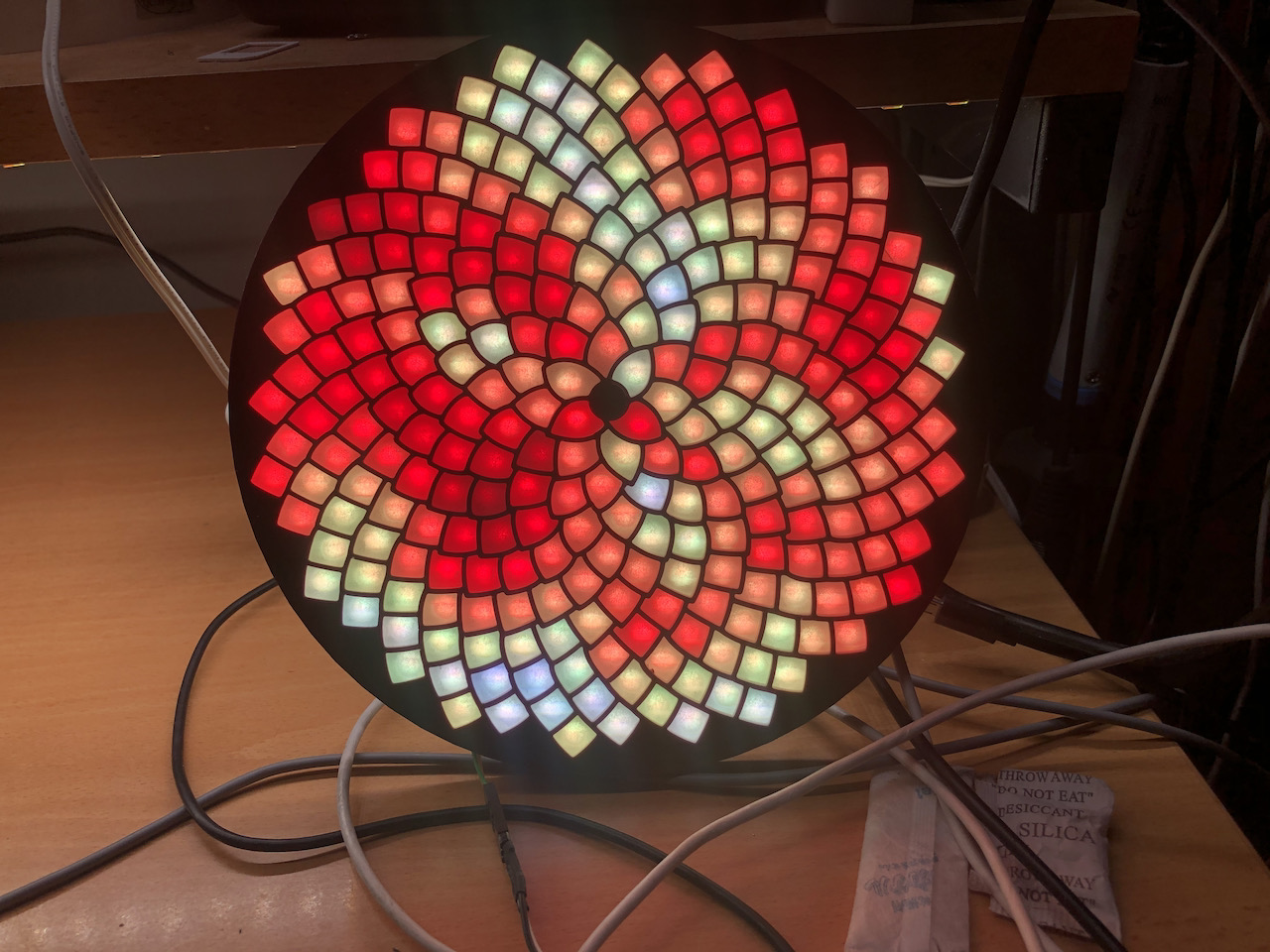
This is a "fork" of https://github.com/ldirko/New-Colorful-Splendida-256-firmware- by LDirko, which I've turned into a PlatformIO project.
Also adapted this README for legibility.
This new Fall 2021 firmware for Splendida 256 by WOKWI includes new and more colorful effects.
The sketch uses a button but can work without it in Automode.
This sketch uses one button to control patterns and brightness. The ESP32 M5 Atom Lite with a built-in button is ideal for this sketch (yes, I use Atom Lite). Attach the button to any pin you want and ground, then change the default button pin to your chosen pin.
Modes:
-
Brightness mode: color blue
-
Speed mode: color orange
-
Single click to move between brightness and speed modes
-
Double click to disable/enable auto, knob -> pattern selection
-
The firmware starts with Automode ON, and if the button is not pressed, patterns change in a loop.
-
If the button is clicked once, Automode is OFF, and you can change to the next pattern by clicking the button.
-
If the button is double-clicked, the brightness changes in a loop from 0 to maximum brightness in 7 steps (I think this is the best method to control brightness). Double-clicking does not affect the Automode state.
-
If the button is long-pressed, Automode is ON, and patterns change in a loop because the button is not pressed.
This is the second version of my demoreel for Splendida. Now the effects are more colorful with blended palettes.
The sketch uses two libraries:
If you want to try making your code for Splendida 256, I have an emulator page for this firmware: Wokwi Emulator. Try it!
- Splendida GitHub with PCB
- Author's Twitter
- Buy it here (out of stock as of this update)
LDirko made a nice-looking shell with a diffuser for it. Look for it in the 3d-models subdirectory, or grab it here
-
APA102 / APA107 / HD107s / HD108
-
DuraClik connectors https://www.distrelec.nl/en/cable-assembly-duraclik-isl-receptacle-duraclik-isl-receptacle-circuits-300mm-black-molex-218322-1032/p/30232190?itemList=cart https://www.distrelec.nl/en/cable-assembly-duraclik-isl-receptacle-duraclik-isl-receptacle-circuits-150mm-black-molex-218322-1061/p/30232198?pos=5&origPos=1&origPageSize=50&track=true&filterapplied=filter_manufacturerName%3DMolex%26filter_disconnectoratxt_en_ss%3DDuraClik%2520ISL%2520Receptacle%26filter_disconnectorbtxt_en_ss%3DDuraClik%2520ISL%2520Receptacle%26filter_discablelengthnum_en_ds%3D0.15%26filter_discircuitsnum_en_ds%3D6&sid=05fbqd1f49&itemList=category
-
SN74AHCT125N on breakout
-
Replace with M5Stack Stamp ?