Allow you to use the On-Line Encyclopedia of Integer Sequences (OEIS) with your console
Download all the files to use the program. The file .oeis has to be in the same directory that oeis.py
To search for a sequence do:
python3 oeis.py
or
python3 oeis.py -search
You must use spaces as a separator, do not use commas for your search.
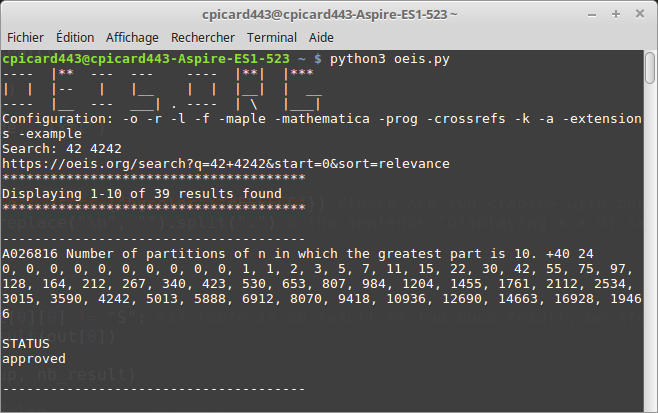
The results of a search with some hidden sections. The others results are displayed below.
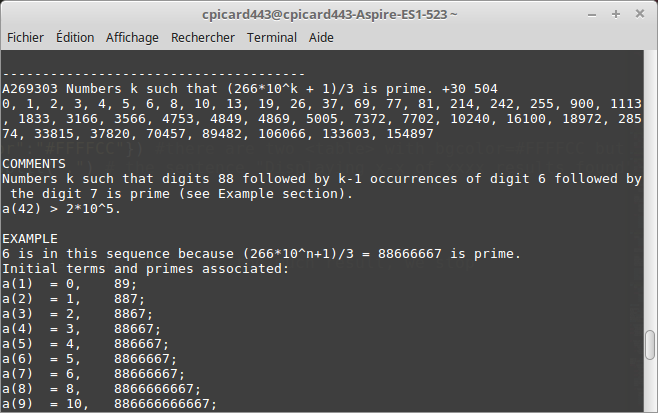
An other search with a different configuration:
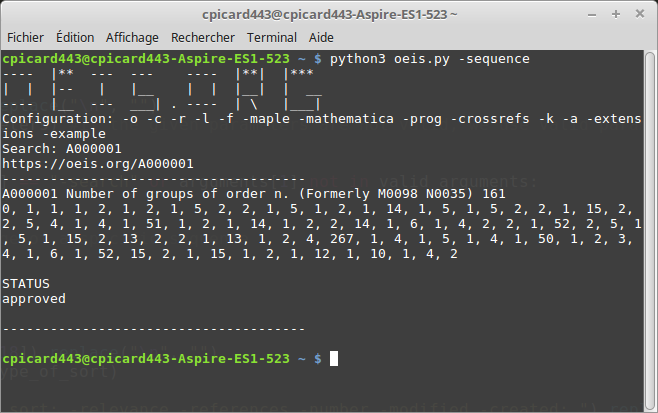
To reach the page of a specific sequence do:
python3 oeis.py -sequence
To reach the page of a specific user do:
python3 oeis.py -user
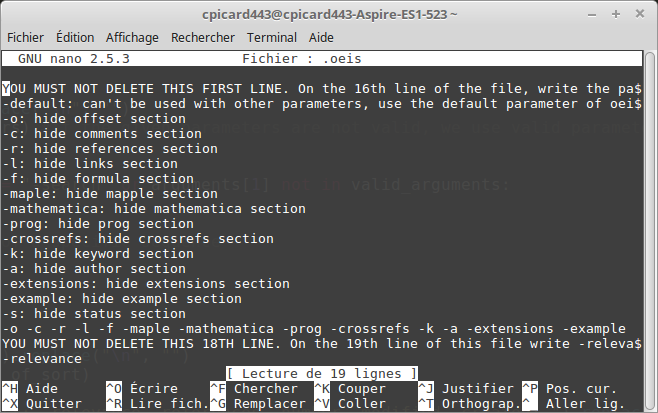
You may edit the hidden file .oeisif you want some sections to be hidden or if you want to change the way the results are sorted. There are at most 15 sections for each sequence. Use the 17th line (1-indexed) of the file .oeis
If you want to hide the offset section use -o
If you want to hide the comments section use -c
If you want to hide the references section use -r
If you want to hide the links section use -l
If you want to hide the formula section use -f
If you want to hide the maple section use -maple
If you want to hide the mathematica section use -mathematica
If you want to hide the prog section use -prog
If you want to hide the crossrefs section use -crossrefs
If you want to hide the keywords section use -k
If you want to hide the author section use -a
If you want to hide the extensions section use -extensions
If you want to hide the example section use -example
If you want to hide the status section use -s
If you want to keep anything printed you can use -default
Then on the 19th line you can say how you want to sort the result. You can use -relevance -references -number -modified -created .
Here is what my configuration file loook like: