App GitHub
The Repositories tab connects Crodox to your GitHub Enterprise account and lists all repositories you have access to.
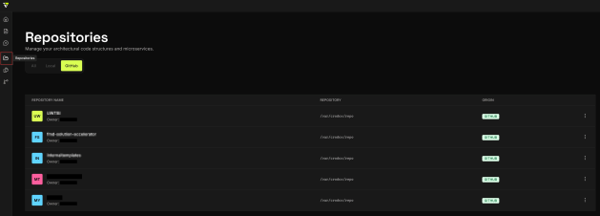
Once your GitHub account is linked, the Repositories tab displays all repositories available in your GitHub Enterprise instance. For each repository, you can see:
- Repository Name - The name and owner of the repository
-
Repository Path - The local storage path (e.g.,
/var/crodox/repo) - Origin - Shows "GITHUB" for GitHub Enterprise repositories
Important: Repositories must be marked as Template Repositories in GitHub Enterprise to be used with Crodox. See GitHub Repository Setup for instructions.
- All - Shows all accessible repositories (local + GitHub)
- Local - Shows repositories that are stored locally on your machine
- GitHub - Shows repositories from your GitHub Enterprise account (default)
Note: In the web application, only GitHub repositories are accessible. Local repositories are available when using the desktop application.
- Go to the Repositories tab
- If not already linked, click Re-link GitHub (see GitHub App Installation)
- Authorize the Crodox-DEV app in GitHub Enterprise
- The page confirms your connection with your GitHub username
Once linked, your accessible repositories will appear in the list.
To create a Workbench for analyzing a repository:
- Find the repository in the Repositories tab
- Select it to load its structure into Crodox
- Proceed to create a Workbench with your template
To update which repositories Crodox can access:
- Go to Settings
- Click Manage Repository Access
- Update your GitHub app permissions
- Return to the Repositories tab to see the changes
See also: GitHub App Installation - Install and authorize the app · Workbench - Analyze repositories