Creating First Template
Step-by-step guide to create your first Crodox grammar template.
A Template in Crodox is a grammar definition that describes how to parse source code. Creating a template is the first step before you can analyze any repositories.
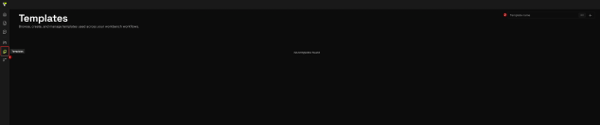
- Click the Templates icon in the left sidebar (document icon)
- You will see the Templates screen
- If this is your first time, you'll see "No templates found"
The fastest way to get started is to import an existing template from a GitHub repository. Crodox reads the .crodox.json file from the selected repository and loads it into your template.
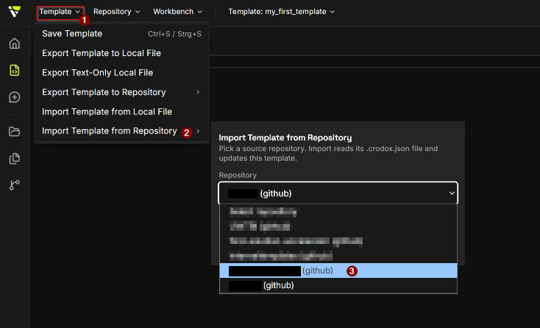
- Create an empty template first (enter a name and click +)
- In the Template Editor, open the Template menu (top-left)
- Select Import Template from Repository
- In the dropdown, pick the source repository (e.g.,
angularTemp (github)) - Click Import - the grammar from that repository's
.crodox.jsonis loaded into your editor
Tip: If you don't have a suitable template repository yet, copy the grammar from one of the wiki examples, for instance Example-Angular, and paste it into the Grammar Editor.
- In the Templates tab, enter a name for your template (e.g.,
angularTemp,Python,Angular) - Click the + button to create the template

The template editor will open with your new template ready for editing.
See Template Editor for detailed information about the editor interface and how to write your grammar.
- From the Home Screen, go to the Templates card
- Click Create Template to start a new template
- Follow the same naming and creation process
In the template editor, write your grammar using Crodox syntax:
<~ file.py ~>
<: import :> <<name>>
<: class :> <<name>> <- function, variable ->
<: function :> <<name>> <- variable ->
Key elements:
-
<~ file.xy ~>- File type definition -
<: name :>- Visible object -
<<name>>- Variable reference -
<- type1, type2 ->- Allowed children
See Syntax Overview for complete grammar reference.
- Click Save to validate and store your template
- If there are errors, check the Syntax Overview
- If valid, your template is now ready to use
Tip: Use Template Generator to generate a starter template for your language.
Once your template is saved:
- Go to Home Screen or click Create Workbench
- Select your template from the list
- Choose a repository to analyze
- Click Create Workbench to begin parsing
Once created, you can:
- Edit - Modify the grammar definition
- Delete - Remove the template (cannot be undone)
-
Export - Download as
.crodoxfile for sharing -
Import - Load a
.crodoxfile from another source
- Create your first template for your target language
- Set up a repository as a template repository
- Create a Workbench to test your template
See also: App-Template - Full template documentation · Example-Basics - Basic template example · Syntax Overview - Grammar reference