Sign Up
The sign-up process in Crodox uses GitHub Enterprise authentication for account creation and verification.
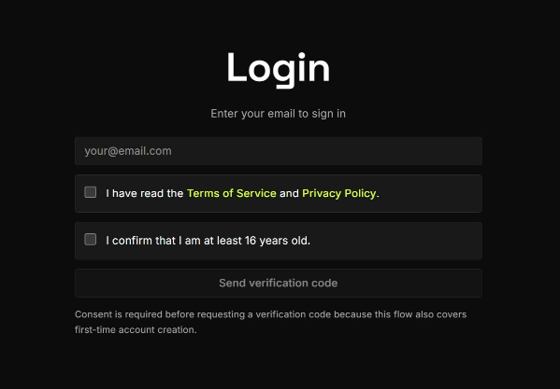
Enter your email address to begin the sign-up process. You must:
- Accept the Terms of Service and Privacy Policy
- Confirm that you are at least 16 years old
- Click Send verification code
Note: Consent is required before requesting a verification code because this flow covers both first-time account creation and login for existing users.
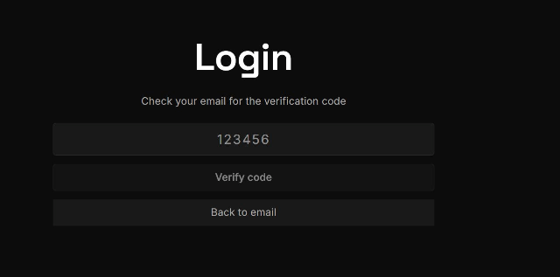
- Check your email for the verification code sent by Crodox
- Enter the 6-digit code in the text field
- Click Verify code
If you don't receive a code, click Back to email to request a new one.
Crodox uses GitHub Enterprise App authentication to verify your identity. This process:
- Links your GitHub Enterprise account to your Crodox profile
- Grants Crodox permission to access repositories you authorize
- Provides secure, OAuth-based authentication without storing passwords
After you click Send verification code, you will be redirected to GitHub Enterprise to authorize the Crodox app.
Once verified, you will set up your Crodox profile:
- Username - Your Crodox display name (must be unique)
- GitHub Link - Your GitHub Enterprise account is automatically linked
See also: Getting Started - Full tutorial · GitHub Integration - Manage repository access