Repository navigation
03 Create Event
You can get to event creation by clicking the create event + button on the home page.
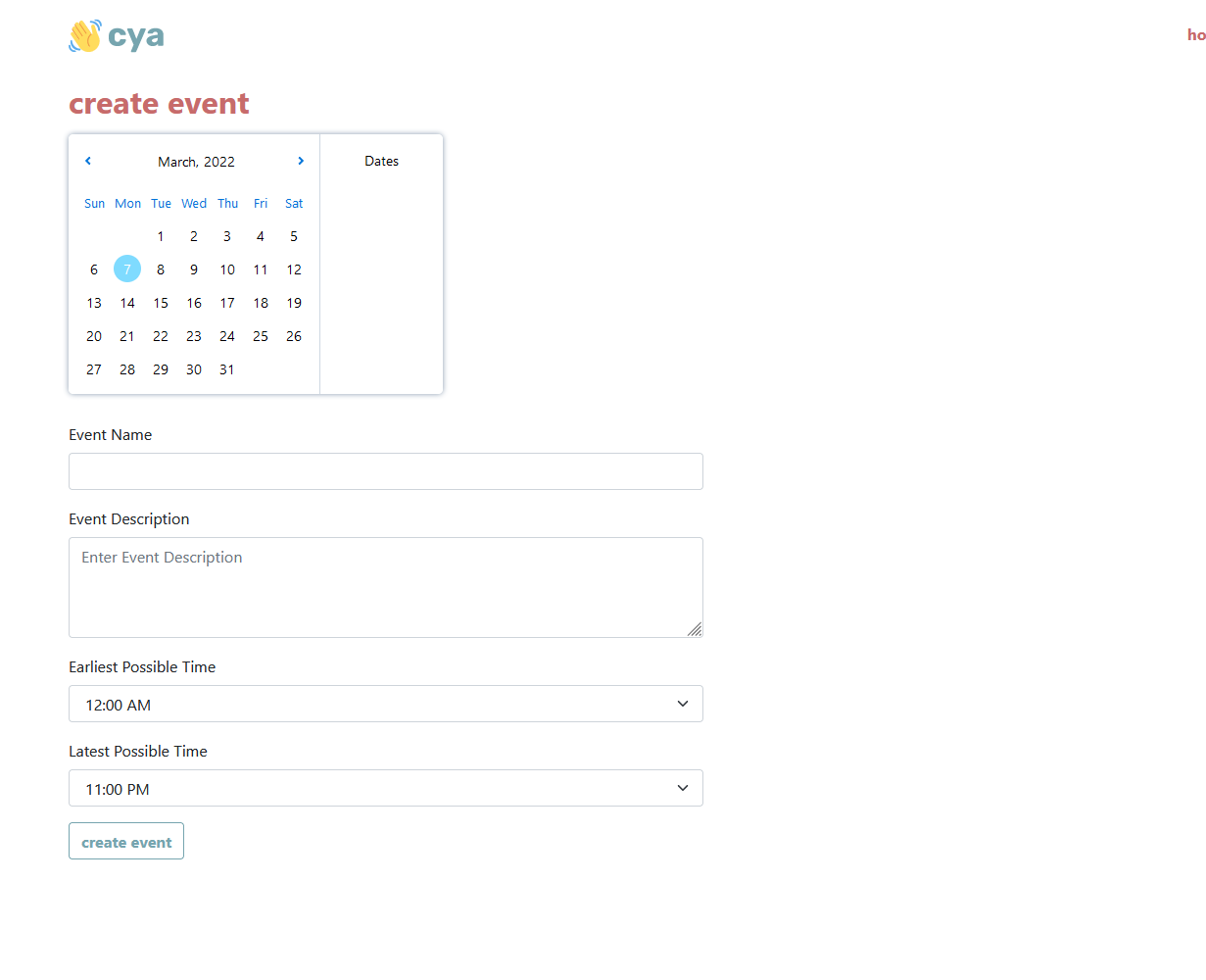
Fill out the form to create an event, then click the create event button at the bottom!
You must select at least one date by clicking on dates in the calendar, and the event name cannot be empty.
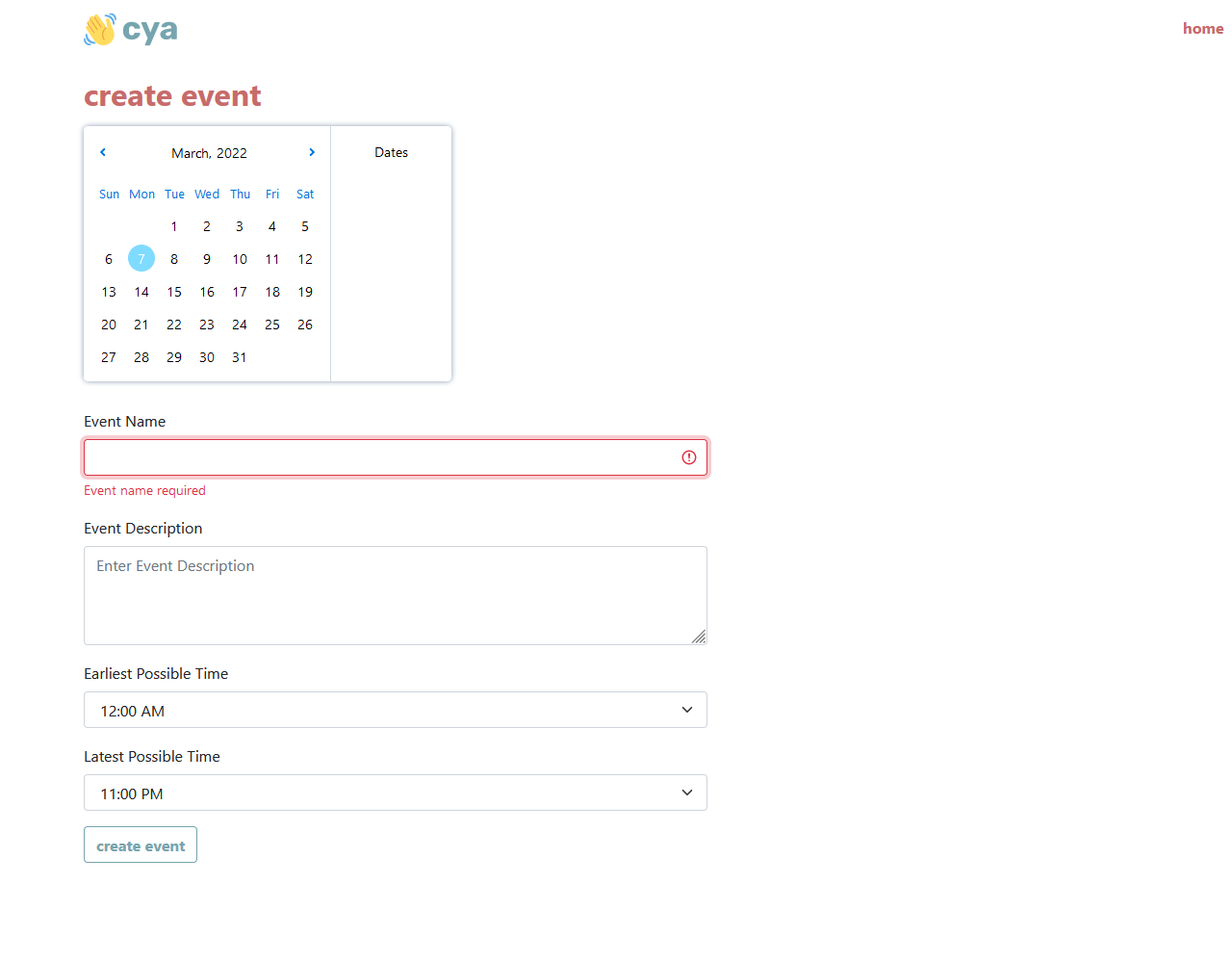
Otherwise, the form will show you what errors you'll need to correct, and you can try again:
Upon successfully creating an event, you should be redirected to the newly created event page.