English | 中文
GitHub Releases: 👉 https://github.com/CuriousLearnerDev/TrafficEye/releases
Requires Python 3.10+
cd TrafficEye
python -m venv .venv
# Windows: .venv\Scripts\activate
# Linux/macOS: source .venv/bin/activate
pip install -r requirements.txt
python mian.py
On Linux, also run: chmod +x lib/log_identification
Rules are defined under the safety_testing section in config.yaml.
Use these identifiers to choose which fields to inspect. Multiple locations can be combined with |.
| Identifier | Description |
|---|---|
ALL |
Match all fields (global) |
!xxx |
Exclude field xxx from detection |
URI |
Full URL |
URI_key |
Query parameter names in the URL |
URI_value |
Query parameter values in the URL |
ALL_headers |
All request headers |
headers:xxx |
A specific header, e.g. headers:cookie |
binary |
Raw binary content |
forms_body |
Entire form body (application/x-www-form-urlencoded) |
forms_key_body |
Form field names |
forms_value_body |
Form field values |
json_body |
Entire JSON body |
json_key_body |
JSON keys |
json_value_body |
JSON values |
json_item_body |
JSON array items |
xml_body |
Entire XML body |
xml_value_body |
XML node values |
xml_attribute_body |
XML attribute values |
multipart_body |
Entire multipart upload body |
multipart_file_name_body |
Uploaded file names |
multipart_content_type_body |
Uploaded file MIME types |
multipart_data_body |
Binary content of uploaded files |
Rule structure:
risk_id:
  name:
    - Rule display name
  detection_location:
    - Target fields (multiple allowed, separated by `|`)
  rules:
    - Regular expression (one or more)
  severity:
    - Severity level (High / Medium / Low)
Example from config.yaml:
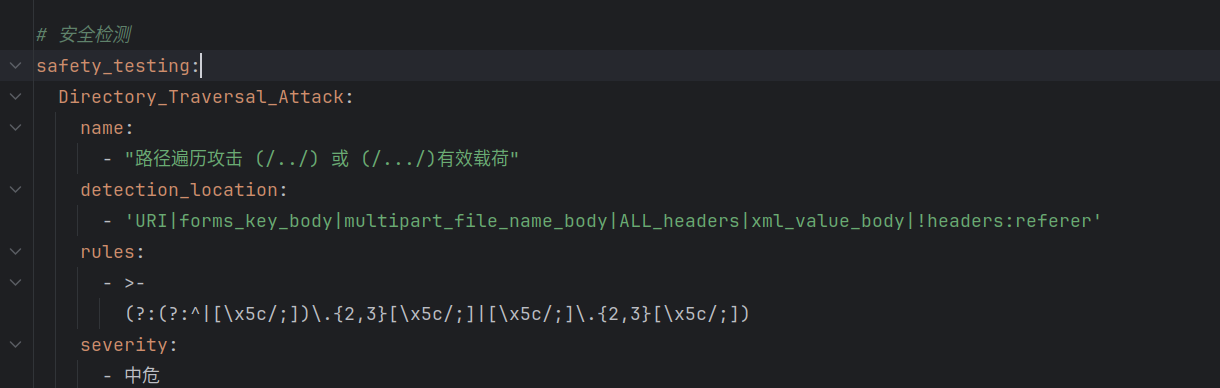
safety_testing:
  Directory_Traversal_Attack:
    name:
      - "Directory traversal payload using (/../) or (/.../)"
    detection_location:
      - 'URI|forms_key_body|multipart_file_name_body|ALL_headers|xml_value_body|!headers:referer'
    rules:
      - >-
        (?:(?:^|[\x5c/;])\.{2,3}[\x5c/;]|[\x5c/;]\.{2,3}[\x5c/;])
    severity:
      - Medium
This rule inspects the following fields:
-
URI→ Full URL, for example:http://example.com/download.php?file=../../etc/passwd -
forms_key_body→ Form field names, for example:username=admin&file=../../../etc/shadow ↑ matched as forms_key_body -
multipart_file_name_body→ Filename in multipart uploads, for example:Content-Disposition: form-data; name="upload"; filename="../../shell.php" -
ALL_headers→ All HTTP headers, such asUser-Agent,Cookie,X-Forwarded-For, etc. -
xml_value_body→ XML node values, for example:<config>../../etc/passwd</config>
-
!headers:referer→ Do not match inside theRefererheader
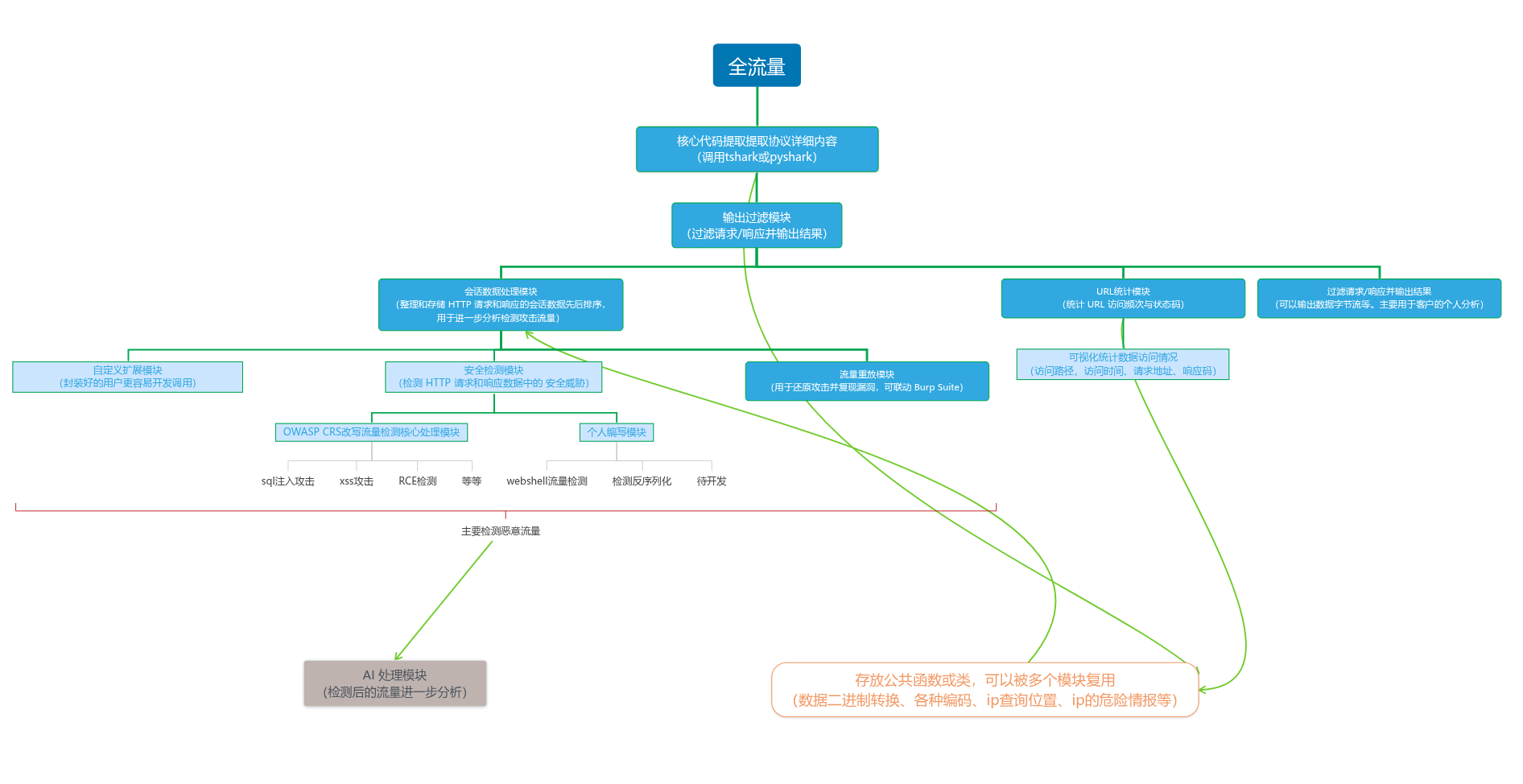
TrafficEye is designed for blue-team defense and network traffic analysis. It helps identify security threats in captured traffic—especially web attacks such as SQL injection, XSS, and WebShells. A modular design lets you enable and customize features as needed. It is intended for security researchers, penetration testers, and network administrators.
-
✅
pyshark -
✅ Optimized
tsharkintegration — roughly 100× faster thanpyshark(minutes → seconds) -
✅ Automatic file-type detection before analysis
-
✅ HTTPS decryption with
sslkeys.log -
🎯 Full-packet files:
.pcapng,.pcap,.cap, DNS- ✅ Export HTTP data for Burp Suite
- ✅ Export POST body as byte stream
- ✅ Export POST body as raw hex
- ✅ Filter by URI / request / response
-
📄 Log analysis
- ✅ Apache
- ✅ Nginx
- ✅ JSON
- ✅ F5
- ✅ HAProxy
- ✅ Tomcat
- ✅ IIS
-
🔁 Request replay
- ✅ Replay requests as-is
- ✅ Send full binary request data
- Session replay: requests are sent in original session order. For example, Godzilla may issue three requests as one session while testing a WebShell; enter the session ID to replay all three and reproduce the session.
-
📦 Binary extraction
- ✅ Java serialized binary data
- ✅ C# serialized data
- ✅ C# Base64-serialized data
- ✅ Java bytecode
- ✅ ZIP
- ✅ 7z
- ✅ Images (JPEG, PNG, GIF, BMP, TIFF, etc.)
- ✅ Audio (MP3, WAV, FLAC, etc.)
- ✅ Video (MP4, AVI, MOV, MKV, etc.)
- ✅ Documents (Word, Excel, PowerPoint, PDF, etc.)
- ✅ Archives (RAR, TAR, GZ, ARJ, etc.)
- ✅ Email (MBOX, PST, DBX, EML, etc.)
- ✅ Databases (SQLite, MySQL, MongoDB, etc.)
- ✅ Scripts / code (Python, JavaScript, PHP, Ruby, Java, etc.)
- ✅ Binary signature detection (software/hardware-specific formats)
-
📊 Statistics
- ✅ URI access counts
- ✅ IP geolocation
- ✅ Raw IP
- ✅ HTTP methods
- ✅ Hit counts
-
🧰 Security detection
- ✅ Information disclosure / path traversal
- ✅ Sensitive file leak
- ✅ Directory traversal
- ✅ Remote file inclusion (RFI)
- ✅ Local file inclusion (LFI)
- ✅ Remote code execution (RCE)
- ✅ SQL injection
- ✅ Cross-site scripting (XSS)
-
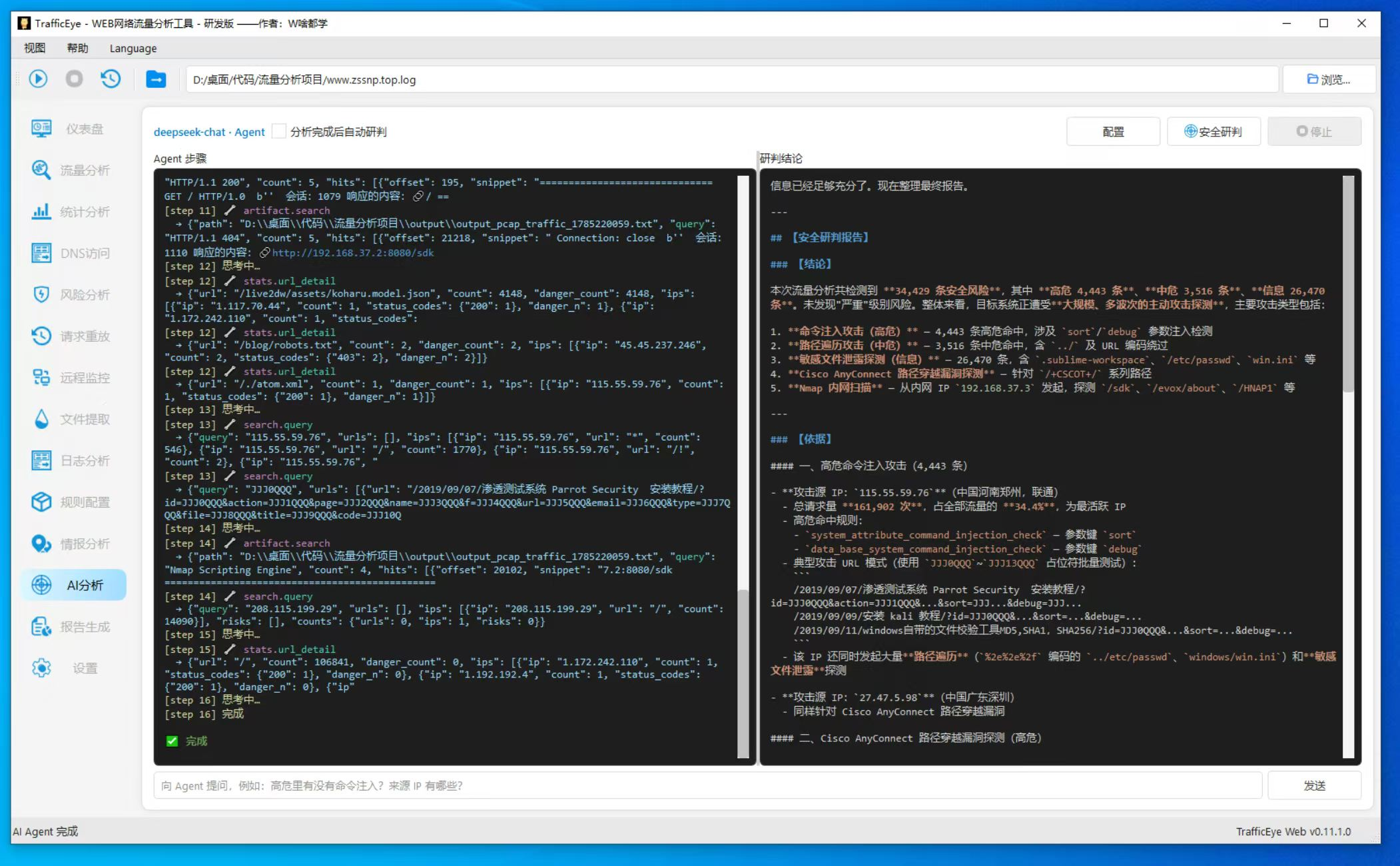
🧠 AI detection
- ✅ Targeted URI analysis
- ✅ Automated batch analysis
- ✅ Header / body analysis
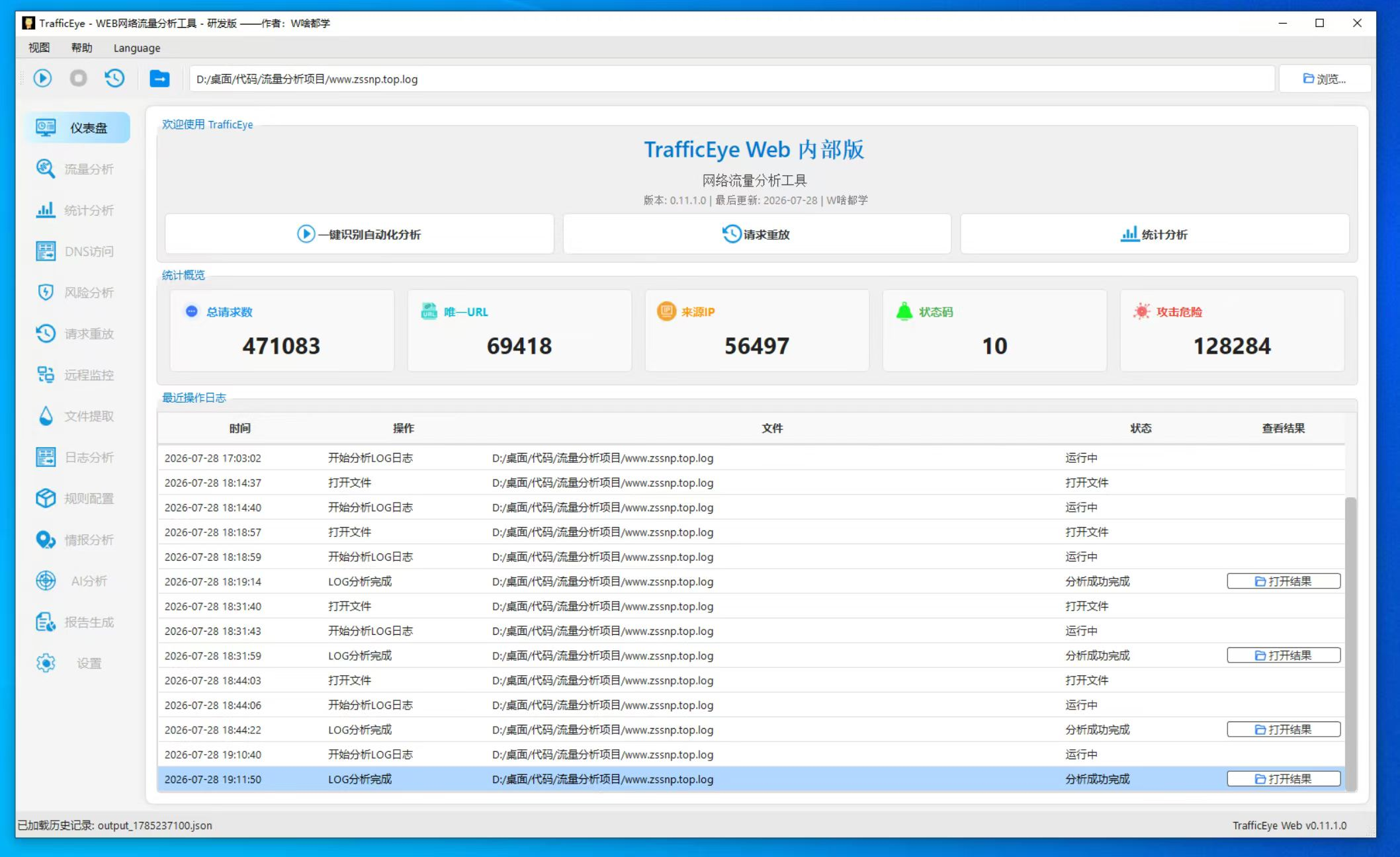
Dashboard
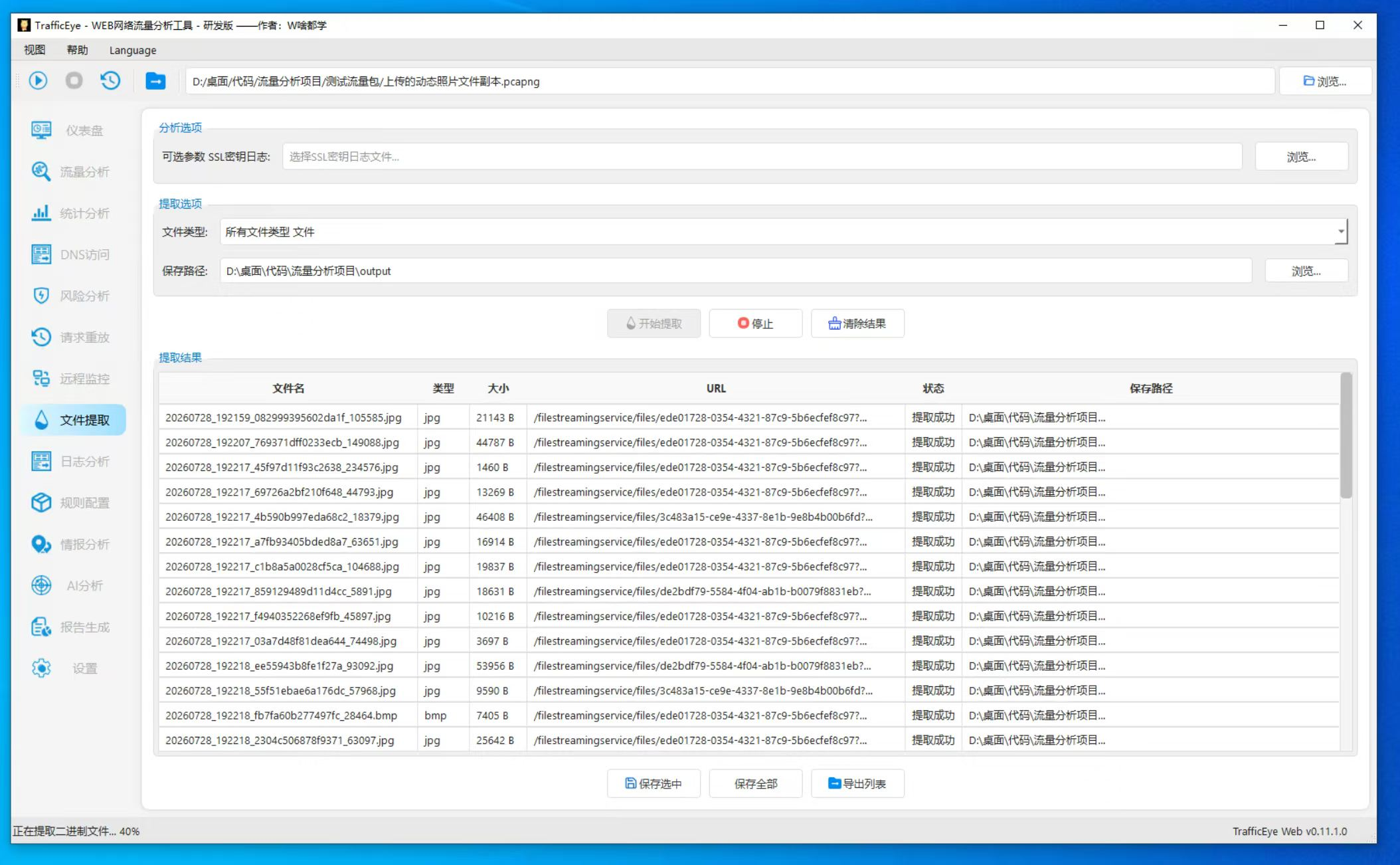
Binary extraction from traffic
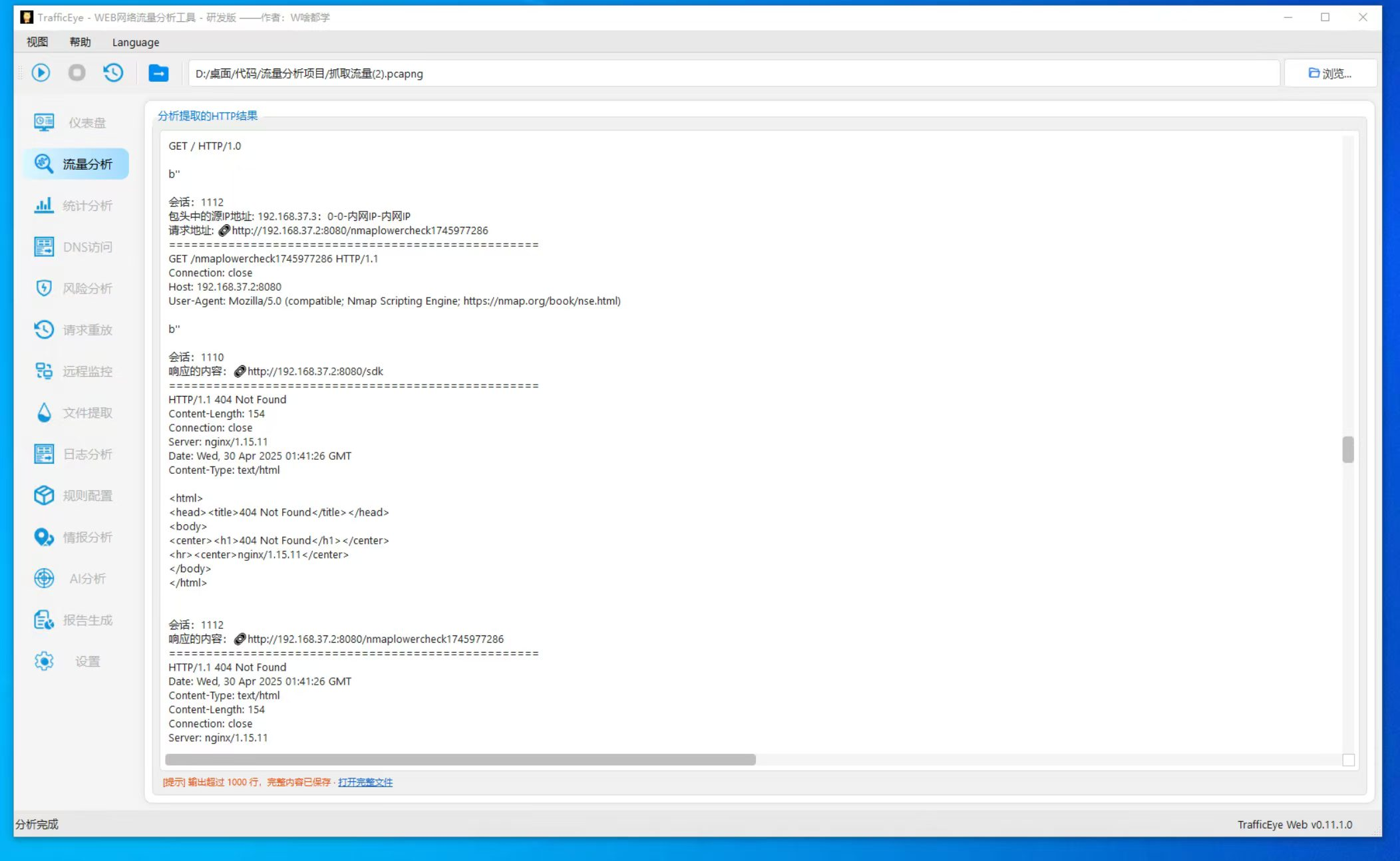
Full traffic broken into a readable format for analysis
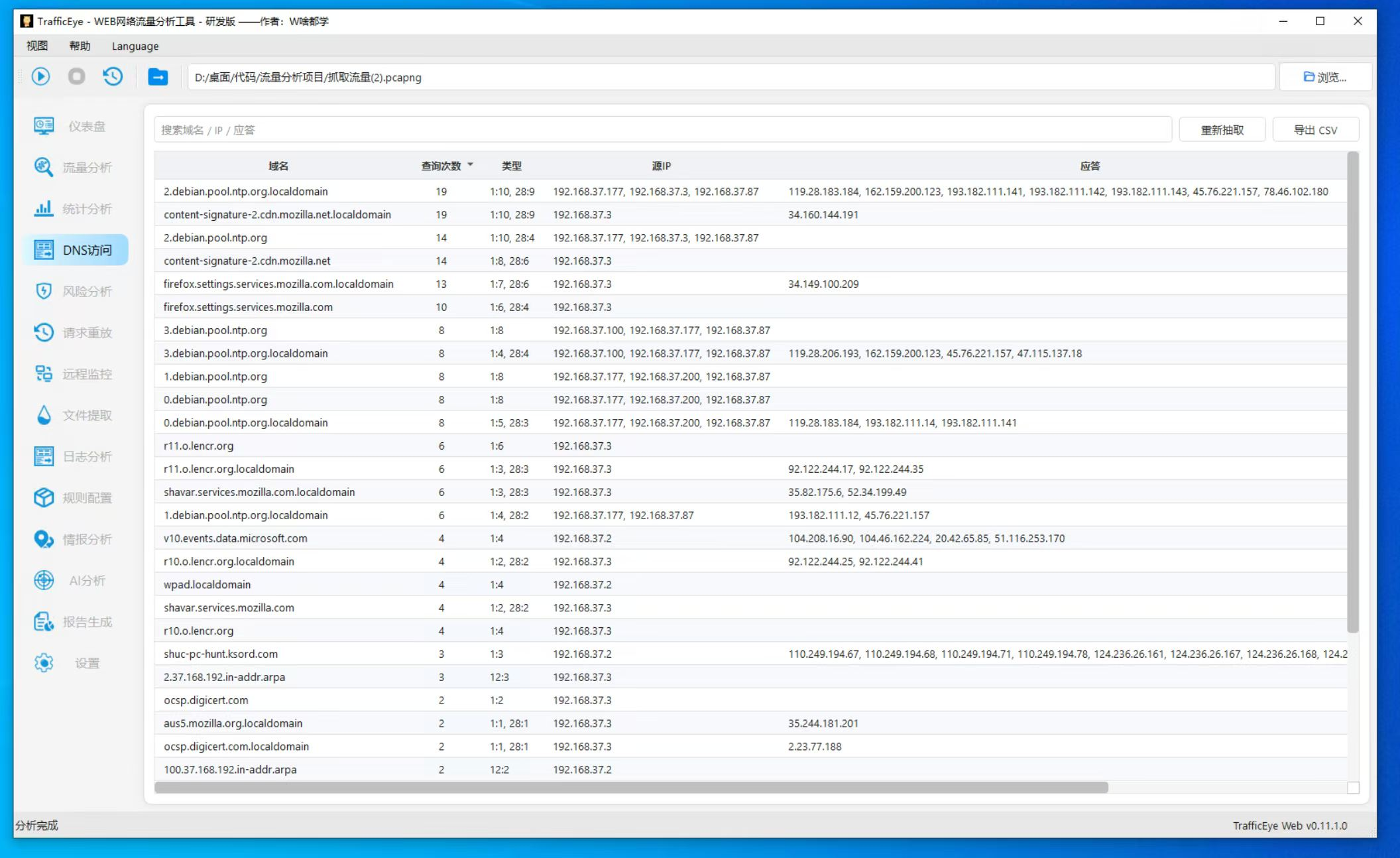
DNS view
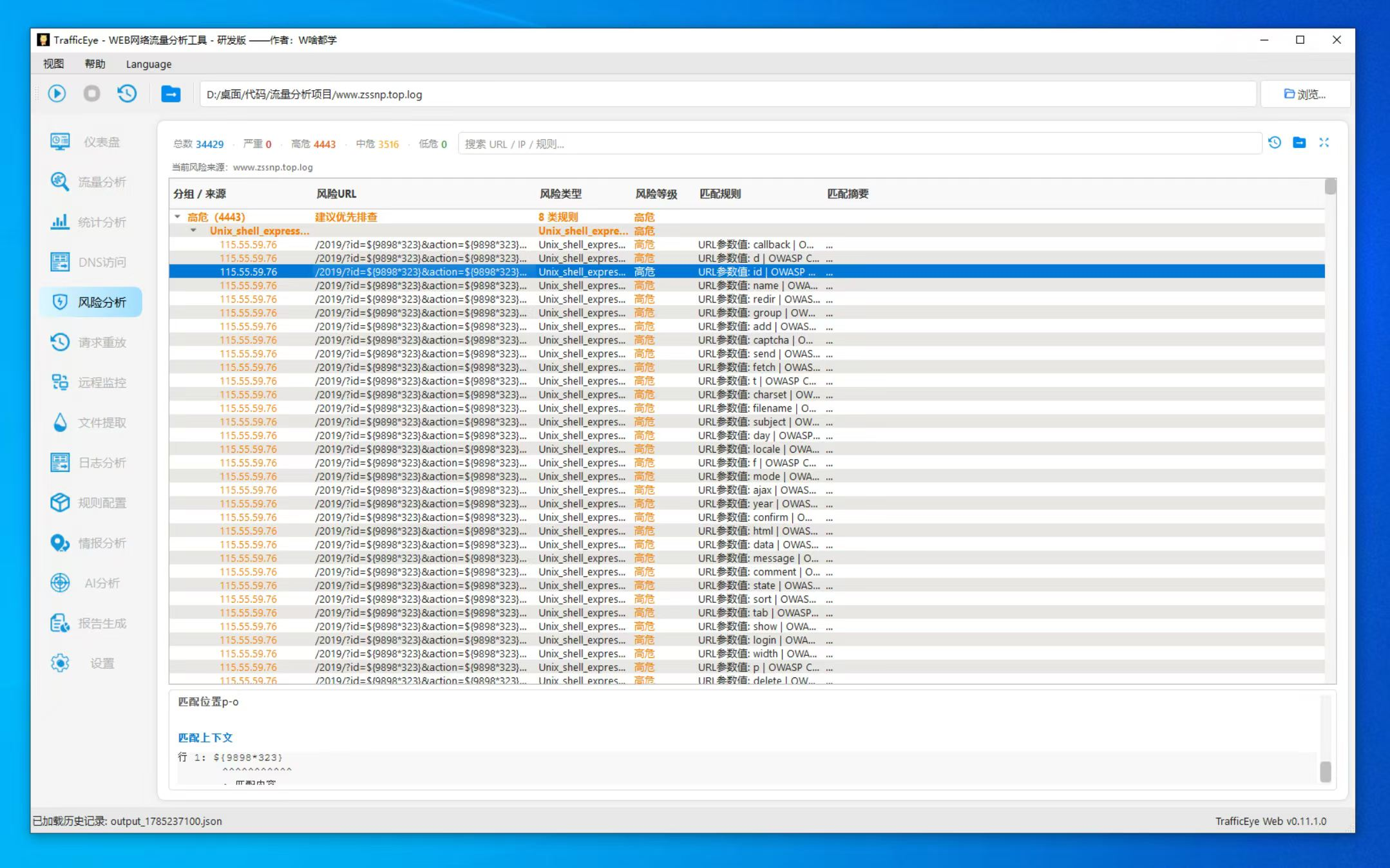
Malicious traffic analysis
Session replay
- Replay requests as-is
- Send full binary request data
- Session replay: requests follow the original connection/session order. For example, Godzilla may send three requests as one WebShell test session; enter the session ID to replay all three.
Example Godzilla session ID:
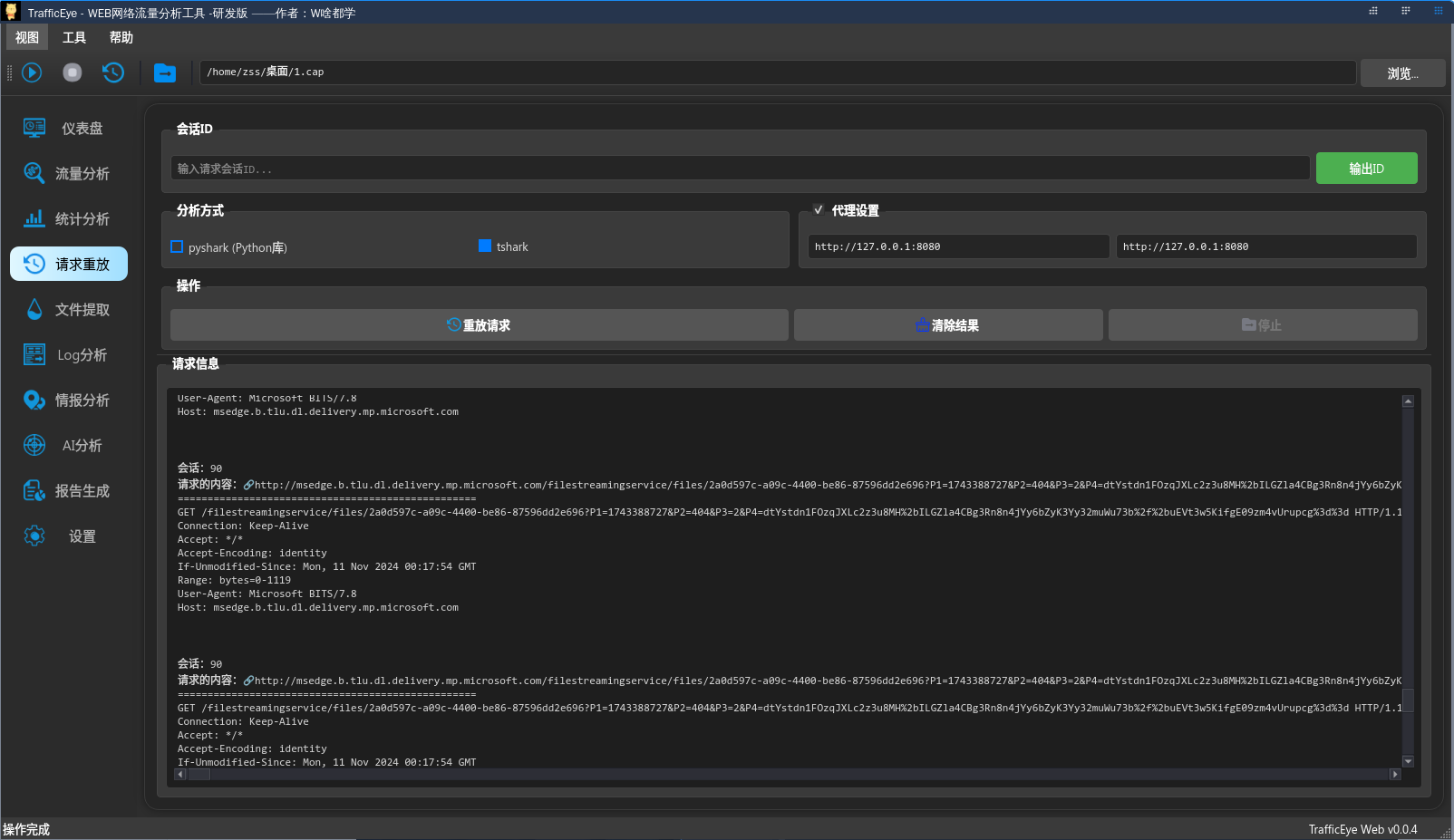
Enter the ID to send that session:

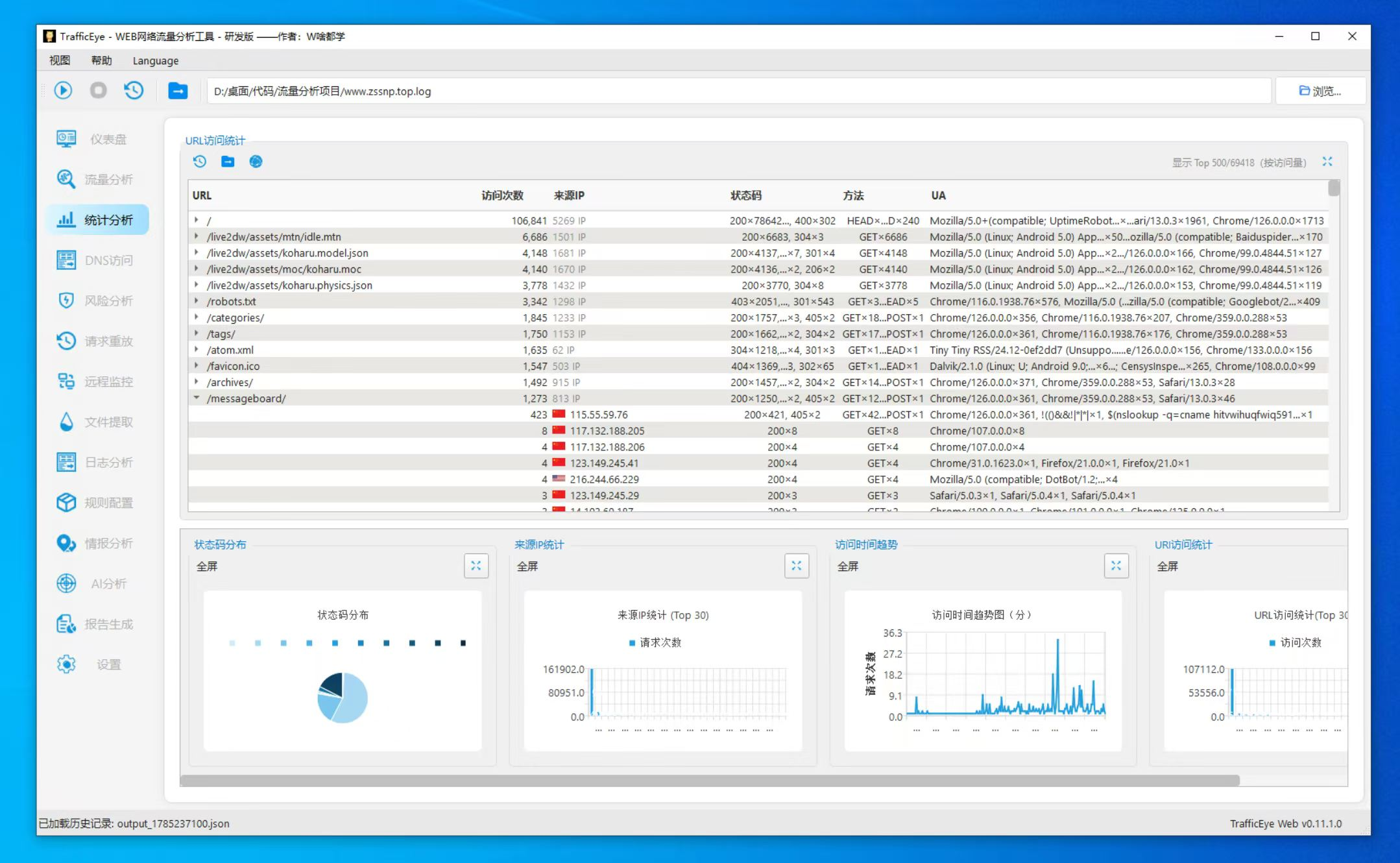
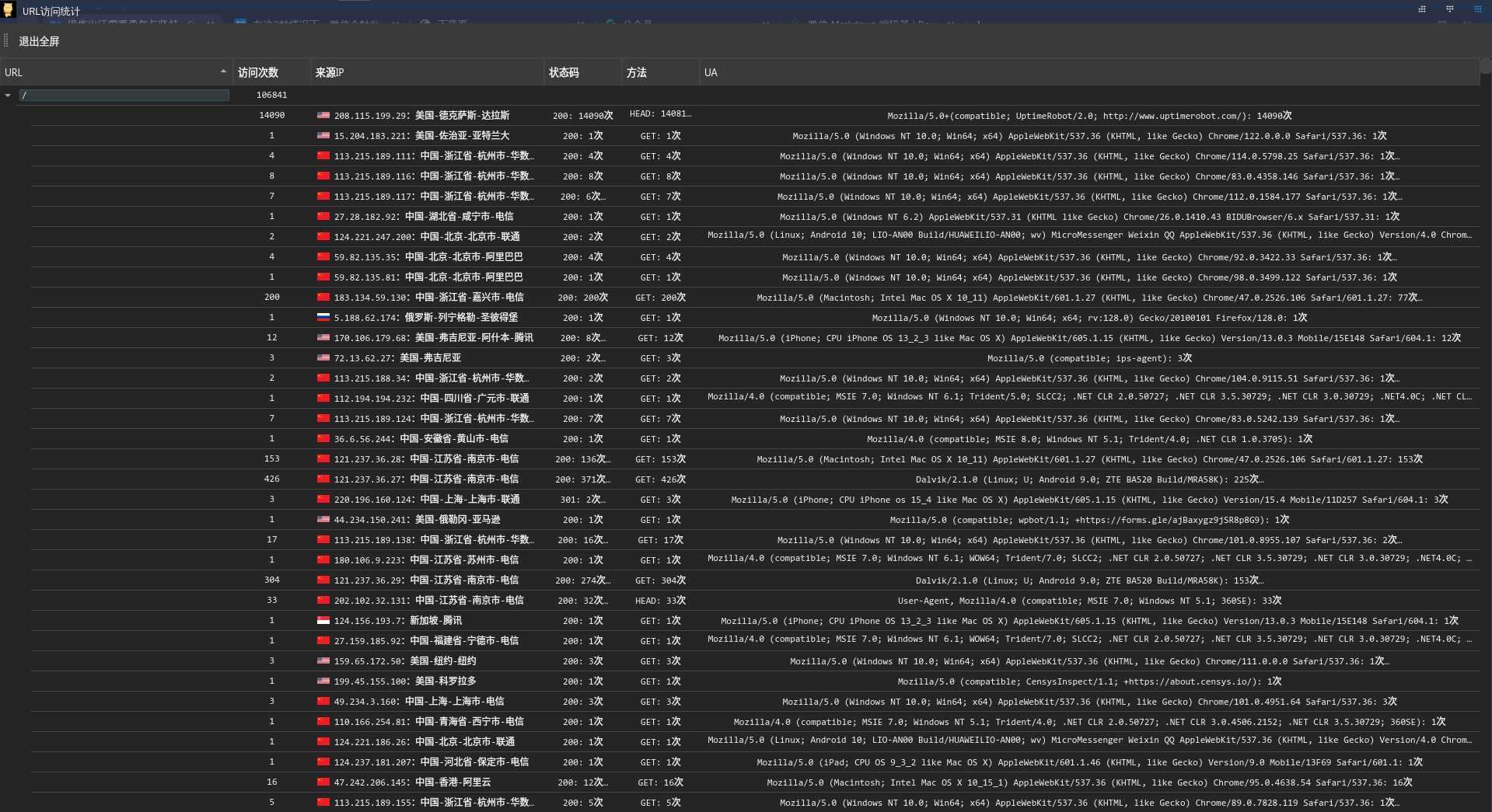
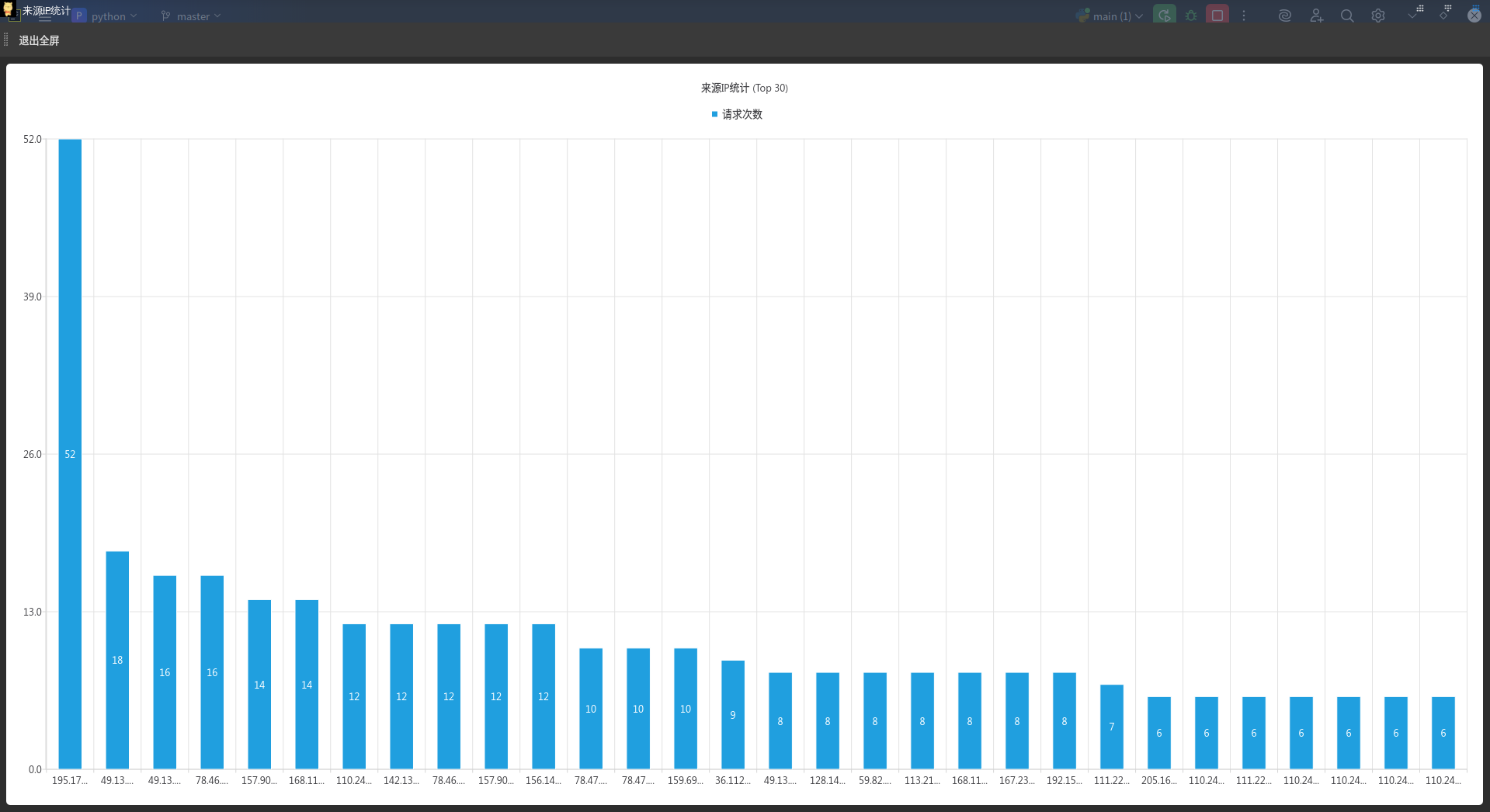
Statistics
Regex validation
AI analysis
data_processing.py: (in progress) custom data-processing hooks for special traffic formats or parsers
trafficeye_data.json: persisted analysis history and statistics
- Application icons and related GUI assets
cmdline.py: CLI entry / argument handlingip2region.xdb: IP geolocation databasexdbSearcher.py:ip2regionlookup helperbench_test.py/iptest.py/search_test.py: IP lookup / benchmark test helpers
log_identification.py: detects log formats and selects parsers
modsec_crs.py: OWASP ModSecurity CRS engine interfacerules/: CRS rule files and helpers (LFI / RFI / RCE / SQLi, etc.)rules_APPLICATION_ATTACK_*.py: scripts that load/run specific attack rule sets
- GUI / main entry: load config, schedule modules, start analysis
- Binary identification and extraction
- Core HTTP request/response parsing and field extraction
- WebShell / malicious traffic detection for special session behaviors
- Inspection / analysis helpers for feature checks and testing
- Shared helpers, constants, and base classes
- Filters displayed results by user-defined conditions
- Replays captured requests for vulnerability reproduction or attack simulation
- Enables / disables / fine-tunes loaded rules from configuration
- Aggregates, orders, and extracts multi-request HTTP sessions
- URL statistics (frequency, status codes, etc.)
Special thanks to the following teams and researchers for suggestions and feedback:
- 知攻善防实验室
- 雪娃娃
- ChinaRan404
- 糖糖
- niuᴗu
- 雪娃娃
- 我数挖槽

✨ Stargazers over time
