- Trying my best to make the code as intuitive as i can
- This code was made back in 2023
Cashier Machine is a program designed to make it easier for customers to add items to a cart. Within this object, customers can view the items they have added, modify those items, specify quantities, and calculate the total price. This allows customers to complete their payment based on the logic built into the system.
- Object Oriented Programming (OOP)
- Error Handling
- Docstring
- Composite Data Structure
- Looping and Branching
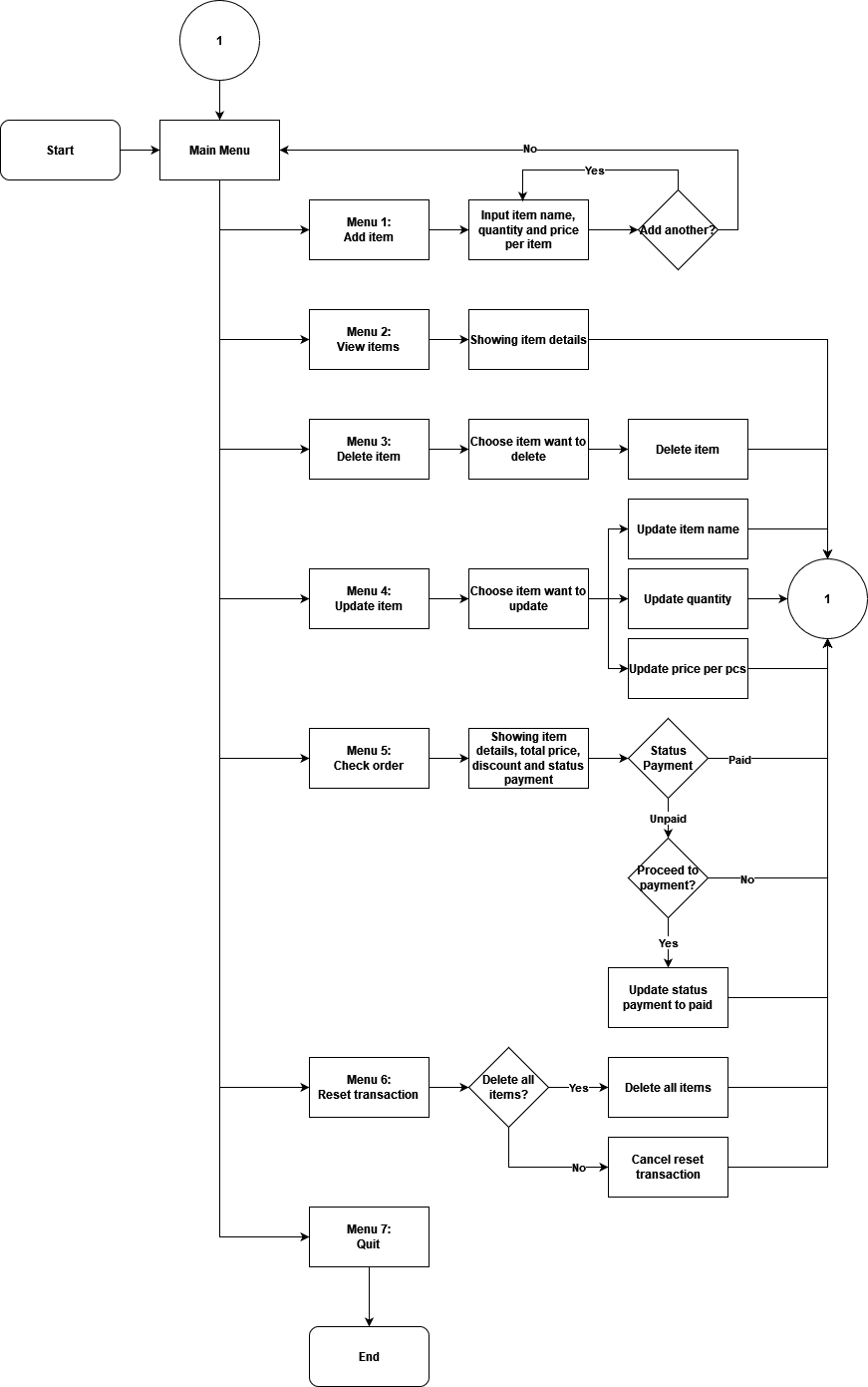
- Customer create Transaction with Methods.
- Customer can
Add Item,Add Quanitity, andAdd Priceto each item. - After adding
item,quantity, andprice, they can update to each one of the function. - Customer can
removeparticular item of they own. - Customer can do
resetthe item of the entire basket. - Add
discountlogics if the total price were sufficient.
-
- Clone this repository.
-
- After the code appears on your IDE, Open your
terminal.
- After the code appears on your IDE, Open your
-
- Type this in your terminal:
python menu.py -
- And you will see this when the code running.

-
Method
add_barang()with the customer can freely input their items.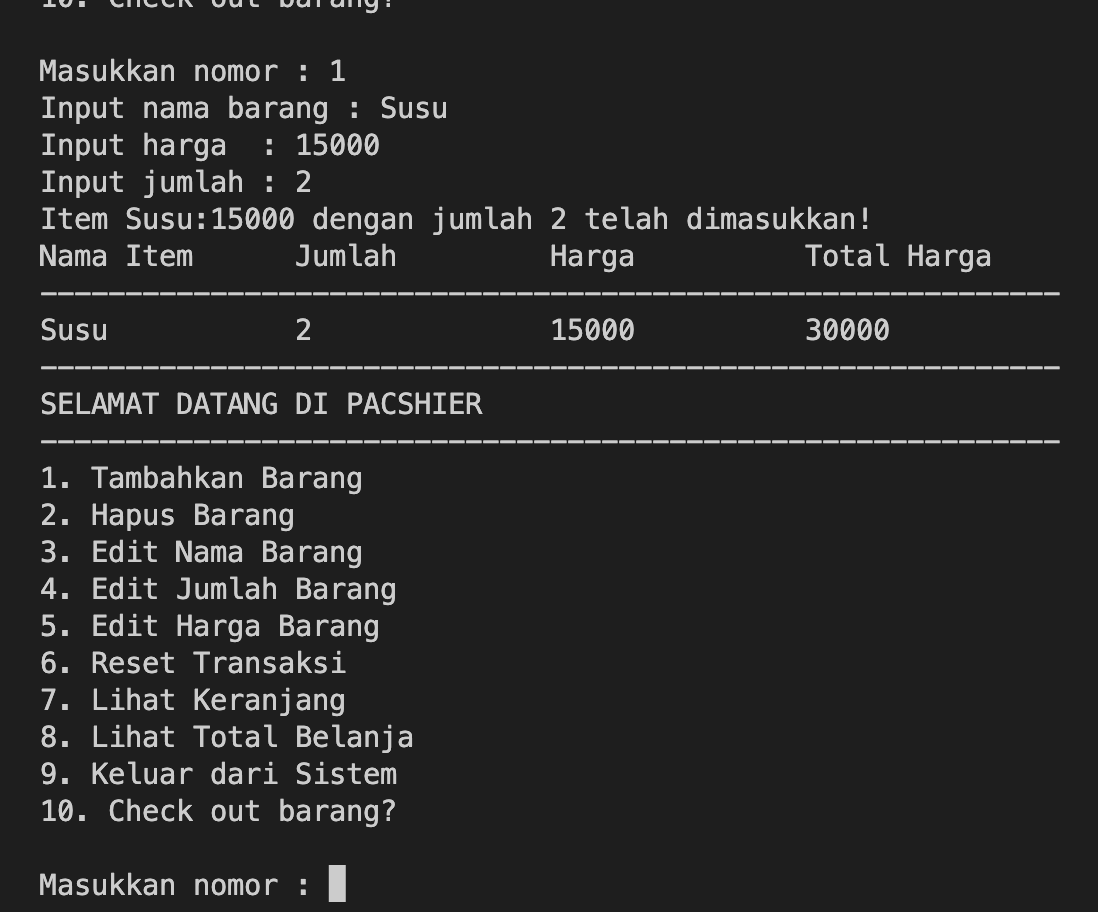
-
Method
delete_item()particular items after they added the item by themselves.
-
Method
update_nama_item()to update "Kentang" to "Kentung".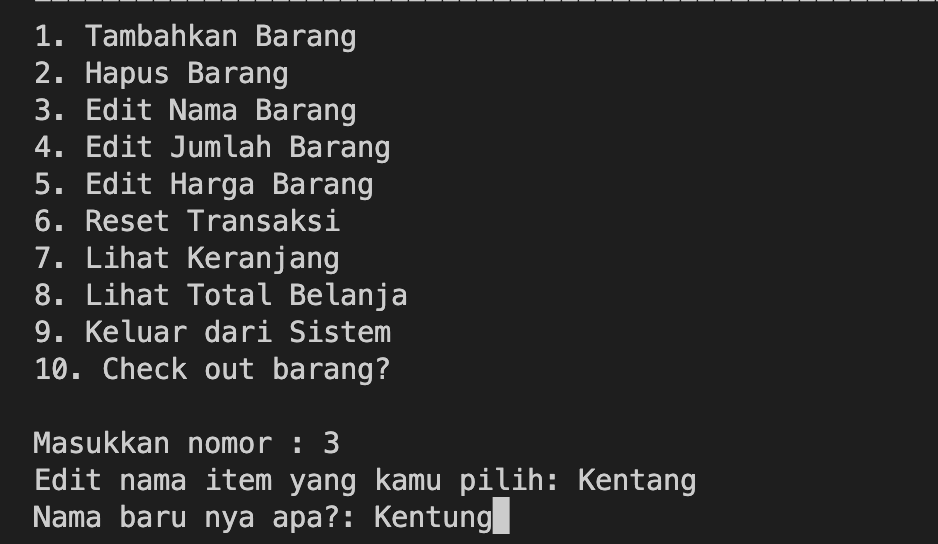
-
Method
update_jumlah_item()to update the quantity of particular item.
-
Method
update_harga_item()to update the price of particular item.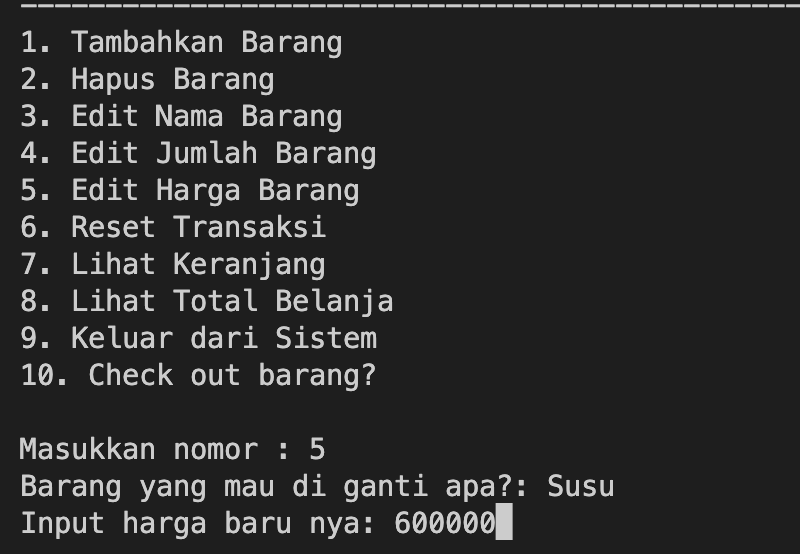
-
Method
check_order()see the entire item that were inputted.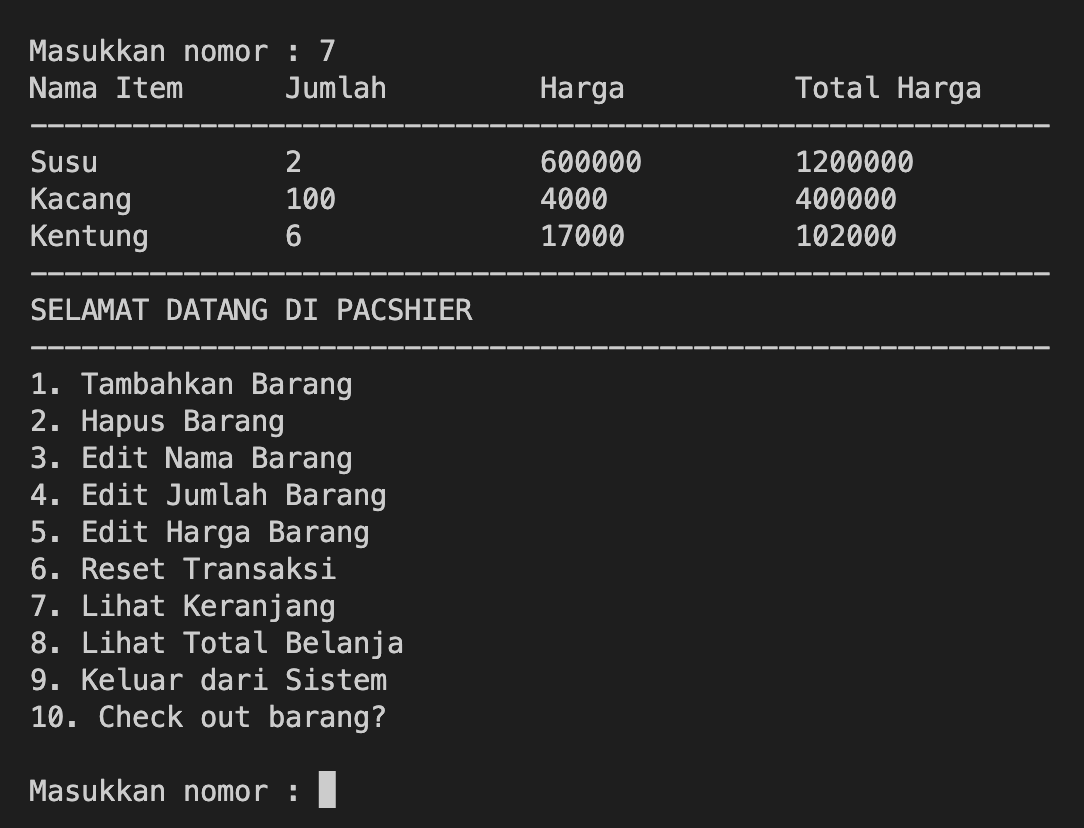
-
Method
total_pembelian()+discount_inputted()to check the total price, total quantity, total type of item and see if the price were match with discount scheme.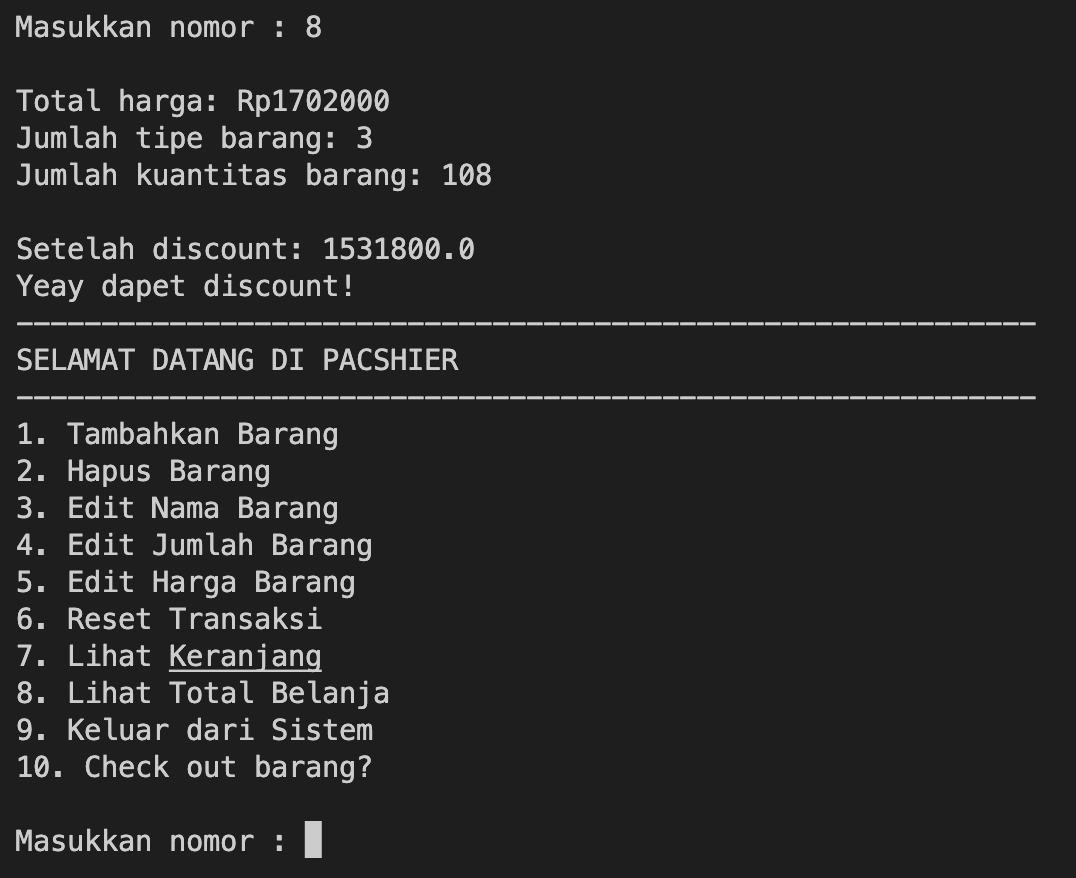
-
Make a simple payment transaction on
pembayaran()method.-
If the nominal below than the total price, you will see this:
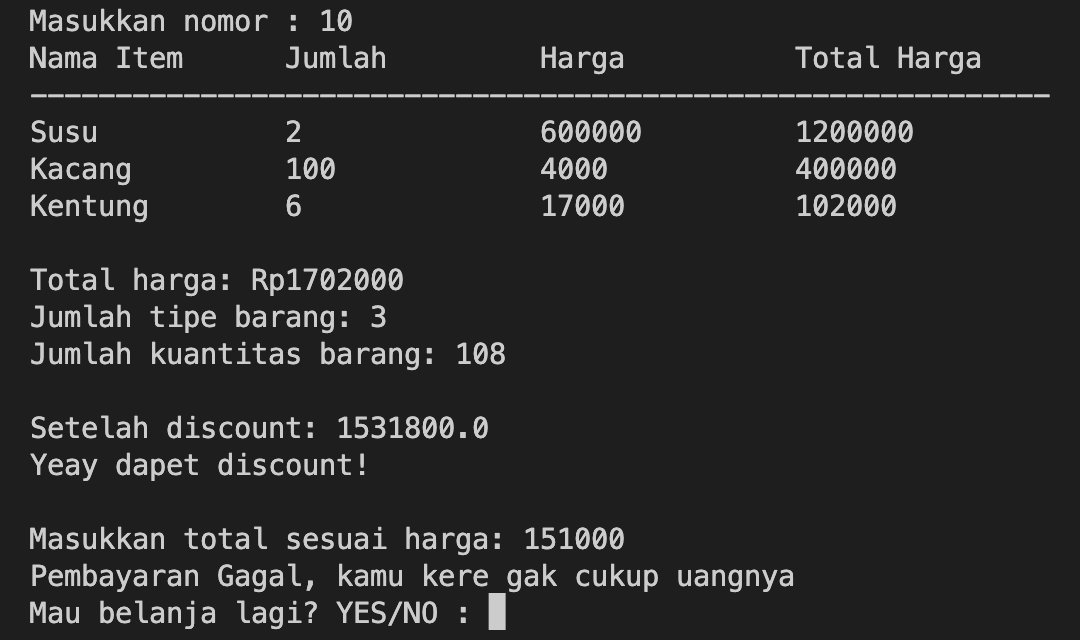
-
Say YES if you want to try again, check the order and the item is still there:

-
Input the nominal match with total sesuai harga and you will see this message:

-
If you input "YES", then items in the basket will removed.
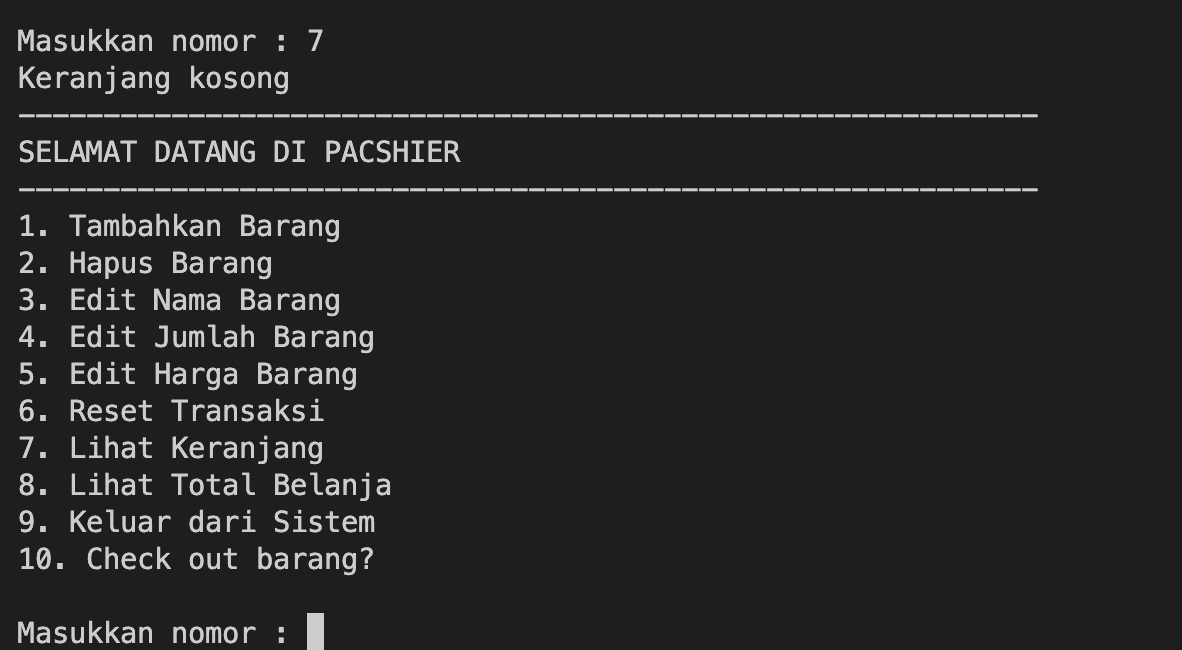
-
-
After all, you can reset the entire basket by
reset_item()method.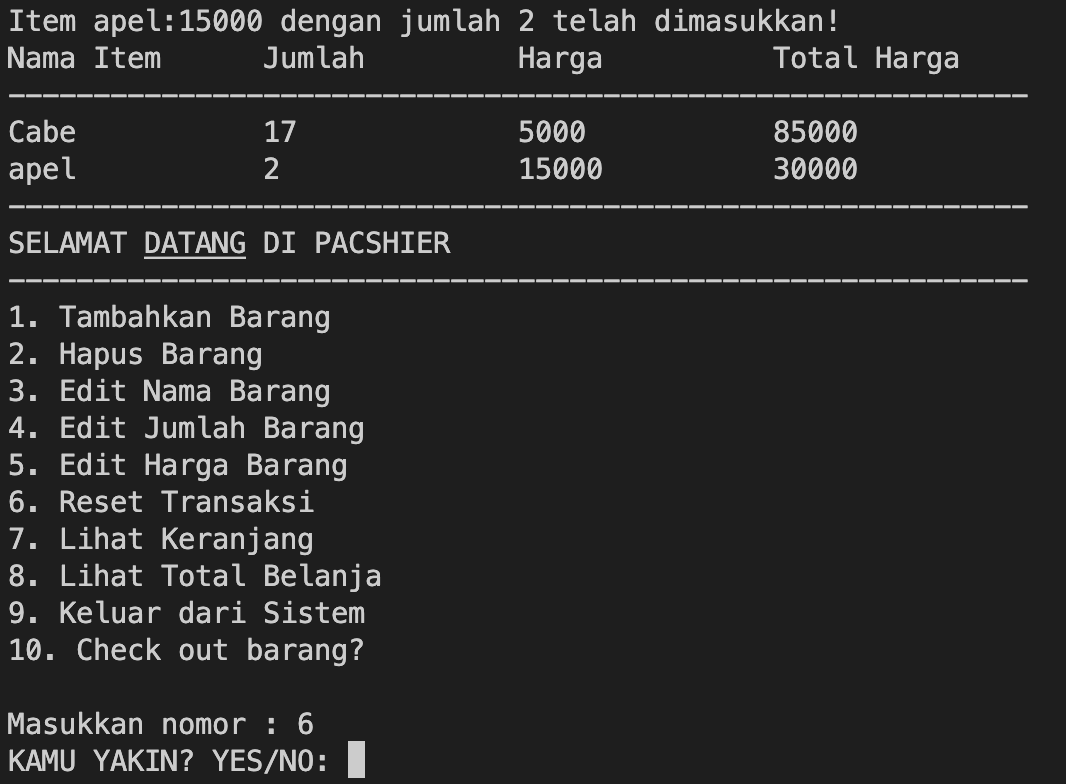
-
exit the PACSHIER system by pressing no
9on your terminal.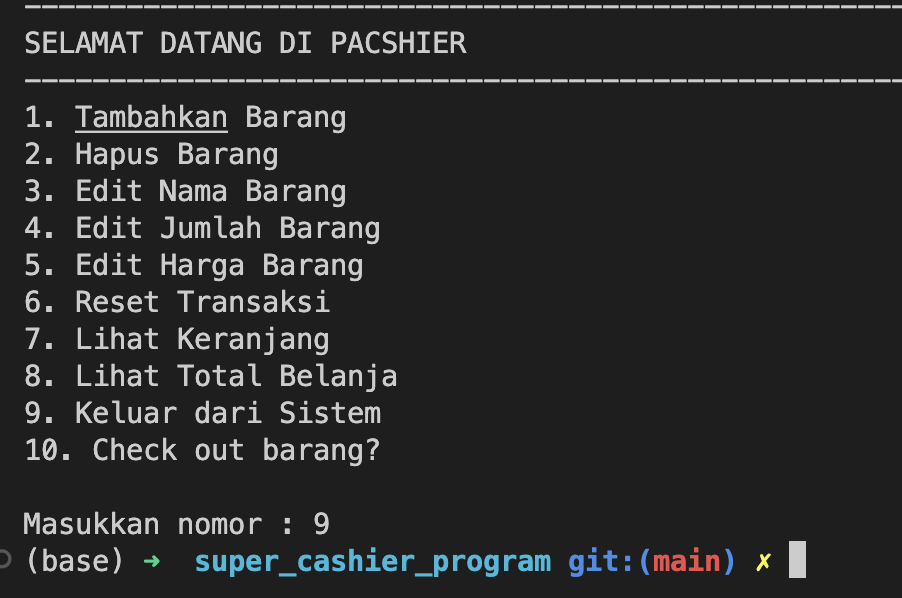
- Kita bisa menambah Library seperti table agar lebih rapih.
- Masih perlu banyak improvement dan exploration dalam code.
- Diagram masih belum di update dengan code yang terbaru, tetapi secara garis besar code structure nya mendekati dengan diagram nya.
Copyright (c) 2023 Abhi Abduh