Avalonia trading chart control with bindable viewport, zoom ratio, indicators, markers, and point-click interaction.
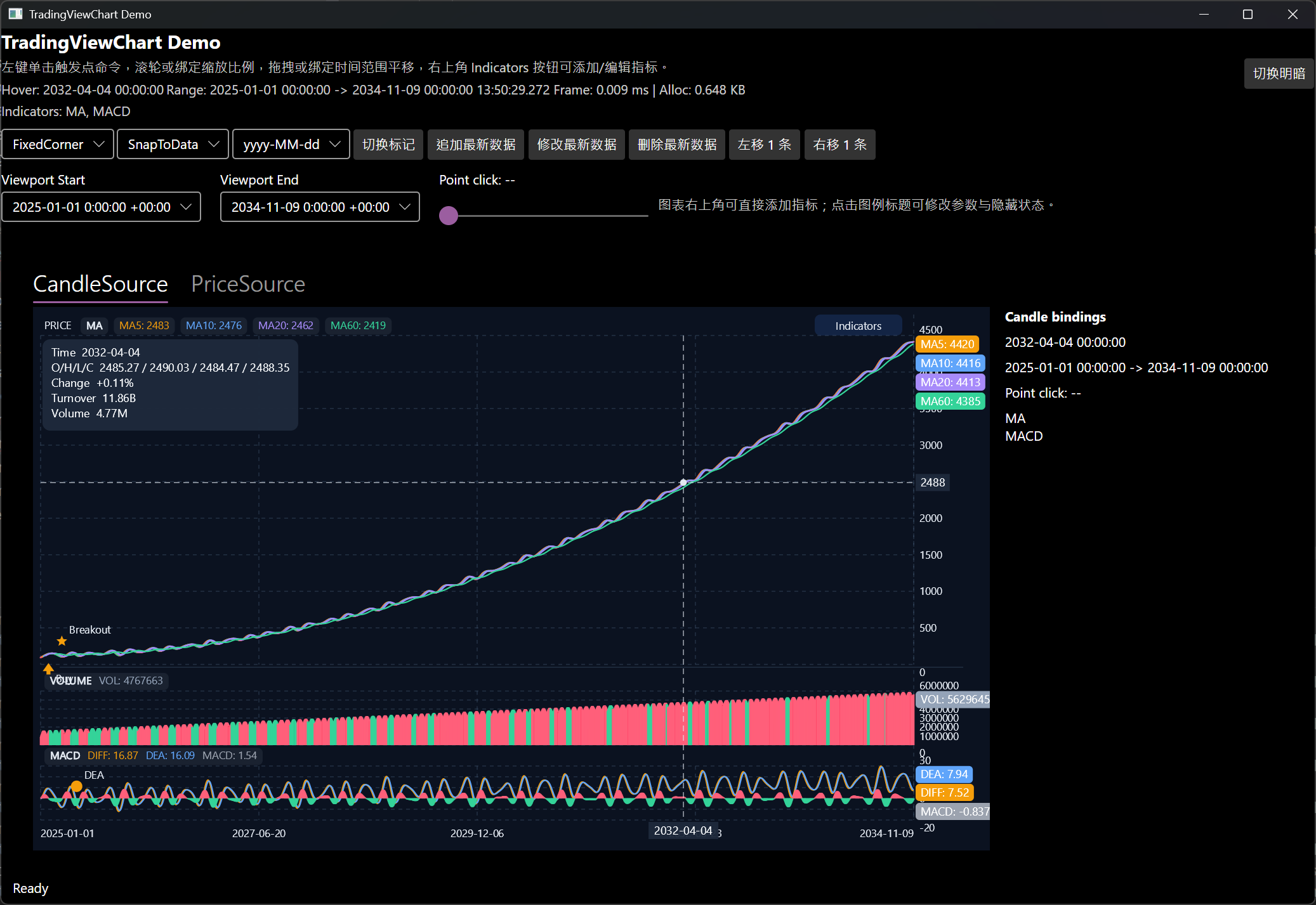
- Candle and price-line rendering
- Two-way binding for
VisibleStartTime,VisibleEndTime, andZoomRatio PanByBars(int)for programmatic panning- Bindable point-click command support
- Built-in indicator picker plus editable indicator items
- Localizable chart UI text through Avalonia properties
- Avalonia 12 + Skia rendering
| Package | Purpose |
|---|---|
TradingViewChart |
Reusable chart control for Avalonia apps |
TradingViewChart.Demo.Tool |
Installs the demo app as a dotnet tool |
dotnet add package TradingViewChartTo install the demo tool:
dotnet tool install --global TradingViewChart.Demo.Tool
tradingviewchart-demo<Window
xmlns="https://github.com/avaloniaui"
xmlns:x="http://schemas.microsoft.com/winfx/2006/xaml"
xmlns:chart="clr-namespace:TradingViewChart;assembly=TradingViewChart">
<chart:TradingViewChart
CandleSource="{Binding CandleSource}"
ChartTitle="{Binding ChartTitle}"
IndicatorItems="{Binding IndicatorItems}"
SupportedIndicators="{Binding SupportedIndicators}"
PointClickCommand="{Binding PointClickCommand}"
VisibleStartTime="{Binding VisibleStartTime}"
VisibleEndTime="{Binding VisibleEndTime}"
ZoomRatio="{Binding ZoomRatio}"
HoveredTime="{Binding HoveredTime}"
CrosshairHintMode="{Binding CrosshairHintMode}"
CrosshairValueMode="{Binding CrosshairValueMode}" />
</Window>These UI strings are exposed as Avalonia properties and can be bound or styled:
IndicatorButtonTextEmptyStateTextTooltipTimeLabelTooltipPriceLabelTooltipOhlcLabelTooltipChangeLabelTooltipTurnoverLabelTooltipVolumeLabelIndicatorMenuShowTextIndicatorMenuHideTextIndicatorMenuEditTextIndicatorMenuDeleteTextAddIndicatorTitleFormatEditIndicatorTitleFormat
The demo project lives in tests/TradingViewChart.Demo and shows:
- candle and price-line sources
- point-click commands
- panning and zoom bindings
- indicator add/edit/hide/delete flows
- theme switching
- marker rendering
Run it locally:
dotnet run --project tests/TradingViewChart.Demo/TradingViewChart.Demo.csprojOr install it as a tool:
dotnet tool install --global TradingViewChart.Demo.Tool
tradingviewchart-demoRestore local tools and verify formatting:
dotnet tool restore --tool-manifest dotnet-tools.json
dotnet tool run csharpier check .
Build and test:
dotnet build tests/TradingViewChart.Demo/TradingViewChart.Demo.csproj
dotnet test tests/TradingViewChart.Tests/TradingViewChart.Tests.csproj
Before your first publish, verify package creation locally:
dotnet pack src/TradingViewChart/TradingViewChart.csproj -c Release -o ./artifacts
dotnet pack tests/TradingViewChart.Demo/TradingViewChart.Demo.csproj -c Release -o ./artifacts