setting up invitation #1398

Replies: 5 comments

-
|
hi,
I will try to reproduce and make a PR to fix this. |
Beta Was this translation helpful? Give feedback.

-
|
No, it's at the right place. |
Beta Was this translation helpful? Give feedback.
-
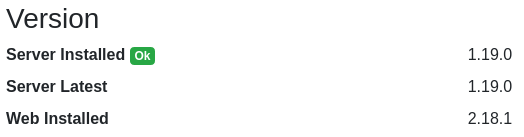
you're right my bad. @DuredhelFinceleb I cannot reproduce. As a user, I don't get any "invite a user" button. Do you use the latest version of web and server ? |
Beta Was this translation helpful? Give feedback.

-
|
AFAIK, I've got the latest version
|
Beta Was this translation helpful? Give feedback.
-
|
OK guys I've got it |
Beta Was this translation helpful? Give feedback.


Uh oh!
There was an error while loading. Please reload this page.
-
Hi !
not sure if it's a bug or me doing something wrong
I'm using the docker image with -e flags (so no config via admin)
regarding inivitations, I've used INVITATIONS_ALLOWED=false
I've also disallowed creation of new users
My goal: I want people to come in on invitation only and I want the admin to be the only one able to send invitations
My problem is that even with INVITATIONS_ALLOWED=false, users can create org and from the the org management screen they can invite whoever they want
here's my config
-v /bw-data/:/data/
-p 3080:3080
-p 3012:3012
-u 1004:1005
-e ROCKET_PORT=3080
-e DOMAIN=https://example.com/vault/
-e IP_HEADER=X-Forwarded-For
-e WEBSOCKET_ENABLED=true
-e SIGNUPS_ALLOWED=false
-e INVITATIONS_ALLOWED=false
-e ADMIN_TOKEN=xxx
-e INVITATION_ORG_NAME=xxx
-e SMTP_HOST=example.com
-e SMTP_FROM=xxx@example.com
-e SMTP_PORT=587
-e SMTP_SSL=true
-e SMTP_USERNAME=xxx@example.com
-e SMTP_PASSWORD=xxx
-e SHOW_PASSWORD_HINT=false
-e LOG_FILE=/data/bitwarden.log \
In the admin I can see that my flags are respected

For the admin I can still see and make work the invitation system, but that does not bother me, I want that.
In the user's vault, in the Organization management I can still see the Invitation button.
If I click it the dialog appears and everything works: mail is sent, user can come in & create an account
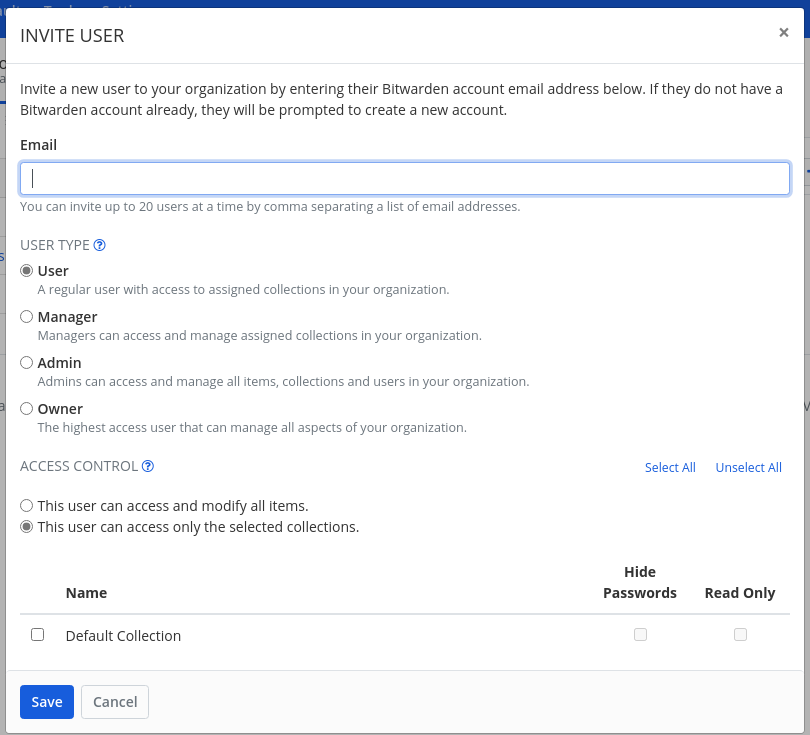
Ideally I would like the button to just no be there.
If it has to stay there, then I'd like to get an error message when clicking on it or when clicking on Save in the dialog.
Could not find anything about this in the wiki nor in the issues.
Am I missing something?
Best regards
Beta Was this translation helpful? Give feedback.
All reactions