
Spring Boot rewrite of my old Django project. Also known as "yet another Pokémon tracking tool".
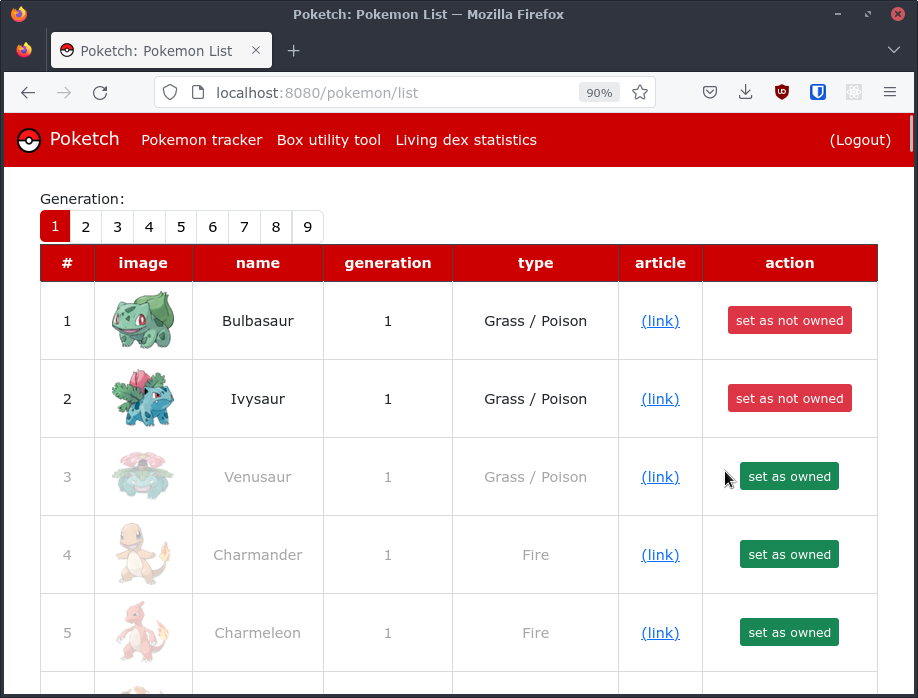
Poketch is a tool for tracking the progress of completing the so-called Living Pokédex in games in the Pokémon series. You can check this link, if you want to learn more about the Living Pokédex Challenge.
Main features of Poketch are:
- Storing data about owned Pokémon
- Statistics page: displays statistics of user's Pokémon collection
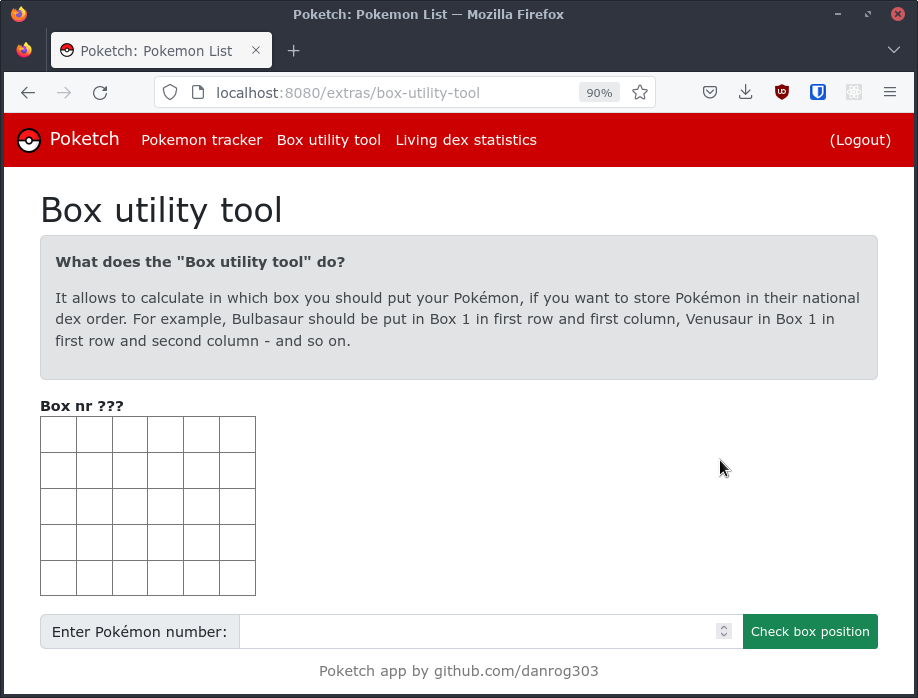
- Box utility tool: for calculating position of Pokémon in their PC Box
Current version of webapp comes with:
- Multi-user architecture (there can be many Poketch users)
- Login and registration handling
- ReCAPTCHA for registration validation
- Email confirmation
Poketch looks for those environment variables to be set, so make sure to fulfill all requirements
(database credentials, recaptcha key, SMTP host).
Make sure those variables are set and available to the app:
POKETCH_DB_DIALECT=org.hibernate.dialect.MySQLDialect
POKETCH_DB_DRIVER=com.mysql.cj.jdbc.Driver
POKETCH_DB_JDBC_URL=jdbc:mysql://localhost:6033/poketch
POKETCH_DB_PASSWORD=my_secret_password
POKETCH_DB_USERNAME=root

POKETCH_MAIL_HOST=email-smtp.us-east-1.amazonaws.com
POKETCH_MAIL_PORT=25
POKETCH_MAIL_AUTH_REQUIRED=true
POKETCH_MAIL_PASSWORD=somepass
POKETCH_MAIL_SENDER=noreply@example.com
POKETCH_MAIL_USERNAME=someuser
POKETCH_MAIL_STARTTLS_ENABLED=true
POKETCH_MAIL_STARTTLS_REQUIRED=true

POKETCH_RECAPTCHA_SITEKEY=6Lcql...
POKETCH_RECCAPTCHA_SECRETKEY=BHefc...
After setting up the app, check src/main/resources/init.sql for some initial Pokémon data.
Check https://gist.github.com/danrog303/267709708969c2de895b329a1a459226 for the example
docker-compose.yml file.
Before running the docker-compose file, make sure to specify reCAPTCHA v2 API key.
The docker-compose.yml file will expose:
localhost:8080: the Poketch webapplocalhost:8025: mail server (Webhog)localhost:8081: database utility (phpMyAdmin)localhost:3307: database server (MySQL)