Unexpected behaviour for customer defined tags after a CloudFormation stack update is completed #194

Description

Describe the bug
When maintaining tags for resources in AWS, several methods can be used (directly in the UI via the console, Tag Editor, CLI etc.)
In data.all , the UI presented for maintaining tags for a data.all resource is actually maintaining tags for the CloudFormation stack related to the resource (e.g., dataset)
When maintaining tags via the UI in data.all, once the CloudFormation stack update is completed, Customer defined tags (which are not in the stack tags) for the resources associated with the CloudFormation stack are removed from the resource.
There may be many use cases where resource tags are maintained outside of data.all using standard methods.
How to Reproduce
Create a resource in data.all (e.g., dataset for this example) , the same happens with pipelines. Other data.all resources have not been tested.
Post resource creation tags were added to the stack and the stack was updated.
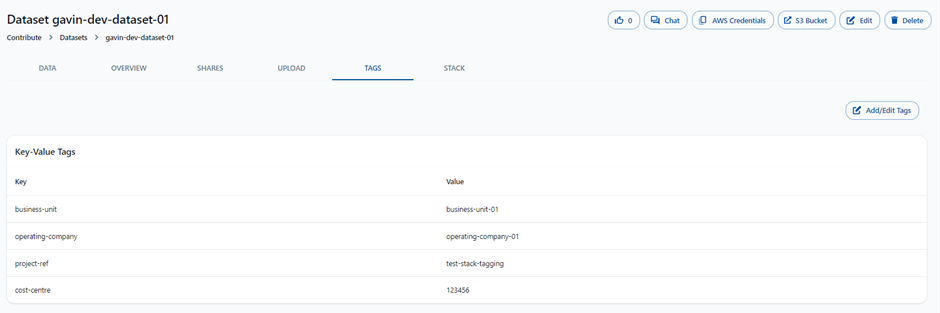
As expected, the tags were assigned to the resources created by the stack, including the bucket:
AWS ACCOUNTS VISIBLE
Tags were then maintained outside of data.all , using the AWS Console UI for S3 (key=alt-tag-01, value=tag-s3-ui):
AWS ACCOUNTS VISIBLE
Returning the the data.all UI for the dataset, the newly applied tag is not visible (because it wasn't part of the stack):
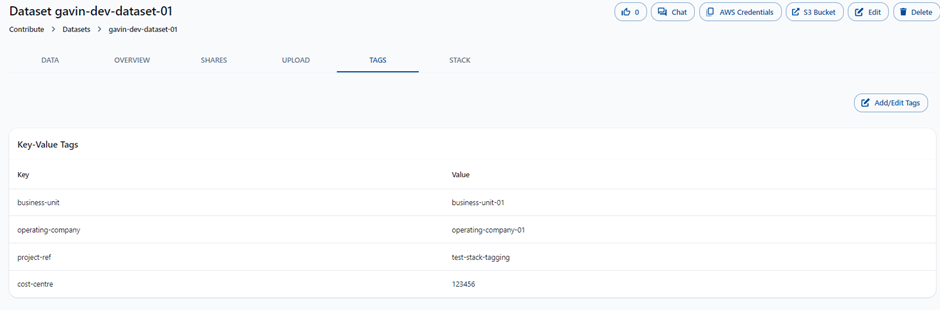
Added another tag (key=alt-tag-03, value=another-tag-dataset-stack) in the data.all UI and updated the stack:
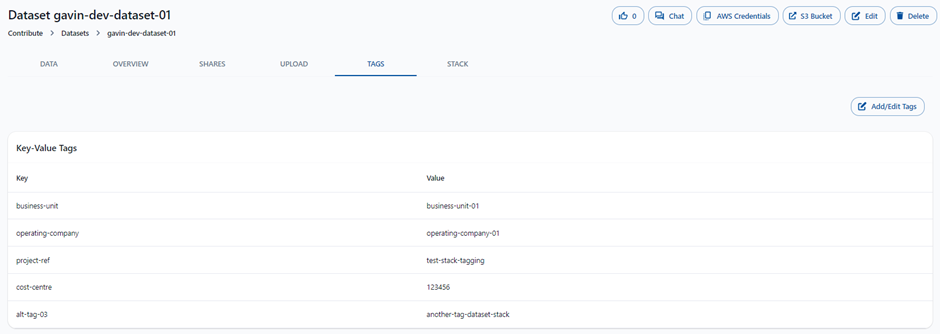
Post the stack update, checked the tags of the S3 bucket in the console:
AWS ACCOUNTS VISIBLE
The tag (key=alt-tag-01, value=tag-s3-ui) which was maintained in the console has now disappeared!
Expected behavior
When a stack update occurs, customer defined tags which are not part of the stack but are allocated to the resource should not be removed
Alternatively, a warning message that some customer defined tags are not in the stack and will be lost if the stack updates.
Your project
n/a
Screenshots
No response
OS
n/a
Python version
3.7
AWS data.all version
1.0
Additional context
No response