A secure decentralized healthcare records management system built on the Aptos blockchain. This application enables healthcare providers to manage patient information, medical records, and appointments with blockchain-powered security and immutability.
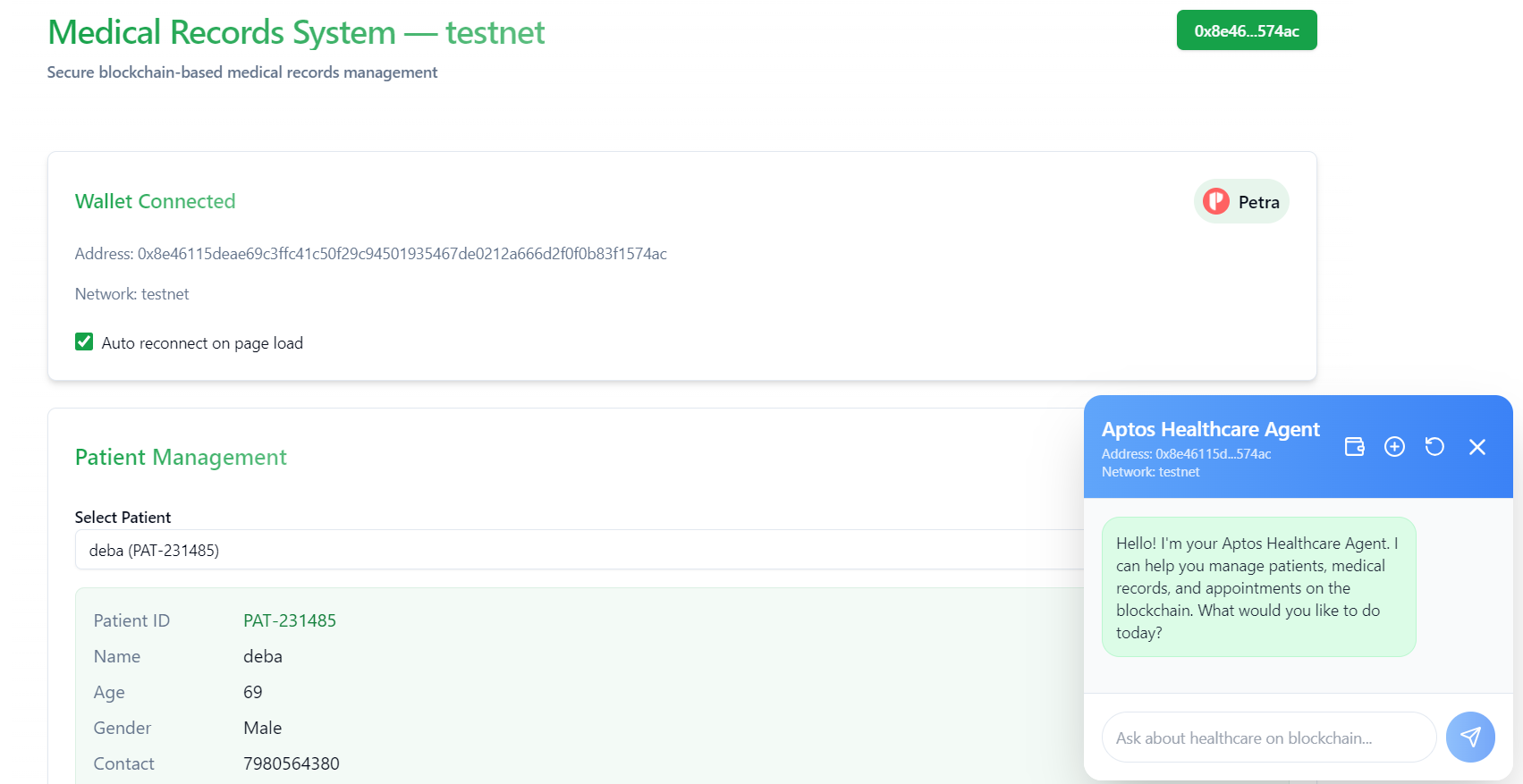
- Secure Patient Records: Store and manage patient information securely on the blockchain
- Medical History Management: Track patient diagnoses, treatments, and outcomes
- Appointment Scheduling: Schedule and manage patient appointments
- Blockchain Security: All data is cryptographically secured on the Aptos blockchain
- Wallet Integration: Connect with Petra, Martian, or other Aptos-compatible wallets
- Provider Authorization: Access control ensures only authorized healthcare providers can access patient data
- Frontend: Next.js application with UI components (shadcn/ui)
- Smart Contracts: Move language contracts deployed on Aptos
- AI Agent: Intelligent assistant that can interact with the blockchain system
- Node.js 16+ and npm/yarn/pnpm
- Aptos wallet (Petra, Martian, or compatible wallet)
- Aptos CLI (for contract deployment)
-
Clone the repository and install dependencies:
git clone https://github.com/debayudh07/aptos-project cd aptos-healthcare/frontend npm install -
Set up environment variables: Create a
.env.localfile with:NEXT_PUBLIC_NETWORK=testnet NEXT_PUBLIC_MODULE_ADDRESS=0x8e46115deae69c3ffc41c50f29c94501935467de0212a666d2f0f0b83f1574ac NEXT_PUBLIC_MODULE_NAME=healthcare
Start the development server:
npm run devOpen http://localhost:3000 with your browser to see the application.
-
Navigate to the agent directory:
cd ../aptos-agent -
Create a
.envfile with your Groq API key:GROQ_API_KEY=your_api_key_here -
Install Python dependencies:
pip install -r requirements.txt
-
Run the AI agent:
python main.py
The agent will now be available to interact with the blockchain application.
Open http://localhost:3000 with your browser to see the application.
The project uses the following Move contract functions:
initialize: Set up a healthcare provider registryadd_patient: Register a new patientadd_medical_record: Add medical records to a patientschedule_appointment: Schedule patient appointmentsupdate_appointment_status: Modify appointment statuses
The contract is deployed at: 0x8e46115deae69c3ffc41c50f29c94501935467de0212a666d2f0f0b83f1574ac
The project includes an AI agent that can:
- Answer questions about the healthcare system
- Help retrieve patient information
- Provide guidance on using the application
- Interact with the blockchain through natural language
To use the AI assistant:
- Connect your wallet to the application
- Click on the chat icon in the interface
- Ask questions about patients, records, or appointments
- Aptos Labs for the blockchain platform
- Next.js for the frontend framework
- shadcn/ui for UI components
- Groq for API key and LLM infrastructure