Repository navigation
Examples
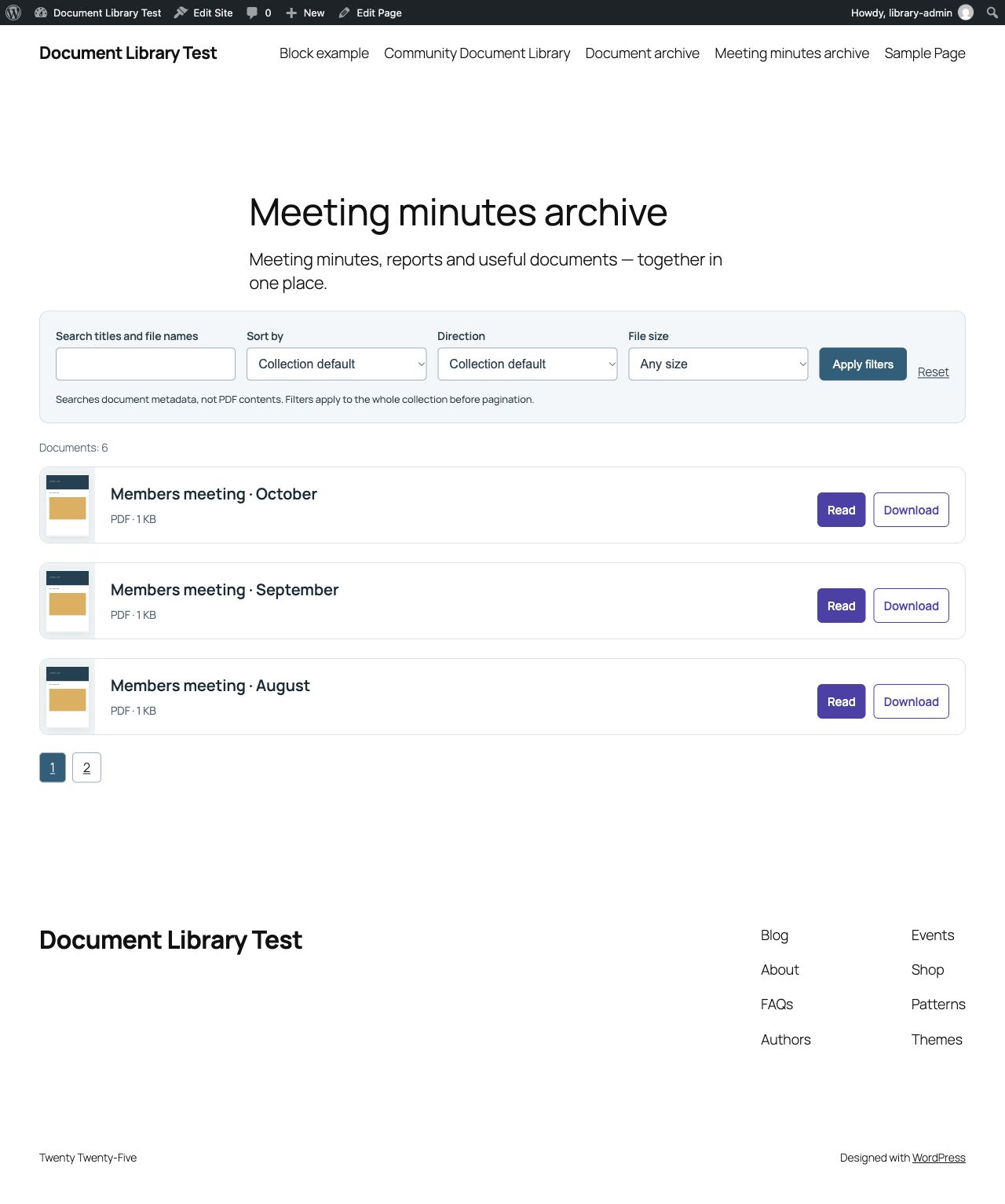
A meeting minutes archive as a compact document list: search titles and file names, sort entries, read or download each PDF.
- One PDF in a post: Attach meeting minutes, a program or an issue to the relevant post.
- Several PDFs in one post: Display an ordered collection of documents as a grid or list.
- An archive across posts: Query posts and present their assigned documents as cards. One post per issue is a simple model for a magazine archive.
The source “Query document contributions” can show the first or all assigned PDFs per matching post. Named plugin collections search and sort the whole accessible result set before pagination. Native post Query Loops keep their own query and pagination; use native Bricks filters for Bricks post loops.
| Organization | Everyday workflow | Result |
|---|---|---|
| Neighborhood association | Assign newsletters and meeting minutes to the relevant update or custom post type. | Read documents locally and find earlier updates on an archive page. |
| Volunteer nonprofit | Publish a post for each annual or impact report. | Show the organization’s work across several years. |
| Parent-teacher organization (PTO) | Collect an event schedule, family information and forms in one post. | Families find the documents together. |
| Community garden | Add garden rules, workday information and season recaps to relevant posts. | Volunteers manage useful documents without a complicated publishing system. |
Choose a PDF, publish it, find it again. Free, without advertising, reader tracking by the plugin or a Pro edition. PDF files and covers keep the access rules of the website; displaying them does not automatically protect them.