Deja Monet
Randal Root
Foundations of Python
30 August 2022
In this assignment, I will review standard patterns of classes, creating object instances in classes, and calling this data from functions in other classes.
In this assignment, no clear output was provided, and part of the challenge was understanding the pseudo-code in order to complete the assignment. The pseudo-code showed three classes, Product, FileProcessor, and IO, and the main body of the script. Each class called for certain properties and methods to be added by the student. From the pseudo-code in the main body of the script, it became clear that the assignment was to process user input “products” and “product prices” by displaying a menu of choices to the user and processing input data based on the user’s choice from this menu.
I decided to use Jupyter Lab in order to organize the classes and functions, and to be able to troubleshoot errors with any of the classes in blocks. I began by declaring the variable user_choice as an empty string. I then defined a class Errors with the functions user_input, no_numeric, and too_many_characters in order to make sure the user entered appropriate inputs in the script (Figure 1).
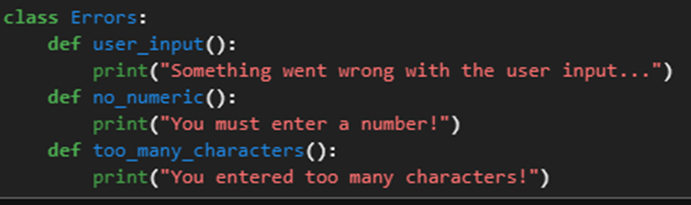
Figure 1. Errors that have been defined by the programmer.
The pseudo-code for the Product class used the properties product_name and product_price, so I initialized these variables as an empty string and the float value 0.00, respectively. I then defined the function add_data_to_list, stored the user input data in a temporary array row, appended row to the pre-defined variable lstOfProductObjects, and alerted the user that this process was successful (Figure 2).
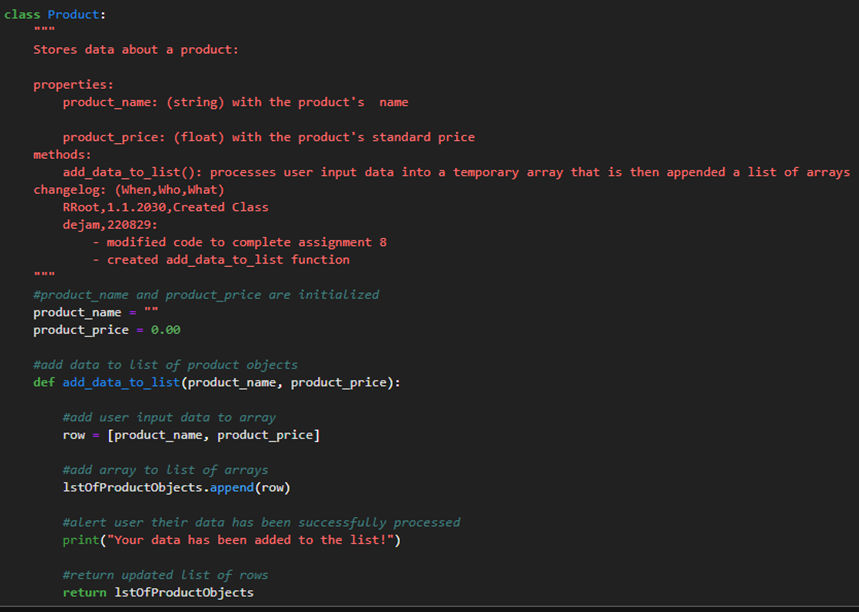
Figure 2. The completed Product class with the defined function add_data_to_list.
The next class, FileProcessor, needed defined functions to save the user input data to a file and to load data from a file. I defined the function load_data_from_file within a try/except statement, such that when the file does not exist, the script alerts the user of this and continues to the main menu instead of exiting (Figure 3).
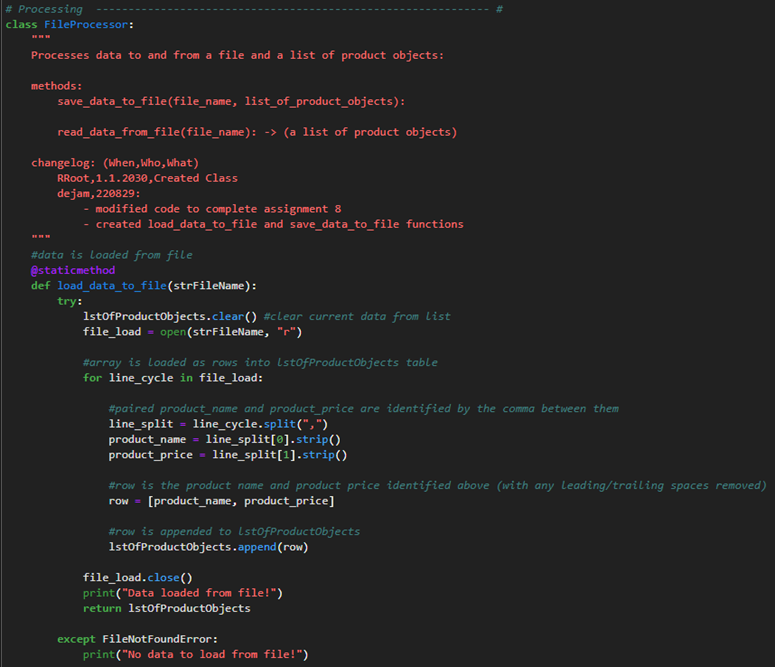
Figure 3. The function load_data_to_file in the FileProcessor class.
The function save_data_to_file uses a for loop to cycle through the arrays in lstOfProductObjects and writes the product name and product price as strings to the file products.txt (Figure 4).
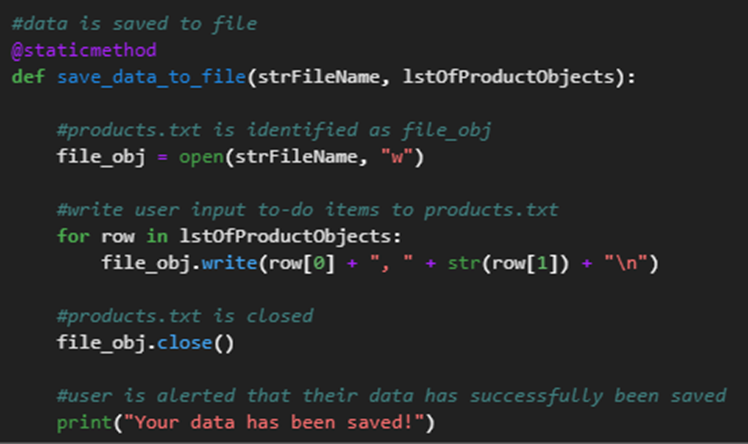
Figure 4. The function save_data_to_file in the FileProcessor class.
The next class was the IO class, which receives and the user input data and prints outputs when the user makes that choice. I defined four methods in this class: main_menu that prints the main menu to the user; input_menu_choice that captures the user’s choice from the main menu; output_current_data that prints the current data to the user when the user makes that choice; and input_product_data that uses the product_name and product_price variables from the Product class to capture and return the user input data for these respective variables (Figure 5).
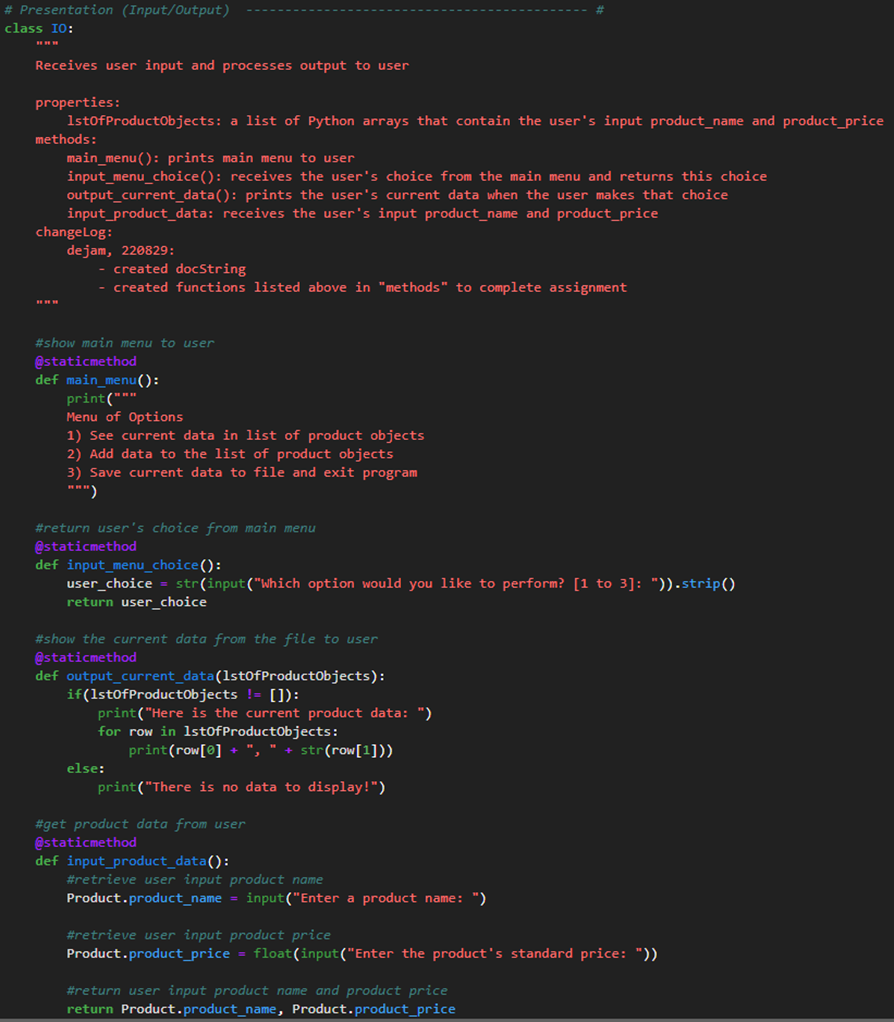
Figure 5. The completed main_menu, input_menu_choice, output_current_data, and input_product_data functions of the IO class.
Next, I needed to complete the main body of the script by calling the appropriate functions. The first step was to load any data when the script is run, so I called the load_data_to_file function from the file_processor class with the input strFileName. I then created a while loop to continuously show the user the main menu and process their choice until they chose to save their data and exit the script. I added a series of if statements such that if the user does not choose an option from the menu by entering too many characters or not entering a number, an error is shown and they are returned to the main menu.
To process the user’s choice, I called IO.output_current_data when the user chooses to see their current data, IO.input_product_data and Product.add_data_to_list when the user chooses to enter more data to the list of product objects, and FileProcessor.save_data_to_file when the user chooses to save their data and exit the script (Figure 6).
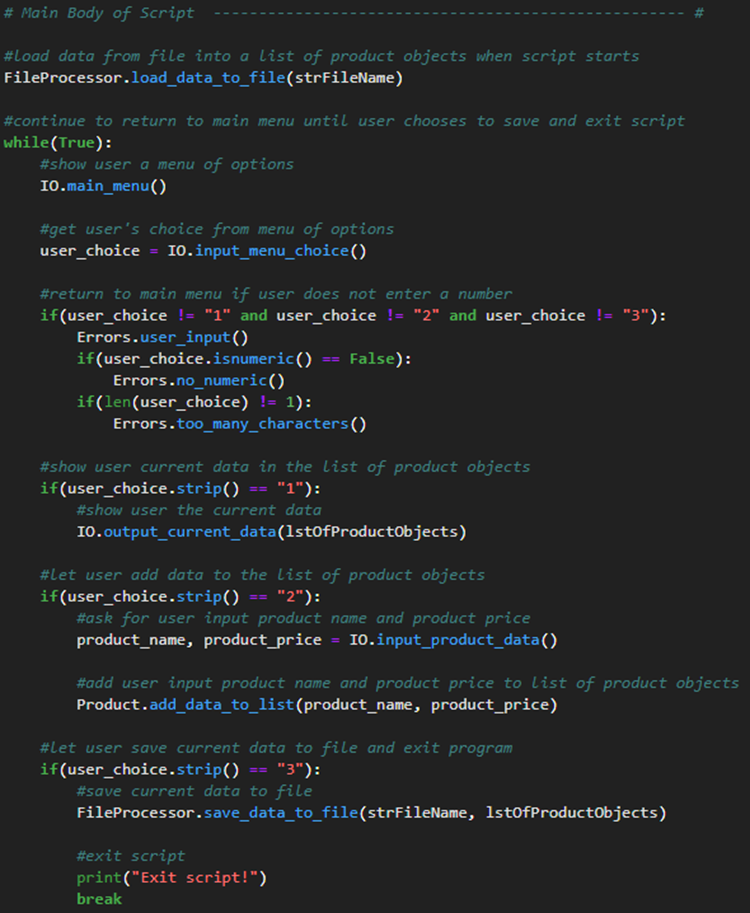
Figure 6. The completed main body of the script.
With the script completed, I could begin testing the script in an IDE and Anaconda Prompt.
I began by testing the script in Jupyter Lab. I started with no existing products.txt file in the directory. I then directed the script to try to show the current data, then entered the string “abc” when prompted to choose an item from the main menu. I then added the products apple and carrots with the prices 2 and 3 respectively, then saved this data and exited the script (Figure 7).
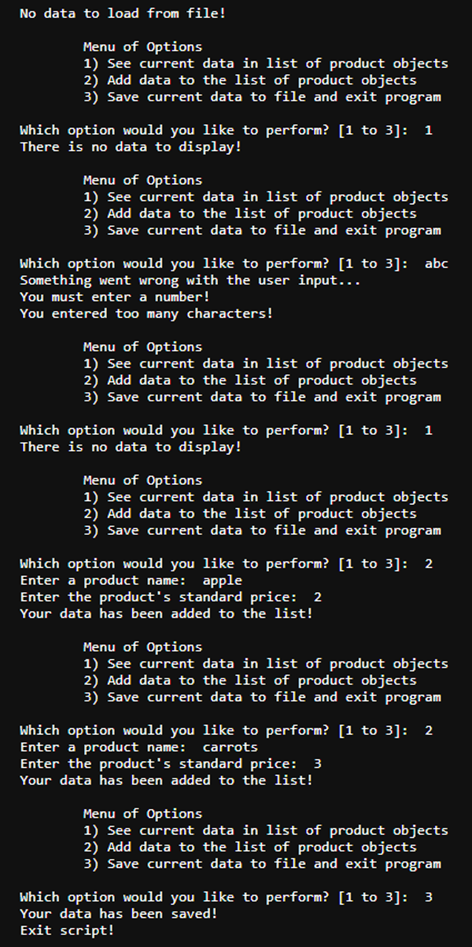
Figure 7. Part 1/2 of testing the script in Jupyter Lab.
I then ran the script again in Jupyter Lab, called the script to show the current data, added the product grapes with the price 6, then saved the data and exited the script (Figure 8).
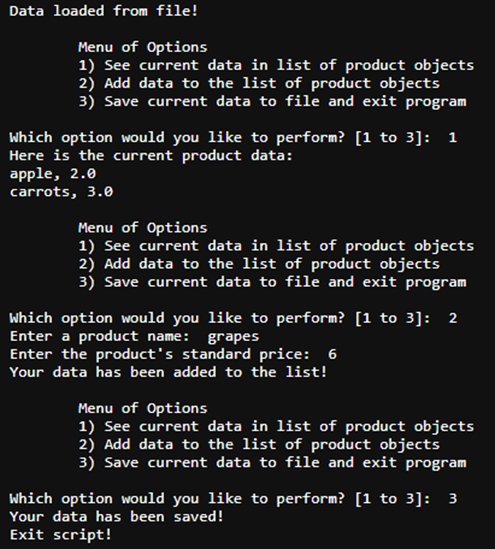
Figure 8. Part 2/2 of testing the script in Jupyter Lab.
With the script working correctly in Jupyter Lab, I moved on to testing the script in Anaconda Prompt.
To test the script in Anaconda Prompt, I first changed the working directory to the directory where the script was saved. I called the Jupyter Lab .ipynb script using ipython command, then showed the data loaded from the products.txt file. I then added the product ice cream with the price 4, and the product milk with the price 3 (Figure 9).
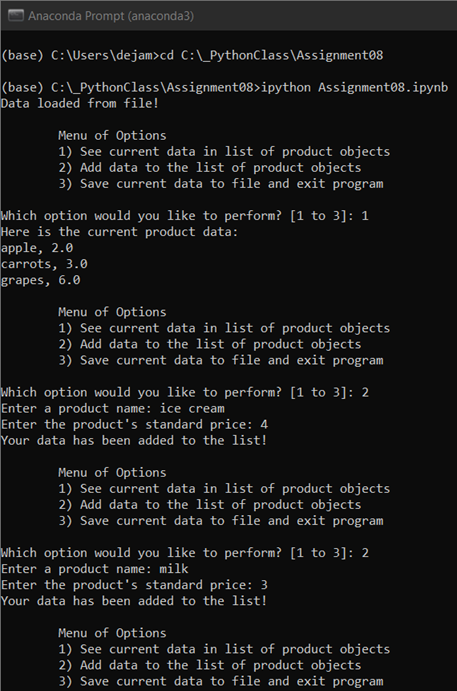
Figure 9. Part 1/2 of testing the script in Anaconda Prompt.
I then displayed the current data, then saved the current data and exited the program (Figure 10).

Figure 10. Part 2/2 of testing the script in Anaconda Prompt.
In this assignment, I reviewed the standard design pattern of classes in coding languages. I also reviewed creating and calling data from object instances in classes.