


Rosight = ROS + sight. A keyboard-driven terminal cockpit for ROS 2.
Browse the live ROS 2 graph — messages, nodes, services, actions, parameters, TF, bags, interfaces — and live-plot any numeric field, all from one screen without a mouse. Built for SSH, tmux, robot consoles.
📖 Docs: https://deyuf.github.io/rosight/
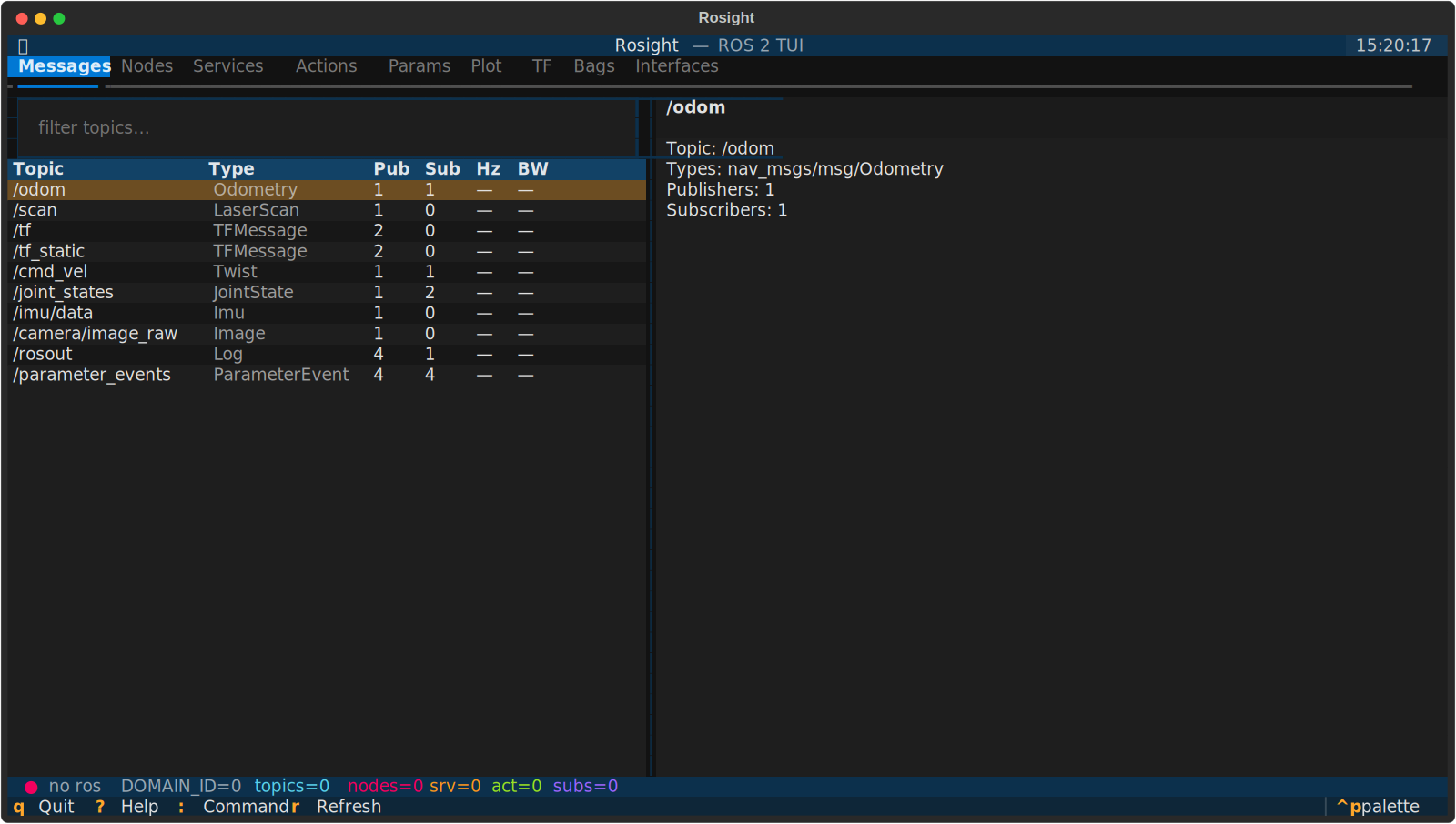
Nine tabs, keyboard-driven, all on one screen:
# |
Tab | What you can do |
|---|---|---|
1 |
Messages | Filter the topic table, Enter to subscribe, the right pane shows live hz / bw / jitter and the message tree. Press i for static topic info (types, publishers, QoS). Press v to open a live image preview for sensor_msgs/Image / CompressedImage topics. |
2 |
Nodes | Discover every node, drill into its publishers, subscribers, service servers/clients, action servers/clients. |
3 |
Services | List services with types. c opens a call form (planned). |
4 |
Actions | List action servers with types. Goal monitor (planned). |
5 |
Params | Browse parameters per node, get / set with type awareness. |
6 |
Plot | Multi-series live plot — scalar time-series and 1D-array snapshots (e.g. LaserScan ranges). Pick a numeric leaf or numeric array in the message tree and press p / Enter. Pause / window-scale / CSV export. |
7 |
TF | Auto-built frame tree from /tf and /tf_static. |
8 |
Bags | ros2 bag record / play / info. The header tells you which key stops the recording while it's running. |
9 |
Interfaces | Browse msg / srv / action definitions of every interface package on the system. |
Image rendering uses the terminal's native graphics protocol when available (kitty / sixel / iTerm2) and falls back to Unicode half-blocks otherwise — see docs/plotting.md for the support matrix.
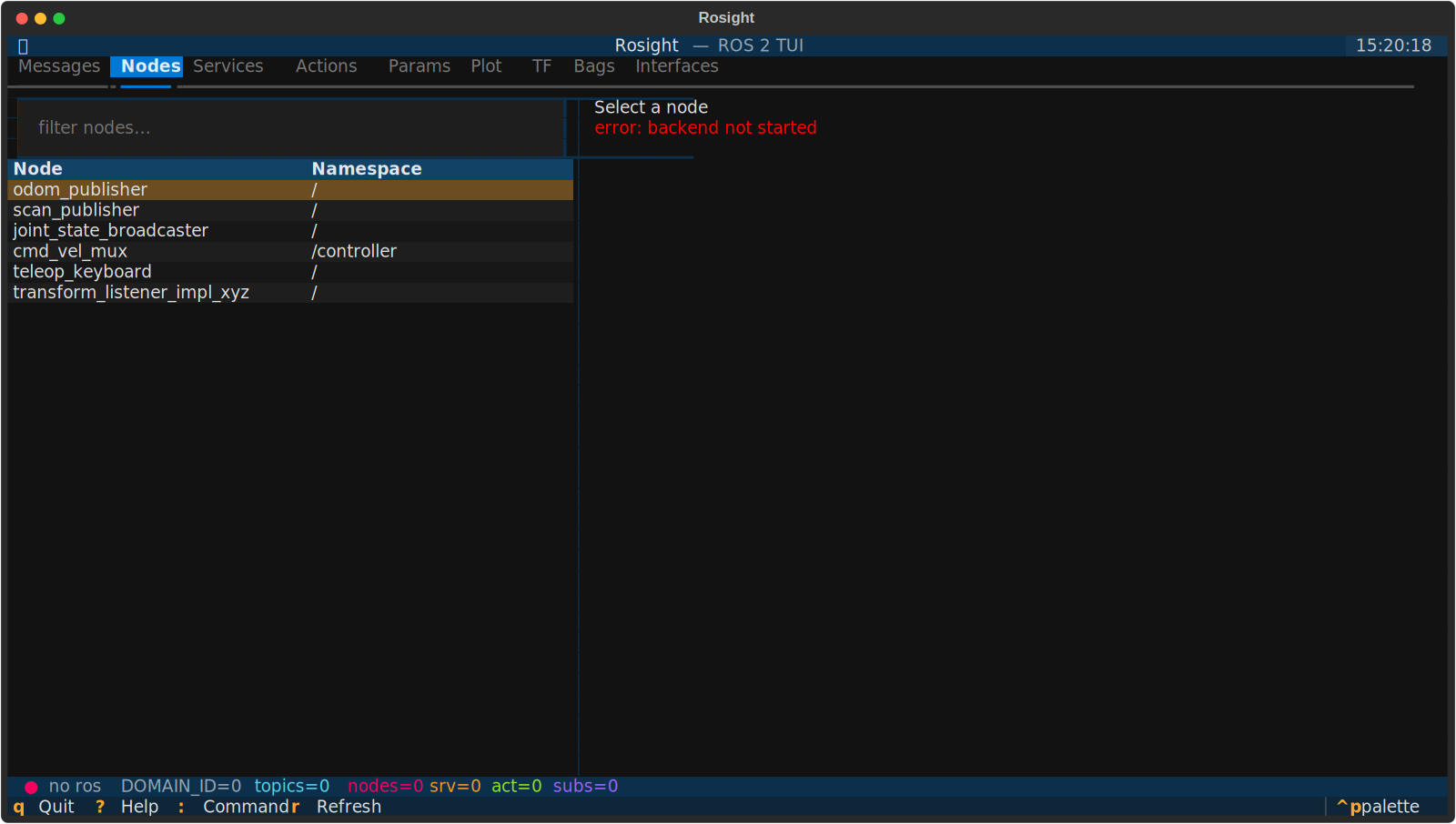 Nodes (
2)
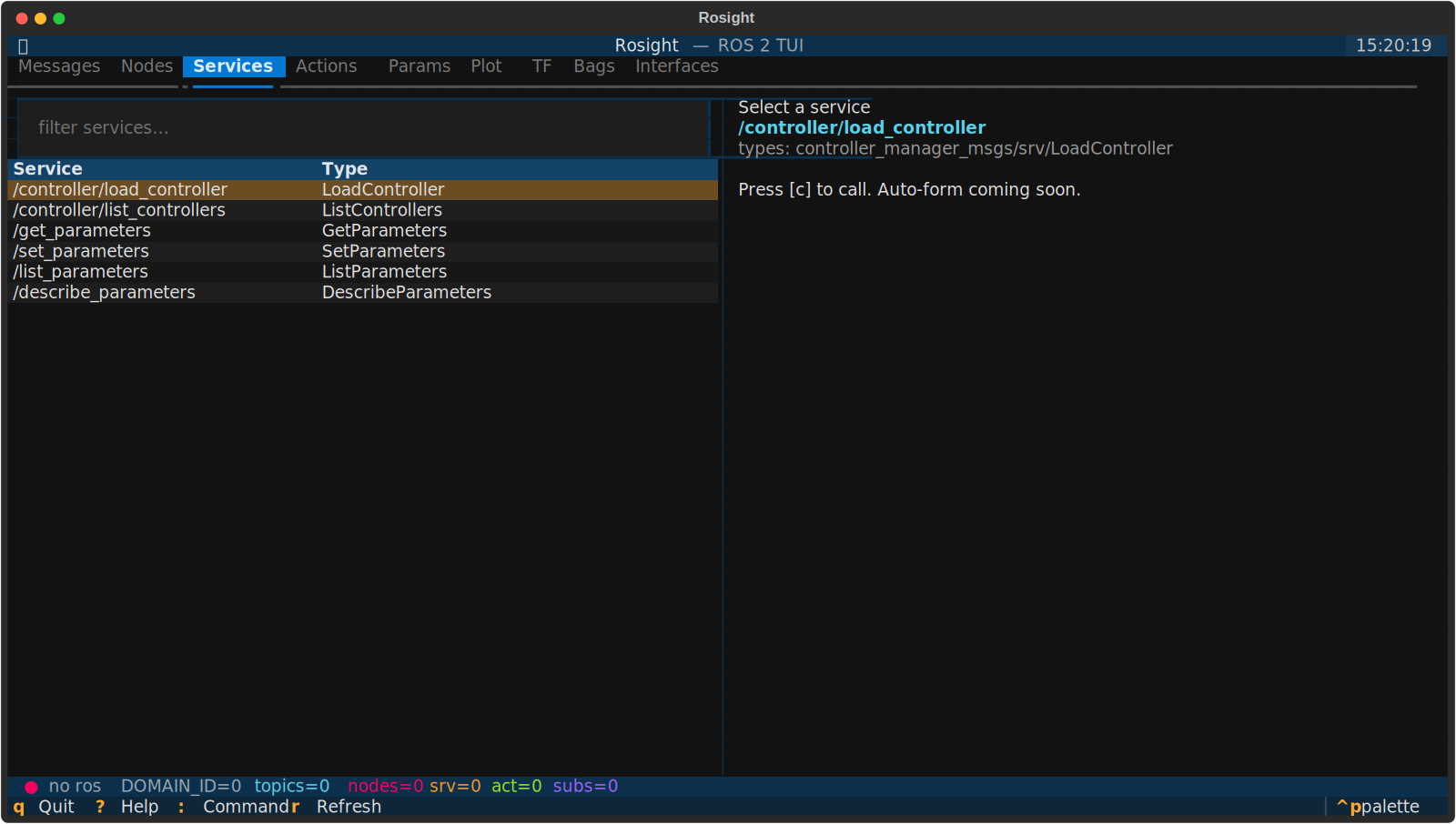 Services (
3)
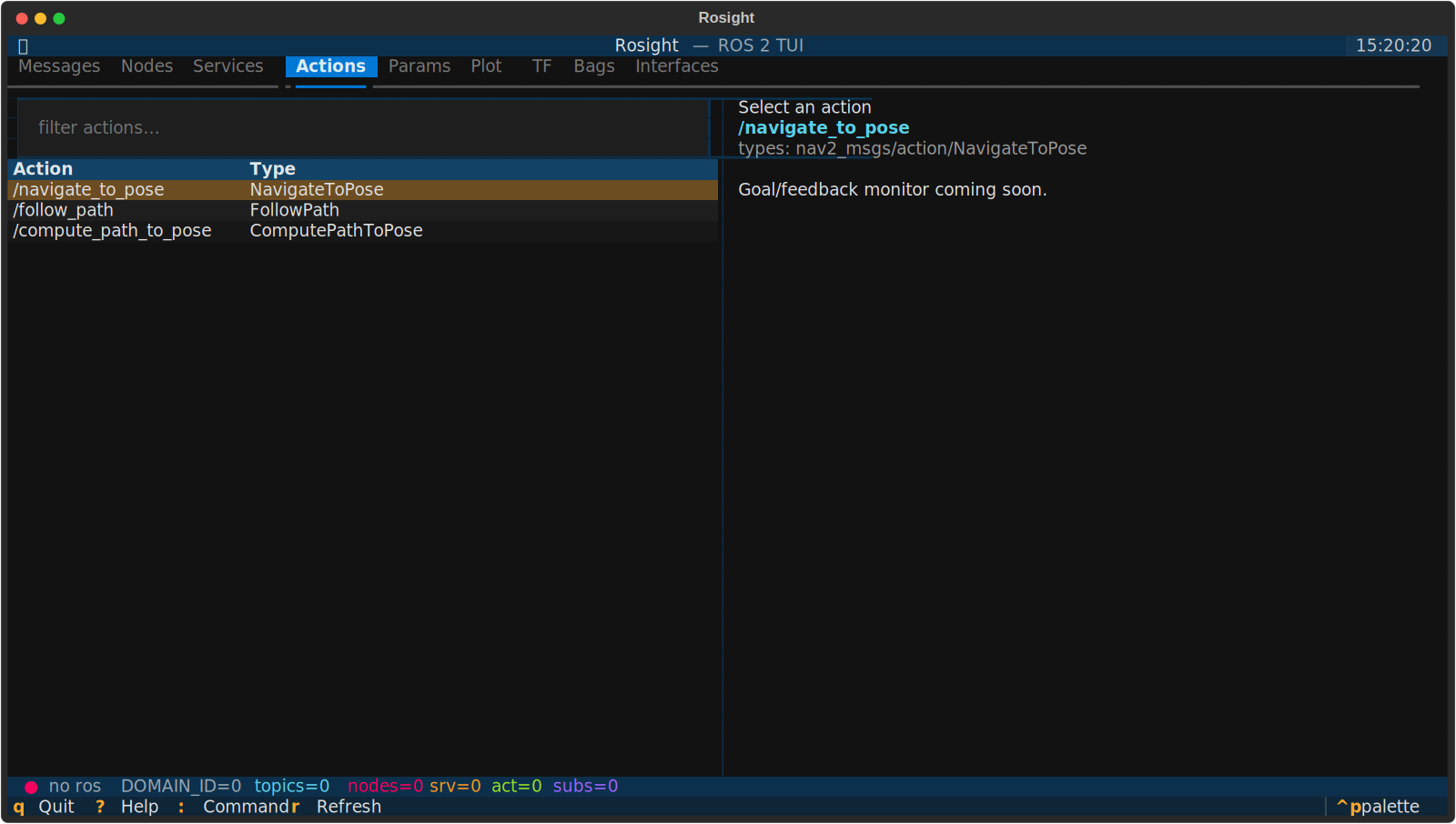 Actions (
4)
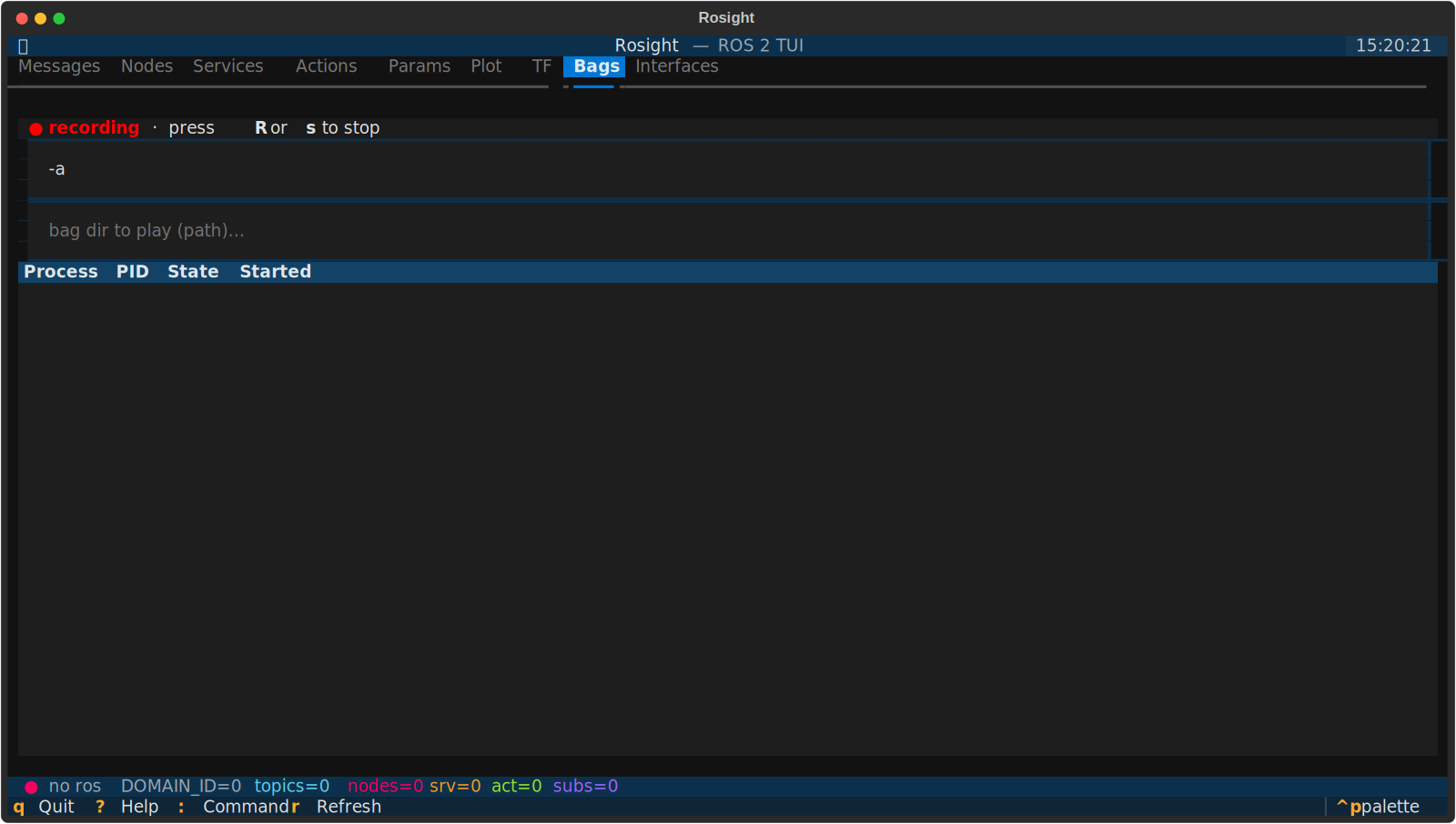 Bags (
8) — recording state
Cross-cutting features:
- Auto-QoS — subscriber profile is negotiated to match every publisher of a topic (BEST_EFFORT vs RELIABLE, TRANSIENT_LOCAL, etc.), so sensor topics "just work".
- Theme persistence — pick a theme via
Ctrl+P → Change theme; it survives restarts (stored next to your config in a smallstate.toml). - Runtime domain switch —
:domain 5reconnects the rclpy backend on a newROS_DOMAIN_IDwithout restarting the app. - Live notifications — important actions (subscribed, started recording, switched domain) show as toasts; nothing important hides in a covered status bar.
- No ROS required for the UI — the package imports cleanly without
rclpy, so you can dev / unit-test on cloud machines. Run with--no-rosto stay offline.
From PyPI:
pip install rosightThen, in any terminal where you want to use it:
source /opt/ros/<distro>/setup.bash
rosight
If you maintain multiple distros, source the one whose rclpy should drive
discovery before launching. See the
installation guide for the
recommended --system-site-packages venv layout that keeps the system rclpy
reachable while pip manages everything else.
From source (for development):
git clone https://github.com/deyuf/rosight
cd rosight
pip install -e ".[dev]"# launch (inherits ROS_DOMAIN_ID from env)
rosight
# pick a domain explicitly + log to file
rosight --domain-id 5 --log-file /tmp/rosight.log
# UI-only mode, no rclpy needed (great for theme / layout dev)
rosight --no-rosInside the app:
?— keyboard reference overlay:— command palette (topic <filter>,plot <topic> <path>,record,domain <N>,quit)1–9— jump to a tabqorCtrl+C— quitr— manual refresh
Plotting workflow (the question new users ask most):
- Messages tab, cursor over a topic, Enter to subscribe (focus auto-jumps to the message tree)
- Use arrow keys / Space to expand fields in the tree
- Cursor on a numeric leaf (int / float), press p — series is added and the Plot tab opens
Full docs site: https://deyuf.github.io/rosight/
| Topic | Page |
|---|---|
| Installation per distro | Install |
| Daily usage | Usage |
| Keybindings | Keybindings |
| Configuration | Configuration |
| Plotting deep-dive | Plotting |
| Architecture | Architecture |
| Contributing | Development |
| FAQ | FAQ |
src/rosight/
├── app.py             # Textual App, panel registry, global key bindings
├── cli.py             # argparse entry point
├── config.py          # TOML config loader + state.toml persistence
├── ros/
│   ├── backend.py     # central rclpy facade (lifecycle, sub mgmt, domain switch)
│   ├── introspection.py  # dynamic message-type resolution
│   ├── qos.py         # plain-data QoS + auto-negotiation
│   └── stats.py       # hz / bw monitors
├── utils/
│   ├── datatable.py   # row-cursor preservation + last-column auto-fit
│   ├── ringbuffer.py  # thread-safe bounded buffers
│   ├── path.py        # message field-path parser
│   └── formatting.py  # human-readable display helpers
└── widgets/           # one file per panel + status bar / help / palette
- Python 3.10+ + rclpy (first-class ROS 2 client, dynamic message introspection via
rosidl_runtime_py) - Textual ≥ 0.79 (modern async TUI, CSS-like styling, headless pilot tests — that's how the 80-test suite stays meaningful for a TUI)
- plotext for ANSI plotting in the Plot tab
- hatch + ruff + mypy + pytest-asyncio for the dev loop
- MkDocs Material for the docs site
- rclpy runs on its own
MultiThreadedExecutordaemon thread so DDS spinning never blocks the Textual main loop. SeeDESIGN.mdfor the full reasoning.
Beta. Discovery, subscription, plotting, TF, bag record/play, theme persistence, runtime domain switch — all working. Auto-forms for service call and action goal are on the roadmap.
MIT. See LICENSE.