


An Emacs frontend for the pi coding agent.
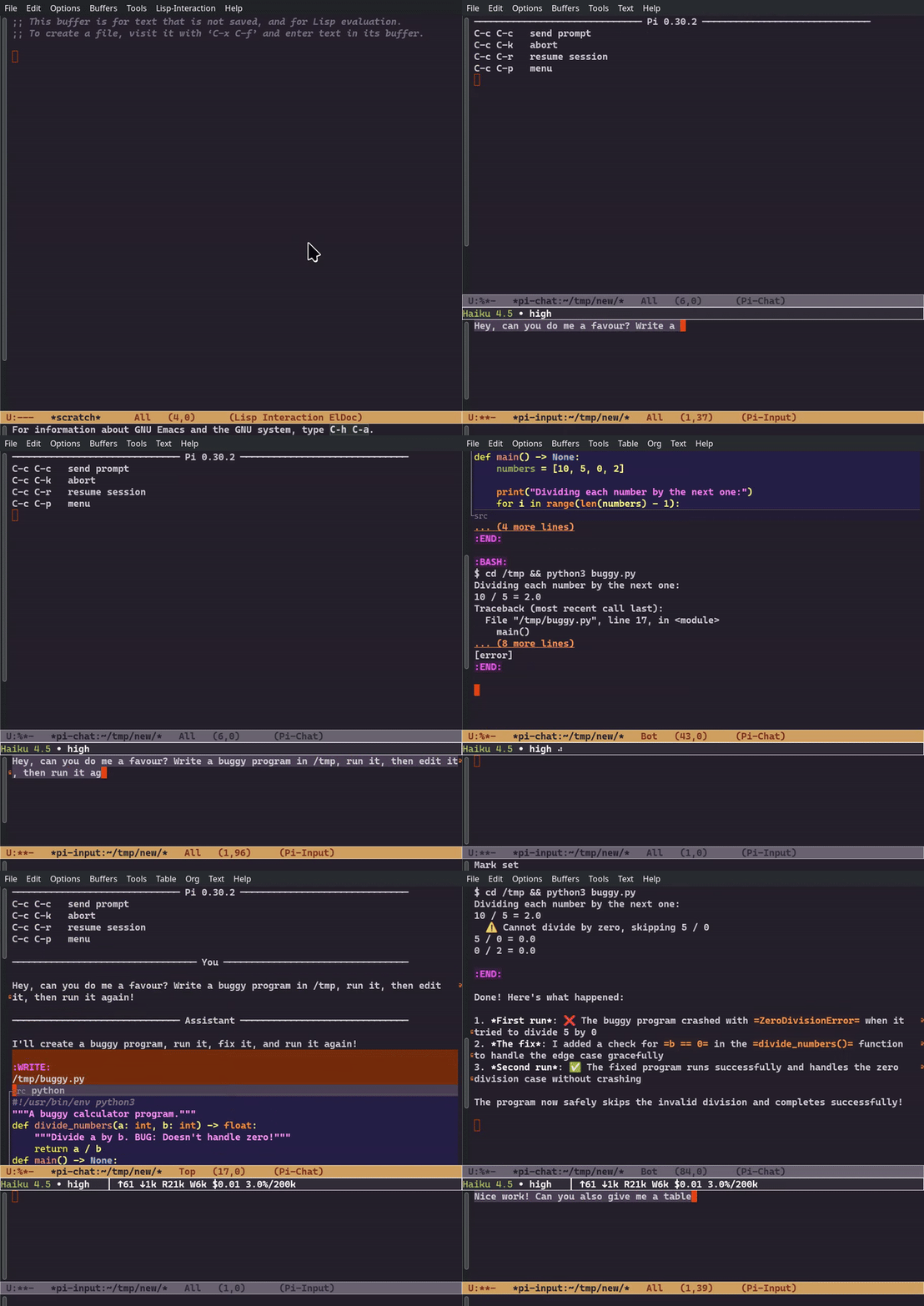
- Separate windows for chat history and prompt composition
- Markdown rendering via pandoc with syntax highlighting
- Auto-scroll that preserves your position when reading earlier content
- Collapsible tool output with preview
- Input history with search
- Magit-style transient menu for all commands
- Full support for pi features: models, thinking levels, sessions, custom commands
- Emacs 28.1 or later
- pi coding agent installed and in PATH
- pandoc for markdown rendering
# Install with npm
npm install -g @mariozechner/pi-coding-agent

# Or with mise
mise use -g npm:@mariozechner/pi-coding-agent# Debian/Ubuntu
apt install pandoc
# macOS
brew install pandocOnce available on MELPA, you can install directly:
M-x package-install RET pi RET
Or with use-package:
(use-package pi
  :ensure t)
If you don’t have MELPA configured, add this to your init file:
(require 'package)
(add-to-list 'package-archives '("melpa" . "https://melpa.org/packages/") t)
(package-initialize)Clone the repository and add to your load path:
git clone https://github.com/dnouri/pi.el ~/.emacs.d/site-lisp/pi.el(add-to-list 'load-path "~/.emacs.d/site-lisp/pi.el")
(require 'pi)Or with use-package:
(use-package pi
:load-path "~/.emacs.d/site-lisp/pi.el")Start a session with M-x pi. This opens two windows:
- Chat buffer (top): Shows conversation history with rendered markdown
- Input buffer (bottom): Where you compose prompts
Type your prompt and press C-c C-c to send. Press C-c C-p for the full command menu.
For multiple sessions in the same directory, use C-u M-x pi to create a named session.
| Key | Context | Description |
|---|---|---|
C-c C-c | input | Send prompt |
C-c C-k | input | Abort streaming |
C-c C-p | both | Open menu |
C-c C-r | input | Resume session |
M-p / M-n | input | History navigation |
C-r | input | Search history |
n / p | chat | Navigate messages |
TAB | chat | Toggle tool output |
Press C-c C-p to access the full menu with model selection, thinking level,
session management (new, resume, branch, export), statistics, and custom commands.
Example configuration with use-package:
(use-package pi
  :ensure t
  :custom
  (pi-input-window-height 10)      ; Height of input window
  (pi-tool-preview-lines 10)       ; Lines shown before collapsing tool output
  (pi-bash-preview-lines 5))       ; Lines shown for bash output
Optional: Enable org-modern for prettier rendering:
(use-package org-modern
  :ensure t
:hook (pi-chat-mode . org-modern-mode))Requires Docker for integration and GUI tests (Ollama runs in a container).
# Unit tests only (fast, no Docker)
make check

# Integration tests (requires Docker)
make test-integration

# GUI tests (requires Docker)
make test-gui

# All tests
make test-allBy default, GUI tests auto-detect whether to show a window or run headless.
# With a display available, runs with visible window
./test/run-gui-tests.sh

# Force headless even with display available
./test/run-gui-tests.sh --headlessGitHub Actions runs on every push:
test-unit.yml- Unit tests across Emacs 28.2 and 29.4test-integration.yml- Integration tests with Docker Ollamatest-gui.yml- GUI tests with xvfb virtual framebuffer
Nightly builds test against multiple pi versions (0.30.2, latest, and main branch).
- Blog post: Background and motivation
- shittycodingagent.ai: pi coding agent home page
GPL-3.0-or-later. See LICENSE.

