AuthorizeView causes visible UI flashes when using a policy that awaits an async operation in .NET 6 #39386

Description

Is there an existing issue for this?
- I have searched the existing issues
Describe the bug
After migrating a Blazor Server project from .NET 5 (specifically 5.0.404) to .NET 6 (6.0.101), I started seeing a large number of update flashes in the UI that weren't occurring before. After some investigation I found that these flashes were only occuring for content that was being conditionally rendered within an AuthorizeView. In particular, these AuthorizeView components are using policies that await an async function that takes at least 1ms to return1.
As an example (using a loop to call StateHasChanged2), here are a few different policies alongside each other in .NET 63:
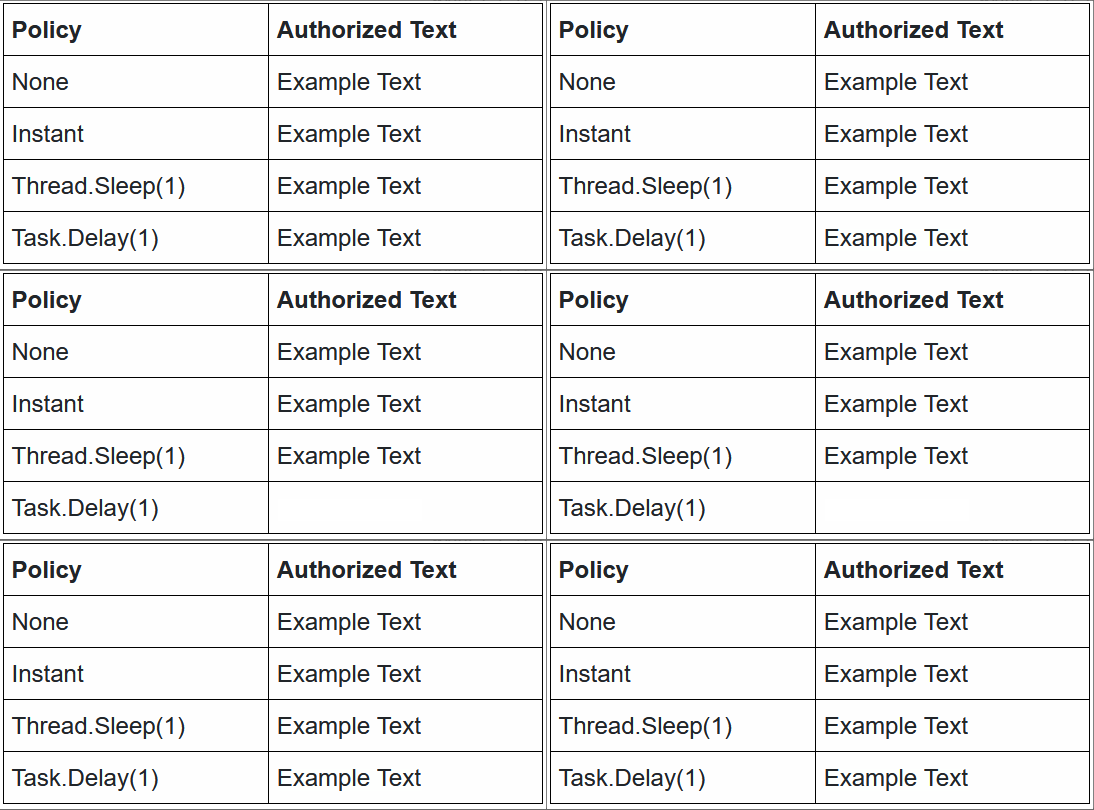
The inspector shows that the text inside the cell is being re-rendered once a second (the delay in the loop) even though the policy always succeeds:
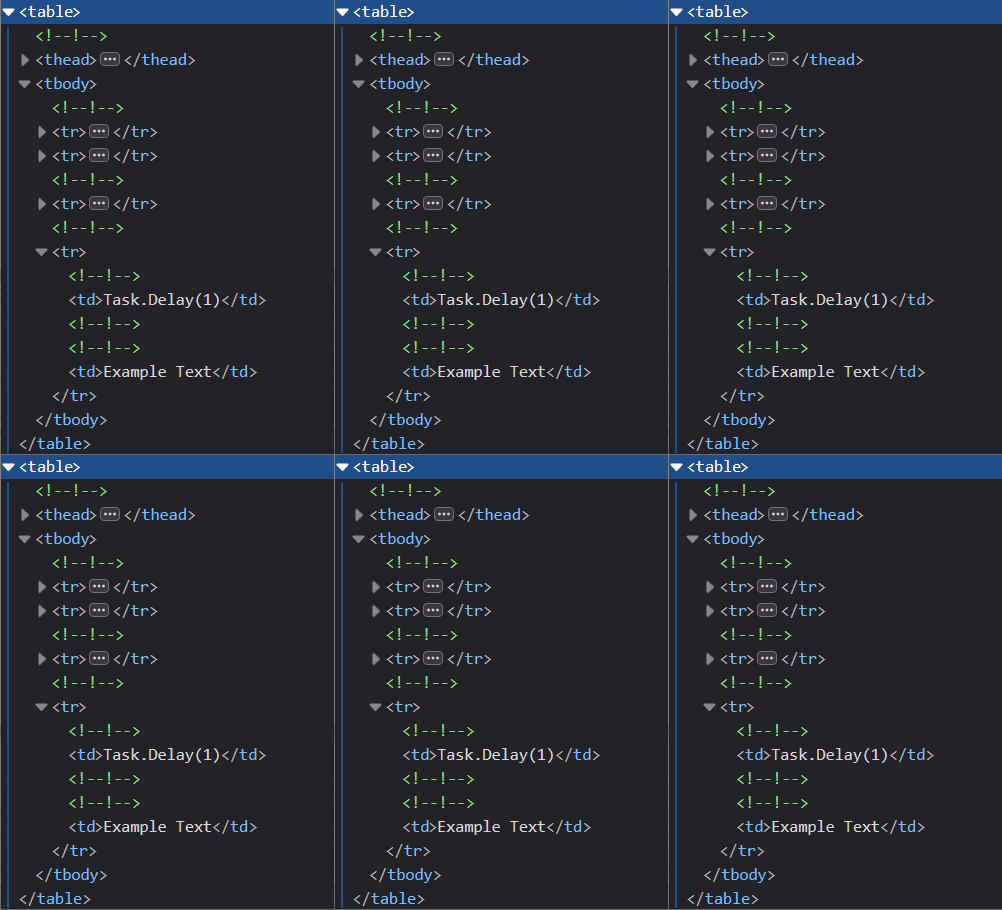
This effect appears during normal usage every time a policy is evaluated, even in situations where there is no change to the policy result.
Expected Behavior
The expected behaviour is the same as currently occurs in .NET 5, with the text being displayed consistently without briefly disappearing and reappearing where the policy evaluation doesn't change.
Here are the same examples as above but with the project set to use .NET 5 (v5.0.404) (the below are both animated gifs):

The inspector shows that no updates are being generated:

Steps To Reproduce
I've created a GitHub repository to reproduce this issue with steps included in the README.
I've also included below the particular sections that are required to reproduce this separately from the repository.
The following is a simplified example of an affected section in a Blazor page:
<!-- Index.razor -->
<AuthorizeView Policy="TaskDelayPolicy">
    <Authorized>
        Example Text
    </Authorized>
</AuthorizeView>
The requirements/handlers are defined as such:
public static class Requirements
{
    public class TaskDelayRequirement : IAuthorizationRequirement
    {
    }
}

public static class Handlers
{
    public class TaskDelayHandler : AuthorizationHandler<Requirements.TaskDelayRequirement>
    {
        protected override async Task HandleRequirementAsync(AuthorizationHandlerContext context, Requirements.TaskDelayRequirement requirement)
        {
            await Task.Delay(1);
            context.Succeed(requirement);
        }
    }
}
Finally, the policy is created with the following in ConfigureServices:
//ConfigureServices
services.AddAuthorization(config =>
{
    config.AddPolicy("TaskDelayPolicy", policy =>
    {
        policy.Requirements.Add(new Requirements.TaskDelayRequirement());
    });
});

services.AddSingleton<IAuthorizationHandler, Handlers.TaskDelayHandler>();
Calling StateHasChanged to notify the AuthorizeView component that it needs to re-render causes a visible flash where "Example Text" disappears for a fraction of a second and re-appears.
Exceptions (if any)
No response
.NET Version
6.0.101
Anything else?
I've tested this on the following .NET versions, with .NET 5 working correctly and .NET 6 not working as expected:
- .NET 5.0.404
- .NET 6.0.101
I've tested this issue on both Windows and Mac with the following IDEs:
- Windows 10 21H1 using Visual Studio Community 2022 17.0.4
- macOS Big Sur 11.6 using JetBrains Rider 2021.3.2
I was able to reproduce the issue in the following browsers (identical versions on macOS and Windows 10):
- Chrome 97.0.4692.71 (64-bit)
- Firefox 95.0.2 (64-bit)
Footnotes
-
Task.Delay(1)is only used in the examples for reproducibility; as long as the policy awaits an async task that takes a non-negligible amount of time to return (such as querying a database asynchronously), the issue is present ↩ -
Calling
StateHasChangedin a loop is considered bad practice and is only used here to display the issue consistently; any situation where the component is re-rendered causes the issue ↩ -
The code for this example can be found in the GitHub repository that was initially used to reproduce this issue. ↩