MSB3971 on app which was building properly prior to March 2023 update, and Windows 11 Update #8296

Description

First time I write in Github but, sounds like there's a problem with this version.
DESCRIPTION
Since yesterday update, I'm unable to create or either open any of my projects built in .NET6. I even tried to create a new project from scratch and instantly get the same issue. All of them are returning a;
Error MSB3971 The reference assemblies for ".NETFramework,Version=v6.0" were not found. You might be using an older .NET SDK to target .NET 5.0 or higher. Update Visual Studio and/or your .NET SDK. testapp C:\Program Files\Microsoft Visual Studio\2022\Community\MSBuild\Current\Bin\amd64\Microsoft.Common.CurrentVersion.targets
When I get a check on project properties, framework remains empty;
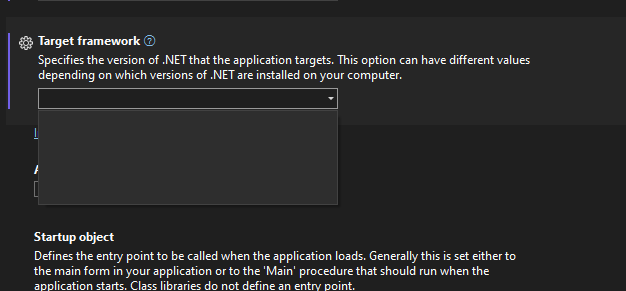
Must say that I'm running on Windows 11, which also had an update yesterday, maybe is it related?
Also, I just noticed that, for an unknown reason, I'm wondering why is it looking for a "AMD64" knowing that I'm having an Intel Core VPRO (i9) ...
What I've tried so far;
- Update Visual Studio
- Updating component of it and ensure .NET6 features are donwload and installed
- Reinstall all SDKs from MS official download sites
- Even tried to reinstall VStudio.
I guess my next step is to going back to Windows 10... ?