Getting Started
A condensed quickstart. For full per-OS install steps, see Installing Castwright.
Follow Installing Castwright to bring the app up, then run it. First launch doesn't drop you straight into an empty library — a Setup wizard runs a readiness check for everything the pipeline needs (the Python environment, the voice engine's weights, the analyzer, ffmpeg, the audio-assembly path) and walks you through whatever's missing, in plain language, with the fix attached rather than a stack trace. Five short steps — Environment, ffmpeg, Models, Defaults, Finish — and Next is never blocked on a failing check, so you can move through the whole thing even before every box is ticked.
Once setup is done, re-opening it later collapses into a compact summary board instead — one row per area with a green or amber dot, so you can see at a glance that everything's still ready, and drill back into a single step only if something needs attention.
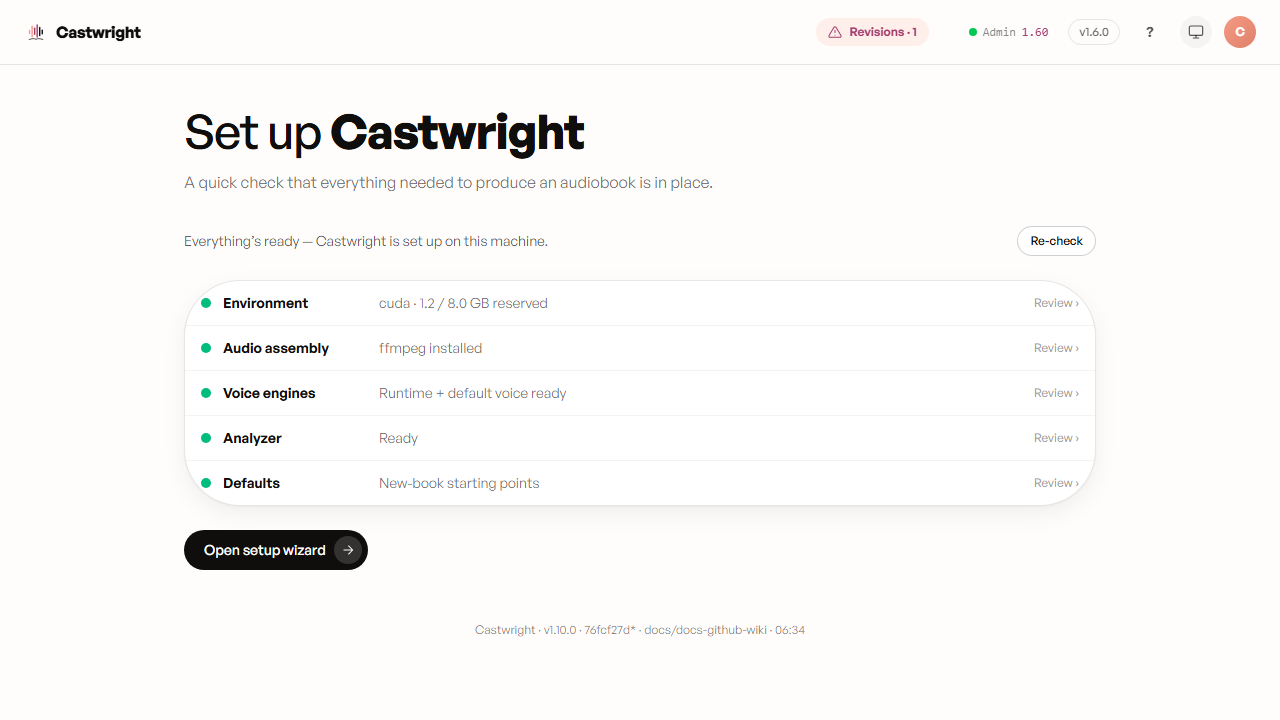
About this screenshot: the screenshot above is the empty Books view reached after setup, not the Setup wizard itself — capturing the wizard's five steps and the re-entry summary board is tracked as a follow-up, since it needs a fresh (never-set-up) install to shoot honestly rather than a staged one.
Castwright ships with a demo book — The Coalfall Commission — a two-chapter, fourteen-character original story with its cast already designed, so you can hear a full-cast performance before uploading anything of your own. It's the fastest way to answer the only question that matters: does this sound like a cast, or like one voice reading everyone?
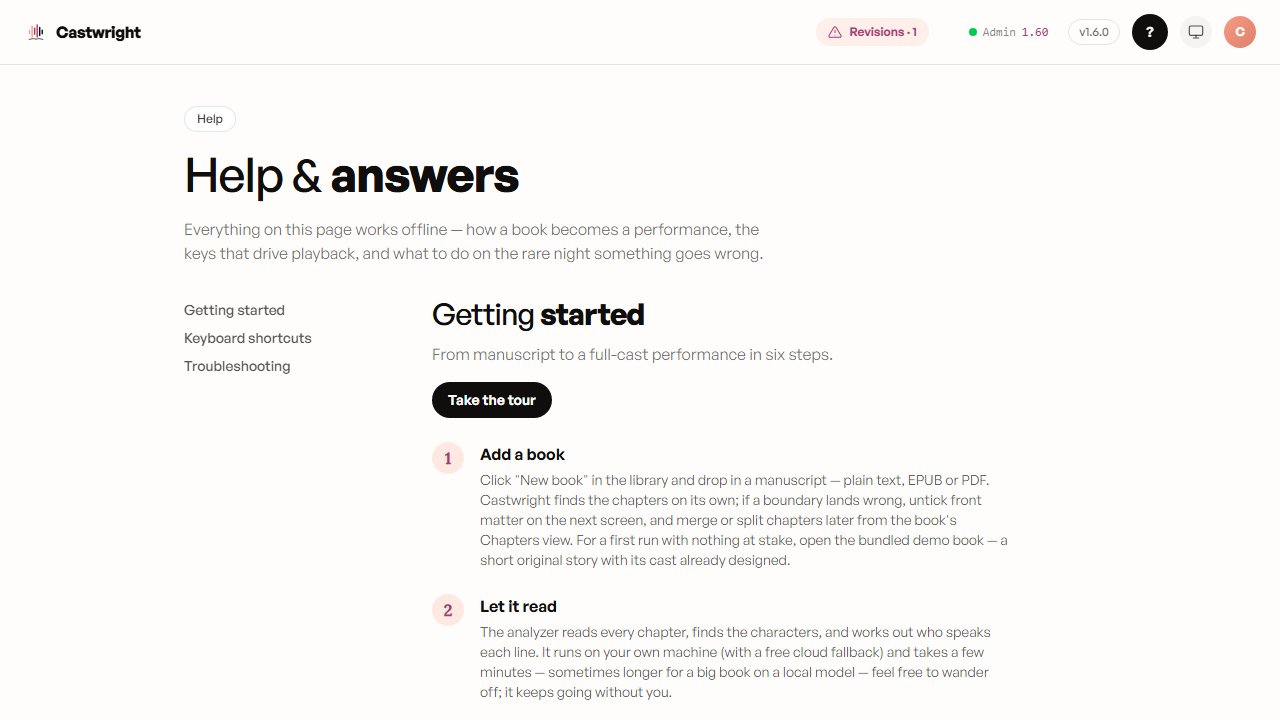
Beyond this wiki, the app has its own Help page (#/help, reached from the top-bar "?" or from Account) with a six-step Getting Started walkthrough — Add a book, Let it read, Meet the cast, Give everyone a voice, Generate, Listen & take it anywhere — plus a Take the tour button that spotlights the real screens as you go, anchoring each step to the live element it describes rather than just describing it in prose. It works offline, so it's there even with the server down.
A screenshot of the Help page's walkthrough and the guided tour in action is tracked as the same follow-up as the Setup wizard shot above.
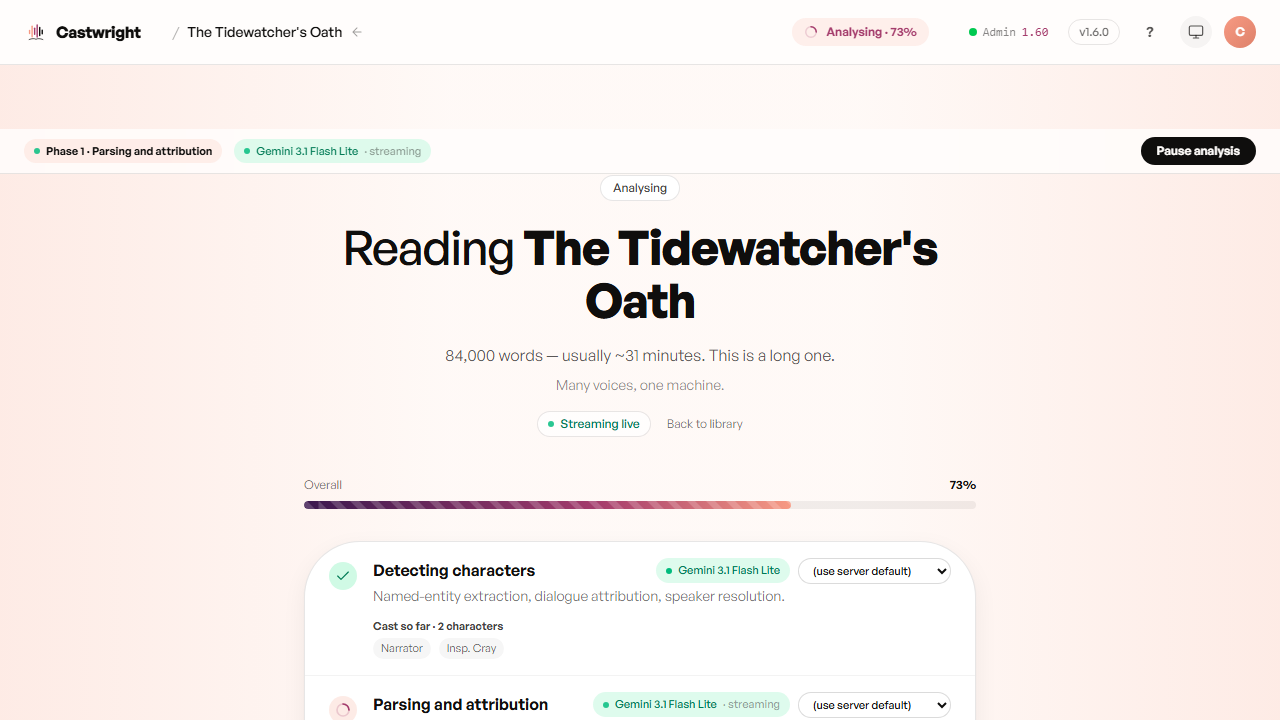
That's the whole pipeline — here it is mid-analysis on the demo book itself, the cast roster filling in live as the analyzer reads. Each stage gets its own wiki page — see the sidebar's "Core journey" section for Uploading a Book onward.