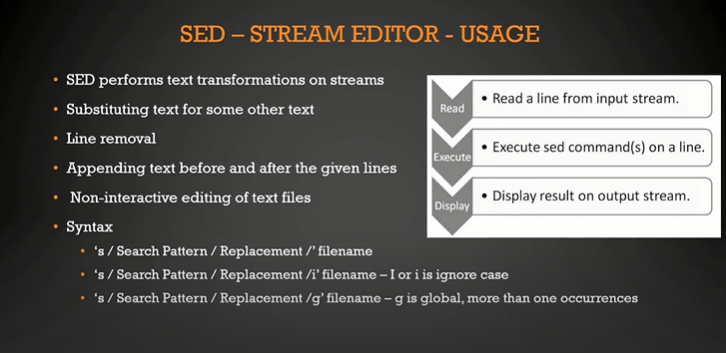
This project is for the purpose of learning & implementing Shell Scripting
#!/bin/bash is the basic syntax to begin shell scripts
firstscript.sh is the example of first script i created to echo some sentence onto the terminal
-
Storage location having name or name value pair
-
Case sensitive
-
No spaces before or after = sign
-
Uppercase
-
Syntax: VAR_NAME="value"
e.g. SHELL_NAME="bash"
-
use the $ sign to use the value of the variable
- cannot start with number
- no special charactetrs
- only "_" is allowed
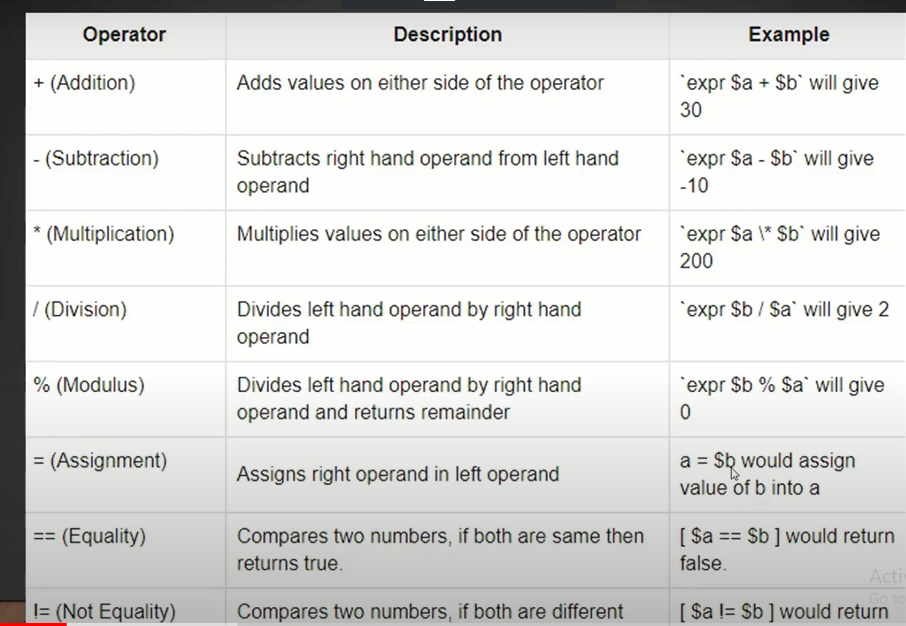
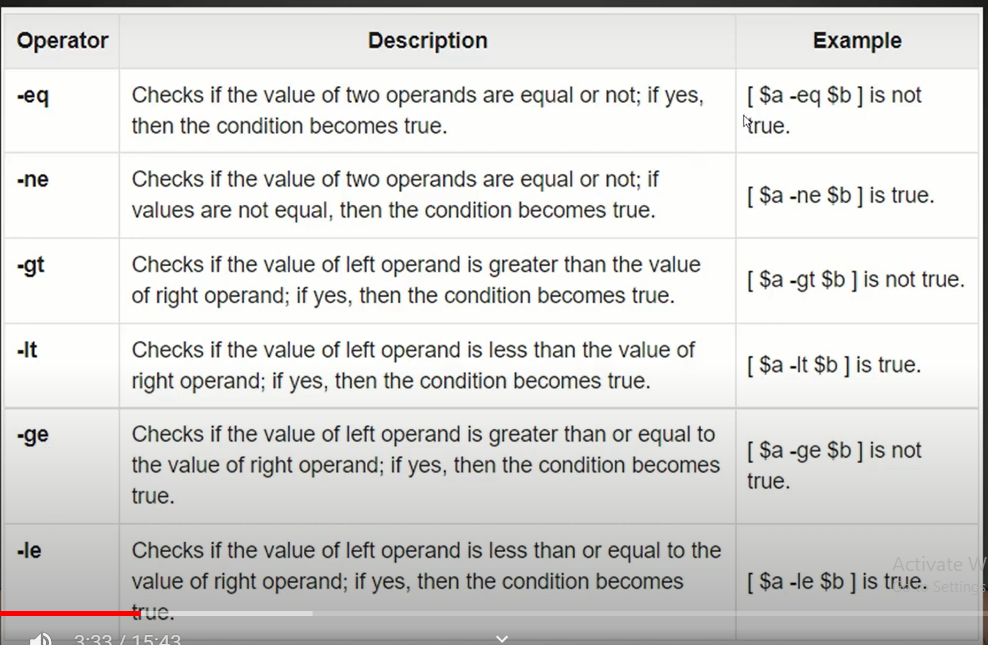
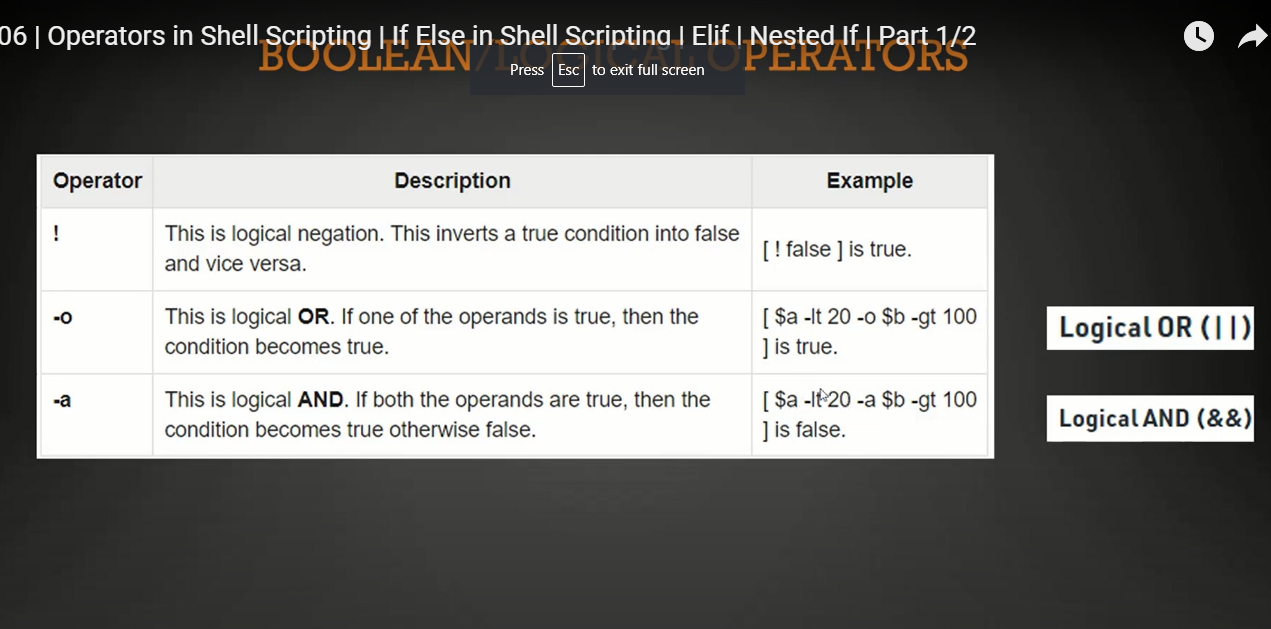
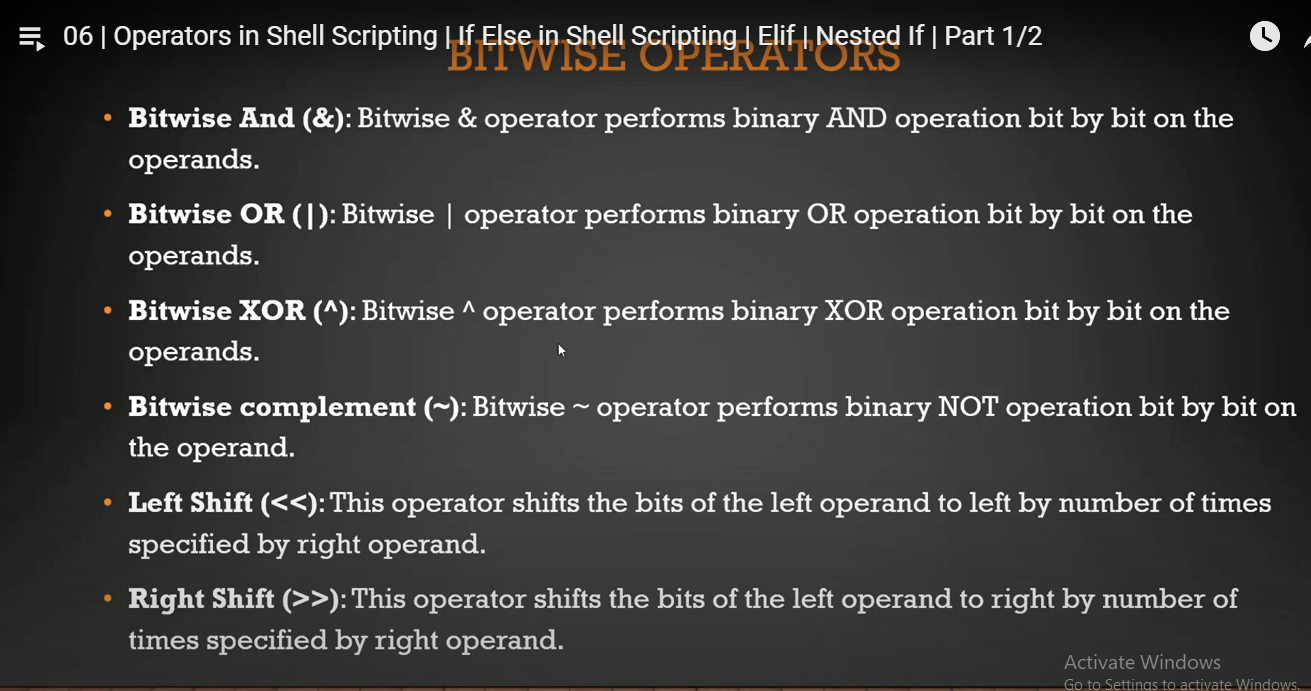
- 5 types of operators
-
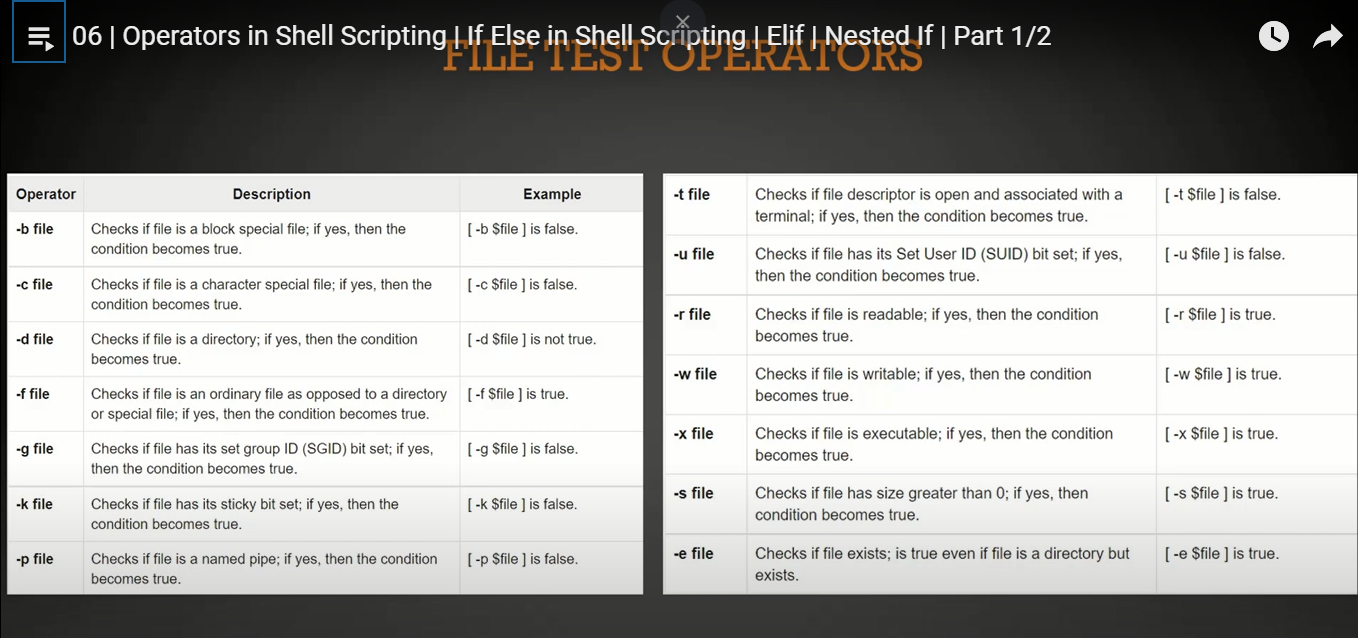
SYNTAX : [Test-condition]
-
Example: [-e /etc/passwd] : This would check if this exists or not and then return TRUE OR FALSE.
-
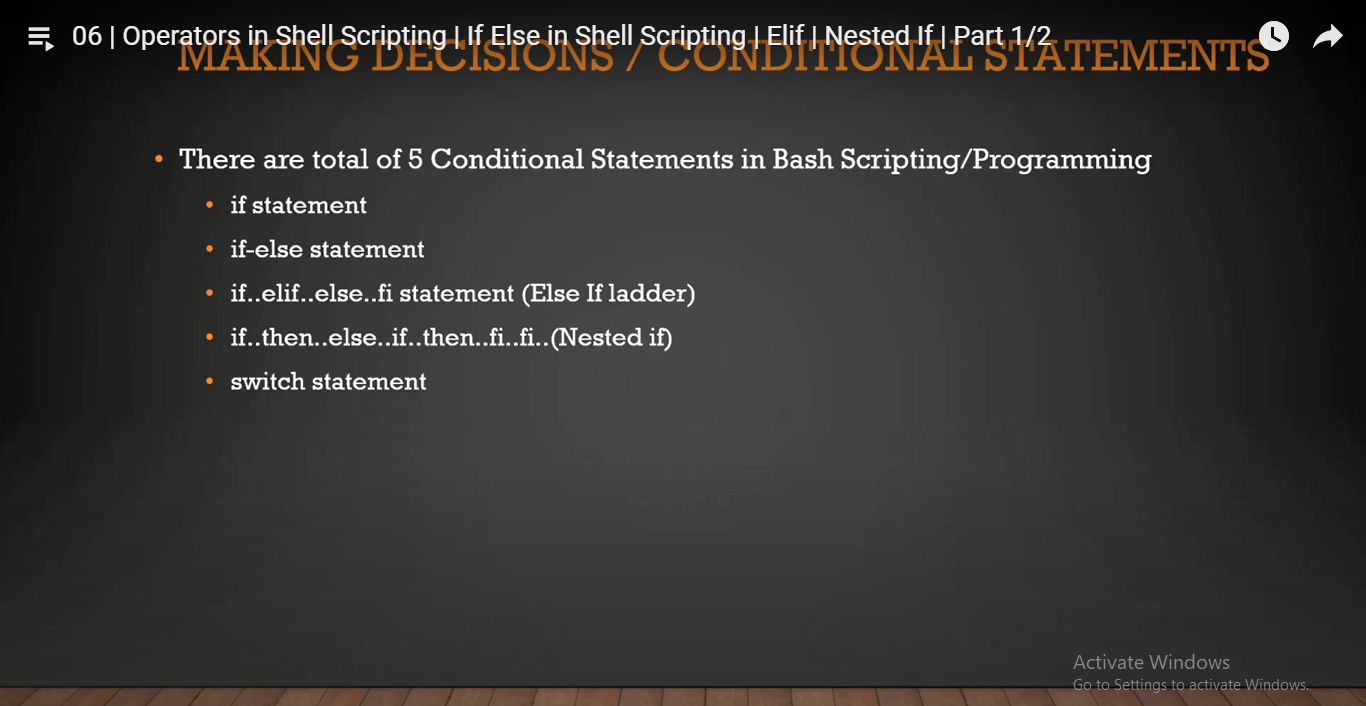
Mostly used in if else & conditional statements.
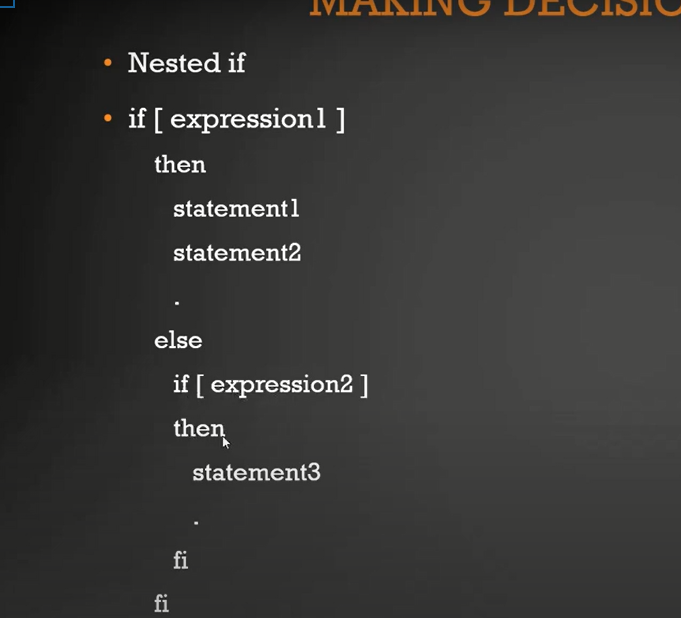
UNDERSTANDING nested If
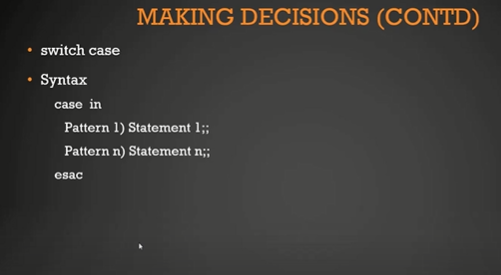
0 means successfull, other number means error
e.g. ls /no/such/folder echo "$?"
here there is no such folder present so exit code will be non zero number
=======
This project is for the purpose of learning & implementing Shell Scripting
#!/bin/bash is the basic syntax to begin shell scripts
firstscript.sh is the example of first script i created to echo some sentence onto the terminal
-
Storage location having name or name value pair
-
Case sensitive
-
No spaces before or after = sign
-
Uppercase
-
Syntax: VAR_NAME="value"
e.g. SHELL_NAME="bash"
-
use the $ sign to use the value of the variable
- cannot start with number
- no special charactetrs
- only "_" is allowed
- 5 types of operators
-
SYNTAX : [Test-condition]
-
Example: [-e /etc/passwd] : This would check if this exists or not and then return TRUE OR FALSE.
-
Mostly used in if else & conditional statements.
UNDERSTANDING nested If
- 0 means successfull, other number means error
e.g. ls /no/such/folder echo "$?"
- here there is no such folder present so exit code will be non zero number.
SYNTAX
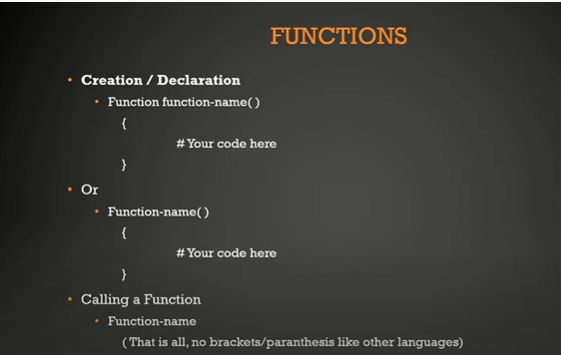
- Good practise to call functions at top
- Can't operate on exit status code
- scope of global variable is outside the brackets.