Describe the bug
Using Eclipse on Windows 11 at 100% scaling, scroll bars are quite thin (expected behaviour). Setting the native display to 200% (for example, with 4k display) and the scroll bars are very wide.
To Reproduce
Start Eclipse with native display set to 200%.
Expected behavior
Scrollbars should be the same width at 100% and at 200% scaling.
Screenshots
At 100%:
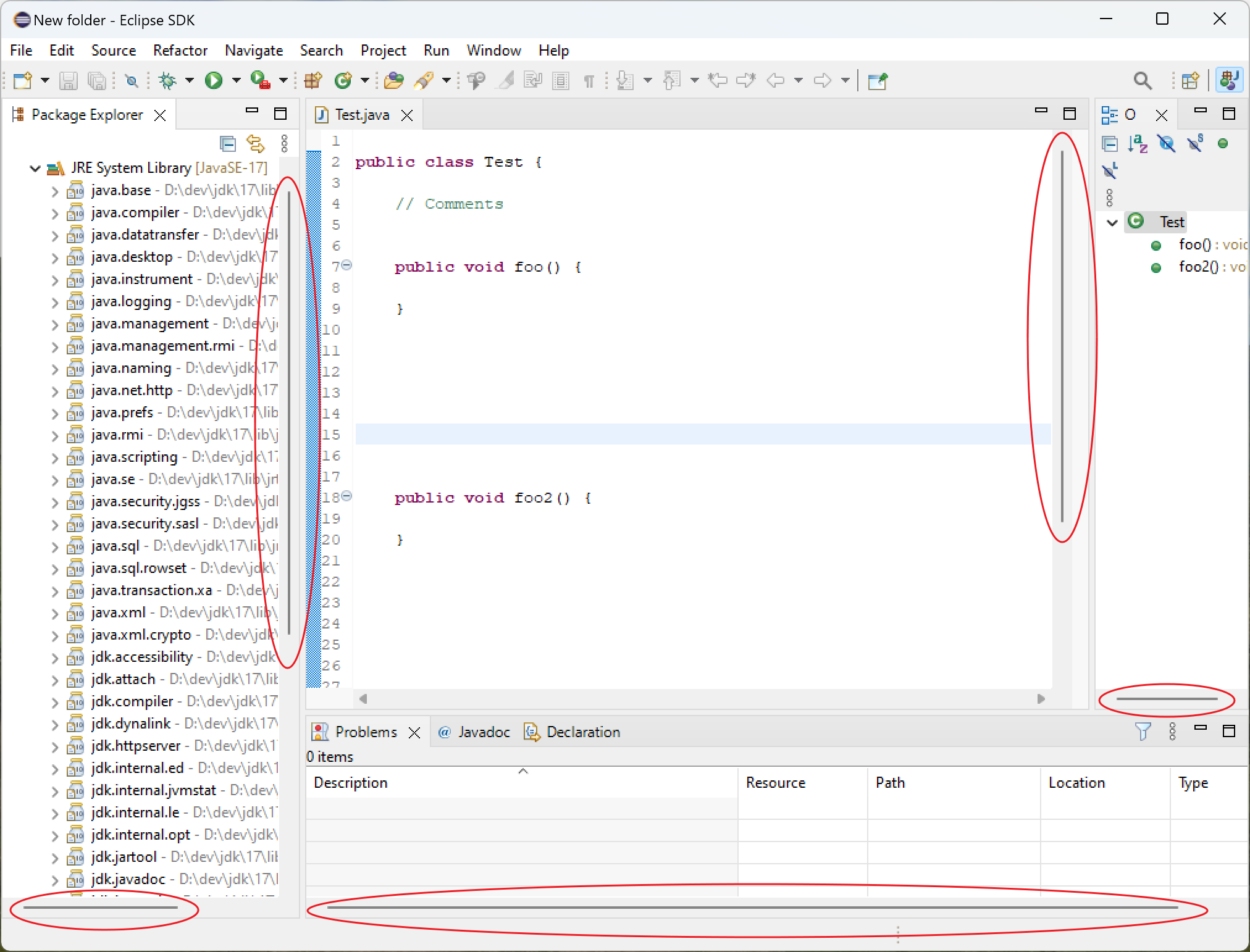
At 200%:

Environment:
- Select the platform(s) on which the behavior is seen:
-
Additional OS info (e.g. OS version, Linux Desktop, etc)
Windows 11 Pro.
4k monitor at 200% scaling.
-
JRE/JDK version
JDK 17
Workaround (or) Additional context
The scrollbar width seems to be set at Eclipse startup.
I can set the native display to 100%, start Eclipse, then set the native display to 200% and the scrollbars remain thin.

Describe the bug
Using Eclipse on Windows 11 at 100% scaling, scroll bars are quite thin (expected behaviour). Setting the native display to 200% (for example, with 4k display) and the scroll bars are very wide.
To Reproduce
Start Eclipse with native display set to 200%.
Expected behavior
Scrollbars should be the same width at 100% and at 200% scaling.
Screenshots
At 100%:
At 200%:
Environment:
Additional OS info (e.g. OS version, Linux Desktop, etc)
Windows 11 Pro.
4k monitor at 200% scaling.
JRE/JDK version
JDK 17
Workaround (or) Additional context
The scrollbar width seems to be set at Eclipse startup.
I can set the native display to 100%, start Eclipse, then set the native display to 200% and the scrollbars remain thin.