.editorconfig (for example)
root = true

[*]
indent_style = tab
indent_size = 2
tab_width = 5
insert_final_newline = true
trim_trailing_whitespace = true
Indent with/without space
Emacs indents the code with 2 spaces. Wherever the count of spaces meets 5, Emacs replaces it with a tab. On the other hand, VSCode indent the code with 5-space-long tab in the first place.
Emacs

VSCode

Space to Tab exchange rate in code alignment
Set tab_width to 10 in .editorconfig for example.
Emacs replaces 10 spaces with a tab, while VSCode replacing 4 spaces with a tab and display the tab 10 spaces long.
Emacs

VSCode
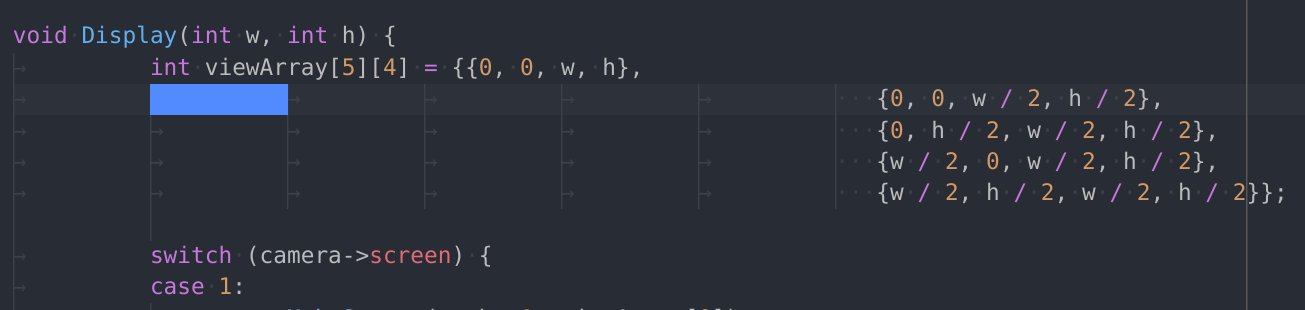
Expect behavior
A consistent behavior across different editors. Although I'm not sure which implementation is "more correct".

.editorconfig (for example)
Indent with/without space
Emacs indents the code with 2 spaces. Wherever the count of spaces meets 5, Emacs replaces it with a tab. On the other hand, VSCode indent the code with 5-space-long tab in the first place.
Emacs
VSCode
Space to Tab exchange rate in code alignment
Set
tab_widthto10in.editorconfigfor example.Emacs replaces 10 spaces with a tab, while VSCode replacing 4 spaces with a tab and display the tab 10 spaces long.
Emacs
VSCode
Expect behavior
A consistent behavior across different editors. Although I'm not sure which implementation is "more correct".