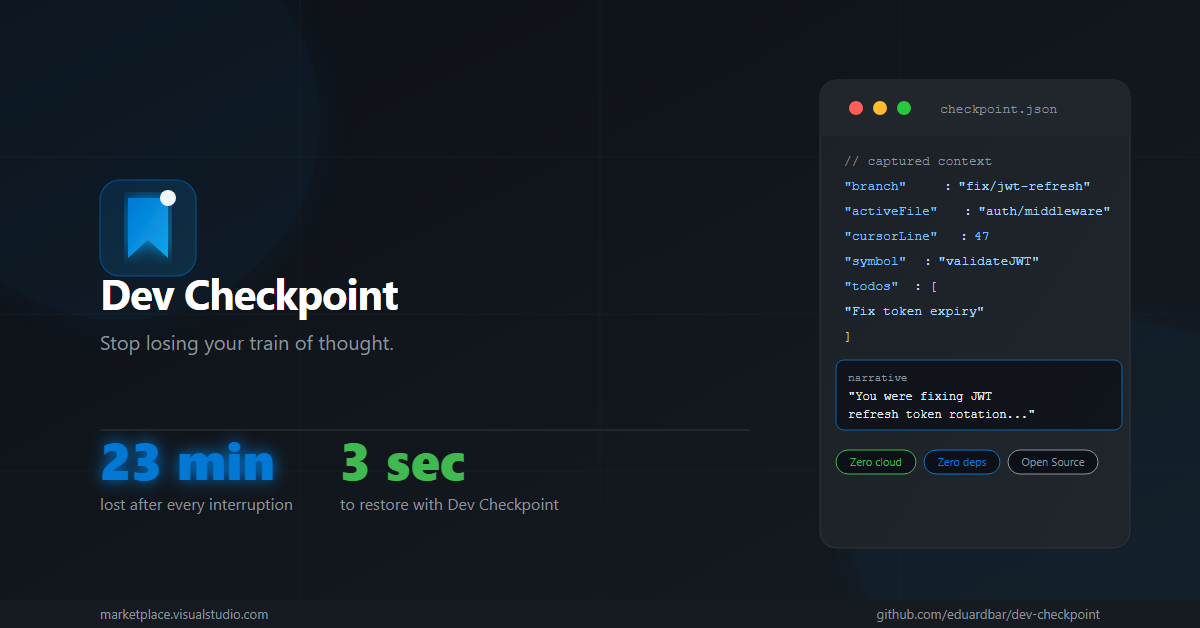
Every interruption costs you 23 minutes of focus.
Dev Checkpoint saves your mental context in 1 keystroke — and restores it in 3 seconds.





You're deep in flow. Debugging a tricky auth issue. You finally understand why the JWT refresh is failing.
Then: a Slack message. A meeting. A "quick question."
You come back 30 minutes later and... blank. What file? Which function? Why was I even here?
"It takes an average of 23 minutes and 15 seconds to return to a task after an interruption."
— Gloria Mark, University of California, Irvine
This happens to you multiple times every day.
Dev Checkpoint captures your entire cognitive context before you leave — and resurrects it the moment you return.
Before leaving:  Ctrl+Shift+M  →  "Checkpoint saved."
After returning: Click restore  →  Back in flow in 3 seconds.
What it captures:
- 📁 Active file + exact cursor position — open right where you left off
- 🌿 Git context — branch, staged/unstaged files, last 3 commits
- ✅ TODOs & FIXMEs — the ones that were staring at you
- 🕐 Recently modified files — your trail of work
- 💻 Terminal context — what you were running
- 📝 Human-readable narrative — "You were fixing JWT refresh token rotation in
auth/middleware.tsline 47"
Zero cloud. Zero AI APIs. Zero setup.
Your data never leaves your machine.
Option 1 — VS Code Marketplace (recommended):
Open VS Code → Extensions → Search Dev Checkpoint → Install
Option 2 — Command line:
ext install eduardbar.dev-checkpointThat's it. No configuration required.
| Action | Shortcut / Command |
|---|---|
| Save checkpoint now | Ctrl+Shift+M (Win/Linux) · Cmd+Shift+M (Mac) |
| Open checkpoint history | Ctrl+Shift+P → Dev Checkpoint: Open History |
| Auto-capture on idle | Enabled by default (5 min idle threshold) |
The Dev Checkpoint sidebar shows your full history — click any entry to restore context instantly.
| Setting | Default | Description |
|---|---|---|
devCheckpoint.idleThresholdMinutes |
5 |
Minutes of inactivity before auto-checkpoint |
devCheckpoint.autoCheckpointEnabled |
true |
Enable/disable automatic checkpoints |
devCheckpoint.maxCheckpoints |
100 |
Max checkpoints stored per workspace |
Because you shouldn't need an API key, an internet connection, or a subscription to remember what you were doing.
Dev Checkpoint uses a heuristic engine — it reads real signals from your editor (git state, cursor position, TODOs, terminal history) and generates a deterministic, human-readable summary. Same signals → same output. Always. Offline. Free.
- ✅ All data stored locally in VS Code's
globalStorageUri - ✅ Zero network requests at runtime
- ✅ Open source — read every line: github.com/eduardbar/dev-checkpoint
- ✅ No telemetry, no analytics, no tracking
PRs welcome. See CONTRIBUTING.md for guidelines.
git clone https://github.com/eduardbar/dev-checkpoint.git
cd dev-checkpoint
npm install
npm run compile
# Press F5 in VS Code to launch Extension Development HostMIT © Eduardo Barrera
If this saved your sanity, consider starring the repo ⭐