










An awesome simple cookie Manager for your Typo3 installation, with service and script management!
Explore the docs »
View Demo
·
Report Bug
·
Request Feature
·
TER
·
Cookie Scanner

We understand the struggle of finding the right cookie extension, which is why we've created this one with you in mind. Our goal is to make cookie management simple and efficient.
And it gets even better: Connect a free project on the CodingFreaks platform for the cookie scanner and the Cookie Database. The extension also works without it, see With or without the platform.
Fully free for the Typo3 community, because we build with heart, not just code. ❤️
- Improved Workflow: Streamline repetitive tasks so you can focus on more important, creative work.
- Comprehensive Solution: A complete toolkit for managing your website compliance.
We’re constantly working to improve the extension and would love your feedback.
Feel free to share your suggestions or ideas with us!
Join our typo3-cfcookiemanager slack channel for discussions and support.
Simplify configuration with our cookie scanner & autoconfiguration feature.
Your coffee donation prevents early naps and unfinished ideas.
Every sip counts!

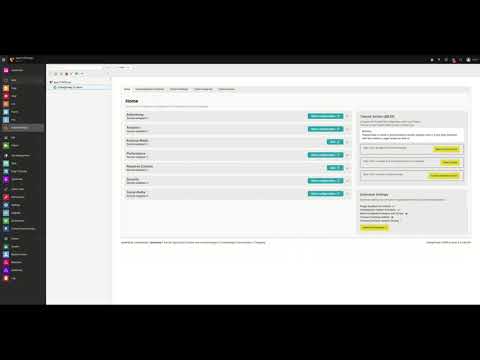
Watch the video above for a quick overview of how to use the extension in the backend.
Requirements: TYPO3 13.4.21 or later, or TYPO3 14, and PHP 8.2 or later (see composer.json).
To get started, install the extension via Composer:
composer require codingfreaks/cf-cookiemanagerThen include the site set and import the presets, as described in the Installation guide.
Want to get the most out of the CodingFreaks Cookie Manager?
- Documentation: Check out the Documentation for detailed setup instructions here.
- All settings: every site setting with its default, and how to keep the API secret in an environment variable: Extension Settings.
- What is sent where: what the frontend loads and what the backend sends to the platform, and when: Data and network requests.
- Known problems: theme banners (Bootstrap Package), static file cache and reverse proxies, Content Security Policy: Known Problems.
- UI-Kit Example: For UI customization examples, visit our UI-Kit here.
- Cookie Database & Scanner: Automate your GDPR workflow with codingfreaks.
The banner shows a small Cookie-Banner by CodingFreaks notice in its footer, enabled by default.
It is plain text linking to our site. No image, font or script is loaded from us, and nothing is
tracked. That matters because the banner renders before the visitor has consented to anything.
Switch it off with a single constant, no template override needed:
plugin.tx_cfcookiemanager_cookiefrontend.frontend.show_branding = 0
The extension is free and maintained by one person on the side. The notice is most of the project's visibility. If you would rather not show it, turn it off and nothing else changes. Support is welcome instead: buymeacoffee.com/codingfreaks. See the Branding docs for details.
- Multi-language Support
- Custom Language overlay import
- Auto Language Import from Site Configuration and Codingfreaks Cookie API
- Basic Autoconfiguration
- Backend UI optimization
- Add multi-tree Support and multiple storage folders
- Anonym optin/optout Statistics as a Dashboard widget
- Add Templates and Template Management Documentation
- UID Tracking and Statistics for historical data with export
- Multi-Domain Multi-Site Support
- Add more static Services
- Advanced Autoconfiguration with better multi-tree Support and mm Relation Management
See the open issues for a full list of proposed features ( and known issues).
Distributed under the GNU GENERAL PUBLIC LICENSE License. See LICENSE.txt for more information.