Prerequisites
Describe the error
Creating a multi-selection of files and then going backwards in that multi-selection causes the point of origin to reset. If this description sounds confusing then please look at the provided screen recording.
To reproduce
- Open Files.
- Create several new folders such that you have at least three rows and four columns of folders.
- At the first folder, hold Shift and press the right arrow on your keyboard a few times to create a multi-selection.
- While still holding Shift, press the left arrow.
- The point of origin for creating the multi-selection has been set to a file which is not the first one at which you started.
- Again select the first folder, hold Shift, and press the down arrow two times to create a multi-selection.
- While still holding Shift, press the up arrow.
- The point of origin for creating the multi-selection has once again been set to a file which is not the first one at which you started.
Expected behaviour
The point of origin for the multi-selection is always the file at which one started holding down Shift. So, for example, when going backwards or upwards in a multi-selection, the last file(s) at the very end of the selection is/are removed from the selection while the rest of the selection is preserved.
To my memory, this is the same behaviour in Windows.
Screenshots or screen recordings
Screen recording
Platform information
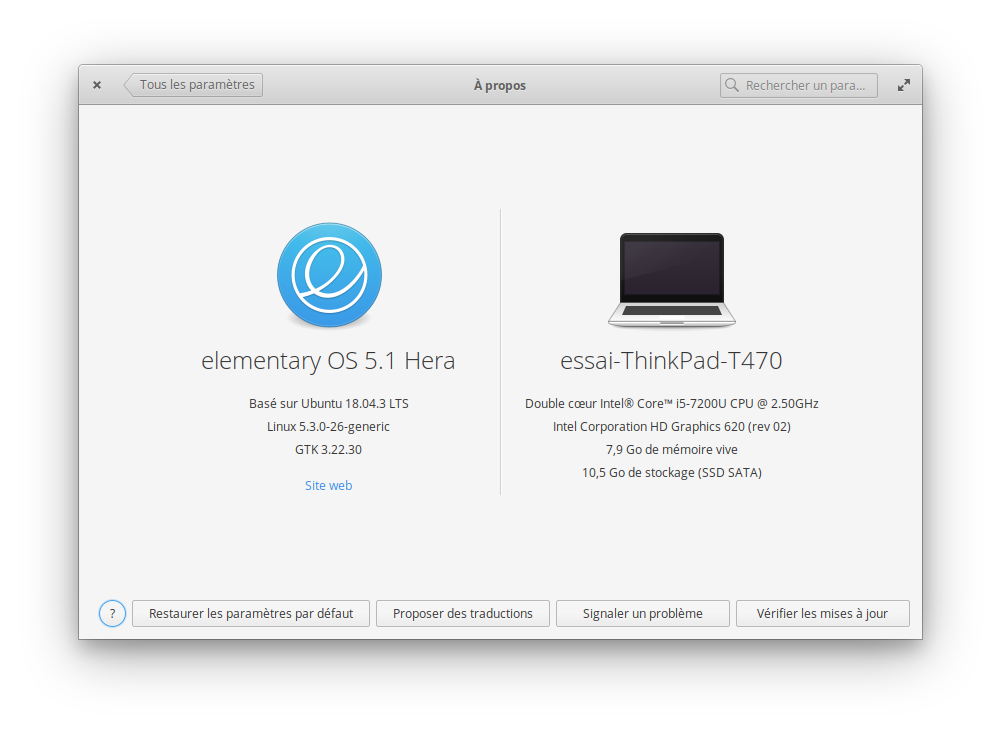
Language: French
Keyboard: English (US) - English (Dvorak intl., with dead keys)
Location: Paris
The testing system is installed on a small partition on a ThinkPad T470 laptop on which UEFI Secure Boot is disabled. Aside from specifying the language, keyboard, location, initial user, and the specific partition in which to install elementary OS, all of the default settings were used during the installation. No Internet connection was used during the installation. The only system-wide changes which have been made after the installation are that the system connects to the Internet by wi-fi via a Linksys WRT54GL Wireless Router and that Screen Recorder has been installed via AppCentre.
Additional context
Before this test was performed, the following steps were followed:
- All system-wide changes from previous tests were reverted.
- All system components were updated via the blue “Update All” button in AppCentre.
- A new administrator user named “Essai” or “Essai 2” was created with the password “komalleana”.
- The current user was logged out and the new user was logged in.
- The old user was deleted, the screen resolution was set to 800x600 at 60 Hz, tap clicking was disabled, and the touchpad pointer speed was set to the maximal value.
- The computer was rebooted.
- The test user was logged in.

Prerequisites
Describe the error
Creating a multi-selection of files and then going backwards in that multi-selection causes the point of origin to reset. If this description sounds confusing then please look at the provided screen recording.
To reproduce
Expected behaviour
The point of origin for the multi-selection is always the file at which one started holding down Shift. So, for example, when going backwards or upwards in a multi-selection, the last file(s) at the very end of the selection is/are removed from the selection while the rest of the selection is preserved.
To my memory, this is the same behaviour in Windows.
Screenshots or screen recordings
Screen recording
Platform information
Language: French
Keyboard: English (US) - English (Dvorak intl., with dead keys)
Location: Paris
The testing system is installed on a small partition on a ThinkPad T470 laptop on which UEFI Secure Boot is disabled. Aside from specifying the language, keyboard, location, initial user, and the specific partition in which to install elementary OS, all of the default settings were used during the installation. No Internet connection was used during the installation. The only system-wide changes which have been made after the installation are that the system connects to the Internet by wi-fi via a Linksys WRT54GL Wireless Router and that Screen Recorder has been installed via AppCentre.
Additional context
Before this test was performed, the following steps were followed: