
Alright, so you want to export all your messages on Slack. You want them in a format that you can still enjoy in 20 years. This tool will help you do that.
- Completely static: The generated files are pure HTML and will still work in 50 years.
- Everything you care about: This tool downloads messages, files, and avatars.
- Nothing you do not care about: Choose exactly which channels and DMs to download.
- All types of conversations: We'll fetch public channels, private channels, DMs, and multi-person DMs.
- Incremental backups: If you already have local data, we'll extend it - no need to download existing stuff again.
- JSON included: All data is also stored as JSON, so you can consume it with other tools later.
- No cloud, free: Do all of this for free, without giving anyone your information.
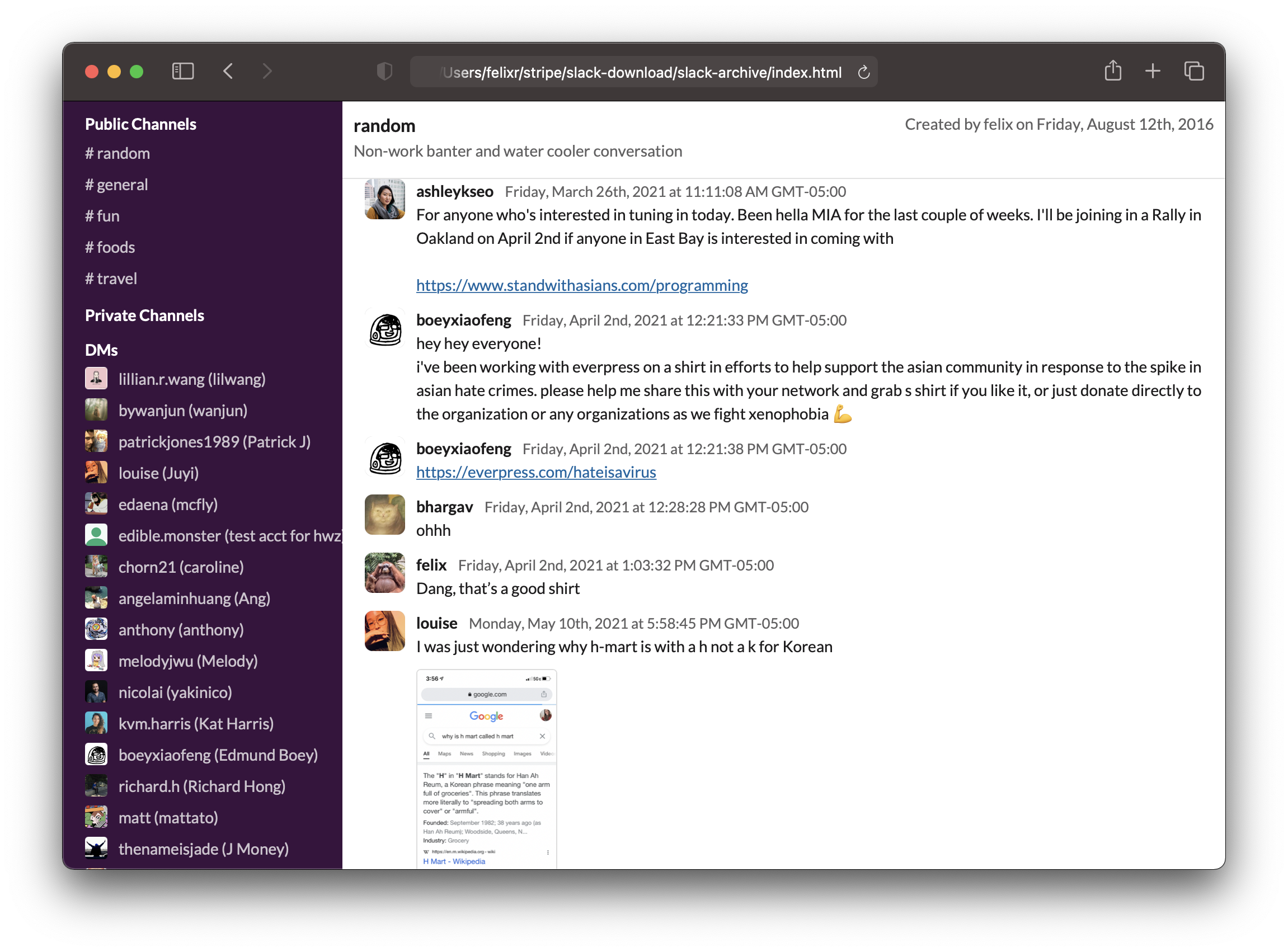
-
Make sure you have Node.js installed, ideally something newer than Node v14.
-
Download and run a temporary installation of the package, through the mighty
npx1 runner:npx slack-archive
-
Feed your User OAuth Token to the prompt and let the program interactively guide you through all the options.
-
The exported data will be stored, in nice HTML format, inside the
./slack-archivesubdirectory. If the subdirectory already exist the program will compare the available workspace data with its content and download and merge only the newer additions.
Alternatively, to run a development version in Docker:
- Checkout the code from Git
- Make sure Docker is installed
- Run
./run_in_docker.sh
This will build Docker image called slack-archive:dev, compile it and start the interactive guide.
Results wil be saved in folder slack-archive_USERDATA/.
In order to download messages from private channels and direct messages, we will need a "User OAuth Token" associated with you and the target workspace. Slack uses this token to identify what permissions it'll give this app. We used to be able to just copy a token out of your Slack app, but now we'll need to create a custom app, install it to the target workspace and retrieve the token from its Slack API tab.
This will be mostly painless, I promise.
- Head over to https://api.slack.com/apps and sign in to your account.
- Press the
Create New Appbutton and select theFrom an app manifestoption. - Choose the workspace you'd like to backup with slack-archive.
- When prompted for an App Manifest, just paste in the following yaml configuration:
_metadata:
  major_version: 1
  minor_version: 1
display_information:
  name: "Slack-Archive_<username>"
  description: "Export user-visible channel data as static HTML. Incrementally."
  background_color: "#de0446"
features:
  bot_user:
    display_name: Slack-Archive
    always_online: false
oauth_config:
  scopes:
    user:
      - channels:read
      - channels:history
      - files:read
      - groups:read
      - groups:history
      - mpim:read
      - mpim:history
      - im:read
      - im:history
      - users:read
    bot:
      - commands
      - chat:write
      - chat:write.public
settings:
  org_deploy_enabled: false
  socket_mode_enabled: false
token_rotation_enabled: false- Replace
<username>with whatever identifier you prefer (e.g.your-surname); please notice that this app-name will be visible to all the workspace members, in theAppstab of the Slack UI. - Proceed and confirm the summary: your custom app is ready!
- Select
Install to Workspaceat the top of the app page (orReinstall to Workspaceif you have done this previously). - You will be prompted to an authorization page, review the permissions (they should match what you have configured in the yaml manifest).
- Then, from the
Featuresmenu on the left of the app page, selectOAuth & Permissions: there you will find your User OAuth Token, which will generally be inxoxp-********...format. This is the token you need to past into the slack-archive prompt, in order for the program to work.
Footnotes
-
NPX is an acronym for Node Package Execute. It comes with NPM, the Node Package Manager. NPX has the ability to execute a Node package which wasn't previously installed, downloading it on the flight from the NPM registry. ↩