The take-home assignment requires you to:
- Get the data from a free financial data API called FMP (https://site.financialmodelingprep.com/developer/docs/) Historical Dividends (https://site.financialmodelingprep.com/developer/docs/#Historical-Dividends)
- Delisted companies ((https://site.financialmodelingprep.com/developer/docs/delisted-companies-api/))
- Store the retrieved data in any database you are comfortable working with (for example, you may setup MySQL on your local machine)
- Note that, we prefer you to spend some time parsing HTTP request/response rather than FMP library to measure your skill.
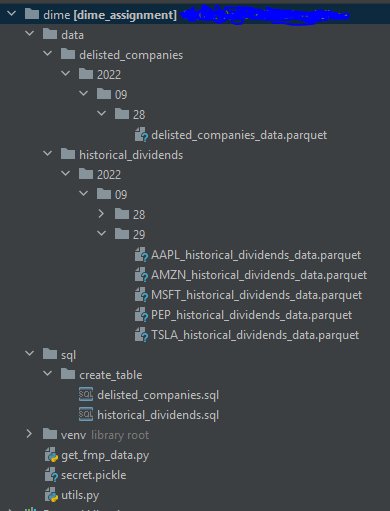
The main script is get_fmp_data.py which do all the processes e.g. extract, transform and load into PostgresDB by calling functions from itself and from utils.py as plugins
Also I created secret.pickle (I did not put into this repo) to store my API_KEY and postgres credentials (host, user , password) which can be replaced with AWS Secret Manager
After I got the data and converted into DataFrame plus some data type transformations and added the column 'updated_time' as current utc timestamp to be used for deduplication and update data on the table. For the next step, I saved the data as .parquet file into path './data/{table}/{year}/{month}/{day}/' which I referred this as my Data Lake also give it the subpath with year, month, day in case that we can use these as Partitioning columns.
The year, month, day are come from the script running date or it can be replaced with execution_date that pass from the scheduler.
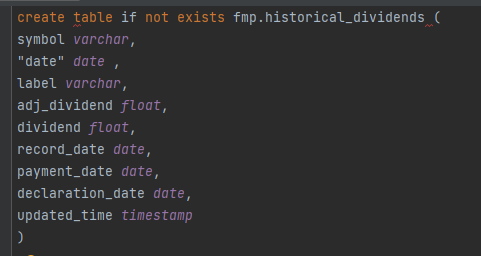
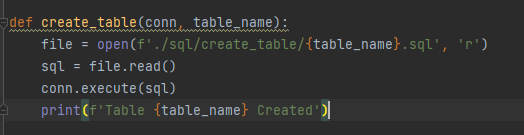
Before create table, I need to prepare the table schema with CREATE TABLE script that saved in path ./sql/create_table/, in case there's some column with specific column type e.g. date type or timestamp and then create if not exists (If there's a schema change I chose to drop it manually first for safer and re-create the table with the pipeline)
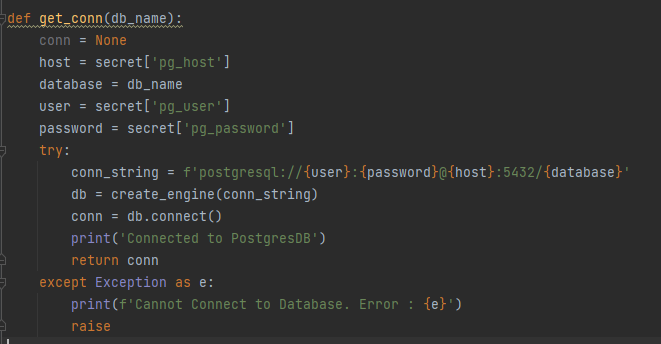
And use sqlalchemy to create my Postgres connection with my credentials in secret. (This function is in utils.py)
I use glob to fetch all the .parquet files from the folder of each table from each ingested date and read each parquet as dataframe. After that I used df.to_sql method to insert data to the table.

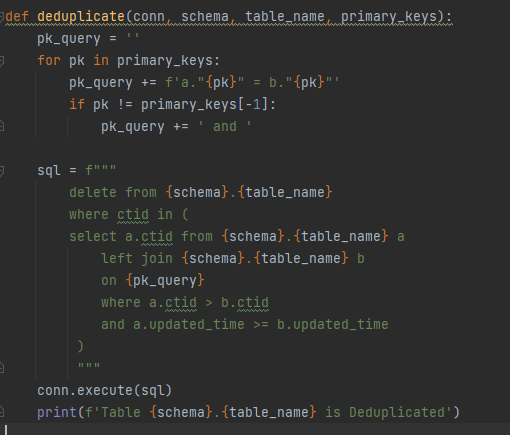
I had defined each primary key of each table on tables_and_pks dict and then pass into dedup query by using Postgres ctid and updated_time to help me get the latest record of each data with its primary keys.
Finally Data is ingested into PostgresDB schema "fmp" with the latest updated_time
Table : fmp.historical_dividends
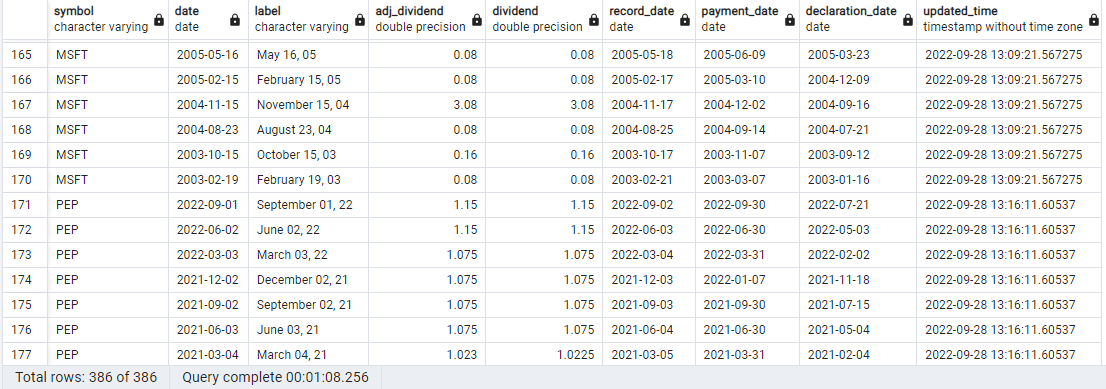
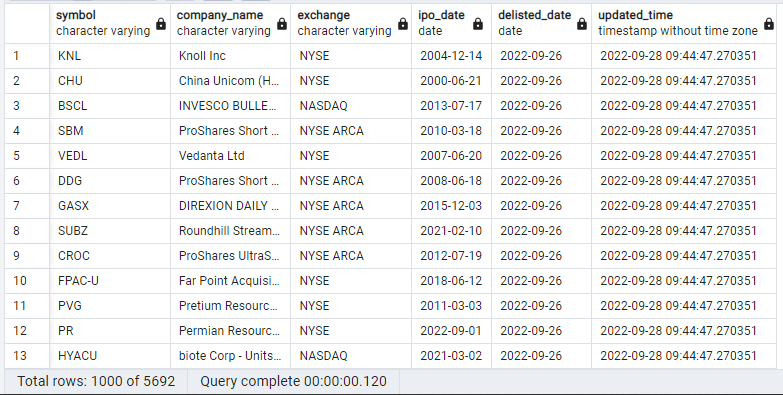
Table: fmp.delisted_companies