





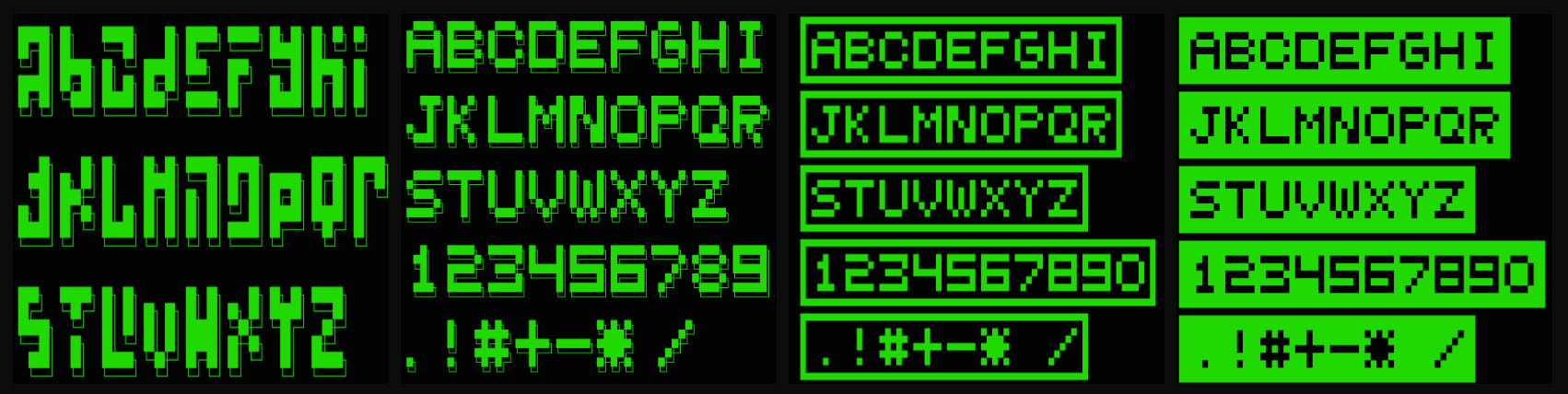
AsciiSign lets you render magnificent text directly in your terminal, using carefully designed pixel-matrix fonts. It's perfect for adding a special touch to welcome screens, banners, logs, or any console application that deserves a bit more style.
Inspired by the aesthetics of old-school computers and the work of the genius Alan Turing, the TuringFont offers a unique, filled, and bold look for your creations.
And don't worry, the classic ShadedFont (hollow) is still here for those who love the traditional style!
If AsciiSign added a little sparkle to your console and you felt happy using it, how about sharing that happiness with a coffee? Your contribution helps keep the flame of creativity burning for new features and projects!
Friendly note: The platform suggests some values, but you have complete freedom to enter any amount you wish in the field next to it, starting from $1. Any coffee, is a huge gesture and makes me incredibly grateful!

- Four Awesome Fonts: Choose between the classic
ShadedFont(hollow), the new and robustTuringFont(filled),BasicFont(simple), andInvertedBasicFont(inverted). - Zero Dependencies: Lightweight and simple, built with pure .NET for maximum compatibility.
- Fluent and Simple API: Create your art with a single, intuitive method call.
- Open Source, Protected: Licensed under LGPLv3, ensuring the project remains free while protecting the author's work.
Using AsciiSign is incredibly simple and fun.
- Install the package from NuGet.
Run the following command in your terminal:
dotnet add package AsciiSign- Call the drawing methods:
Use the following code snippets in your C# project to see the magic happen:
  using AsciiSign;

  // Using the Basic Font
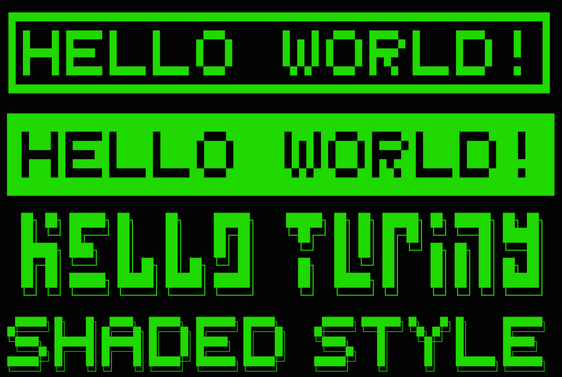
  Sign.DrawBasicFont("Hello World!", isInvertedSign: false); // Basic Font

  Console.WriteLine("\n\n"); // Just to add some space

  // Using the Inverted Basic Font
  Sign.DrawBasicFont("Hello World!", isInvertedSign: true); // Inverted Basic Font

  // Using the new and awesome Turing Font!
  Sign.DrawTuringFont("Hello Turing");

  Console.WriteLine("\n\n"); // Just to add some space

  // Using the classic Shaded Font
Sign.DrawShadedFont("Shaded Style");-
Admire the result: Your console will never be the same!
This is a project born from curiosity and a love for creative programming. If you have ideas for optimizations or features, your contribution is more than welcome!
- Fork this repository.
- Create a new Branch (
git checkout -b feature/your-amazing-feature). - Commit your changes (
git commit -m 'Add new feature...'). - Push to the Branch (
git push origin feature/your-amazing-feature). - Open a Pull Request.
This project is distributed under the LGPLv3 license. See the LICENSE file for more details.
Created with ☕ and a whole lot of code by Yalê Ericssen (@ericssendelima).
