This tool is deprecated. For VoD support, please visit https://livepeer.com/docs
A VOD Transcoding Tool Using Livepeer's Hosted Gateway
=======
This tool uses ffmpeg to segment a video into HLS, and then uses the Livepeer gateway API to transcode each .ts segment based on a preset. You can get a free API key from the Livepeer website.
Livepeer is a highly reliabile, scalabile, and cost effective transcoding infrastructure. This is a simple example of what can be build using its segmented-based transcoding API.
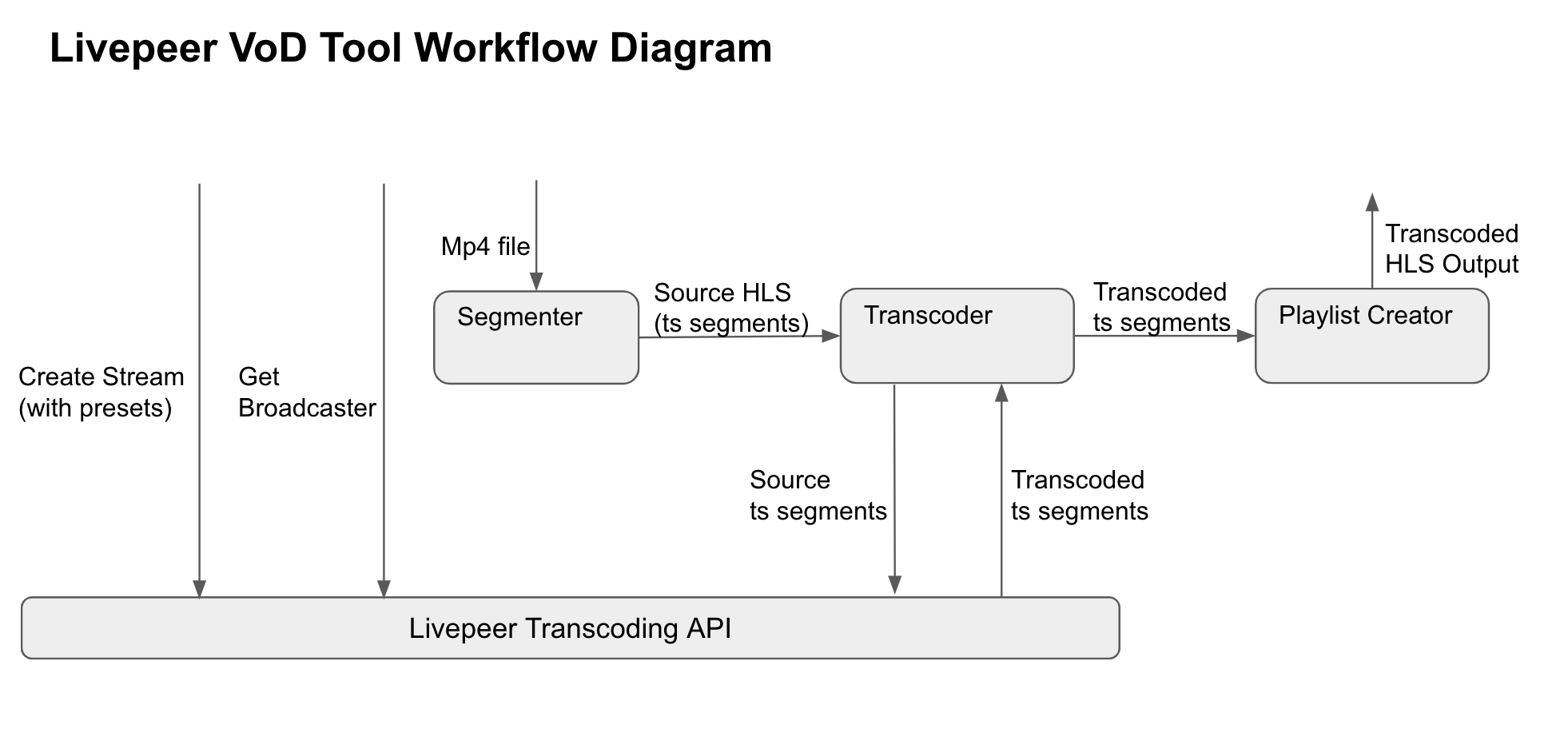
To use the tool, you can create an executable by build the project yourself using go build, or download one of the releases here.
After getting the executable, you can try the following command. Be sure to install ffmepg if you have not already.
./main -file bbb_30s.mp4 -apiKey {apiKey} -presets bbbPresets.json
You should see a /results directory that contains your transcoding results. You can play the transcoded result by running ffplay results/playlist.m3u8
You can compare the results with what you will get from running ffmpeg yourself, following this tutorial.
TODO: Complete mp4 workflow - writing list.txt, combine using ffmpeg -f concat -safe 0 -i list.txt -c copy out.mp4