Xcode plugin to open a related Github or BitBucket page directly form the Xcode editor code window. Installs easily through the Xcode package manager Alcatraz.
Click here for a tutorial. In addition I presented the tool on Git Merge 2013 in Berlin.
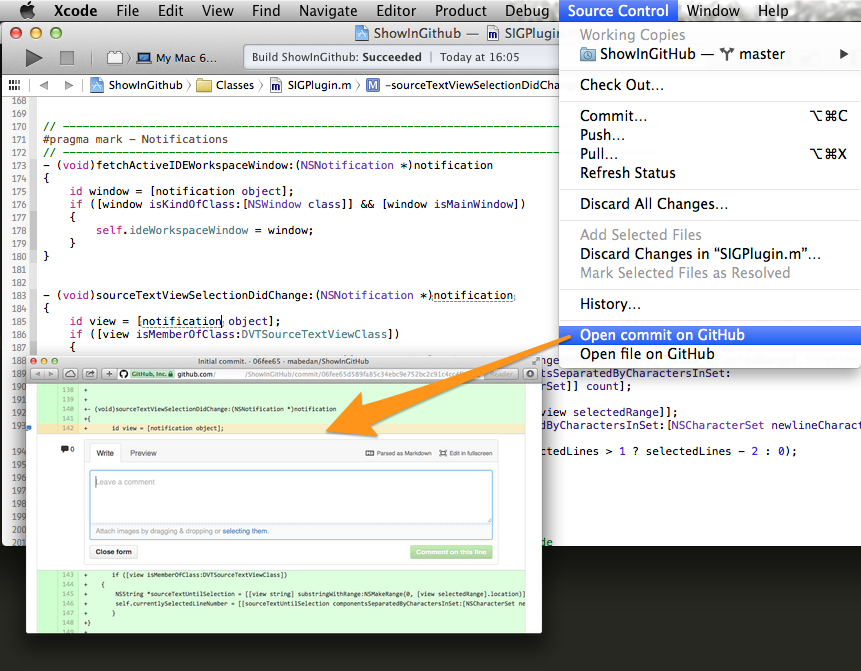


Show in GitHub was developed and tested with Xcode 4.5.
- Install it via Alcatraz
or
-
Clone the repo on your local machine.
-
Build it.
-
ShowInGitHub.xcpluginshould appear in `~/Library/Application Support/Developer/Shared/Xcode/Plug-ins -
Restart Xcode
-
Click on any line in a GitHub project and choose "GitHub" --> "Show in GitHub" in the main menu
Lars Schneider larsxschneider+sig@gmail.com
ShowInGitHub is available under the BSD license. See the LICENSE file for more info.