I'm working on a project which requires me to read a .xlsx file which already has some default settings defined and columns names provided. The first 3 rows are formatted with labels and the first writable row starts at line 4 which shows up correctly at the actualRowCount value. I noticed that the worksheet.addRow() was writing to line _nextRow 29 and while the _lastRow count was set to 28. As the first 28 rows starting line 4 had the format cell wrap text enabled.
Steps to re-create the issue with screen grab
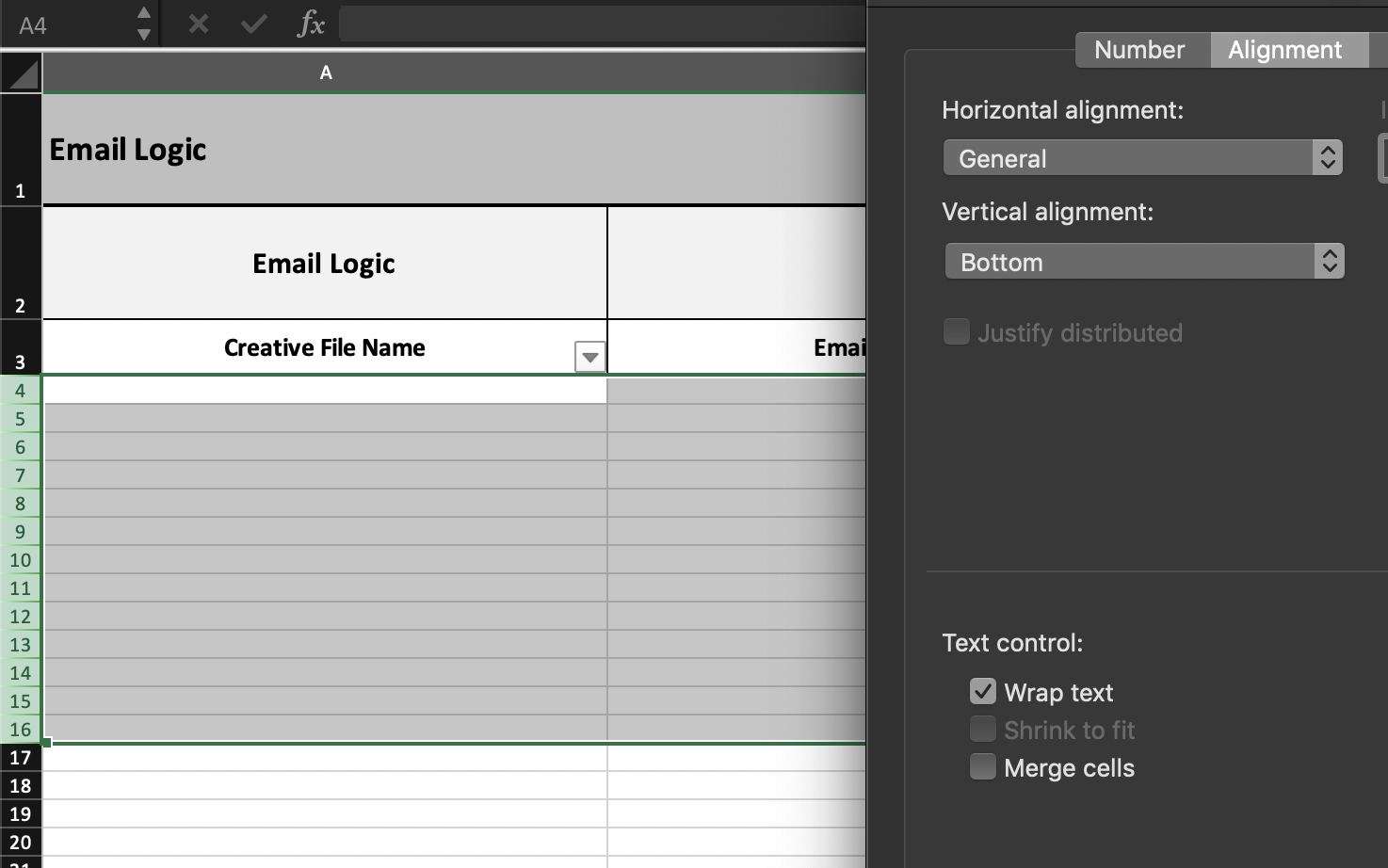
- Create a XLS file and select the first 10 rows and apply the wrap text alignment using the format cells.
- Read the file using the workbook.xlsx.readFile() and write rows to the worksheet.
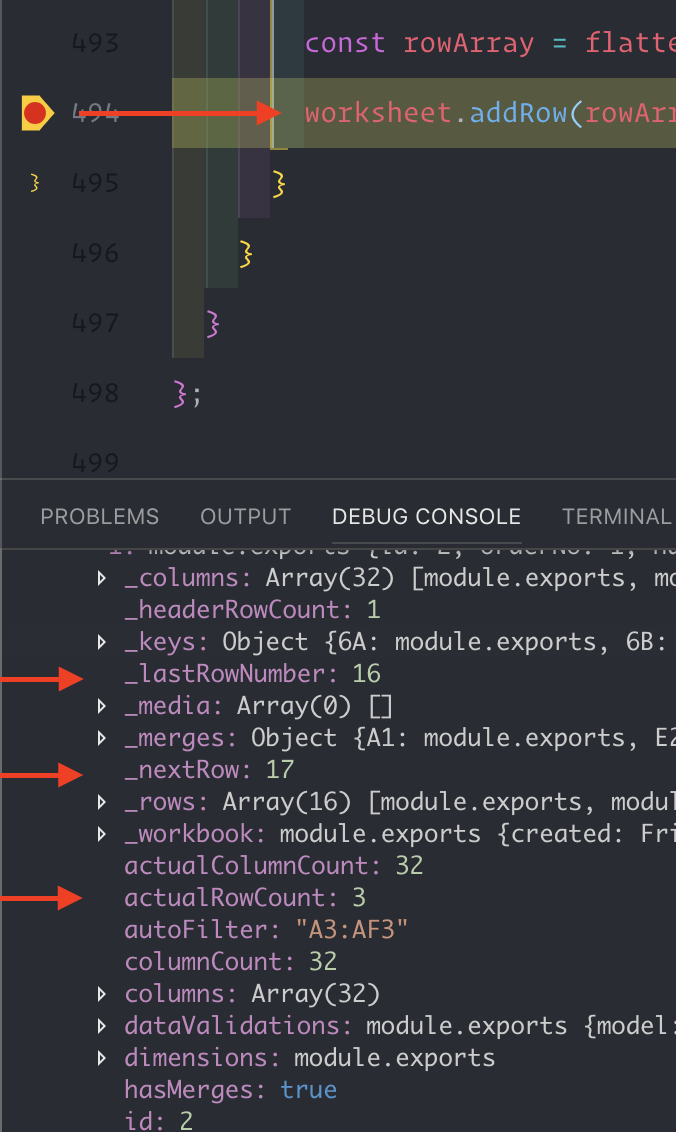
- Log the
_nextRow and _lastRowCount and actualRowCount.
- XLSX file template screen

- Wrap text for each cell enabled till row 16
- Debugging breakpoint with
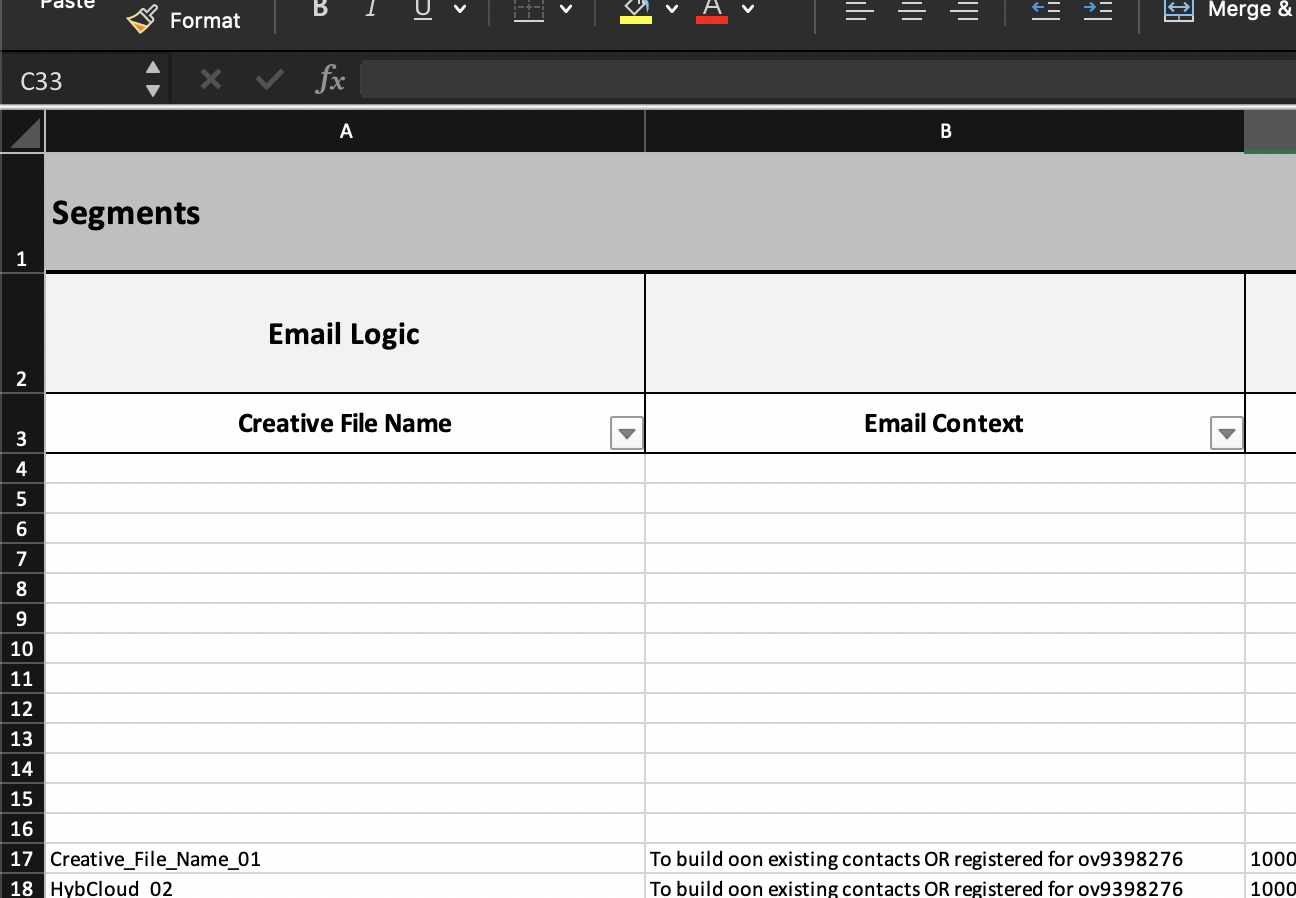
- file generated with rows starting at line 17

I'm working on a project which requires me to read a
.xlsx filewhich already has some default settings defined and columns names provided. The first 3 rows are formatted with labels and the first writable row starts at line 4 which shows up correctly at the actualRowCount value. I noticed that theworksheet.addRow()was writing to line_nextRow 29and while the_lastRow count was set to 28. As the first 28 rows starting line 4 had the format cell wrap text enabled.Steps to re-create the issue with screen grab
_nextRow and _lastRowCount and actualRowCount.